 By MeetBridge Team
What Is an AI Meeting Translator and How Does It Work?
An AI meeting translator goes beyond basic captions by translating speech in real time, preserving speaker context, and producing multilingual transcripts and summaries your team can act on. This guide explains how it works, where captions fall short, and what to evaluate for business use.
What Is an AI Meeting Translator and How Does It Work?
Founders leading multilingual teams often discover a painful truth: the meeting isn’t the hard part—the misunderstanding afterward is. A customer call in English gets paraphrased into Spanish in Slack, a product review in Japanese becomes a rough “summary” in a doc, and by the time decisions are shared across regions, details are missing or wrong.
That’s where an AI meeting translator comes in. Unlike basic captions, it’s designed to translate conversations in real time and preserve the business context needed for decisions, follow-ups, and accountability.
This article defines what an AI meeting translator is, explains the workflow behind it, shows where standard captions fall short, and gives you a practical checklist for choosing and rolling it out.
What an AI Meeting Translator Means (and What It’s Not)
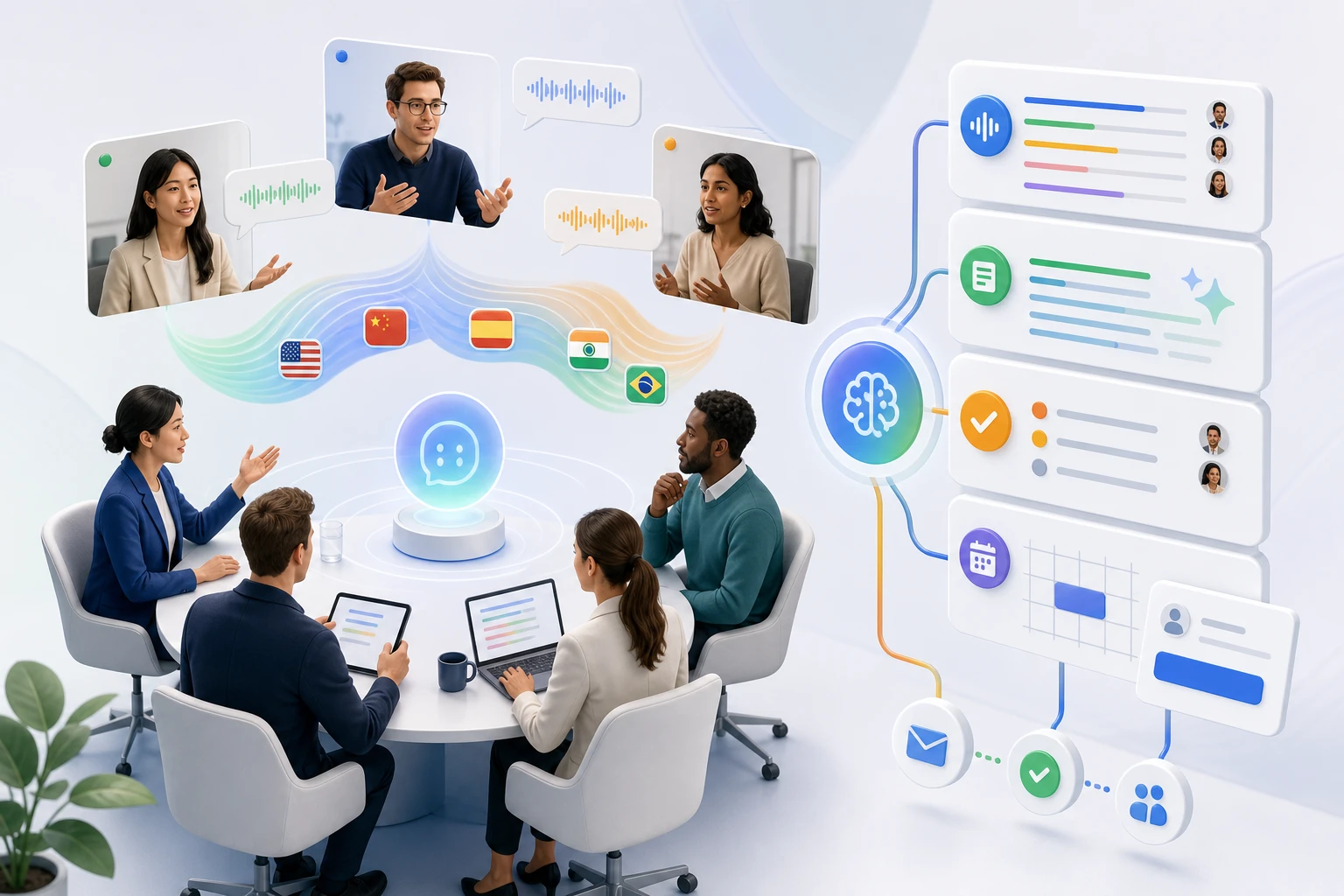
An AI meeting translator is software that listens to spoken conversation during a meeting, converts it into text (speech-to-text), and translates that content into one or more target languages—often live—so participants can understand each other without relying on a human interpreter.
In B2B settings, a true AI meeting translator typically includes more than just on-screen translated text. It aims to deliver:
- Live translation for participants in different languages
- Speaker-aware transcripts (who said what)
- Multilingual meeting notes (so teams in different regions can consume outcomes)
- Actionable outputs like decisions, tasks, and follow-up messages
What it’s not: basic captions
Captions are usually designed for accessibility and convenience, not cross-lingual business alignment. Many platforms offer “live captions” or “translated captions,” but they often:
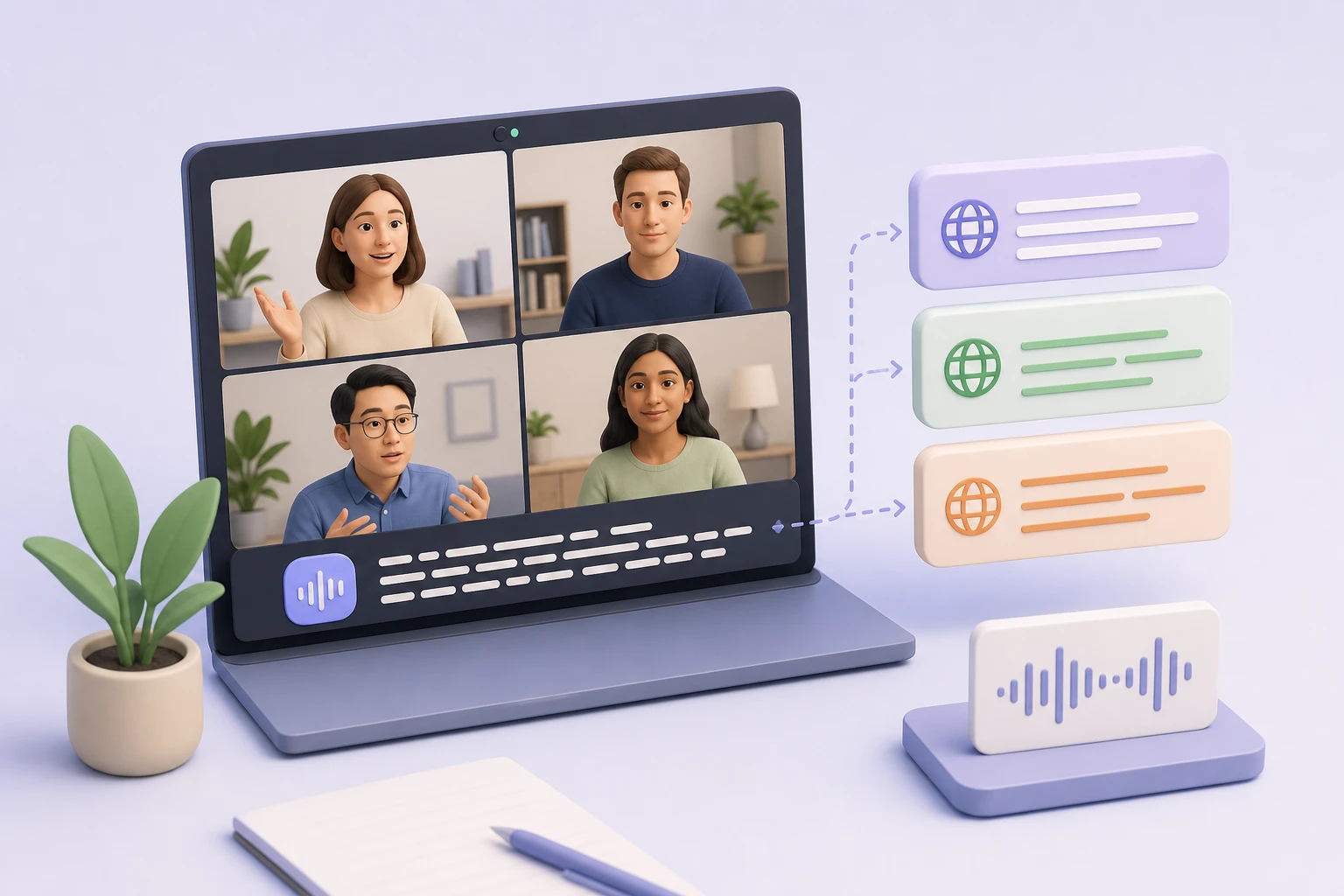
- Don’t handle domain terms well (product names, acronyms, industry jargon)
- Lose meaning in fast back-and-forth discussion
- Fail to preserve speaker attribution and intent
- Provide no clean handoff into summaries, actions, or follow-ups
A founder’s perspective: if the output can’t reliably answer “What did we decide?” and “Who owns the next step?” across languages, it’s not solving the real problem.
Common B2B scenarios where translation is mission-critical
- Sales and customer success: A US-based AE runs discovery in English; the implementation team in LATAM needs accurate requirements in Spanish the same day.
- Product and engineering: A roadmap review includes stakeholders in Germany and Japan; misunderstandings lead to rework or delayed launches.
- Operations and vendors: A supplier negotiation in Mandarin needs a trustworthy record for legal, finance, and procurement teams.
- Hiring and HR: Interviews across regions require consistent evaluation notes and fair, accurate interpretation.
How an AI Meeting Translator Works (A Practical Workflow)
At a high level, live meeting translation is a pipeline. Understanding the steps helps you evaluate quality and troubleshoot issues.
Step 1: Audio capture and speaker separation
The system captures audio from the meeting platform (or device) and tries to distinguish speakers. This matters because translation quality improves when the model understands sentence boundaries and speaker turns.
What can go wrong in business meetings:
- Crosstalk (two people speaking at once)
- Poor microphones or noisy rooms
- Side conversations
Step 2: Speech-to-text (ASR)
Automatic Speech Recognition (ASR) converts audio into text in the source language.
Key quality factors:
- Accent and dialect support
- Handling of proper nouns (company names, customer names)
- Punctuation and sentence segmentation (critical for translation)
If ASR is wrong, translation will be wrong—so “translation quality” often starts with transcription quality.
Step 3: Context-aware translation
The transcript is translated into one or more target languages. Better systems attempt to preserve:
- Meaning (not just word-for-word translation)
- Tone and intent (e.g., “We should consider…” vs “We will do…”)
- Technical terminology
In multilingual meetings, context matters. For example:
- “Pipeline” in sales vs “pipeline” in data engineering
- “Close” as in close a deal vs close a ticket
Step 4: On-screen delivery (live experience)
Participants receive translated text in real time. Depending on the system, this may be:
- Captions per participant language
- A translated transcript view
- A chat-like stream of translated utterances
The best experience minimizes cognitive load: people should be able to listen, speak, and follow the translated content without constant manual toggling.
Step 5: Post-meeting artifacts (where the business value compounds)
This is where AI meeting translators separate from “caption features.” After the meeting, teams need:
- A clean transcript in the original language
n- Translations for key stakeholders
- A summary that captures outcomes
- Decisions, risks, and action items
- Follow-up messages and next meeting scheduling
Platforms like MeetBridge treat translation as one layer of a stronger meeting system: live translation plus transcripts, AI summaries, and action-focused follow-up in a single workflow.
Common Friction in Multilingual Meetings (and Why Captions Fall Short)
Basic captions can be helpful, but they often break down in real business conditions.
1) Captions don’t capture decisions and ownership
A caption stream might show what was said, but not what was decided. In multilingual environments, ambiguity is amplified.
Example:
- Speaker A (English): “Let’s aim to ship by the 15th, unless QA finds blockers.”
- Caption translation (Spanish): “Enviemos el 15.”
Now the LATAM team thinks the date is committed. The nuance (“unless blockers”) is gone.
2) Captions struggle with jargon, acronyms, and names
In B2B, a single mistranslated term can derail alignment:
- Product names: “BridgeFlow” becomes “puente flujo”
- Acronyms: “SOC 2,” “SLA,” “NPS,” “MRR” get misread or expanded incorrectly
- Customer names: “Kühne+Nagel” becomes something unrecognizable
A practical requirement: you need a system that can learn or consistently handle your vocabulary and maintain it in transcripts and summaries.
3) Captions aren’t a system of record
If your meeting output lives as ephemeral captions, you still have to:
- Rebuild notes manually
- Translate key points for other teams
- Create tasks in your project tool
- Send follow-ups
This is why translation alone doesn’t solve the founder problem: you need a reliable “meeting-to-work” pipeline.
4) Latency and readability issues
Translation takes time. If captions lag too far behind speech, participants stop trusting them.
Also, caption formatting matters:
- Missing punctuation makes text hard to parse
- Long unbroken lines create fatigue
- Lack of speaker attribution causes confusion
5) Compliance and confidentiality concerns
Many teams can’t adopt “free” translation tools because of:
- Data retention uncertainty
- Unclear model training policies
- Lack of admin controls
For customer meetings, procurement, or HR, this can be a blocker.
What to Evaluate in Meeting Translation Software (Buyer’s Checklist)
If you’re choosing an AI meeting translator for business teams, evaluate it like a workflow tool—not a novelty feature.
Translation quality and context
- Which language pairs are supported for your team (including regional variants)?
- How does it handle fast dialogue and interruptions?
- Can it preserve meaning for business terms and technical jargon?
Transcript reliability
- Does it provide speaker-labeled transcripts?
- Can you correct names/terms after the meeting?
- Are transcripts searchable and shareable across teams?
Summaries that match stakeholder needs
A founder, a PM, and a CS manager need different outputs.
Look for:
- Executive summary (what happened and why it matters)
- Decisions and open questions
- Action items with owners and deadlines
- Risks and blockers
Follow-up and action routing
Translation is most valuable when it drives execution.
Evaluate whether the system helps you:
- Draft follow-up emails/messages in the recipient’s language
- Capture next steps and push them into your workflow
- Schedule the next meeting with booking links
Security, governance, and control
- Admin settings and access control
- Data retention options
- Export and deletion
- Vendor security posture (important for enterprise customers)
User experience for multilingual participants
- Can each participant choose their preferred language?
- Is the interface readable in real time?
- Does it work across common meeting setups (remote, hybrid, conference rooms)?
Rollout Basics: A Practical Workflow You Can Use This Week
Below is a lightweight rollout plan for founders or ops leads introducing an AI meeting translator without slowing teams down.
Phase 1: Pick one high-value meeting type
Start with a meeting where misunderstanding is expensive:
- Sales discovery → handoff to implementation
- Weekly product/engineering sync across regions
- Customer escalation calls
Define success in one sentence, e.g.:
- “Within 24 hours, every region has the same decisions and next steps in their language.”
Phase 2: Create a shared glossary (15 minutes)
Before your pilot, list:
- Product names
- Key acronyms
- Customer names
- Technical terms
Even a small glossary improves transcription and translation consistency.
Phase 3: Run the meeting with two explicit norms
1) One person speaks at a time for key decision moments. 2) Decisions are stated clearly (“Decision: we will…”) to make summarization and translation more reliable.
Phase 4: Use a post-meeting checklist (copy/paste)
After every multilingual meeting, confirm:
- Transcript is complete and speaker-labeled
- Key terms/names are correct
- Summary includes:
- Goals
- Decisions
- Action items (owner + due date)
- Risks/open questions
- Follow-up message is sent in the recipient’s language
- Next meeting is scheduled (or a booking link is shared)
Phase 5: Measure outcomes, not novelty
Track one or two metrics:
- Reduced rework due to misunderstandings
- Faster handoffs (time from meeting → tasks created)
- Fewer “Can you clarify?” messages across regions
If those improve, expand to other meeting types.
How MeetBridge Fits (Translation Plus the Rest of the Meeting System)
Most teams don’t just need translated words—they need translated outcomes.
MeetBridge is designed for multilingual teams that want meetings to produce consistent, actionable outputs. In practice, that means:
- Live translation so participants can follow in their preferred language during the call
- Accurate transcripts that create a dependable record across languages
- AI summaries tailored to business needs (what happened, what was decided, what’s next)
- Decisions and action items captured so execution doesn’t depend on one bilingual teammate
- Booking flows to schedule follow-ups quickly (especially useful for sales, onboarding, and cross-region stakeholder reviews)
- Follow-up actions so teams can send recaps, assign owners, and keep momentum—without rebuilding everything manually
The practical advantage is workflow continuity: translation isn’t a bolt-on feature; it’s integrated into the same flow as transcription, summarization, and follow-through. For a founder, that’s how multilingual communication becomes operationally scalable.
FAQ
What is an AI meeting translator?
An AI meeting translator is software that translates spoken conversation during meetings—often in real time—by combining speech-to-text with machine translation. Business-grade tools typically also produce transcripts and post-meeting summaries so teams can align on decisions and next steps across languages.
How is an AI meeting translator different from translated captions?
Translated captions usually provide a basic live text overlay and may not preserve speaker context, domain terminology, or decision clarity. An AI meeting translator (especially in a meeting platform like MeetBridge) aims to deliver reliable multilingual transcripts, summaries, and action items so the meeting outcomes are usable by different teams.
How accurate is live meeting translation?
Accuracy depends on audio quality, accents, speaking speed, and jargon. In practice, live translation is often “good enough” for understanding, while post-meeting transcripts and summaries help confirm details. Teams improve results by using good microphones, reducing crosstalk, and maintaining a glossary of key terms.
What should I look for in meeting translation software for business teams?
Prioritize speaker-labeled transcripts, strong language support for your regions, consistent handling of terminology, and post-meeting outputs like summaries, decisions, and action items. Also evaluate security controls and how easily the tool supports follow-up workflows (messages, tasks, and scheduling).
Can AI meeting translation help with customer calls and sales?
Yes. It can reduce reliance on bilingual intermediaries, speed up handoffs to implementation, and ensure stakeholders receive accurate recaps in their language. The biggest value comes when translation is paired with transcripts, summaries, and follow-up actions—so the call turns into execution.
Next step
If you want to see what it looks like when live translation, transcripts, AI summaries, decisions, booking links, and follow-up actions work in one flow, see MeetBridge in action.
FAQ
How does MeetBridge help multilingual meetings?
MeetBridge combines live translation, transcripts, and AI summaries so teams can understand each other in real time and still keep a structured meeting record.
Can teams use MeetBridge before and after the meeting as well?
Yes. Teams can collect context with booking links and custom questions before the call, then review transcript and action outputs after the call.
Is MeetBridge only for one department?
No. Sales, HR, customer success, consulting, and global operations teams can all use the same workflow for multilingual communication and follow-up.