 By Emre Erel
What to Look for in Multilingual Meeting Software
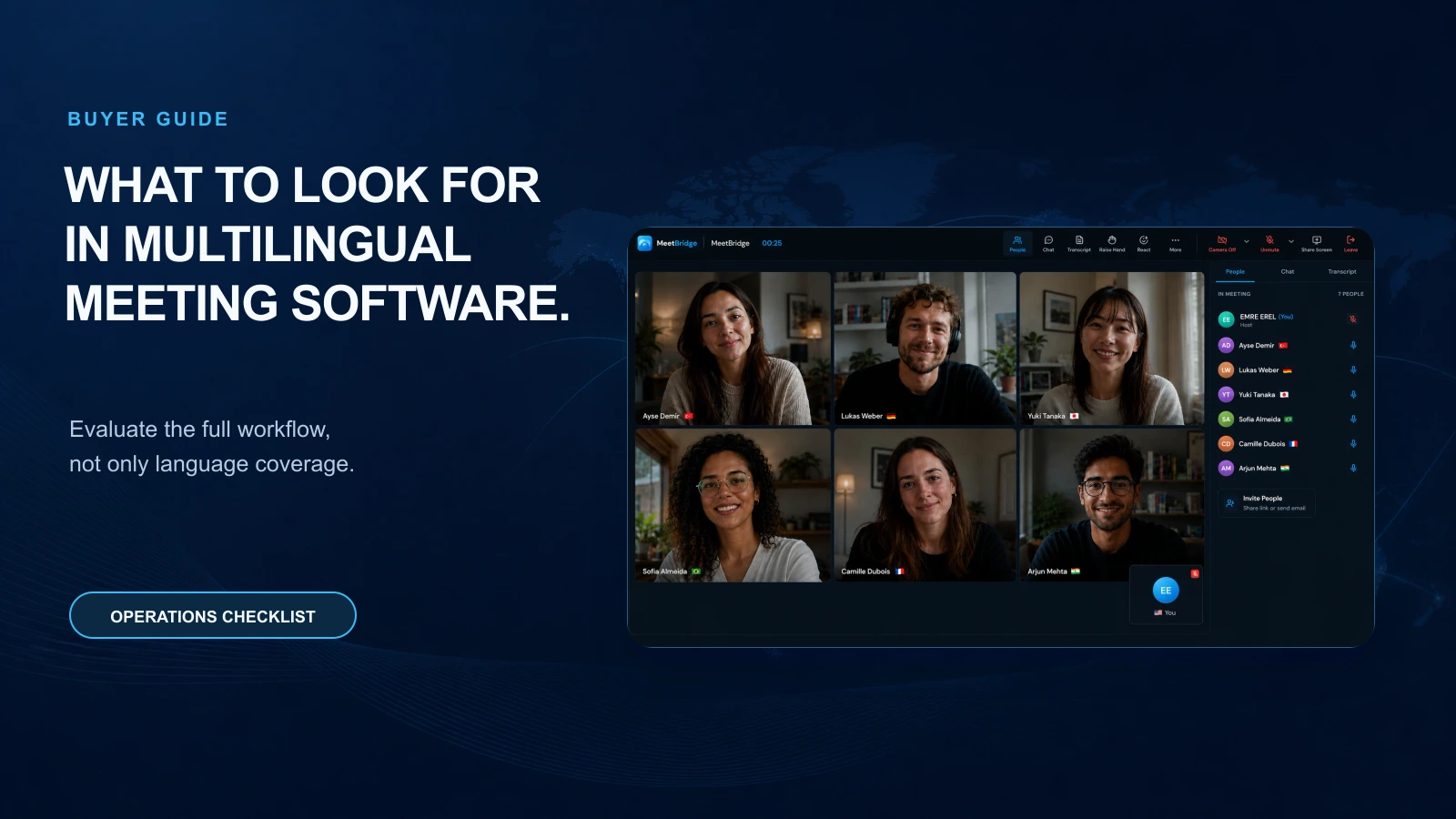
Multilingual meetings fail when translation is treated as an add-on instead of a workflow. This guide shows operations managers what to evaluate in multilingual meeting software—live translation, transcripts, meeting summaries, decisions, actions, and follow-up—so global teams move faster with fewer misunderstandings.
What to Look for in Multilingual Meeting Software
Operations managers in global or fast-growing companies often inherit a messy reality: critical meetings happen across languages, but the outcomes still need to be clear, compliant, and actionable in one operating rhythm. When the “translation plan” is a patchwork of human interpreters, chat messages, and post-meeting notes, the cost shows up as rework, delayed decisions, and misaligned stakeholders.
The best multilingual meeting software doesn’t just translate words. It changes the meeting system: how people prepare, how decisions are captured, and how follow-up gets executed. This guide breaks down what to look for—using practical B2B scenarios—so you can evaluate meeting translation software as part of a stronger operational workflow.
Why multilingual meetings break (and what it costs)
Multilingual meetings usually fail in predictable ways—and the failures look “small” until they compound.
Common failure patterns
- Translation is treated as an event, not a workflow
Teams focus on “Can we translate the call?” instead of “Can we reliably ship decisions and tasks after the call?”
- Only some participants get full context
One language group hears the nuance in real time; others wait for a recap or rely on partial notes.
- Decisions are made, but not documented consistently
The meeting ends with verbal agreement, then the team argues later about what was decided.
- Follow-up relies on a single note-taker
The note-taker becomes a bottleneck—and their notes often reflect one language’s interpretation.
- Compliance and auditability are an afterthought
In regulated industries (or even just enterprise procurement), you may need a record of what was said, what was agreed, and who approved it.
The operational cost (real B2B scenarios)
- Global sales + solutions engineering: A bilingual AE summarizes a technical commitment differently than the engineering lead intended. The SOW changes twice, the customer loses confidence, and the deal slips a quarter.
- Manufacturing supplier calls: A quality issue is discussed across English, German, and Mandarin. The corrective action is misinterpreted, leading to a repeated defect and an expensive expedited shipment.
- Shared services / finance: Month-end close calls include teams in LATAM and EMEA. A policy change is misunderstood, and the same exception keeps resurfacing because the “final” guidance never reached everyone in their working language.
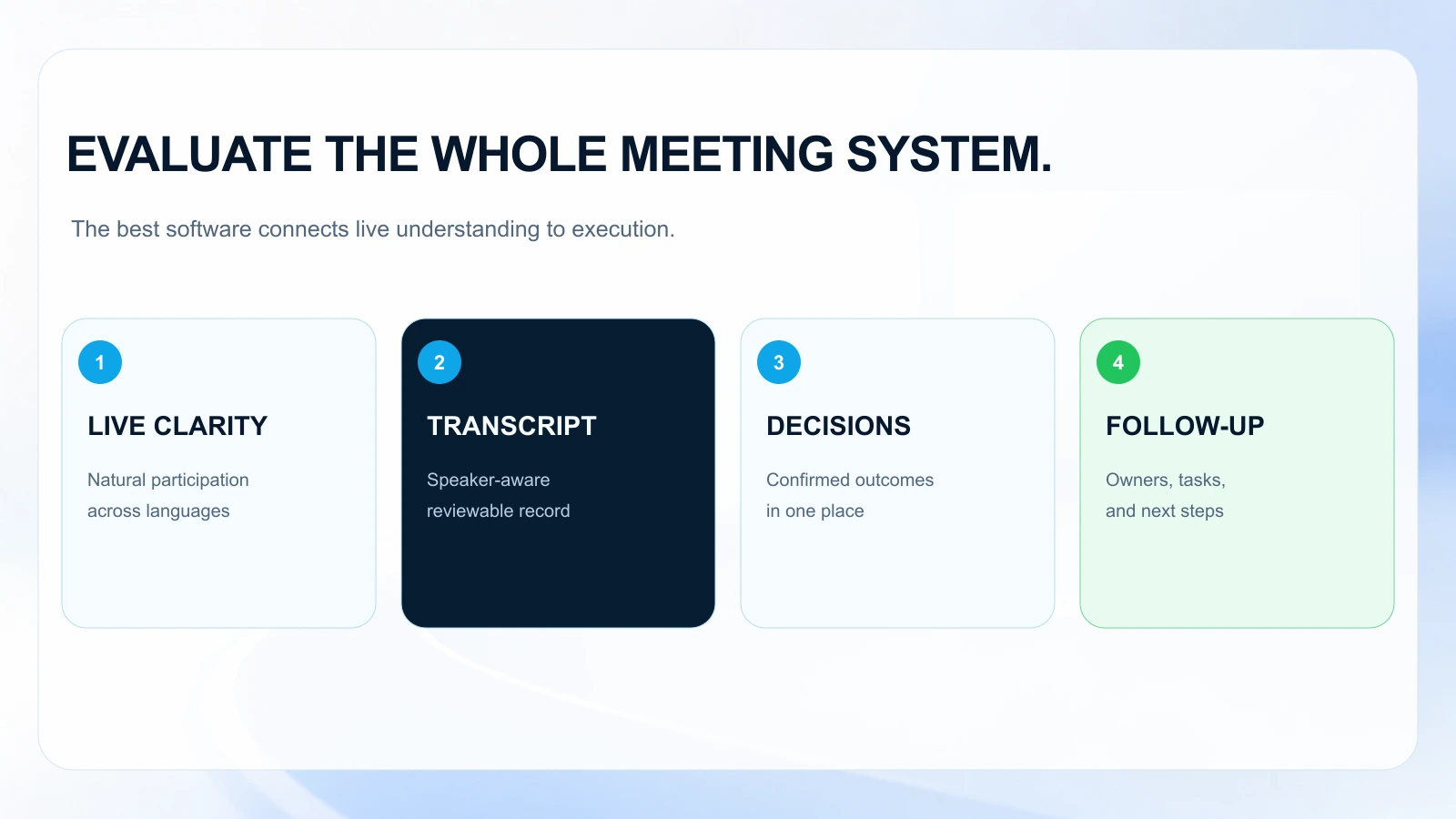
The fix isn’t “more translation.” It’s better multilingual meeting platform design: capture, clarity, and execution.
The workflow shift: from “translate the meeting” to “run a multilingual meeting system”
When you evaluate live translation tools, look for how they support the entire meeting lifecycle—not just the spoken layer.
Old workflow (translation as an add-on)
- Schedule a call
- Add an interpreter (sometimes)
- People speak; some participants struggle
- Someone writes notes
- Action items are retyped into another system
- Follow-up happens inconsistently
New workflow (translation as one layer of an operational system)
- Schedule with clear purpose and pre-reads
- Run the meeting with live translation and shared understanding
- Automatically capture transcript + speaker attribution
- Generate summaries that highlight decisions, risks, and owners
- Turn outcomes into assigned actions and follow-ups
- Track what was completed and what needs escalation
This shift matters because it reduces “lost work” between the meeting and the next step. For operations managers, that’s the difference between meetings that create alignment and meetings that create confusion.
What to look for before the meeting: setup that prevents confusion
Multilingual meetings go off the rails before they start—unclear agendas, missing context, and the wrong participants. Strong multilingual meeting software should help you standardize preparation.
Evaluate these pre-meeting capabilities
1) Booking and routing that respects time zones and languages
Look for:
- Booking flows that reduce back-and-forth (especially across regions)
- Clear language preferences (so attendees know what to expect)
- Automatic inclusion of the right stakeholders based on meeting type
Scenario: Your CS team runs QBRs with customers in Japan and the US. If the booking flow doesn’t capture language needs upfront, you end up scrambling for translation support at the last minute.
2) Agenda and pre-read distribution
Look for:
- A repeatable agenda template by meeting type (QBR, project kickoff, supplier review)
- A way to attach pre-reads and ensure they’re visible to everyone
- Optional translation of key pre-read excerpts or meeting goals (depending on sensitivity)
Operational win: When attendees see the agenda and success criteria in their working language, the meeting starts with less clarification and more decision-making.
3) Permissioning and data controls
For B2B teams, meeting data often includes customer details, pricing, roadmaps, or HR topics.
Look for:
- Role-based access to recordings/transcripts
- Retention controls
- Export and audit options
Even if you’re not in a regulated industry, enterprise customers will ask how meeting content is stored and who can access it.
What to look for during the meeting: live translation that supports decisions
“Live translation” can mean many things—from rough captions to high-quality interpretation. Your evaluation should focus on whether the translation supports decision-making, not just comprehension.
Key capabilities for meeting translation software
1) Real-time translation that stays usable under pressure
In real meetings, people interrupt, use acronyms, and switch topics quickly.
Look for:
- Low-latency translation that doesn’t lag far behind the conversation
- Support for domain vocabulary (product names, technical terms)
- A user experience that doesn’t force participants to juggle multiple tools
Scenario: A cross-functional incident review includes SREs in Poland and product leads in the US. If translation lags or fails on technical terms, the team loses confidence and reverts to side chats.
2) Speaker attribution and clarity
Multilingual meetings often include many voices. Without speaker attribution, transcripts and summaries become unreliable.
Look for:
- Accurate speaker identification
- Clear separation of who said what
- The ability to reference moments later (for alignment)
3) Support for mixed-language participation
In reality, some participants are bilingual, some are not.
Look for:
- Seamless participation even when people speak different languages in the same meeting
- A consistent experience for both native and non-native speakers
4) Minimal friction for guests (customers, suppliers, partners)
For MOFU buyers, guest experience matters.
Look for:
- Easy join links
- No complex setup for external attendees
- A clean interface that works in constrained enterprise environments
If external participants struggle to join, the meeting starts late, and the first 10 minutes become a tech support session.
Capture outcomes: transcripts, summaries, decisions, and action items that hold up
Translation helps people understand the meeting. Capture helps the business execute it.
What “good capture” looks like
1) A transcript that’s actually usable
A transcript is only valuable if it’s searchable, attributable, and complete.
Look for:
- Search across meetings
- Time-stamped transcript
- Speaker labels
- Multi-language transcript support (or translation of transcript where appropriate)
Scenario: Procurement needs to confirm what was agreed with a supplier about lead times. A searchable transcript prevents a week of email back-and-forth.
2) meeting summaries that reflect business outcomes
Generic summaries (“They discussed project status”) don’t help operations.
Look for summaries that include:
- Decisions made
- Open questions
- Risks and blockers
- Action items with owners and dates
- Customer commitments (if applicable)
3) Decision capture as a first-class output
In multilingual settings, “decision drift” is common: different regions leave with different interpretations.
Look for:
- A clear decisions section
- The ability to confirm or edit decisions quickly
- A single source of truth shared after the meeting
4) Action items that don’t die in a document
The best meeting outcomes are the ones that become work.
Look for:
- Converting action items into assigned tasks
- Reminders and follow-ups
- Integration points (or at least export) to your existing systems
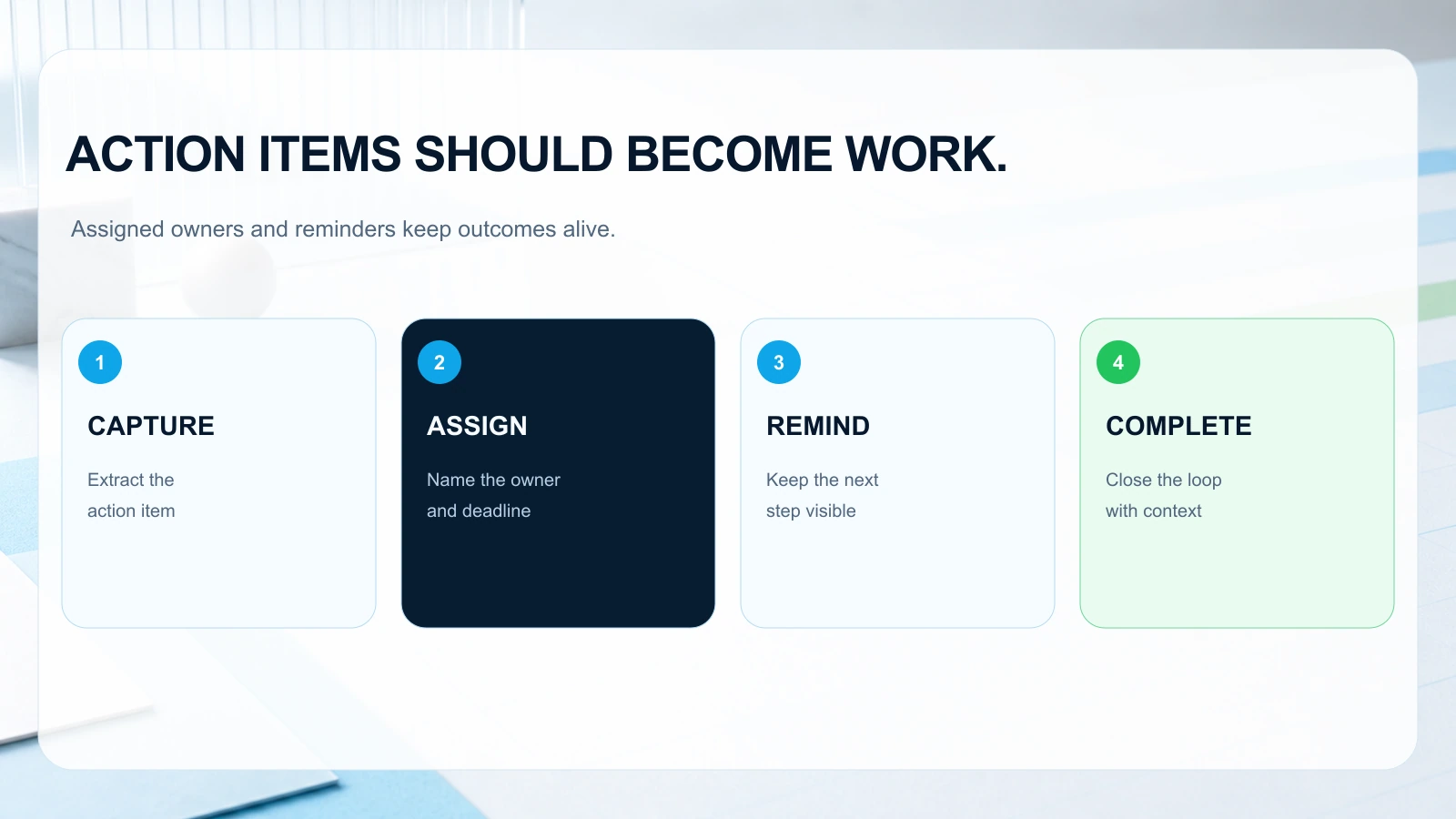
This is where treating translation as one layer of a stronger system pays off.
Scale the process: standardize multilingual meetings without adding overhead
Once you run a few multilingual meetings successfully, the next challenge is scaling without creating an operations burden.
Standardization features to prioritize
1) Repeatable meeting “recipes”
Operations teams should be able to standardize:
- Kickoffs
- Customer escalations
- Weekly business reviews
- Vendor governance
- Post-incident reviews
Look for templates that include:
- Agenda structure
- Required attendees
- Pre-reads
- Output expectations (decisions, actions)
2) Consistent follow-up workflows
Scaling fails when follow-up is manual.
Look for:
- Automated distribution of summaries
- Action tracking and nudges
- Clear ownership and due dates
3) Cross-team visibility without chaos
Executives and program managers often need visibility into outcomes, but not raw transcripts for every meeting.
Look for:
- Shareable summaries
- Permissioned access
- Search and filters by project/customer
4) Quality and continuous improvement
Multilingual meetings improve when you can review what worked.
Look for:
- Feedback loops (e.g., “Was this summary accurate?”)
- The ability to correct key terms (product names, acronyms)
Practical checklist: evaluating multilingual meeting software (copy/paste)
Use this checklist in vendor demos and pilot programs.
Translation and comprehension
- [ ] Supports the languages we actually use across regions
- [ ] Live translation is low-latency and readable
- [ ] Handles mixed-language meetings without forcing separate calls
- [ ] Manages domain terms (product names, acronyms) reasonably well
- [ ] Guest experience is simple for customers/suppliers
Capture and accountability
- [ ] Transcript includes speaker attribution and timestamps
- [ ] Search across past meetings is fast and reliable
- [ ] meeting summaries include decisions, risks, and action items (not just topics)
- [ ] Action items can be assigned and tracked (not buried in notes)
Workflow and operations
- [ ] Booking links or scheduling workflows reduce back-and-forth
- [ ] Agenda templates and pre-reads are easy to distribute
- [ ] Follow-up is automated (summary sharing + reminders)
- [ ] Permissioning/retention controls meet our requirements
Rollout and adoption
- [ ] Works for internal meetings and external calls
- [ ] Minimal training required for busy teams
- [ ] Clear value in the first week (not “after full rollout”)
How MeetBridge fits: translation plus the meeting-to-action pipeline
MeetBridge is designed for multilingual teams that need meetings to produce reliable outcomes—not just translated conversation.
In practice, MeetBridge connects the full flow:
- Booking and routing: Teams can use booking flows to reduce scheduling friction across time zones and regions, so multilingual meetings don’t start with logistics chaos.
- Live translation: During the meeting, MeetBridge supports real-time translation so participants can follow along in their working language, improving comprehension and participation.
- Transcripts: MeetBridge captures transcripts with the goal of making them usable after the call—helpful for confirming what was said, by whom, and when.
- meeting summaries: Instead of generic recaps, MeetBridge focuses on summarizing outcomes: decisions, key points, and what needs to happen next.
- Decisions and actions: MeetBridge helps turn meeting outputs into clear follow-up actions—so commitments don’t get lost between regions or across language barriers.
- Follow-up: With structured summaries and action-oriented outputs, teams can send consistent follow-ups to internal stakeholders or external partners.
This is the core idea: treat translation as one layer of a stronger meeting system. MeetBridge supports multilingual comprehension while also tightening the operational loop from meeting to execution.
If you’re evaluating multilingual meeting software for business teams, run a pilot with a high-stakes recurring meeting (e.g., weekly program review, customer escalation, supplier governance). That’s where the combination of live translation, transcripts, summaries, and action tracking becomes measurable.
FAQ
What’s the difference between multilingual meeting software and meeting translation software?
Meeting translation software typically focuses on translating speech or captions in real time. Multilingual meeting software should cover the broader workflow: scheduling, live translation, transcripts, meeting summaries, decisions, action items, and follow-up. For operations teams, the second category is usually more valuable because it reduces rework after the meeting.
How do I pilot live translation tools without disrupting key meetings?
Start with a recurring internal meeting where outcomes matter but the risk is manageable—like a weekly cross-functional status review. Define success metrics upfront (e.g., fewer clarification messages after the meeting, faster action completion, fewer follow-up calls). Then expand to external meetings once the workflow is stable.
What should I measure to prove ROI for a multilingual meeting platform?
Operational ROI usually shows up as:
- Reduced time spent clarifying decisions after meetings
- Faster cycle time from meeting to task completion
- Fewer follow-up meetings required to “re-align”
- Improved stakeholder satisfaction (especially across regions)
If you can quantify hours saved for program managers, sales engineers, or team leads, the business case becomes straightforward.
Are meeting summaries reliable enough for customer-facing follow-ups?
They can be, but reliability depends on the tool and your workflow. The best approach is to treat meeting summaries as a draft that’s easy to review and edit—especially for customer commitments, pricing, or contractual language. Tools like MeetBridge are most effective when they make outcome review fast, rather than forcing someone to write everything from scratch.
Next step
If your organization is moving from occasional international calls to always-on global collaboration, the goal isn’t just better translation—it’s a better meeting system.
Explore the MeetBridge workflow to see how live translation, transcripts, meeting summaries, decisions, booking links, and follow-up actions can work together in one multilingual meeting platform.
FAQ
How does MeetBridge help multilingual meetings?
MeetBridge combines live translation, transcripts, and meeting summaries so teams can understand each other in real time and still keep a structured meeting record.
Can teams use MeetBridge before and after the meeting as well?
Yes. Teams can collect context with booking links and custom questions before the call, then review transcript and action outputs after the call.
Is MeetBridge only for one department?
No. Sales, HR, customer success, consulting, and global operations teams can all use the same workflow for multilingual communication and follow-up.