

MeetBridge vs Teams Interpreter: Licenses & Guest Access
Compare Teams Interpreter licenses and guest access with MeetBridge Voice. Choose shared translated audio or full MeetBridge meetings with follow-up.
MeetBridge vs Teams Interpreter: Licenses & Guest Access
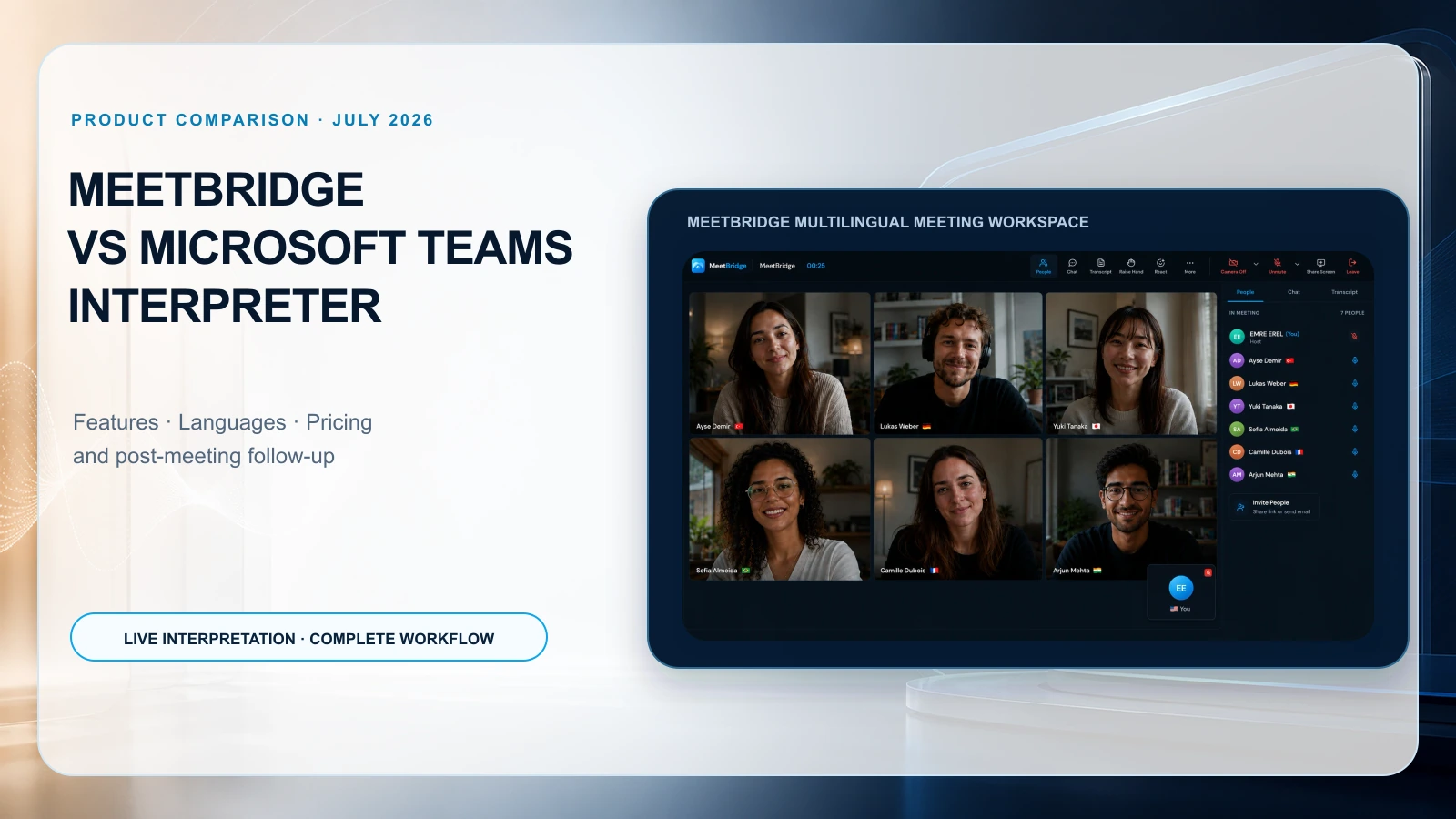
Start with Teams Interpreter when each person who needs translated audio meets Microsoft’s requirements and the Teams-native audio workflow fits. MeetBridge Voice lets you keep Teams for video while all speakers join a separate shared audio room; a full MeetBridge meeting offers the broader meeting-record workflow.
Voice does not translate people who remain only in Teams. Follow the Teams live translation setup for the two-invitation audio process. The MeetBridge vs Teams comparison provides a shorter overview; this guide focuses on licensing, external access, language directions and the pilot.
Editorial review: October 4, 2026. Product information reviewed by the MeetBridge team; this is a workflow comparison, not an independent translation-quality or latency benchmark.
Workflow comparison at a glance
MeetBridge’s product overview describes two meeting formats. A full MeetBridge meeting brings video, translation, chat and available meeting-record features into one room. MeetBridge Voice is a separate shared audio room used alongside Zoom, Microsoft Teams or Google Meet for video and screen sharing.
Every person who will speak must join the same Voice room. Switch off the original platform’s microphone and incoming meeting audio, then speak and listen through Voice. It does not automatically capture people who remain only in the video call, import participants or inject translated speech into that platform. See the live translation workflow before choosing the format.
Teams Interpreter licensing and usage: what to confirm
Microsoft’s administrator guide lists eligible Microsoft 365, Teams, and Copilot licenses as prerequisites. It includes 20 interpretation hours per user per month, with further access subject to capacity. A basic Teams subscription or a caption feature should not be treated as proof of Interpreter eligibility. Official licensing requirements
Before buying, ask your administrator to identify the exact users who need to listen through Interpreter. A host’s entitlement and an attendee’s entitlement are separate questions. Ask for confirmation using a real meeting invitation, not only a subscription name on a quote.
Use this procurement worksheet:
| Item | Record for your pilot |
|---|---|
| Meeting organizer | Account, organization, and relevant policies |
| Listeners needing translated audio | Each person’s account type and eligible license |
| Expected usage | Translated listening time per user each month |
| Existing subscriptions | Which required licenses you already pay for |
| Missing subscriptions | Additional licenses or services the workflow requires |
| Beyond included usage | Commercial terms and availability confirmed with the vendor |
| Required record | Transcript, recap, summary, and sharing requirements |
Can external guests use Teams Interpreter?
Microsoft’s end-user guide distinguishes verified external Microsoft 365 users with valid Copilot licenses from anonymous participants and guests, who cannot use Interpreter. This restriction concerns using Interpreter; it is not a statement that those people cannot join a Teams meeting. Microsoft’s external-participant guidance
The Voice host creates the room in the macOS or Windows app available from MeetBridge Download. Guests can continue through the shared invitation in a supported browser, enter their name, allow microphone access and request admission. The host approves that request separately from the video platform’s lobby. Guests do not need to buy their own subscription; room usage comes from the host’s plan.
Test with the guest’s actual device. Confirm that all speakers have joined Voice, that both original-platform audio paths are off, and that language and listening settings work in both directions.
Supported languages: check the exact translation direction
Microsoft’s administrator page lists nine languages: Mandarin Chinese, English, French, German, Italian, Japanese, Korean, Portuguese, and Spanish. Its end-user page additionally lists Taiwanese. These official lists differ as of this review; confirm the output options visible in your tenant rather than promising a universal count. Administrator language list · End-user language list
For MeetBridge, use the languages available in the actual meeting setup and test both directions. Eleven translated website versions do not mean eleven supported speech languages. A successful source-language transcription also does not, by itself, confirm the voice-output capability you need.
Write your requirement as a concrete sentence: “Participant A speaks [language]; Participant B hears [language]; both can respond.” Repeat the test in reverse. Include names, numbers, a correction, and vocabulary from your actual business conversation.
Translated speech, captions, and recordings are different outputs
Microsoft states that Interpreter audio is not included in meeting recordings. Its documented live translated transcript does not persist in that translated form after the meeting; the original spoken-language transcript remains. Interpreter limitations
For a purchasing decision, inspect three separate artifacts: what a participant hears live, what they can read live, and what the team can access after the session. Ask someone who missed the meeting to review the retained record and identify a decision, its owner, and an unresolved question. That exercise often reveals more than a feature checklist.
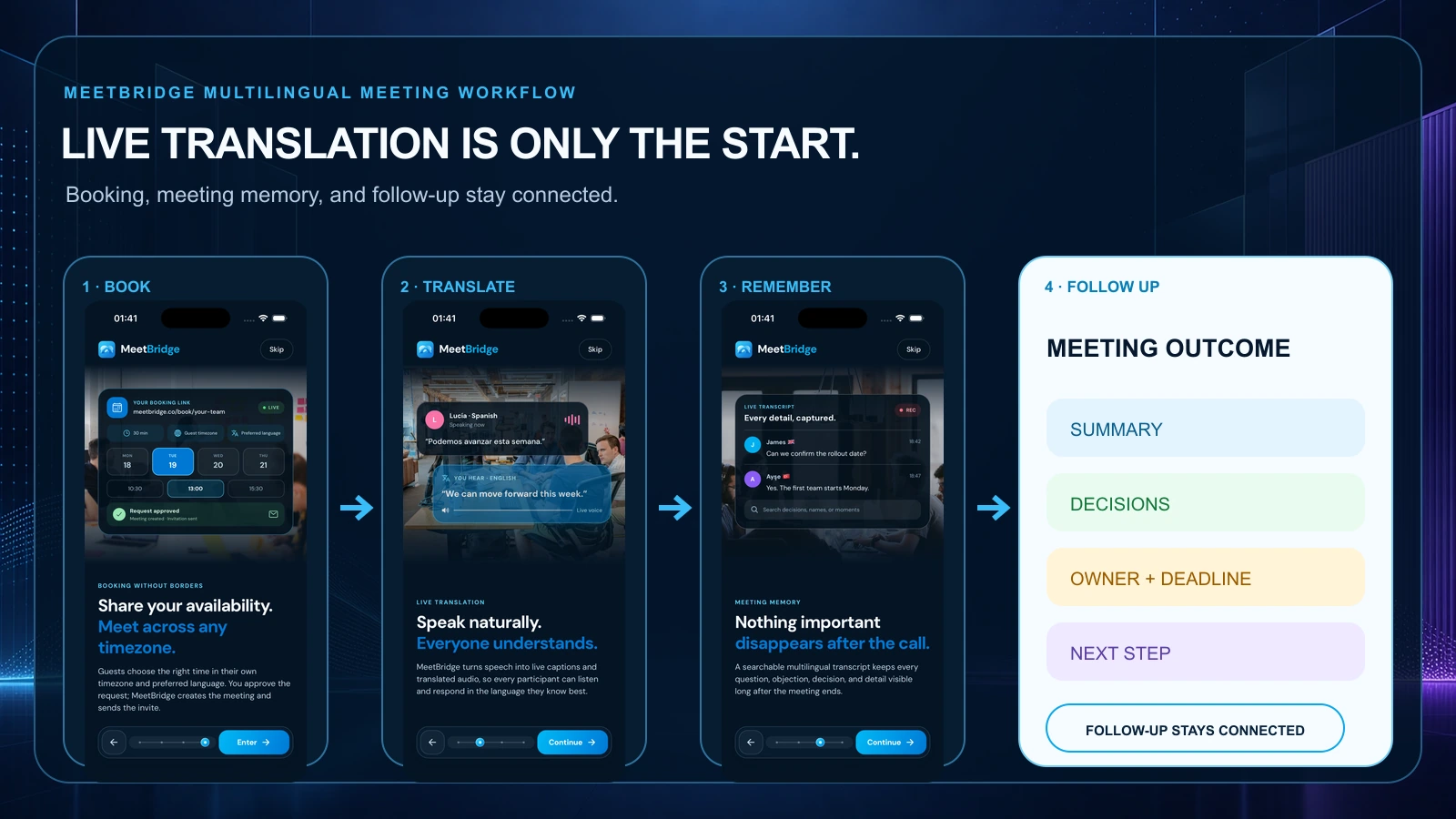
In a full MeetBridge meeting, available saved transcripts, chat, timeline and summaries depend on the plan and enabled features. Use transcripts and meeting memory to locate the meeting first, then search text within that opened meeting. This is not global semantic search across all spoken conversations.
Read the surrounding entries and check original text against available saved translations before using a quotation. A companion Voice room provides live context; it does not guarantee saved history, a recording or an AI summary. Plan its follow-up record separately.
Teams summaries and follow-up deserve a separate evaluation
Teams offers a wider post-meeting environment, including Recap and Copilot. Availability and generated content depend on the relevant features, licenses, and meeting settings. Interpreter should not be used as shorthand for everything the Microsoft suite can or cannot do. Microsoft meeting recap documentation
Meeting summaries and actions support review of the available full-meeting record. Treat generated notes as a draft: verify decisions, conditions and open questions against the conversation, then confirm an owner and deadline with the people involved. Do not assume automatic task assignment, CRM updates or execution of commitments. Companion Voice does not guarantee these saved follow-up features.
Pricing: compare the cost for your actual participants
There is no single price that answers this comparison for every organization. Microsoft subscriptions vary by customer type, geography, commitment, and existing entitlements. MeetBridge plans also have published limits that should be checked at purchase time. Use the official Microsoft pricing page and MeetBridge pricing for current terms.
For each option, calculate the additional required subscriptions, expected usage, any separate meeting-record features, and setup or review time. Count the people who need translated listening rather than multiplying the total company headcount. For an external meeting, document which costs you control and which requirements fall on the visitor.
For example, a team already equipped with eligible Microsoft licenses has a different starting cost from a team buying them solely for interpretation. Conversely, moving an established meeting process to a different room has an adoption cost. Neither comparison can be reduced to the cheapest headline amount.
Which workflow should you pilot first?
Internal meetings that must remain in Microsoft Teams
Begin with Teams Interpreter if the required languages and participant eligibility fit. Verify the actual meeting type and client. Microsoft’s support and administrator pages do not describe every call scenario identically, so avoid assuming a scheduled-meeting test proves compatibility with every call or room device.
Sales calls, candidate interviews, and supplier discussions
Use a representative external conversation, rather than an internal demo. For sales, confirm requirements, objections and any conditional promise. For HR, preserve structured questions and a human scorecard. For customer success, confirm the next customer update. For consulting and export operations, verify scope, quantities and dates.
Choose the format before promising a saved record. In a full MeetBridge meeting, review available transcript and summary features. With companion Voice, plan your notes and handoff separately. The software does not automatically assign owners or execute those commitments.
Specialist or sensitive conversations
If errors cannot be clarified reliably, involve a qualified human interpreter or specialist. Neither product comparison establishes that automated translation is appropriate for every legal, medical, employment, or contractual discussion.
A pilot checklist before committing
The following is an evaluation template, not a test result:
- Invite one internal and one external participant using their real joining method.
- Test the required language pair in both directions with names, dates, numbers, and domain terms.
- Ask a clarification question mid-conversation and check that the correction is understood.
- Note interruptions, missing speech, and the time each listener needs before responding.
- Review the transcript and summary for a decision, an owner, and an unresolved point.
- Confirm who can access the retained content and how your organization handles retention.
- Compare the actual licenses, usage limits, and staff effort required by each workflow.
A closer look at the live meeting experience
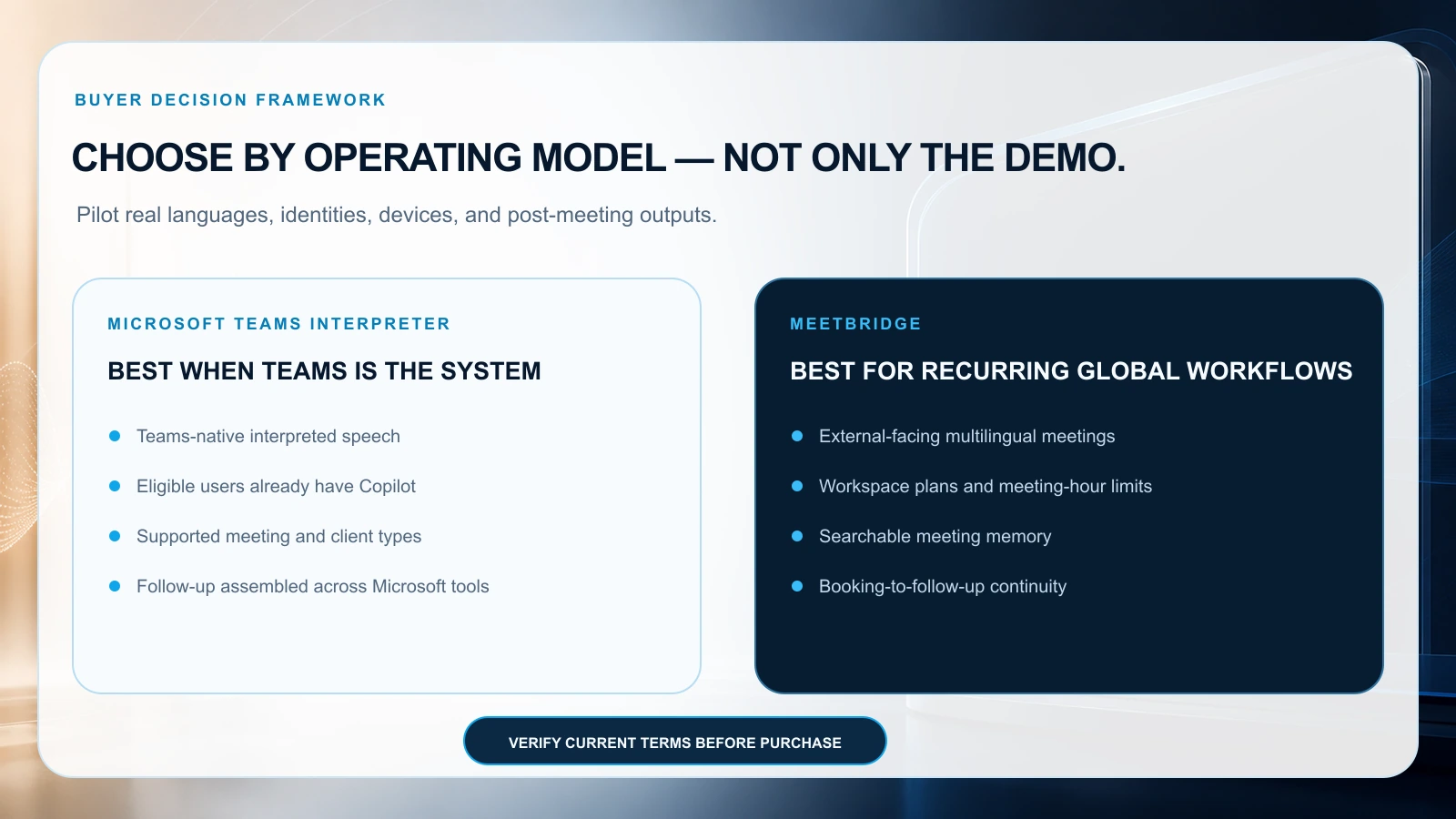
Teams Interpreter has a valuable native advantage: people who already work in an eligible Teams environment can use interpreted speech in the collaboration tool they know. A buyer should test the listening-language selector, original versus translated audio balance and turn-taking cues in the actual tenant. The listener’s experience matters more than a feature toggle on the organizer’s screen. Use both short and long answers; ask listeners when they believe a speaker has finished.
Neither product should be declared faster or more accurate from its architecture. Use identical speech samples, microphones, accents and language directions. Include an interrupted answer, a corrected amount and a proper noun. Have a bilingual reviewer mark any change to meaning and a facilitator record how many times the group has to repeat or pause. An attractive voice is not a substitute for a correct date, price or commitment.
What to test when a sentence changes direction
Try: “The delivery date is the fifteenth—actually, the nineteenth, pending quality approval.” Ask the listener what date they understood at each moment and what the final record contains. Repeat with a negative statement (“we cannot approve it yet”) and with a number and currency. This reveals whether the interpretation arrives too early, remains stable enough to follow, and permits participants to correct the record. A successful test is not necessarily instant output; it is shared understanding before the meeting acts on the statement.
Do not merge four Microsoft features into one claim
Teams Interpreter handles live speech interpretation. Translated captions, transcription, Copilot or Intelligent Recap, and collaborative notes or tasks are separate parts of the Microsoft meeting environment. Their availability can depend on different licenses, settings, meeting types and retention rules. A buyer who sees a translated sentence during a meeting should not assume the same text will be saved in the post-meeting transcript.
Ask the Microsoft administrator to show the exact workflow, step by step: enable the relevant policy, join as each participant, activate Interpreter, record or transcribe if permitted, end the meeting, and open the resulting record. Check whether the recording contains original or interpreted audio and which language the stored transcript uses. If the organization needs a translated recap or task handoff, demonstrate that separately with the intended Copilot or Teams feature. Document which person can view each artifact, including someone outside the organizer’s organization.
| Artifact | Buyer’s question | Why it matters |
|---|---|---|
| Original audio | Is it recorded, and who can play it? | It can clarify what was said when translation is disputed |
| Interpreted audio | Is it only live or preserved? | A listener may expect to replay what they heard |
| Captions | Are they live only, or retained afterward? | Visible text is not always a durable record |
| Transcript | Which language is stored, and can corrections be made? | Reviewers need to distinguish source speech from generated text |
| Summary | What source passages support each decision? | Fluent prose can hide a wrong quantity or commitment |
| Actions | Who approves owners and deadlines? | Automatic follow-up should not create an unreviewed obligation |
This distinction is especially important in hiring, procurement and customer escalations, where the post-meeting record can influence consequential decisions. For those contexts, set a human review rule before running the pilot.
Three scenarios with different likely starting points
An internal Teams meeting across two languages
The meeting is already scheduled in Teams. All people who need interpreted speech belong to the same organization and have eligible accounts. Teams Interpreter is a sensible first pilot because it preserves the meeting location. Verify the exact language directions, listener eligibility and how the organization will retain or summarize the discussion. If the meeting needs ongoing tasks, evaluate the relevant Microsoft note and recap tools as separate components.
A sales discovery call with a new external buyer
MeetBridge booking links support preparation for the full meeting workflow. Ask only useful questions, such as preferred language, time zone and the purpose of the conversation. If you choose companion Voice, include both the video invitation and the Voice invitation with explicit audio instructions; booking does not turn a Voice room into a saved full meeting.
An interview with a candidate and review panel
Choose the interview format before promising a record. Use a full MeetBridge meeting when the available saved transcript and summary are part of the hiring process. Use companion Voice when the interview must keep Zoom, Teams or Google Meet for video; every interviewer and candidate who speaks must join Voice. Follow the relevant Zoom, Teams or Google Meet setup guide.
Send the language, device, admission and audio instructions in advance. Explain what is processed and what will be retained. In a full meeting, review available transcript passages and summaries before writing an evidence-based human scorecard. In Voice, use the agreed note-taking process rather than promising a saved transcript or AI summary. Confirm administrative next steps yourself; translation and generated notes must not make the hiring decision.
How to calculate a useful total cost
List the people who need translation, not only meeting organizers. For Microsoft, determine which eligible licenses are already owned and which would be added; verify current included usage, overage rules and any separate recap, transcript-translation or task features. For MeetBridge, request the current plan and any usage or participant limits for the intended meeting volume. Do not rely on a price copied from an older comparison article: plan terms, eligibility and promotions can change.
Use three representative month types: a normal month, a busy month and a month with many external participants. Estimate live translation hours, number of listeners, simultaneous meetings and time spent configuring, reviewing and distributing outputs. Add any cost for a human interpreter or specialist reviewer when the conversation requires one. A platform may look cheaper per organizer but fail because the intended listeners cannot use the feature. Another may cost more per meeting yet reduce manual handoff. The correct calculation is tied to the actual workflow.
A two-week decision pilot
In the first week, define the use case and test access. Identify the meeting types, exact language pairs and all participant roles. Have an administrator confirm current Microsoft requirements in your tenant. Run the same fictional conversation in both candidate workflows where both are feasible, using the same devices, script and reviewers. Record setup time, comprehension, material translation errors and what people can access after the call.
In the second week, test the full operating process. Send a real-looking invitation to an external test participant who has agreed to help. Ask an absent colleague to use the saved record to prepare follow-up. Check permissions and retention settings with the owners of security and privacy. Price the expected monthly usage. At the end, make a decision by meeting type: internal Teams conversations may use one route, external customer meetings another. There is no requirement to declare one vendor the universal winner.
Publish the pilot result with the date, licenses, client versions, language pairs, participant roles and known limits. Without that context, “works with Teams” or “supports translation” is too broad to guide the next team. Recheck the decisive eligibility and language questions before renewal or a larger rollout, because vendor documentation and product availability can change.
Frequently asked questions
Is MeetBridge a Microsoft Teams Interpreter add-on?
MeetBridge’s product overview describes two meeting formats. A full MeetBridge meeting brings video, translation, chat and available meeting-record features into one room. MeetBridge Voice is a separate shared audio room used alongside Zoom, Microsoft Teams or Google Meet for video and screen sharing.
Every person who will speak must join the same Voice room. Switch off the original platform’s microphone and incoming meeting audio, then speak and listen through Voice. It does not automatically capture people who remain only in the video call, import participants or inject translated speech into that platform. See the live translation workflow before choosing the format.
Does a Teams Premium or captions entitlement prove access to Interpreter?
No. Confirm Interpreter-specific eligibility against Microsoft’s current requirements. Captions, transcription, and translated speech are separate features with their own conditions.
Why might Interpreter be unavailable for a participant?
Check their account identity, assigned licenses, administrator settings, meeting type, client, and selected language. Ask your administrator to compare the actual setup with the official documentation rather than assuming the organizer’s access covers everyone.
Is MeetBridge more accurate or faster than Teams Interpreter?
We have not published a controlled comparison establishing that. Use a bilingual review of representative conversations and measure consistently if accuracy or latency is a deciding requirement.
How do I compare Teams, DeepL Voice, Zoom, and other options?
Use the broader meeting translation software buyer’s guide. It separates native features, companion translation tools, and dedicated meeting rooms.
Plan your multilingual meeting
Explore MeetBridge live translation, security information, and current plans. If you need help assessing participant access and workflow fit, contact MeetBridge with your required language pair and meeting format.