
On this page
The product in practice
A recap is useful when it helps the next person act.
The call ends with several topics discussed, a few choices made and at least one question still open. A short summary helps you regain the thread. The saved transcript helps you check the details. Your reviewed follow-up turns that context into a clear next step, without confusing an idea raised in discussion with an agreement to deliver it.
Start with the recap
Recover the main thread without rereading every line
An available AI summary gives you a concise account of the captured conversation after a completed full MeetBridge meeting. Open the meeting overview to read it beside participant context, then move to the transcript when a requirement, number or commitment needs a closer look. Available saved features depend on your plan and enabled meeting workflow.
Use the recap to orient yourself: what was discussed, what seems settled and what needs follow-up? A short overview helps the meeting owner get back into the topic before writing an update. It is especially useful when several customer calls or project reviews happen in one day and their details start to blend together.
- Keep the recap attached to a specific meeting title and date.
- Use it as an entry point to review, rather than a substitute for every source detail.
- Prepare a follow-up around the recipient’s next decision or task.
Understand the output
A summary of captured conversation, in the host’s preferred language
Summary generation works from the saved transcript of a meeting that has ended. It uses the host’s preferred language and available translations into that language, falling back to original transcript text where needed. The result is one concise text recap; the generation instructions require the summary to stay within the transcript and avoid inventing names, numbers, decisions or actions.
The summary may still be pending when you first open the record. If too little meaningful conversation was captured, MeetBridge indicates that there is insufficient content for a detailed summary. A failed or unavailable summary is also distinct from a ready recap. Review the saved transcript directly when the summary is not available.
- The meeting must have ended before the post-meeting summary is generated.
- The output is a concise recap, not a word-for-word reproduction of the meeting.
- The saved summary language follows the host, not every viewer’s interface language.
If an agreement depends on a condition, state the condition aloud. A transcript-based recap cannot recover a private assumption, an unspoken approval or a change made only in another document.
Separate the outcomes
A discussion, a decision and an action need different wording
A topic can appear in a summary without being an agreed task. Before handing work to someone else, separate what the group explored, what it decided and what somebody committed to do. Preserve conditions such as “after approval” or “if the test passes” instead of removing them to make the recap shorter.
- Check whether the speaker proposed an idea or accepted a commitment.
- Keep unresolved questions visible so they do not become assumed decisions.
- Confirm missing ownership or timing with the participants.
| Outcome | Example wording | What to confirm |
|---|---|---|
| Discussion | The team considered expanding the pilot to another region. | Was this exploration or an agreed change? |
| Decision | Keep the pilot in the current region until the first review. | Did the relevant participants agree, and was there a condition? |
| Action | Maya will share the first review results before the next call. | Did Maya accept the task and confirm the timing? |
| Open question | The second region’s support capacity still needs clarification. | Who will resolve it, and what decision depends on the answer? |
Make the next step concrete
Give an action an owner, an output and a confirmed time
“Follow up on the pilot” is difficult to act on. “Share the pilot review results before the next customer call” makes the expected output clearer. After reading the summary, check the transcript for the actual commitment and confirm the person who accepted it. If no owner or date was agreed, ask for one instead of presenting a guess as part of the meeting outcome.
MeetBridge’s available summary provides conversation context for this review. It does not automatically assign task owners, create deadlines, track task completion or send actions into a CRM or project-management system in the workflow described here. Carry the confirmed action into the place your team already manages work.
- Name the expected output: a document, answer, review or decision.
- Confirm ownership with the person responsible for the next step.
- Use a specific date when agreed, including the timezone when it matters.
- Record dependencies and unresolved approval alongside the action.
Put this into practice with the guide:
Check the meaning
Go back to the relevant exchange before sharing a commitment
The saved transcript provides the detail behind the recap: speaker names, timestamps, original text and available translated text. Search within the meeting for a term, name or identifier, then clear the filter and read the surrounding lines. A later correction can change the meaning of an earlier statement.
For multilingual calls, compare the original text when a translated phrase makes the commitment ambiguous. Check written identifiers or references in chat. If a statement concerns pricing, scope, a delivery date or an approval, confirm the important wording with the person involved and carry it into the appropriate business document.
- Verify who made the commitment and what they actually accepted.
- Keep exceptions, dependencies and tentative wording in the follow-up.
- Distinguish the meeting recap from your team’s formal approval process.
Adapt the handoff
Write the recap around the work that follows
A useful follow-up does not need to repeat the agenda. It should help the recipient understand the outcome and act with the right context. Choose the level of detail according to the meeting: a client review may need an exception explained, while an internal check-in may only need a confirmed next step and an open blocker.
Client discovery
Check the customer’s request and the qualification attached to it. Pass a reviewed account to delivery or sales so a possibility discussed in discovery does not become an unsupported commitment.
Project review
Distinguish progress, a proposed change and an approved change. Use the transcript to clarify the discussion, then record any accepted scope or date through the team’s normal approval process.
Customer success check-in
Capture the reported issue, the agreed next investigation and the person who will respond. Keep an unanswered question open until the responsible colleague or customer supplies the missing information.
- Lead with the outcome the reader needs to understand.
- Include the supporting detail that changes what happens next.
- Separate the agreed action from your own recommendation.
Prepare the right workflow
Choose the full meeting when the post-meeting record matters
The full MeetBridge meeting workflow is the appropriate starting point when you need its available saved transcript and post-meeting summary. Confirm the plan and enabled features before using the recap as part of a recurring team process. Clear speaking turns and an explicit closing agreement give the captured conversation more useful material to summarize.
If you keep Teams, Zoom or Google Meet and use companion MeetBridge Voice for spoken translation, plan documentation separately. Voice’s live transcript offers current-session context; it does not promise the same saved record or post-meeting recap as the full MeetBridge workflow. The existing video platform’s chat and recording also belong to that platform’s separate workflow.
- Decide before the call whether a saved MeetBridge summary is needed.
- Check that the features your team plans to rely on are available.
- Plan a manual recap when the chosen companion Voice workflow needs one.
Make follow-up repeatable
Start with one meeting and one useful next step
A practical pilot is an ordinary meeting with a concrete follow-up need. After it ends, ask the meeting owner to read the available summary, verify one important commitment and prepare the handoff. Judge whether the recipient can understand the action without needing the whole conversation explained again.
If the recap is thin, look at what was captured and how clearly the group stated its outcomes. If the action is still vague, settle the missing owner, output or timing with the participants. The aim is a repeatable review habit that makes the next step clearer, with the saved meeting as supporting context.
- Check summary availability and the language used for the recap.
- Review one real decision against the saved transcript.
- Confirm the action before transferring it into your existing work process.
Step by step
A five-step review before the follow-up
Use the summary to begin the review, then make the outcome specific enough for someone to act.
Close with a clear agreement
Before ending the call, restate what was decided, what remains open and who accepted the next step. Ask participants to correct anything ambiguous.
Open the completed meeting
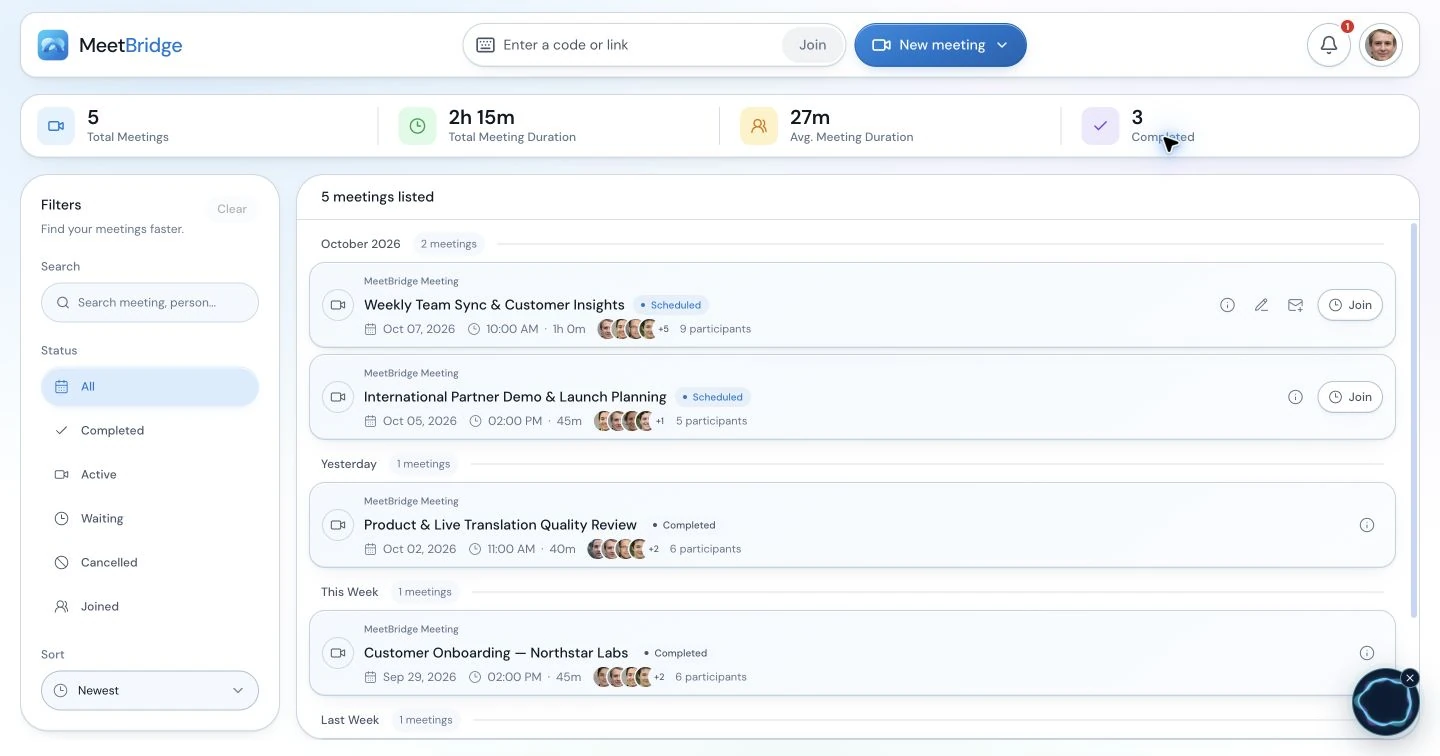
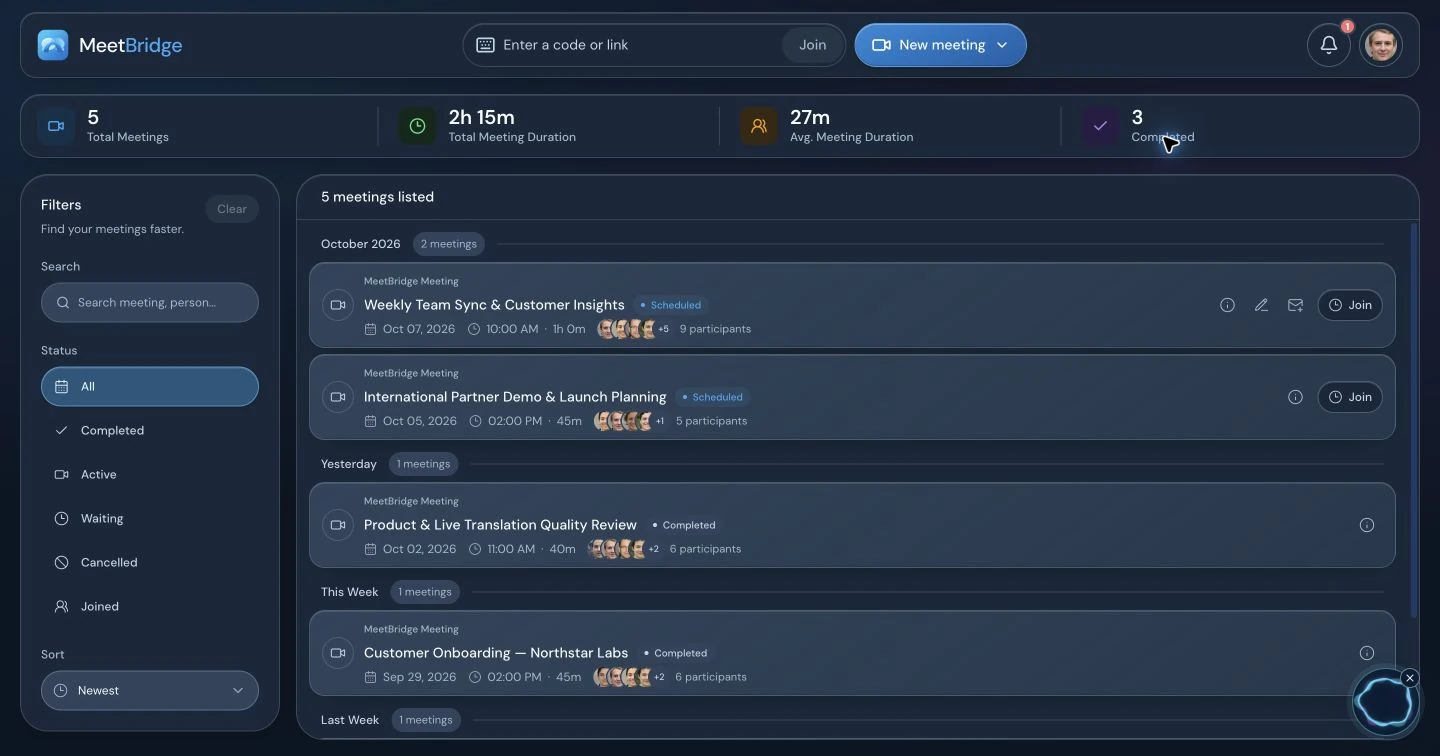
Locate the session in meeting history and read its available summary. Check the meeting date and whether the summary is ready, pending or unavailable.
Verify the commitment
Search the saved transcript for the relevant term and review the surrounding exchange. Compare original text and chat references where useful.
Resolve the missing details
Confirm the responsible person, expected output, timing and dependencies. Keep an unanswered question visible instead of filling it with an assumption.
Carry the action forward
Prepare a reviewed recap and enter confirmed work in your existing team process. Give recipients enough meeting context to understand why the action matters.
Illustrative workflow
A project review with a conditional launch decision
An international project team discusses a launch date. The client is willing to proceed, provided the remaining test succeeds. The implementation lead agrees to share results before the next review. The team uses the saved meeting to prepare its follow-up.
State the condition
The host repeats that the launch remains conditional on the test result. The implementation lead confirms the report they will provide and when the team should expect it.
Get back into the discussion
After the full meeting has ended and the summary is available, the meeting owner reads the overview to recover the main thread of the project review.
Check approval and ownership
The owner finds the launch discussion in the transcript and checks the condition, speaker and timing. A short summary phrase is expanded in the follow-up when the exact dependency matters.
Keep the launch conditional
The team records the confirmed test-report action in its own project workflow. It leaves launch approval conditional and uses the agreed approval process once the result is known.
The useful output is a clear action and a preserved condition. The summary helps the owner review the meeting; the transcript helps keep the follow-up faithful to what the team agreed.
Practical outcomes
What your team can improve
- Regain the main thread of a completed meeting before preparing the recap.
- Distinguish agreed decisions from proposals and unresolved questions.
- Give the next person a confirmed action with the context they need.
Before you get started
Frequently asked questions
What does the AI meeting summary contain?
It is a concise text recap generated from captured meeting transcript content. It helps you review the conversation and may describe decisions or next steps supported by that content. It is not a separate task board or a guaranteed structured list of every decision and action. Available summaries depend on your plan and enabled meeting features.
When is the summary generated?
Post-meeting generation works on a meeting that has ended and uses its saved transcript. The recap can be pending when you open the detail view, so do not expect it to appear immediately after the last sentence. Check the summary state and use the transcript directly when the recap is not yet ready.
Which language does the summary use?
Generation uses the host’s preferred language. It works from available transcript translations into that language, with original text used when a translation is missing. The saved summary does not automatically change into every viewer’s chosen interface language. Confirm the host’s preference when preparing a multilingual meeting workflow.
Does MeetBridge automatically assign owners and deadlines?
The summary workflow described here does not create assigned tasks, set deadlines or track completion. Use the recap and transcript to identify what participants actually committed to, then confirm the owner and timing. Carry the agreed action into the place your team already manages its work.
Will actions sync into our CRM or project-management tool?
This workflow does not promise automatic CRM or task-tool synchronization. Review the meeting outcome and transfer confirmed work through your existing process. Include the relevant request, dependency and meeting context so the recipient can understand the next step without reconstructing the entire call.
How should I check a decision mentioned in the recap?
Open the saved transcript and search for the relevant term, person or identifier. Read the nearby entries, compare original wording when useful and check whether a later correction changed the agreement. Confirm material pricing, scope, dates or approval wording with the participants and use the appropriate business approval process.
What happens when too little conversation was captured?
MeetBridge can show an insufficient-content state instead of a detailed recap when the transcript contains too little meaningful conversation. A pending, failed or unavailable summary also has its own state. Check the captured transcript and your meeting notes, and ask participants to confirm any next step that the available record cannot support.
Does a companion Voice session include the same post-meeting summary?
Do not assume it does. Companion Voice used alongside Teams, Zoom or Google Meet offers current-session transcript context in its own workflow. Choose the full MeetBridge meeting workflow for its available saved record and post-meeting summary, subject to your plan and enabled features. Plan a manual recap when your companion session needs one.
Can I export the source transcript for the follow-up?
The saved transcript view offers TXT download and SRT export when entries are available. Choose the original or displayed translated text before exporting; the export follows that view and includes all loaded entries. Review the relevant content before sharing. These transcript exports should not be confused with a dedicated summary or task export.
How do we make follow-up more reliable in recurring meetings?
Close each call with the agreed outcome, responsible person and timing stated clearly. Afterward, read the available summary, verify the important commitment against the transcript and keep open questions explicit. Start with one meeting to confirm feature availability, summary language and account access before extending the habit across the team.
Continue exploring
Build the right meeting workflow
Transcripts and meeting memory
Find the source passage, compare wording and review the surrounding meeting context.
Booking links
Connect meeting preparation with the conversation and the follow-up.
Consulting live translation
Review client scope, conditions and decisions across languages.
MeetBridge vs DeepL Voice
Compare meeting workflows and choose what you need after the conversation.