
On this page
The practical decision
Do you need a meeting platform, a companion audio room or a translation session?
A Maestra alternative search can describe several different jobs. One buyer needs translated speech during a supplier review. Another needs subtitles for an uploaded training video. This page focuses on the first job: live multilingual meetings and what the team can use after the conversation.
Both MeetBridge and Maestra support live translation. The useful distinction is where participants meet, how each person receives the conversation and how you prepare the follow-up. Start with those decisions before comparing individual features.
Choose a full MeetBridge meeting
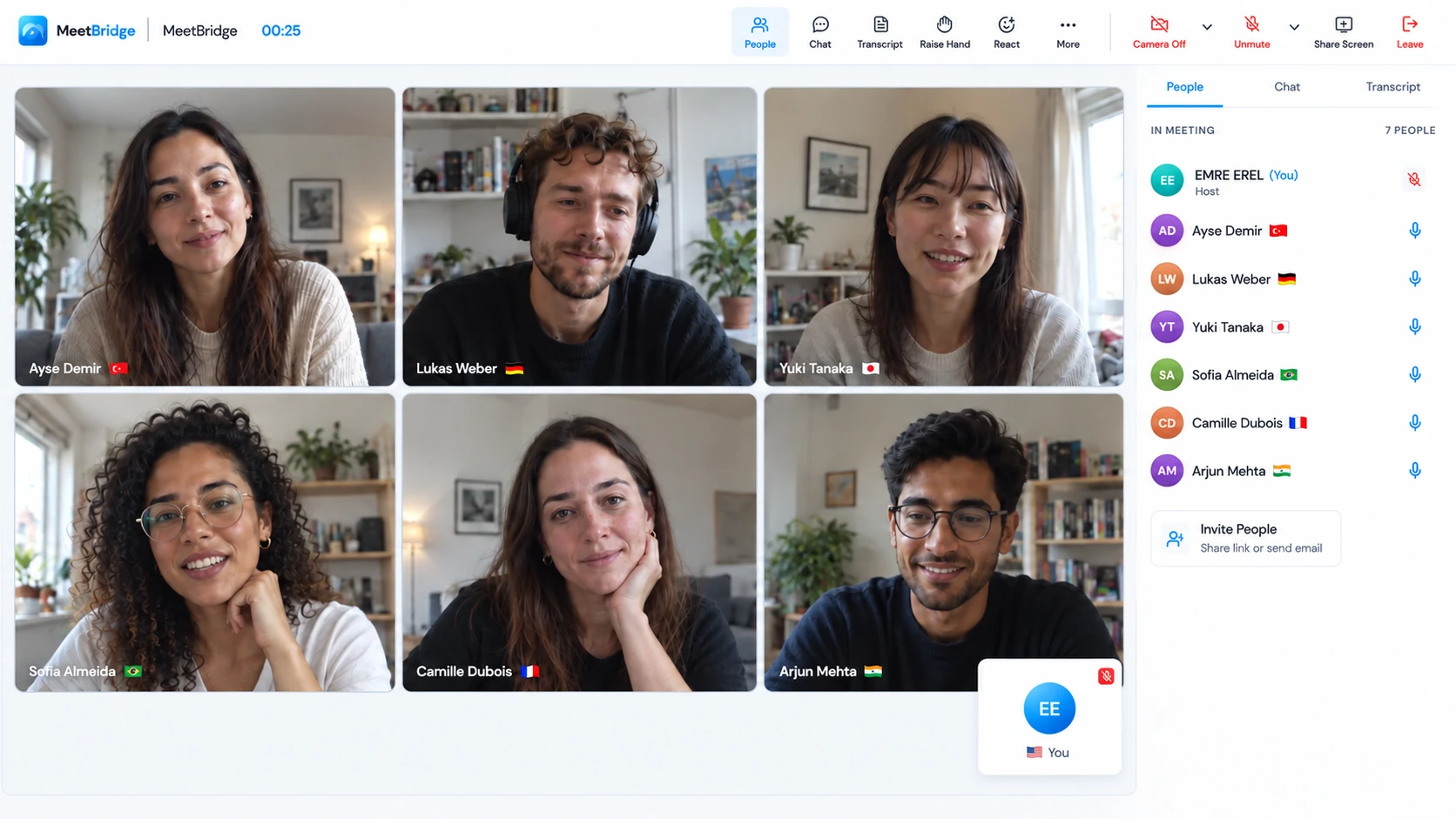
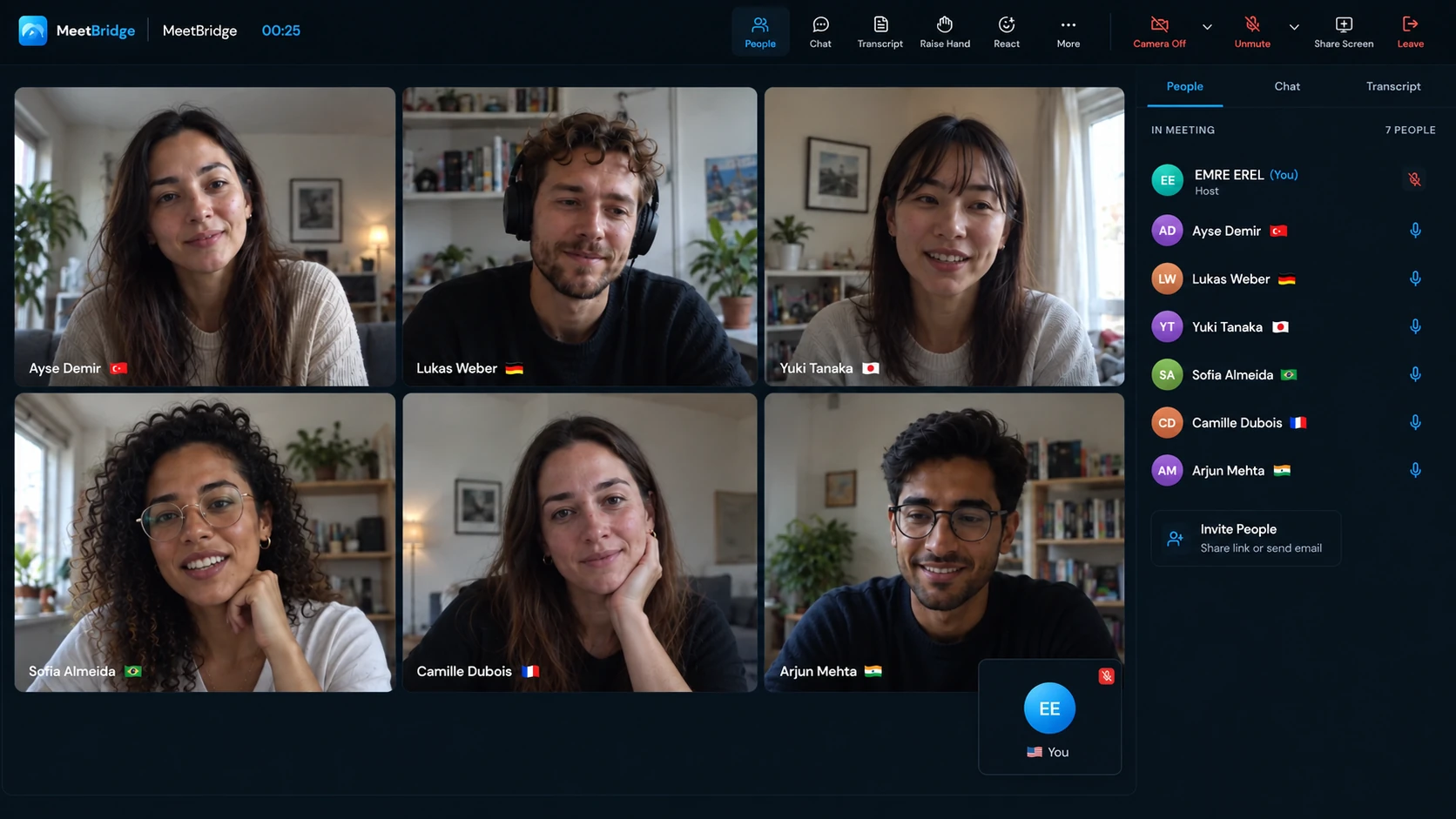
Bring the participants into MeetBridge for video, live translation and available saved meeting context. This is the main MeetBridge product, useful when your team owns the meeting format and wants preparation, discussion and review in the same workspace.
Explore the MeetBridge meeting platformChoose MeetBridge Voice beside the customer’s call
Keep Zoom, Teams or Google Meet for video and screen sharing. Move the spoken conversation into a separate Voice room that every speaker joins. This companion route suits a customer who wants to keep the existing video platform.
Explore MeetBridge Voice and desktop accessConsider Maestra’s live translation session
Maestra documents translated audio, captions and shareable browser sessions, with routes for online meetings, rooms and events. Evaluate it when adding a translation layer to an existing audio source is the workflow you want.
A caption viewer, an invited speaker and the meeting owner need different things. Your evaluation should include all three roles and the exact output you expect after the call.
Meeting translation compared
MeetBridge vs Maestra: compare the meeting workflows
The two MeetBridge columns represent different products. Use the full-meeting column when choosing a meeting platform and the Voice column when keeping a separate video call.
| Decision | MeetBridge meeting | MeetBridge Voice | Maestra |
|---|---|---|---|
| Where the conversation happens | Inside a full MeetBridge meeting with video and live translation. | Inside a shared Voice audio room beside a separate video meeting. | In a live translation session connected to a microphone, meeting or other supported audio source.Maestra live meeting translation |
| Translated speech and text | Live meeting translation within the MeetBridge conversation. | Translated speech and live text in the shared Voice room. | Live translated captions and spoken output through real-time dubbing, subject to the selected mode and plan.Maestra real-time voiceover guide |
| Guest route | Participants join the MeetBridge meeting invitation. | The host creates a room in the desktop app. Guests can request admission through a supported browser; every speaker joins Voice. | Shared translation sessions offer browser access through a link or QR code. Confirm the host’s sharing entitlement.Maestra create and share a session guide; Maestra Live pricing |
| Zoom, Teams and Meet | Use MeetBridge as the meeting platform. | Use the existing platform for cameras, screen sharing and chat; its microphone and incoming meeting audio stay off. | Official Zoom and Teams pages document caption integrations. Confirm the spoken-audio route and any Google Meet setup separately.Maestra Zoom translation services; Maestra Microsoft Teams live translation; Maestra Live conference comparison and plans |
| Saved transcripts and notes | Available saved transcripts and summaries remain with the full-meeting context, subject to plan and enabled features. | Live Voice text is separate; do not assume a saved full-meeting record or inclusion in the video platform’s recording. | Saved transcripts, recording options and AI summaries are documented; product, plan and session settings determine availability.Maestra live meeting translation; Maestra Live; Maestra AI note-taker overview |
| Before and after the call | Review booking requests, hold the meeting and revisit its available context for a confirmed follow-up. | Coordinate both invitations and decide separately how to retain and confirm the conversation. | Configure the translation session and its outputs; the existing meeting and business follow-up remain part of your wider workflow.Maestra create and share a session guide |
| What to include in a cost comparison | Current MeetBridge plan, included usage and the saved features your team needs. | Translation usage comes from the host’s MeetBridge plan; guests do not need their own subscription to request entry. | The actual real-time plan and checkout terms, including captions, translation, dubbing, sharing and language allowances.Maestra Live pricing; Maestra website pricing; Maestra Live conference comparison and plans |
The main MeetBridge product
Bring the meeting, live translation and review into MeetBridge
If you organize the customer demo, supplier review or international team call, start by evaluating a full MeetBridge meeting. The meeting takes place in MeetBridge itself, with live translation as part of the conversation. You choose this route because you want a meeting workspace, rather than arranging a translation session beside another room.
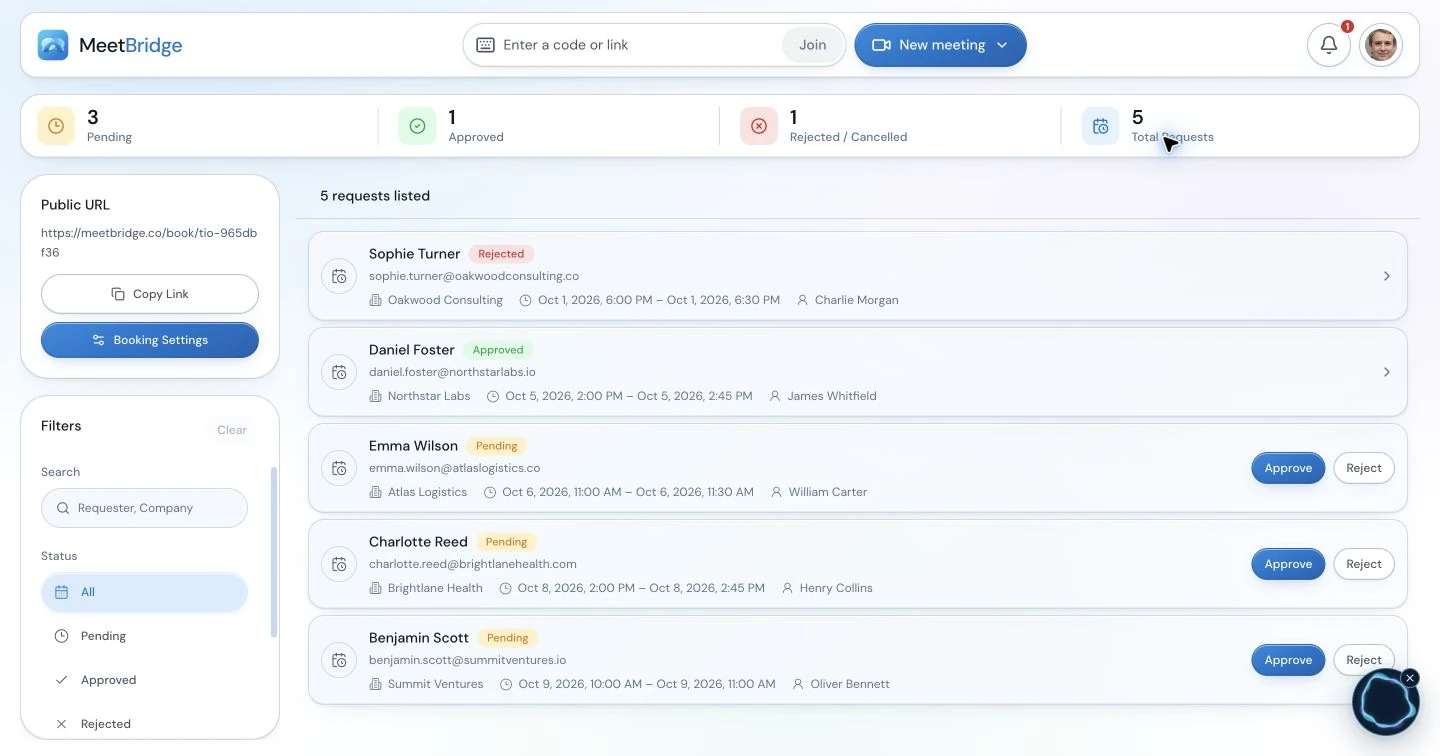
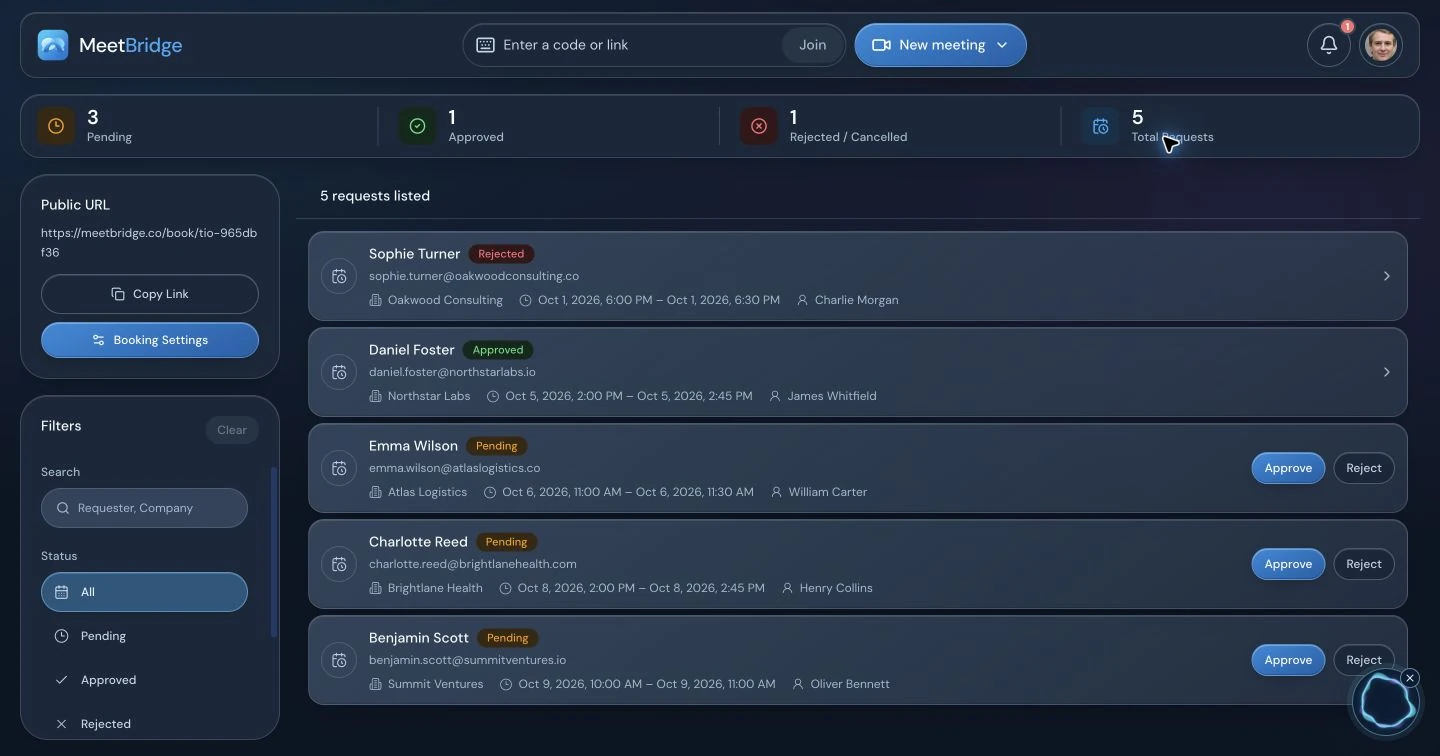
Preparation matters too. A public booking link can collect the purpose, language and answers to your questions before you approve a request. An approved request connects to a scheduled MeetBridge meeting. Use this context to prepare the right participants and documents; the booking flow is a request-and-approval workflow.
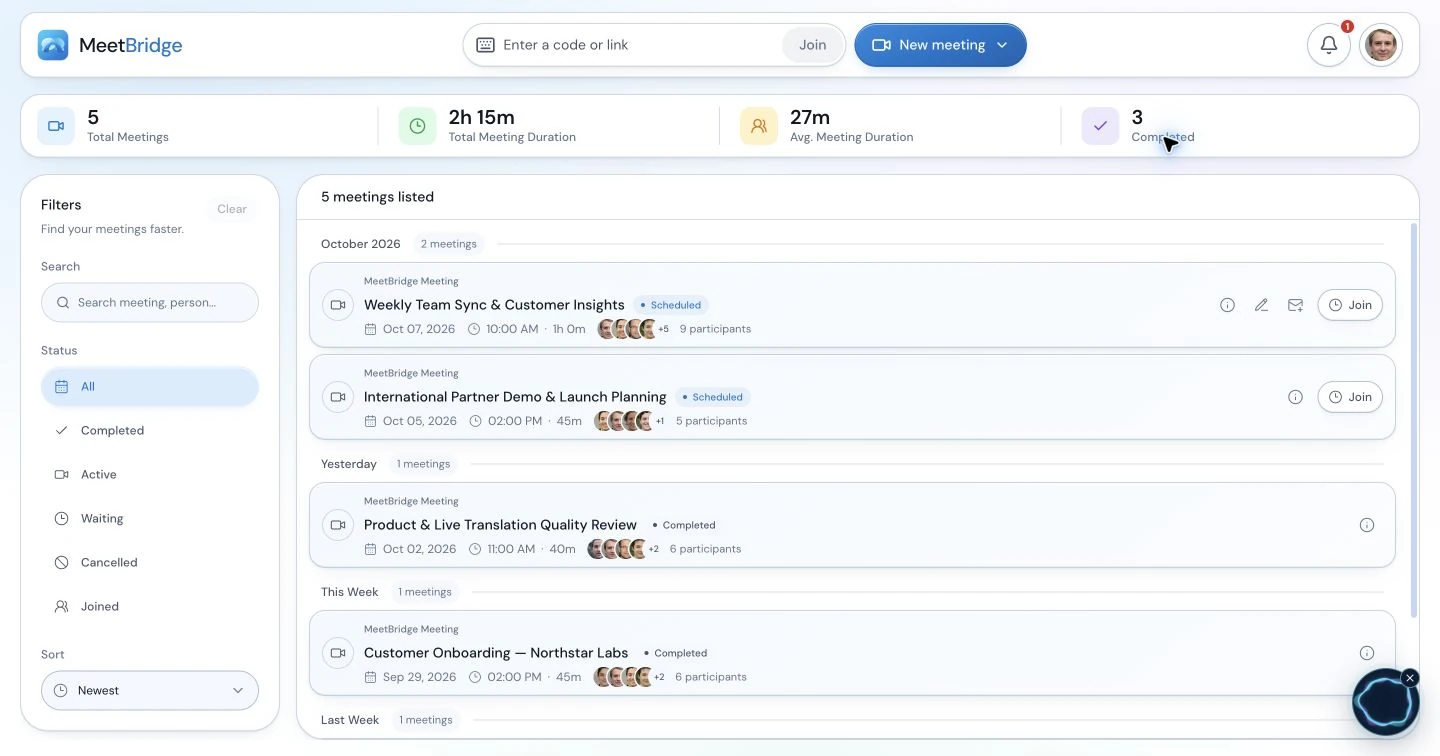
After a completed meeting, return to its available saved transcript and summary. Check a requirement against the captured wording, retain the condition attached to an agreement and prepare the next step. Saved features depend on the plan and enabled meeting workflow.
- Use the meeting title and language to prepare a recurring conversation.
- Review the booking request before confirming the session.
- Keep the transcript and recap connected to the meeting they describe.
The companion product
Keep the customer’s video platform and use a shared Voice audio room
Sometimes the video platform is already decided. A customer sends a Teams invitation, or a supplier expects to share a drawing in Zoom. MeetBridge Voice lets that video meeting remain the place for cameras, screen sharing and chat while the spoken conversation runs in Voice.
This is a separate shared room. It does not capture the people who remain only in the original video call, import that platform’s participant list or automatically send translated speech into its recording. Include the Voice invitation and audio instructions in the meeting preparation.
Create the Voice room
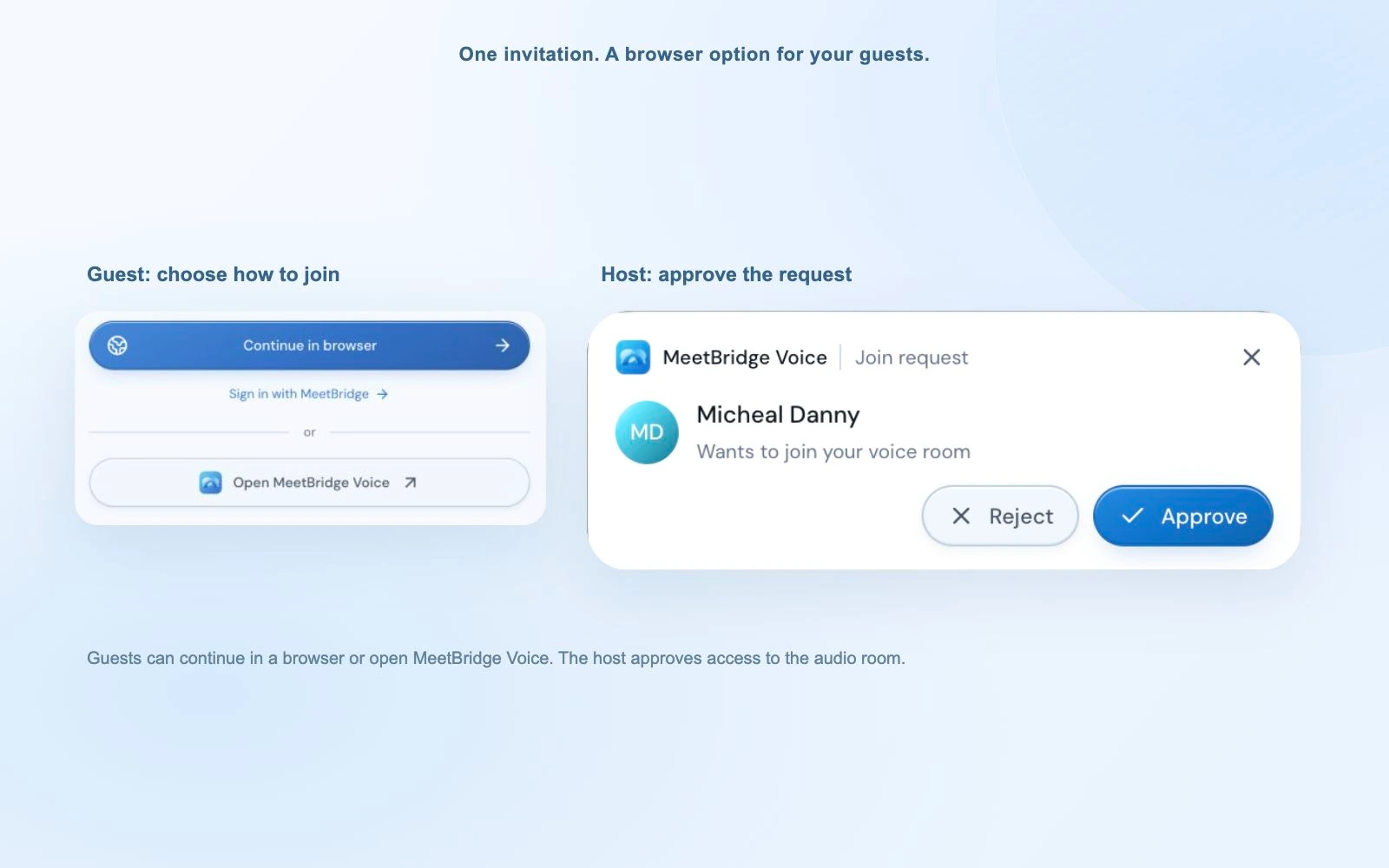
The host uses the MeetBridge Voice desktop app and shares the room invitation with everyone who will speak.
Admit each speaker
Invitees can use the desktop app or continue in a supported browser, enter a name and request admission. The host approves entry.
Choose one spoken-audio path
Turn off the microphone and incoming meeting audio in Zoom, Teams or Meet. Keep that platform for video and screen sharing, and use Voice for the conversation.
Confirm each participant’s language
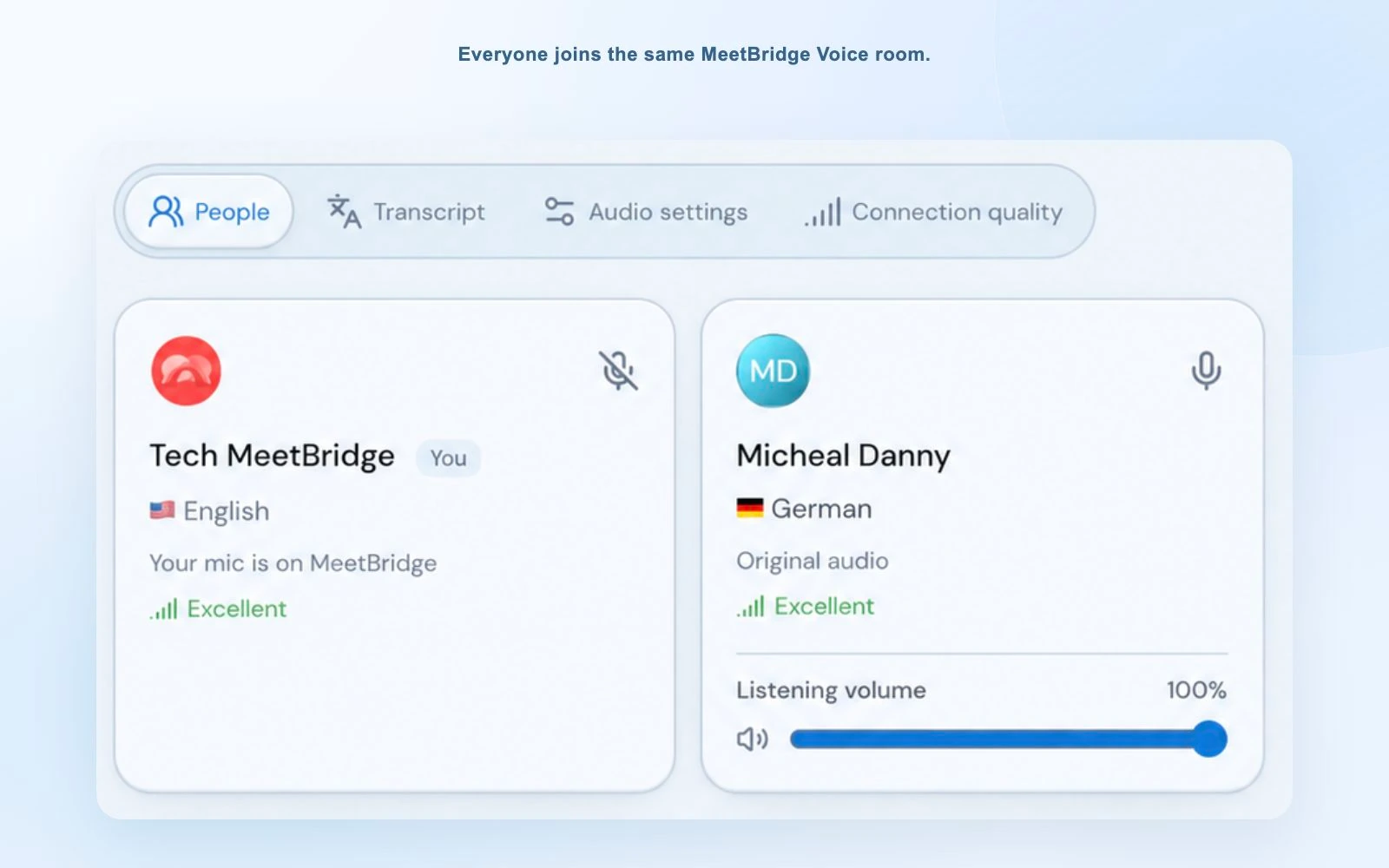
Everyone joins the same Voice room with their language selected. Try a short exchange in both directions before the main topic.
Understand the alternative
Maestra adds live translation across meeting and media workflows
Maestra’s broader platform covers live and on-demand translation, transcription, subtitling and dubbing. That breadth can matter if the same organization translates meetings and also localizes recorded audio or video. An uploaded-video workflow, however, answers a different question from a live supplier conversation.
For live use, its voiceover guide describes spoken translations with AI voices and optional voice cloning. Its shared-session guide describes language configuration and link or QR access. These are real capabilities to consider; Maestra should not be dismissed as a subtitle-only product.
Look closely at how an integration delivers the output. Maestra’s Zoom guide describes manual captions and a meeting-specific API token. Its Teams guide describes a CART-caption route. Those steps explain caption delivery into the existing meeting; they do not by themselves establish the exact setup for translated spoken audio.
When Maestra deserves a place on the shortlist
You want browser translation sessions across meetings, events or media work, and your required audio, sharing and saved outputs are included in the selected plan.
When a full MeetBridge meeting deserves a closer look
Your team owns the meeting format and wants to connect preparation, the multilingual conversation and reviewable meeting context in one meeting workspace.
After the conversation
Compare the record you will actually use, not just the live translation
Consider an illustrative supplier call in which a buyer asks for 500 units and the supplier discusses a possible delivery date. A useful follow-up distinguishes the requested quantity, the supplier’s condition and the date that was actually confirmed. This is a workflow example, not a customer result or an accuracy benchmark.
In a full MeetBridge meeting, available saved transcript entries let you revisit speaker-attributed text and its captured translations. Read the surrounding exchange when a later correction changes an earlier proposal. An available summary helps recover the main thread; it does not turn a suggested date into an accepted commitment.
Maestra also describes meeting notes and AI summaries, and its live-meeting page qualifies saving transcripts and translated audio by the relevant session settings. Decide before the call who needs access afterward and what needs to be enabled. A visible live caption is not the same thing as a saved, accessible record.
Whichever workflow you choose, confirm the action’s owner, expected output and agreed date. Carry the reviewed action into the system your team already uses. MeetBridge’s summary workflow described here does not automatically assign tasks, create deadlines or synchronize actions to a CRM.
- Keep original identifiers, quantities and dates beside the reviewed wording.
- Separate a discussion, a decision and an accepted action.
- Check record access and saving settings before the participants leave.
Put this into practice with the guide:
Price the workflow
Compare the real-time plan that includes your meeting requirements
Start with a normal month: the number of meetings, their duration, how many people speak and which languages they need. Add the outputs you rely on: spoken translation, shared-session access, a transcript and a summary. A low entry price for transcription or uploaded subtitles does not price that complete live workflow.
Maestra’s public pricing descriptions differ between its main website, live-app page and newer plan descriptions. They separate captions, translation and dubbing and place sharing or other features in particular plans. Confirm the product and checkout terms for your account rather than treating a headline price or free browser mode as the full requirement.
For MeetBridge, check the current plan against the full-meeting features and translation usage you expect. In Voice, usage comes from the host’s plan, and invited guests do not need their own subscription to request entry. Include both the meeting plan and the participant setup in your decision.
- Confirm spoken output and shared guest access in the selected plan.
- Check how duration, target languages and usage affect the allowance.
- Confirm saved-record availability and who can access it afterward.
A representative conversation
Use one realistic meeting to make the decision
Use the same participants, languages, devices and short agenda in each shortlisted workflow. The goal is to see whether the whole meeting works for your team.
Invite an external participant
Send the normal invitation, then observe the guest route: links, permissions, name entry, language choice and host approval where required. Include the separate video invitation if you use Voice.
Try a two-way conversation
Ask a question, answer it in the other language and add a third speaker. Use the microphones and headphones your team normally uses, including any platform audio settings.
Discuss one detail that needs confirmation
Include a product code, quantity, unit, proposed date and a condition. Check that participants can clarify the detail and explicitly confirm the final wording.
Review the saved output
End the meeting and inspect the record available to the intended reviewer. Compare the relevant transcript passage and summary with what participants actually confirmed.
Prepare the next step
Write a short recap with the agreed action, owner and date. Note any extra work required to find context, give access or confirm an uncertain detail.
Choose the route that your participants can join and your team can use afterward. This page does not claim that either product is faster, more accurate or cheaper in every meeting.
Put this into practice with the guide:
Questions before choosing
Maestra and MeetBridge: common questions
Is MeetBridge a Maestra alternative for live meeting translation?
Yes, for teams evaluating recurring multilingual meetings. MeetBridge is a full meeting platform with live translation and available saved meeting context. MeetBridge Voice is a companion product for a separate shared audio room beside Teams, Zoom or Google Meet. Maestra also offers live translation, so choose around the meeting format, guest route and follow-up you need.
Does Maestra translate spoken audio or only show captions?
Maestra supports spoken translations as well as live captions. Its real-time voiceover guide describes AI voices and voice cloning, subject to the relevant settings and plan. A caption integration inside a video platform is a specific delivery route; it should not be treated as proof that the entire product is captions-only.
Do guests need to install an app?
Maestra documents browser access to shared translation sessions through a link or QR code. MeetBridge Voice guests can also continue in a supported browser without installing the desktop app. The MeetBridge Voice host creates the room in the desktop app, and each speaker must join the shared room. Joining a separate video call remains a separate step.
Can Maestra save transcripts and produce meeting summaries?
Yes. Maestra documents saved transcripts, recording options and AI summaries. Availability depends on its product, plan and session settings. Full MeetBridge meetings also provide available saved transcripts and summaries, subject to the plan and enabled features. Choose the record you need before the meeting and review important commitments against the captured conversation.
Can I use MeetBridge Voice with Zoom, Teams and Google Meet?
Yes. Use the video platform for cameras, screen sharing and chat, then turn off its microphone and incoming meeting audio. Run the spoken conversation in MeetBridge Voice, with every speaker admitted to the same Voice room. Voice does not translate someone who stays only in the original video meeting.
Does MeetBridge Voice automatically save the same record as a full MeetBridge meeting?
Do not assume so. A live Voice transcript is separate from the full-meeting record, and translated Voice audio is not automatically included in the other platform’s recording. Use a full MeetBridge meeting when its available saved transcript and summary are central to your workflow, and confirm the enabled features before the call.
Which Maestra plan should I compare with MeetBridge?
Compare the plan that includes your required live translation, spoken output, shared-session access and saved records. Maestra publishes separate offerings for transcription, subtitling, voiceover and real-time use, and its public plan descriptions vary across its website and live app. Confirm the checkout terms for the product you will actually use, including usage and language limits.
Is MeetBridge cheaper or more accurate than Maestra?
This page does not establish either claim. Compare current plans using your meeting frequency, duration, participants and target languages. Evaluate the same conversation and devices in both workflows. Feature lists and language counts do not measure your translation quality or total monthly cost.
Sources and methodology
What this comparison is based on
Written by MeetBridge from its documented product workflows and Maestra’s official product, help and pricing pages, reviewed October 9, 2026. This is a workflow comparison, not an independent accuracy, speed or cost benchmark. Features, limits and billing depend on the selected product and plan.
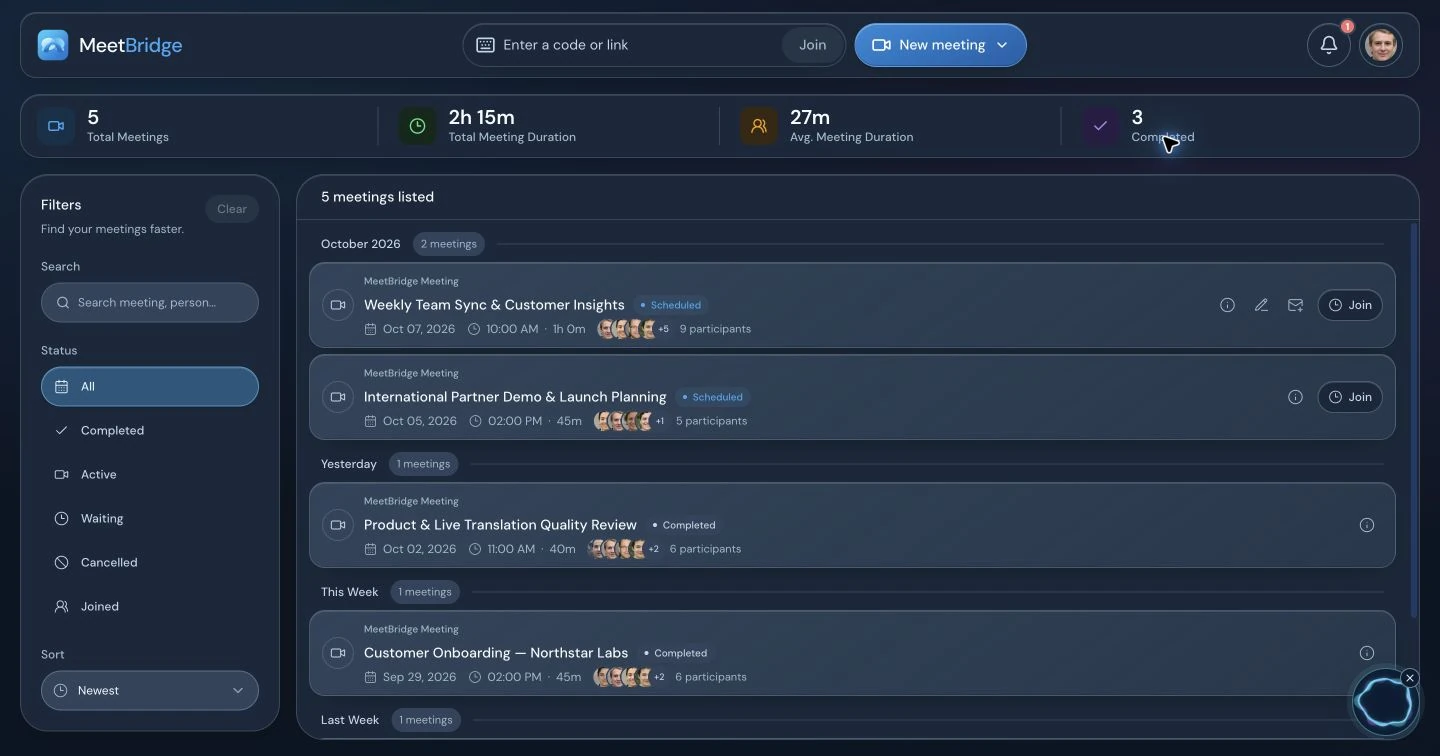
The interface images show MeetBridge. They do not depict Maestra or establish a performance benchmark. Source names below identify the official documentation used for the comparison.
- Maestra live meeting translationOfficial meeting-session positioning, browser guest access, two-way conversations and recording-setting qualifications.Reviewed
- Maestra real-time voiceover guideOfficial setup for translated speech, AI voices and optional voice cloning.Reviewed
- Maestra create and share a session guidePaid-account session setup, speaker and target language configuration, link and QR sharing.Reviewed
- Maestra Zoom translation servicesThe manual-caption API-token route into Zoom; separate from the general spoken-output capability.Reviewed
- Maestra Microsoft Teams live translationOfficial CART-caption setup and the separately described dubbing and transcript capabilities.Reviewed
- Maestra LiveBrowser app, save-and-summarize features and visible product-mode qualifications.Reviewed
- Maestra AI note-taker overviewMaestra’s own description of its meeting notes, bilingual captions, AI summaries and team workspace.Reviewed
- Maestra Live pricingReal-time captions, translation and dubbing allowances; shared-session and glossary plan placement. Confirm the actual checkout.Reviewed
- Maestra website pricingSeparate transcription, subtitle, voiceover and real-time offerings. Public terms differ from the live-app page.Reviewed
- Maestra Live conference comparison and plansA newer vendor description of Personal, Meetings and Events plans. Its session-based terms differ from the public minute-based pricing pages.Reviewed
- Maestra product overviewThe broader live and on-demand media localization offering, including uploaded audio/video, subtitles and dubbing.Reviewed