
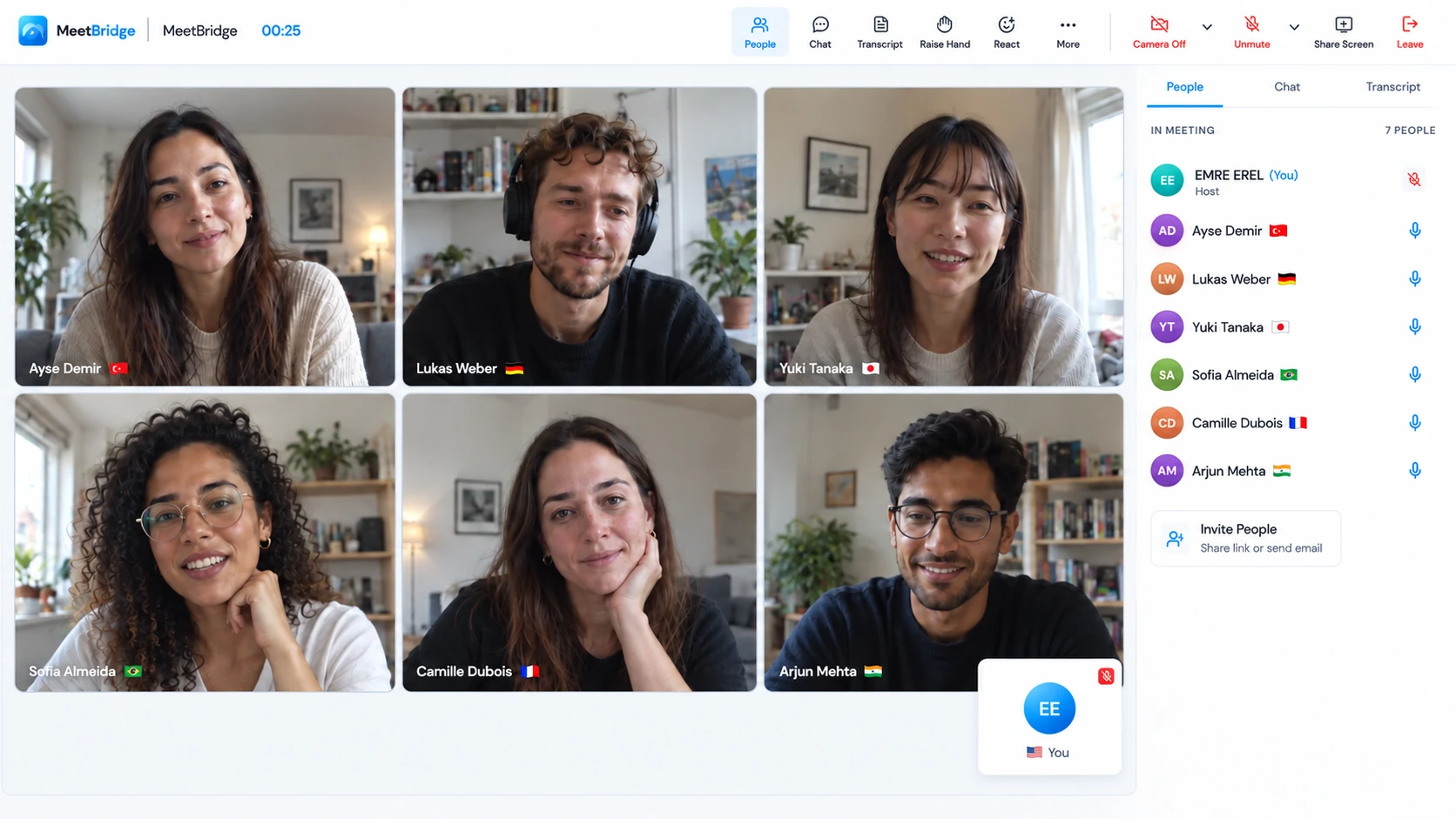
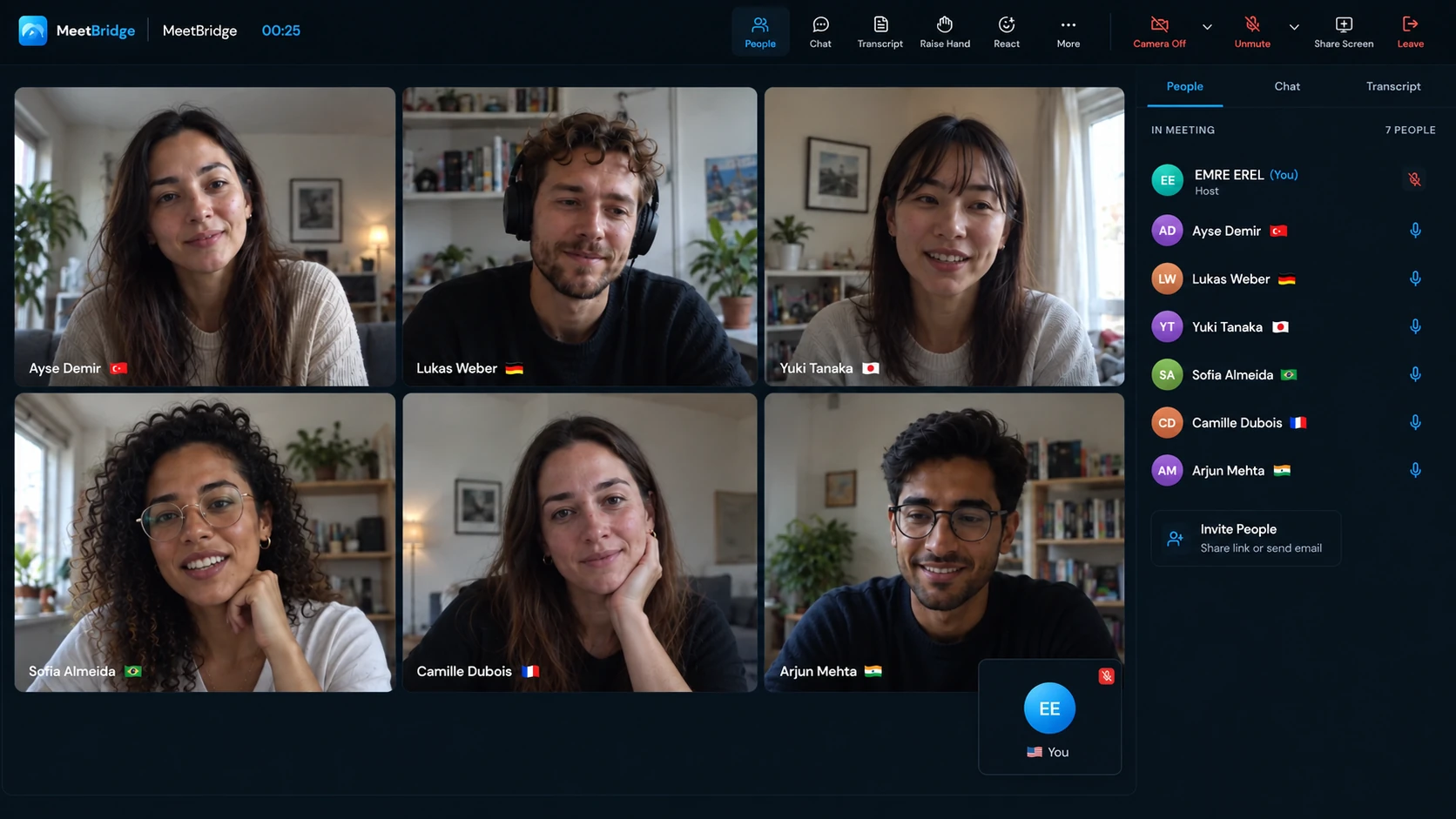
Inside the HR workflow
01 / Begin with understanding
How live translation works in a multilingual interview.
A candidate describes a difficult project. You recognize the job title and technology, but miss the decision they made, the constraint they worked around or the part they personally owned. Your next question depends on that detail. Live translation for interviews gives the recruiter, hiring manager and candidate a shared way to ask, answer and clarify across languages.
Each participant selects the language they will speak and listen in. MeetBridge delivers translated speech when another person speaks a different language; people using the same language hear one another directly. The candidate can explain their experience in a chosen language, and the panel can follow up in theirs. Leave space between turns so an answer and its translation can finish.
Use the conversation to explore job-relevant evidence: what the person did, why they chose it and what happened next. Translation supports communication. The interviewer still asks the questions, checks the meaning and assesses the evidence against the role. If the role requires working in a particular language, plan that assessment separately so everyone knows what is being evaluated.
“You owned the release plan; another colleague implemented the change—is that right?” A short recap protects the context before the panel writes it down.
02 / Prepare the candidate and panel
Send an invitation that explains the language setup.
Ask which language the candidate prefers, confirm it is available in the room and decide who will attend. Identify a host who can create the meeting, handle admission and resolve a joining problem. Give the candidate a contact method outside the room so a blocked microphone permission does not leave them alone at the start of the interview.
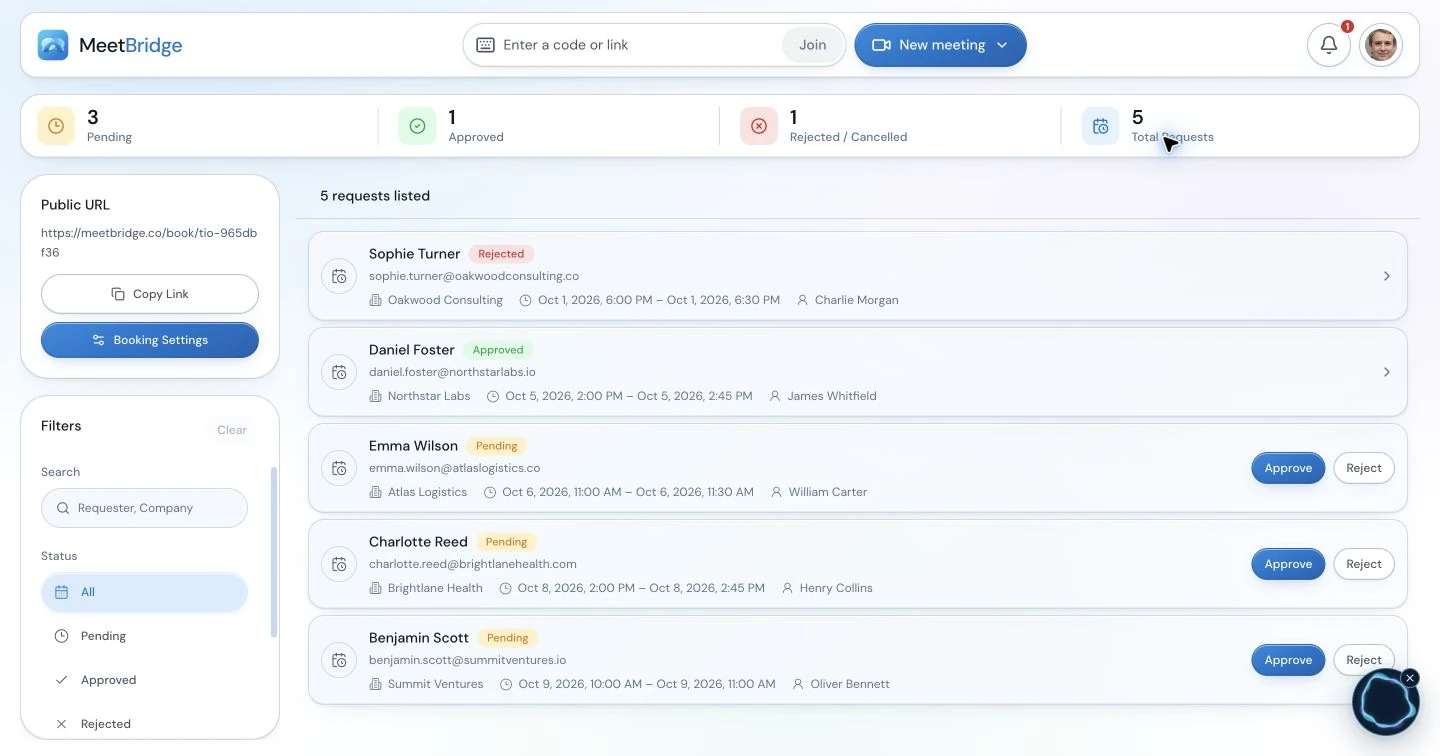
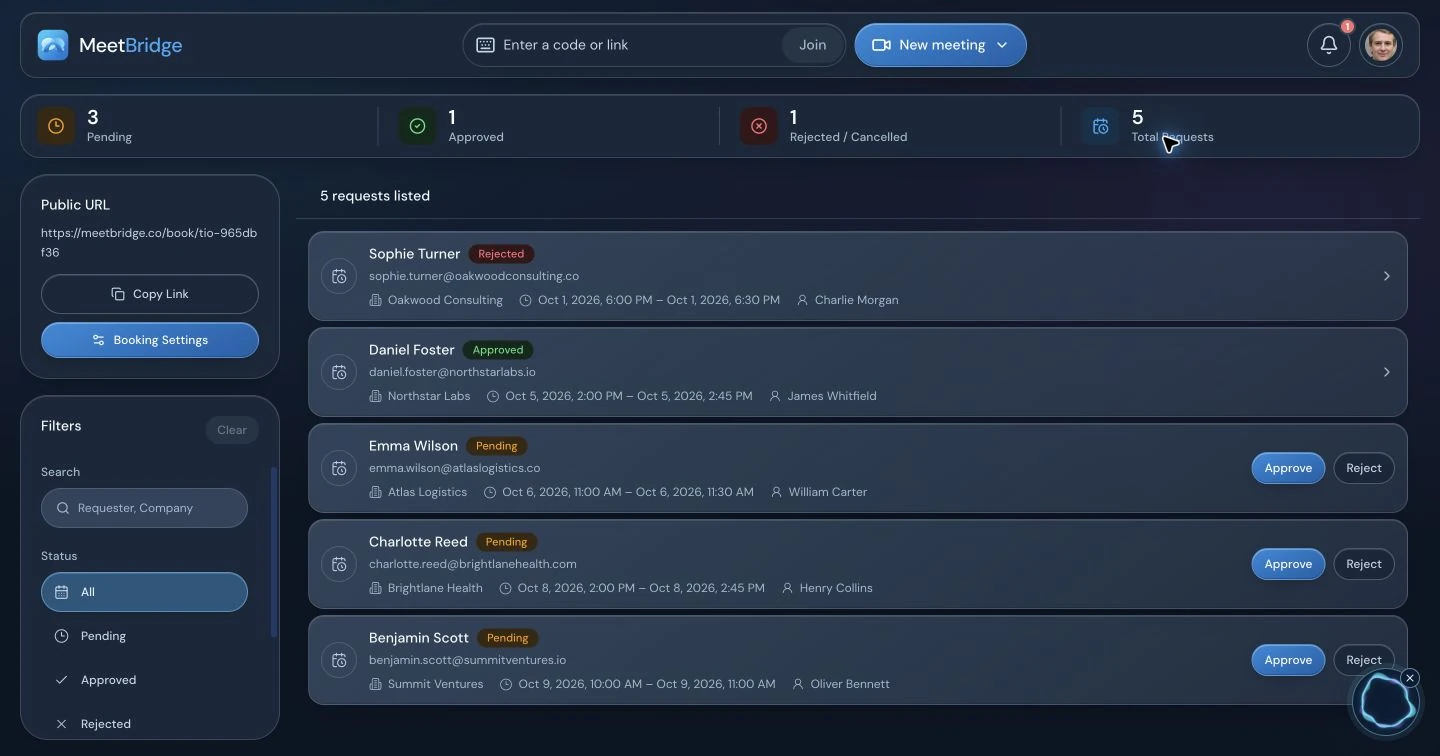
A clear joining path
Explain which link provides video, where the conversation happens and whether the host must approve admission. Allow a short sound check before the assessment. MeetBridge booking links can support scheduling and the preparation questions available in your booking workflow.
A shared interview plan
Agree the competencies, question order, speaking turns and note-taking owner. Prepare important role terms in writing: a technology name, a qualification abbreviation or a project date is easier to confirm when both sides can see it.
Example Voice invitation note
“We will use [video link] for cameras and the shared exercise, and [Voice link] for our conversation. In Voice, choose your language, allow microphone access and request admission with your name; I will approve you. Keep the video app’s microphone and incoming audio off, and leave MeetBridge sound on. You can continue in a supported browser. We will test a greeting before the interview. If you cannot join, contact [recruiter contact].”
Add the interview time and time zone, panel names and a plain explanation of translation pauses. Explain cloud voice processing and your meeting-record policy through your usual candidate information. Send assessment materials through the approved hiring process; a joining note should make the technology predictable without revealing or changing the assessment criteria.
03 / Choose the conversation format
Compare a MeetBridge meeting, Voice, captions and an interpreter.
Meet directly in MeetBridge
Use one meeting for video and live translated speech. Saved transcripts, summaries and actions depend on your plan and enabled features. Choose this when the interview and its available follow-up context should stay together.
Explore MeetBridge meetingsKeep your existing video invitation
Use Teams, Google Meet or Zoom for cameras, shared screens and chat, with a separate Voice room for the conversation. The host creates Voice in the desktop app; guests can request admission in a supported browser.
Get MeetBridge Voice| Option | What the participant follows | Preparation decision |
|---|---|---|
| Full MeetBridge meeting | Video and translated speech in one room. | Check available languages, host usage and the saved meeting features enabled for your plan. |
| MeetBridge Voice | Translated speech alongside the chosen video platform. | Send both invitations. Every speaker joins Voice; switch off the original platform’s microphone and incoming audio. |
| Translated captions | Readable translated text while listening to the original meeting audio. | Check the platform’s current account eligibility and languages, and whether reading subtitles suits the exercise. |
| Qualified interpreter | A person interprets the exchange using the agreed method. | Arrange language expertise, confidentiality and turn-taking appropriate to the meeting’s purpose. |
Captions can suit someone who wants text while watching the speaker. Spoken translation can suit an exchange that needs frequent questions and answers. Google documents separate translated-caption requirements; verify the exact feature available in the platform you plan to use.
Choose human interpretation when your organization needs specialist interpretation or a person to handle particularly sensitive nuance. Agree that requirement before scheduling. A translation tool does not decide which process is suitable for a formal HR matter.
04 / Six steps to a Voice interview
Keep one path for speaking and listening.
The companion workflow has two rooms with separate admission: your video meeting and the shared Voice conversation. Have every panel member follow these steps, including someone joining only for the final questions.
Open the video call and disable its audio.
Keep cameras, the presentation and chat available. Turn off the video platform’s microphone and incoming meeting audio. Muting the microphone alone leaves a second listening path. Use the appropriate platform-specific control without silencing the entire browser or computer, which could also silence Voice.
Create the interview’s Voice room on desktop.
Open the Voice desktop app and sign in to MeetBridge. Choose “Create voice room”, select your video platform and give the room a recognizable name. Selecting the platform labels the room; it does not connect the video app’s audio or import its participants. Check that the host’s plan has room usage available.
Choose your language and audio devices.
Select the language you will actually speak, your microphone and listening device. Check the selected headset if you have changed devices since the last call. “Join with microphone off” lets you enter quietly while preparing. Each panel member and candidate makes their own language choice.
Share the Voice invitation with every speaker.
Send the link through the calendar note, video chat or your normal candidate communication. Invitees can open the desktop app or continue in a supported browser. Browser guests allow microphone access, enter their name and request admission. They do not need to buy an individual subscription; room usage comes from the host’s plan.
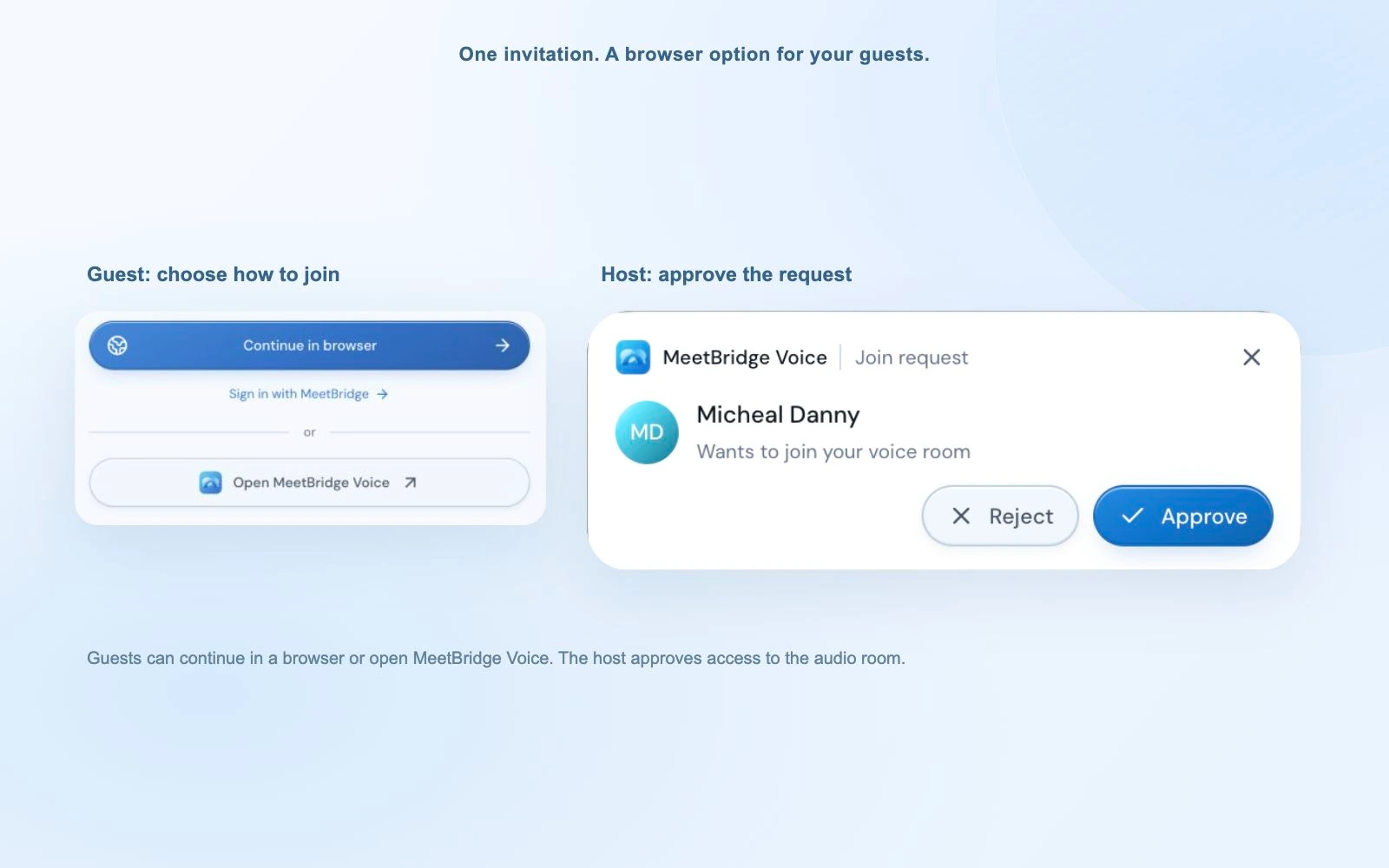
Approve admission and check both participant lists.
The host approves Voice requests. A candidate visible on the video call may still be waiting outside Voice. Confirm that all speakers have joined the same audio room, chosen the correct language and disabled the original audio. An interviewer joining later needs the same check before speaking.
Wait for live status and test both directions.
Wait for “Voice room live”. Browser participants should enable room audio if prompted. Switch on the Voice microphone and exchange a short greeting and reply. Confirm that each side hears the expected language before introducing the first assessment question.
05 / Share the practical work
The host manages the room. The panel protects the speaking turns.
Assign these responsibilities in advance. A panel interview becomes harder to follow when everyone asks questions while one person is also trying to admit a guest. The candidate should have one person to contact for joining help and one clear cue for when to answer.
| Person | Owns | Checks before starting |
|---|---|---|
| Host or recruiter | Invitation, host usage, admission and the opening sound check. | Candidate and panel are in the same Voice room; the original audio is off. |
| Lead interviewer | Question order, transitions and requests for clarification. | The candidate knows they can ask for repetition and translation time is allowed. |
| Other panel members | Their language, microphone and designated questions. | They wait for the answer and translation before taking a turn. |
| Candidate | Their language choice, device permission and explanation of their experience. | They can hear a greeting and the panel can hear their reply. |
When someone needs to leave, distinguish leaving Voice from leaving the video call. The host ends the Voice room for everyone after the interview; guests leave their own connection. Close the separate video meeting and restore any site sound setting used to silence it.
06 / Keep the assessment coherent
Ask a clear question and preserve the candidate’s meaning.
Start with the same job-relevant interview plan you would use without translation. OPM’s structured-interview guidance describes predetermined questions and consistent evaluation standards. Adding language support is a reason to prepare the delivery, rather than improvise a different assessment for each candidate.
Ask one question at a time. “Describe a release you coordinated” gives a clearer starting point than a sentence that also asks about conflict, budget and technical architecture. Allow the answer to finish, then use the probes permitted by your interview process. If a translated phrase is unclear, repeat the detail you need clarified without supplying a preferred answer.
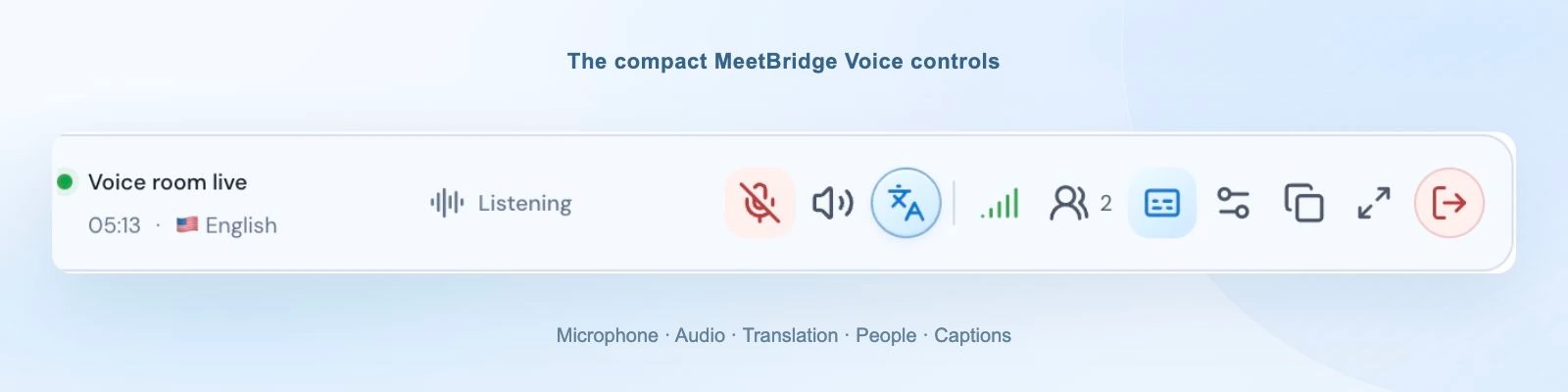
The compact desktop bar keeps language, microphone and connection controls within reach. The latest caption can help you locate a word; browser participants use the expanded room. Write an exact product name or date in chat when needed. If two people overlap, ask one to repeat the last complete thought and resume orderly turns.
Keep evidence and interpretation separate in your notes. “Candidate coordinated the rollback decision” is different from “candidate wrote the rollback code”. A translated pause or unusual phrasing needs clarification before it supports a conclusion. The panel, rather than the translation workflow, owns the rating and hiring decision.
07 / An end-to-end example
A release-coordination interview from invitation to handoff.
This is an illustrative interview plan, not a customer case study. An English-speaking recruiter and hiring manager are interviewing a German-speaking candidate for a release-coordination role. They already use Google Meet for the shared exercise, so the recruiter hosts a Voice room for the spoken exchange.
Before: prepare one competency and its evidence.
The panel agrees to explore how the candidate handled a release at risk. The recruiter confirms the language, shares both links and sends the joining note. The manager has a blank timeline ready on the shared screen. The panel’s questions and evaluation criteria remain in their interview guide; the candidate’s instructions explain how the translation works.
Open: test the actual interview path.
Both panel members and the candidate disable Meet microphone and incoming audio, enter the same Voice room and choose their languages. The recruiter approves admission. Each person gives a short greeting and hears a reply. The recruiter explains that they will pause between turns and invites the candidate to correct any misunderstood detail.
Discuss: attach the answer to a visible timeline.
The manager asks, “Tell us about a release where you had to change the plan.” The candidate describes a failed deployment check. The manager waits for the translation, then asks the approved follow-up about the candidate’s own decision. The candidate marks the point where the team stopped the release. A project abbreviation is pasted into chat so it can be confirmed exactly.
Clarify and close: distinguish responsibility from outcome.
The manager recaps that the candidate coordinated the decision and communication, while another engineer performed the rollback. The candidate confirms and adds who approved the revised schedule. The recruiter states the next step and writes the agreed interview date. After the candidate leaves, the panel reviews the evidence against its criteria and records the remaining question for the next interviewer.
The useful result of this workflow is the confirmed distinction between planning, approval and implementation. It does not depend on treating a fluent translation as proof of technical ability or assigning a score from generated wording.
08 / Carry understanding into onboarding
Use employee onboarding translation to make the next task clear.
Onboarding combines unfamiliar tools, people and working habits. Plan multilingual employee onboarding around one task the new colleague will actually perform. Show the approved process, let them ask questions in their language and ask them to describe their next step. A quick “yes” alone gives you little detail about what they understood.
First-week orientation
Show where the team’s instructions live and introduce the person who can help. Write names, access steps and dates in the welcome checklist. Ask which part needs another example before moving to the next tool.
Manager and buddy check-ins
Discuss a specific task attempted that week. Ask where it stopped, what the colleague expected and what they tried. Let them explain before the manager gives the next instruction, then confirm the owner of any access request.
People-team briefings
Explain how to find an approved policy and whom to contact with a question. Keep formal wording in the reviewed document your organization uses. A live translated explanation can help someone ask about the process; the official written material remains the reference.
For recurring onboarding, keep the same invitation pattern and language setup. If the session includes a video demonstration with recorded narration, plan its language support separately: Voice translates speakers in its room rather than automatically capturing media played through the other platform.
09 / Recover without losing the interview
Resolve the audio problem before repeating the question.
Pause the assessment when the connection is unclear. Tell the candidate what you are checking, resolve the issue and repeat the complete question if needed. Do not ask them to continue while the panel is uncertain about what it can hear.
| What happens | Check | Next action |
|---|---|---|
| Candidate is on video but silent in Voice | Voice admission, microphone permission and the selected input device. | Approve the request, allow the MeetBridge microphone and test a greeting before restarting. |
| Everyone hears doubled speech | The original video platform’s microphone and incoming audio. | Turn both off for every participant. Keep only Voice as the speaking and listening path. |
| Browser guest hears nothing | Room audio activation, site sound permission and output device. | Enable room audio when prompted. Leave MeetBridge sound allowed; avoid muting the whole browser. |
| One panel member is too loud | That participant’s listening-volume control and microphone distance. | Adjust the local listening level, then repeat a short sentence at a normal speaking volume. |
| The language sounds wrong | The speaker’s actual language and selected room language. | Select the matching language and ask for one complete thought again. |
| Translation stops or falls behind | Room, participant and translation connection indicators; overlapping speech. | Pause, restore the connection if needed and resume with one speaker at a time. |
Original foreign-language audio is quiet at 10% by default while translation is ready; you can disable “Hear original voice at 10%” in Audio settings. During startup or an unavailable translation connection, original speech remains audible normally. Hearing it alone is a reason to check live status before continuing.
10 / Review before the handoff
Turn the conversation into an accurate interview record.
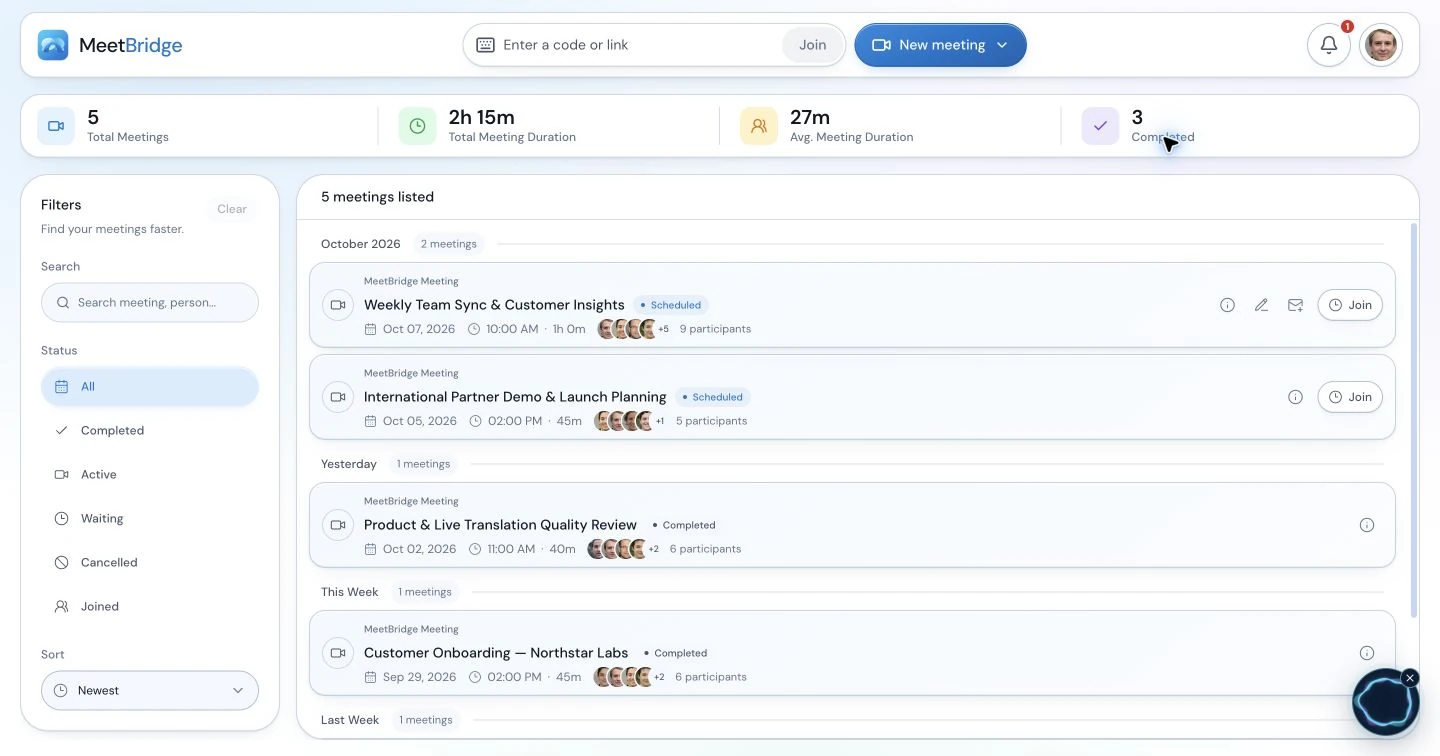
After a full MeetBridge meeting, review the transcript, summary and actions available under your plan and enabled features. Check generated wording against the discussion before using it in a hiring record. Companion Voice provides live room context; plan your note-taking separately rather than assuming a saved interview transcript or audio in the other platform’s recording.
Example reviewed panel handoff
- Evidence discussed: The candidate described stopping a release after a failed deployment check.
- Responsibility confirmed: They coordinated the decision and stakeholder communication; another engineer performed the rollback.
- Open question: The next interviewer will explore how the revised schedule was approved.
- Next step: The recruiter will send the next-stage invitation for the date confirmed with the candidate.
- Review owner: The lead interviewer checks the evidence against the approved interview criteria before recording the panel’s assessment.
This sample is an editorial artifact, not a generated product output. Keep the candidate’s statement distinct from the panel’s conclusion. Correct an uncertain name or date before handing it over, and follow your organization’s access and retention process for candidate information.
Explore transcripts and meeting memory11 / Make the workflow repeatable
Start with a familiar meeting type and clear rollout criteria.
Rehearse with a recruiter and panel member using the same devices, languages and platform planned for the interview. Test a browser guest, a late admission and an exact technical term. Prepare one invitation template and assign a room host and backup contact. For onboarding, rehearse one real employee task rather than a generic greeting alone.
- Joining is understood: The guest can explain which room handles video and which handles speech.
- Audio is dependable: Both directions work with the original platform’s microphone and incoming audio off.
- Questions remain clear: The panel can wait for translation, clarify a detail and follow its assessment plan.
- The handoff is reviewable: A colleague can identify the evidence, remaining question and next owner from the reviewed notes.
Discuss cloud voice processing and meeting-record handling with the people responsible for your HR process. Use security information and meeting voice processing when preparing candidate information. Check current host usage and features for recurring interviews, then expand to the next meeting type once colleagues can run the complete process consistently.
12 / Your questions, answered
Interview and HR translation FAQ
How does live translation work in an interview?
Each participant selects the language they will speak and listen in. MeetBridge delivers translated speech when another participant uses a different language; people using the same language hear one another directly. The interviewer asks the questions and the candidate explains their own experience. Ask one question at a time, wait for the translated answer and clarify an uncertain detail before recording it as evidence.
Can we keep interviewing in Teams, Google Meet or Zoom?
Yes. Keep your chosen platform for camera, screen sharing and chat, then invite every speaker into one MeetBridge Voice room. Turn off the video platform’s microphone and incoming meeting audio. Voice carries the conversation separately and does not capture candidates who remain only in the original platform’s audio call.
Does a candidate need to install the desktop app?
The host creates a Voice room in the desktop app. Candidates and other invitees can continue in a supported browser from the room invitation, enter their name and request admission. The host approves them. Every person who will speak still needs to join the Voice room.
Can a panel use several different languages?
Each person can select their own language from the room’s available options. Recruiters, hiring managers and candidates do not have to select a single shared language. Keep speaking turns clear and confirm all panel members are in the audio room before beginning.
Who pays for a candidate joining a Voice interview?
Room usage comes from the host’s MeetBridge plan. Guests do not need to purchase their own subscription to request admission. Review the current pricing page for your team’s included usage, limits and available meeting features.
Does MeetBridge score candidates or assess language proficiency?
This workflow supports communication; it does not automatically score, rank or select candidates. A translated conversation is also not a measurement of unaided language proficiency. Your team sets the assessment criteria, reviews the evidence and makes the hiring decision.
Can we return to an interview transcript afterward?
In a full MeetBridge meeting, saved transcripts, summaries and actions depend on your plan and enabled options. Review generated notes against the conversation before using them. Voice provides live context for the current room; do not assume a saved full-meeting record or that its audio appears in another platform’s recording.
What should we explain to candidates before the call?
Send the time and time zone, panel names, meeting links, language instructions and a recruiter contact for joining help. Explain which app handles the audio and that Voice admission is separate from the video call. Share cloud voice-processing and meeting-record information through your candidate process. Allow a sound check before the assessment and tell candidates how to request repetition or clarification.
Should we use translated captions or translated speech for an interview?
Choose around the task and the participant’s preference. Captions provide readable translated text inside a platform when its current account and language requirements are met. MeetBridge provides translated speech for the exchange. Consider whether the candidate needs to watch an exercise while listening, prefers reading text or requires another form of support. Rehearse the chosen format before using it in the interview.
Can live translation assess the candidate’s ability to work in English?
A translated answer does not demonstrate unaided English proficiency. Use translation for the parts of the interview intended to explore experience or clarify a process. If the role requires a particular working language, define a separate, clearly explained assessment using your organization’s criteria. Keep the candidate’s experience evidence distinct from the language requirement and tell them which part is being assessed.
What should we do if the translated answer seems inconsistent?
Pause and confirm the specific point rather than assuming the generated sentence is correct. Ask who performed the action, which event came first or what a technical term means in that example. Put an exact abbreviation or date in chat when needed. Repeat the complete question after an audio interruption so the candidate is answering a clear prompt, then update the notes with the confirmed detail.
Can the same workflow support employee onboarding?
Yes. Use a full MeetBridge meeting or a shared Voice room for first-week orientation, task demonstrations and manager or buddy check-ins. Show one real process, invite questions and ask the colleague to explain the next step. Write the owner, reference document and date in the onboarding checklist. Formal policy wording should remain in the reviewed materials your organization uses.