
Inside the buyer conversation
01 / Start with the person behind the enquiry
A useful shortlist starts with a clear conversation.
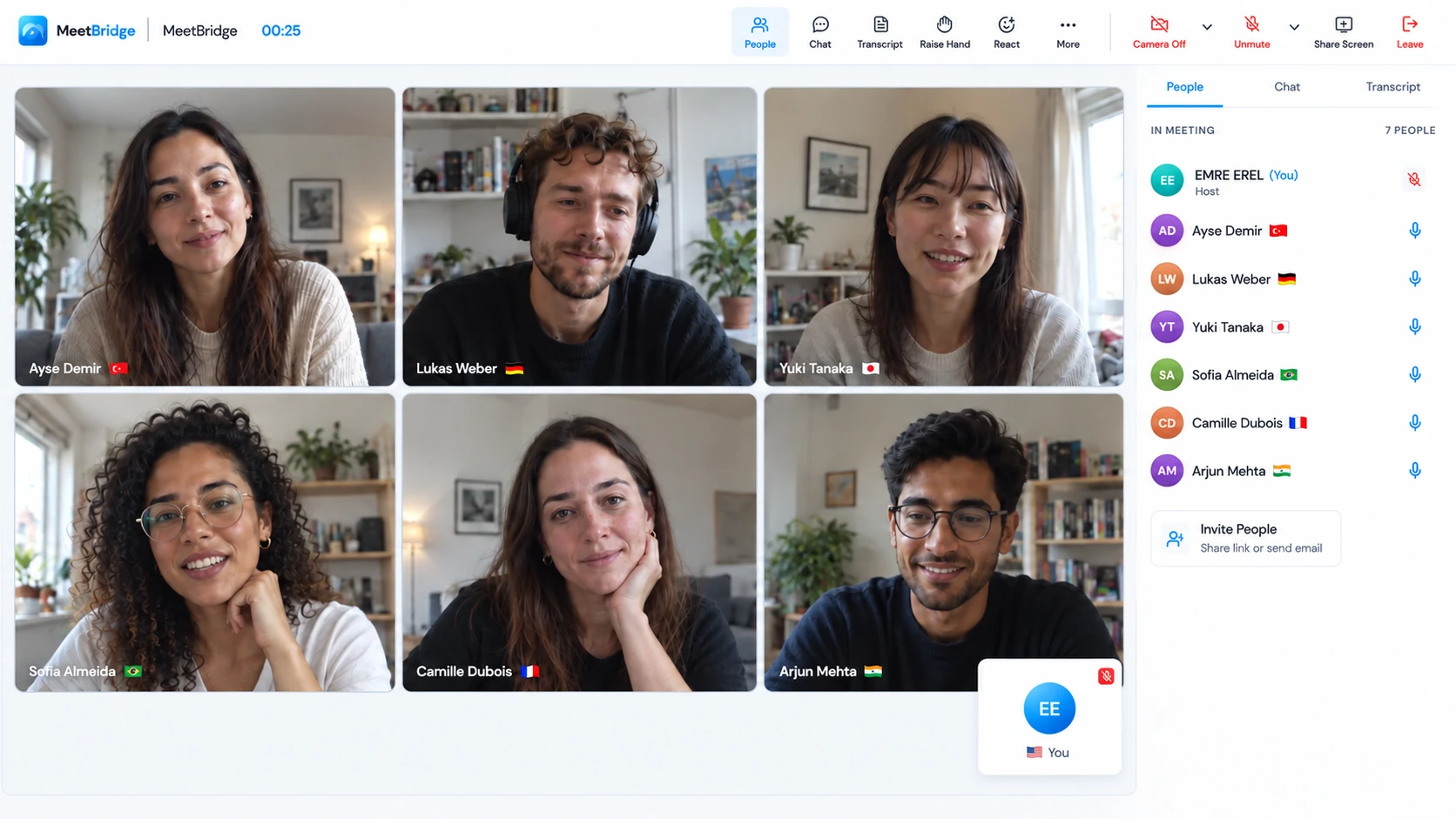
An international buyer asks about a property, but the listing rarely explains the whole requirement. They may be planning a move, looking for a second home or coordinating a purchase with family overseas. Their questions can involve everyday use, location, timing and practical details that are difficult to compress into a short email.
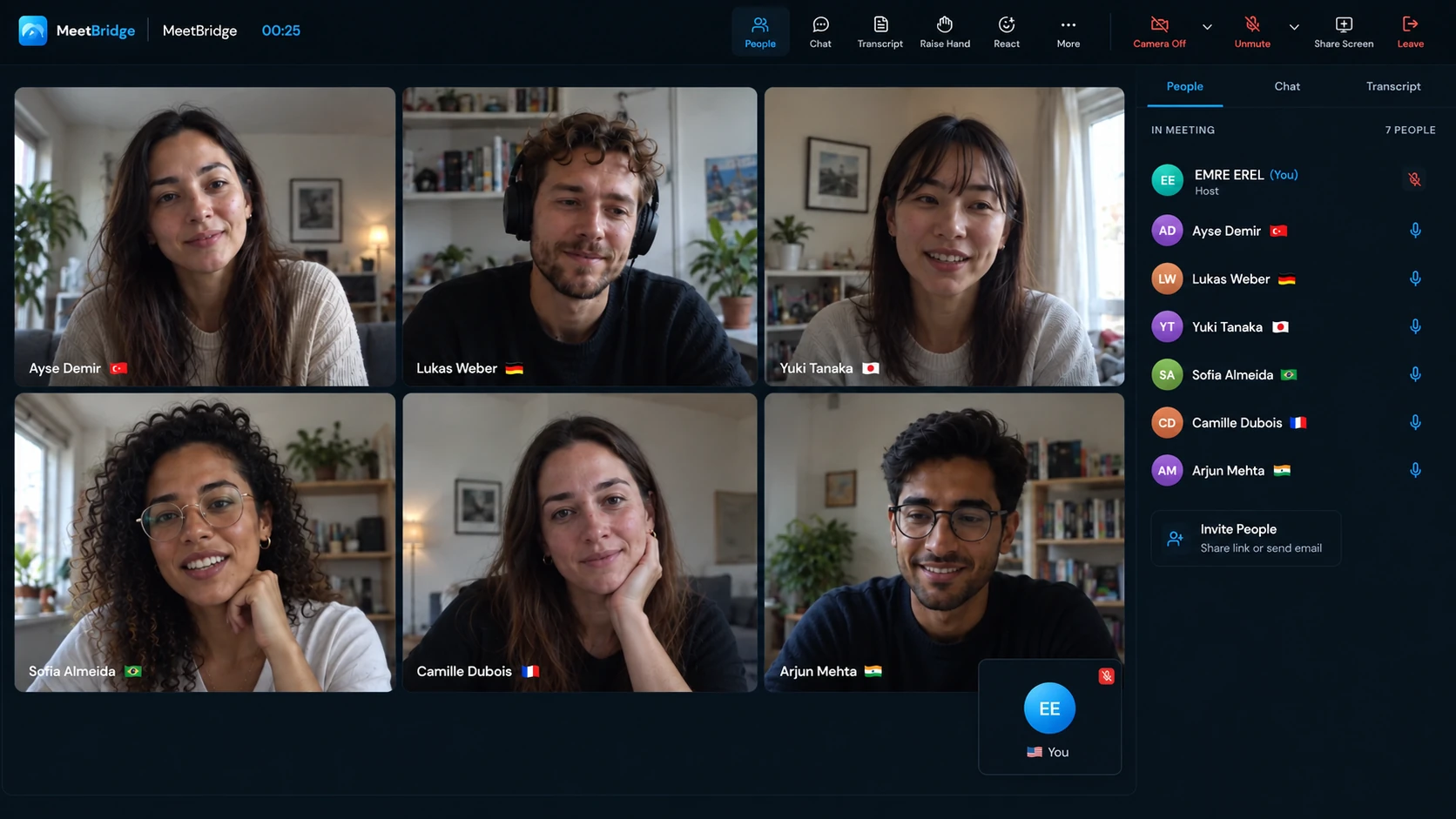
Live translation for real estate meetings gives those questions room. The agent and buyer choose their own languages and speak in them. MeetBridge delivers translated speech for listeners using another language; same-language participants hear each other directly. The buyer can explain a preference, and you can ask why it matters.
For example, “close to the city” might mean a short commute, access to public transport or being near family. A conversation helps distinguish those needs before you assemble a shortlist. Repeat the requirement back and invite a correction, especially when a local property term has more than one possible meaning.
The brief to confirm together
- Purpose
- How the buyer expects to use the property.
- Preferences
- Location, layout and the practical features that matter.
- Parameters
- Budget and currency, timing and any firm constraints.
- Next question
- The information the buyer needs before choosing a viewing.
Translation supports the discussion. It does not establish a property’s suitability, value or legal position. Your market knowledge and the relevant professional checks remain part of the buyer’s process.
02 / From enquiry to a practical next step
Use translated meetings where the buyer needs a conversation.
Hear what belongs on the shortlist.
Ask the buyer to describe a typical day in the property and the trade-offs they can make. Confirm which requirements are essential and which are preferences. A family member or relocation colleague can join the same room and contribute in their chosen language.
Keep the question attached to the floor plan.
Present one property at a time using clearly labelled photos, plans and references. Pause when the buyer asks about a room, access route or advertised detail. Confirm which feature they mean before switching to another property.
Make the arrangements specific.
Discuss which properties to see, who will attend and what the buyer wants to inspect. Put the address, meeting point, date and time zone in writing. An online presentation can prepare the viewing; it does not establish the property’s condition.
Bring the right person into an unresolved question.
A developer’s representative, local colleague or qualified adviser can join a follow-up conversation. Identify the question they are responsible for answering and share the relevant property reference. Confirm the answer before treating it as settled.
03 / Fit the meeting to the buyer
Choose one MeetBridge room or a companion audio room.
Everyone who speaks must join the same Voice room. Disable the original platform’s microphone and incoming meeting audio, then speak and listen through Voice. Muting only its microphone leaves another audio path open. Voice does not automatically capture buyers who stay only in the video meeting.
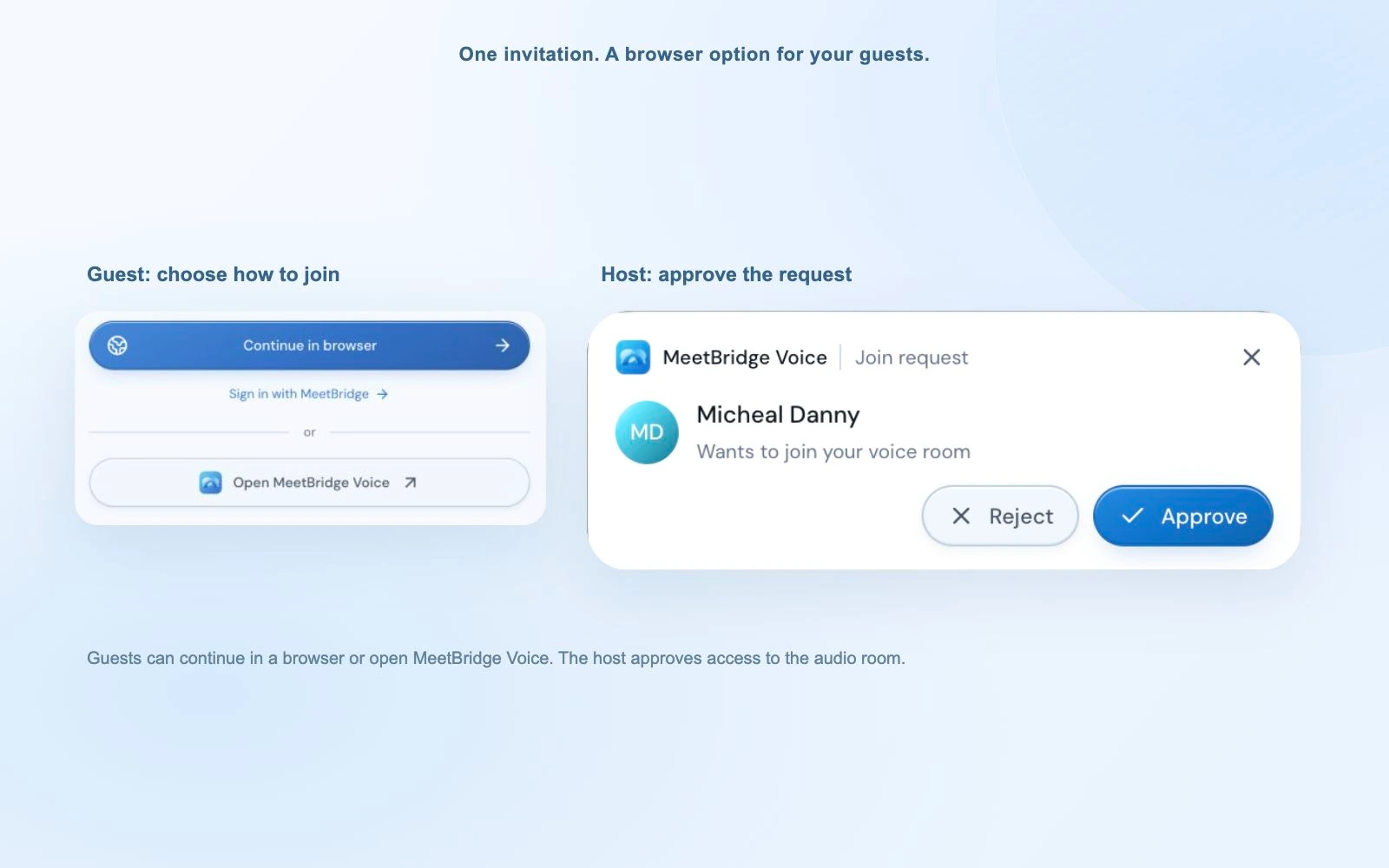
The buyer’s public Voice link offers browser or desktop access. Guests enter their name and request admission; the host approves them. Voice usage comes from the host’s plan. Check the Voice participant list as well as the separate video meeting’s list before presenting.
04 / Make joining part of the invitation
Prepare the consultation before the first property appears.
Ask which language the buyer wants to speak and hear. Share the property references and an agenda so everyone knows whether the call is for understanding requirements, comparing options or arranging a viewing. Confirm who else will join the discussion.
For Voice, explain the two links: one opens the existing video meeting and the other carries the translated conversation. Leave time for microphone permission and host approval. Wait for the live room, then try a short exchange in each person’s language before opening the presentation.
“We’ll use the video meeting to discuss the property materials and MeetBridge Voice for translated conversation. Open the Voice link, choose your language and request admission. Turn off the video platform’s microphone and incoming audio, then speak and listen through Voice.”
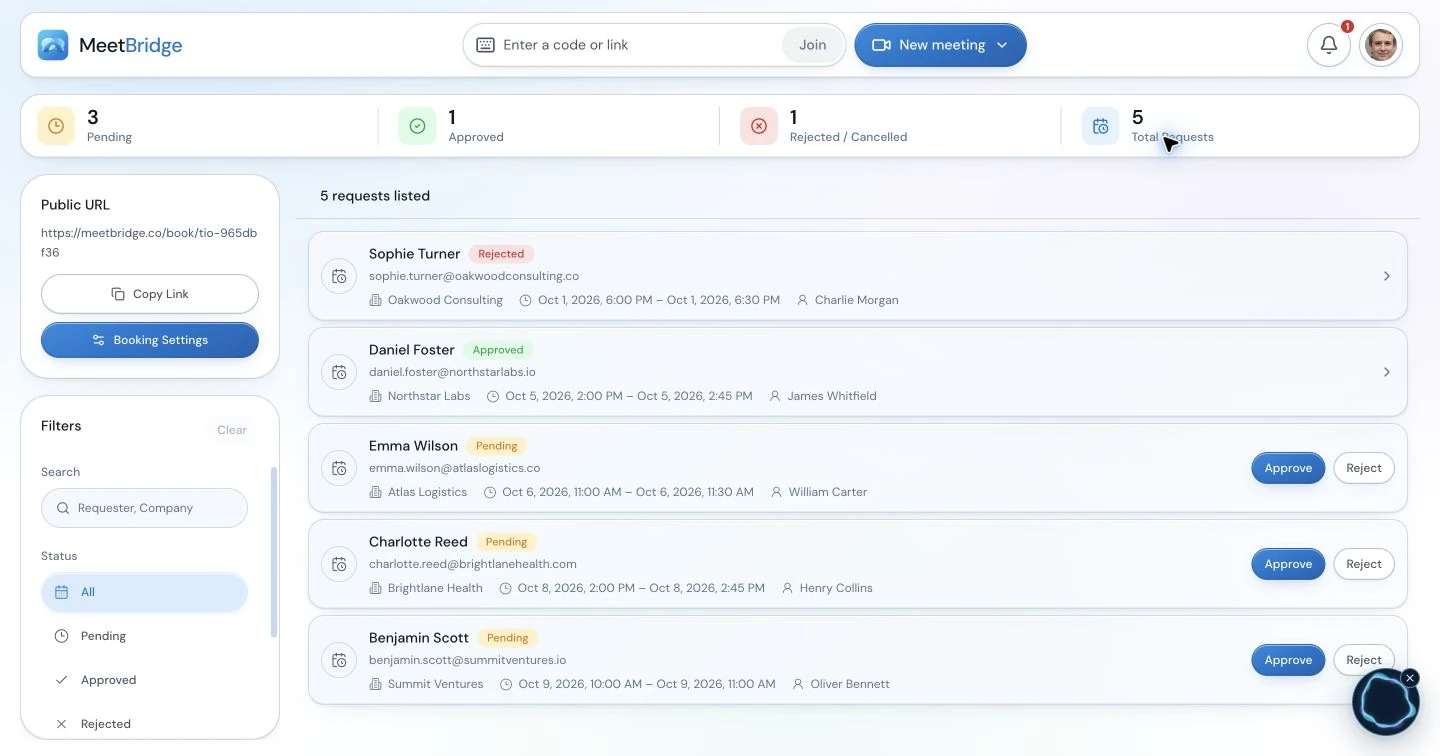
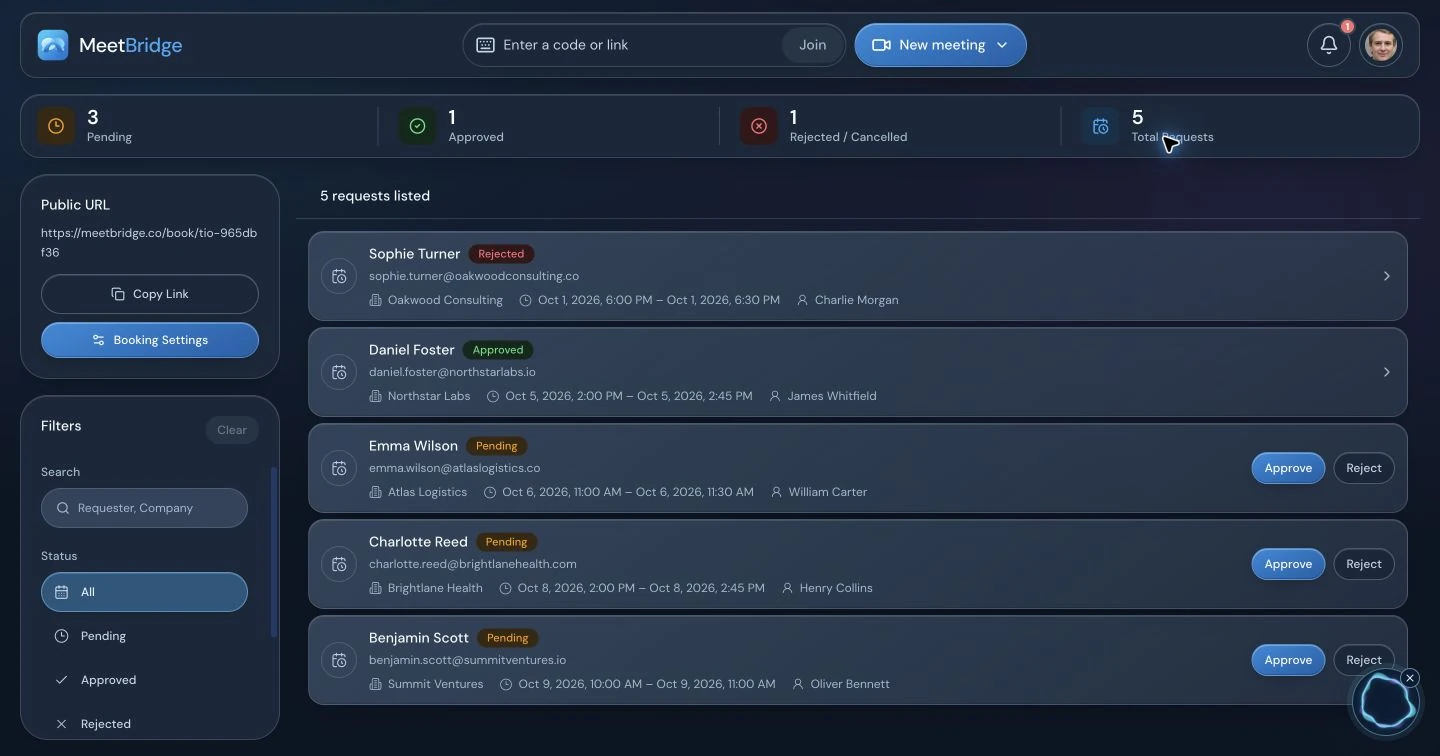
The booking workspace can support preparation for a full MeetBridge consultation. Use booking questions to collect the buyer’s topic and context, then begin with their priorities. Explain voice processing and follow your organization’s requirements for sharing buyer information.
05 / Keep the materials and discussion together
Slow the change of screen, keep the conversation moving.
When a buyer is studying a plan, leave it visible while the answer is translated. Refer to the same property identifier and room label the buyer can see. A short explanation followed by a question is easier to follow than a continuous tour through several listings.
| When discussing | Show the reference | Confirm the buyer’s question |
|---|---|---|
| A room or layout | The labelled plan and relevant photo | Which room or connection are we looking at? |
| An advertised area | The figure, unit and source description | Which definition of area does this figure use? |
| Price and costs | Written amounts, currency and stated inclusions | Which amount or cost needs clarification? |
| The next viewing | The address, date, time zone and meeting point | Who is attending, and what will they check? |
The compact Voice desktop bar keeps your microphone, translation and caption controls nearby. The latest translated text can help with an unfamiliar word; expand the room for more context. Participant listening levels help balance voices without asking everyone to change their microphones.
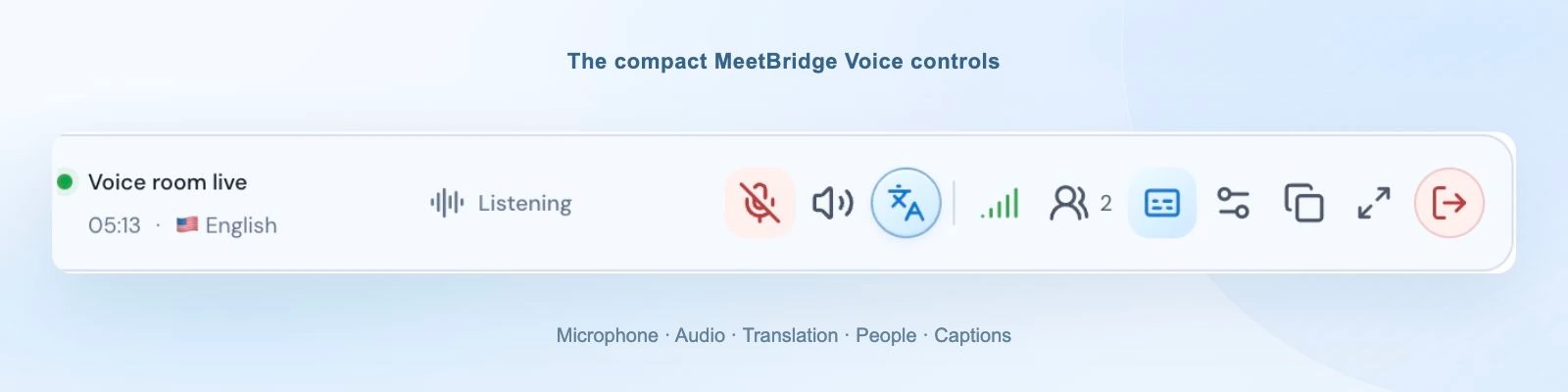
If audio cuts out, check the room and translation connection indicators and confirm the selected devices. Keep one active Voice connection per person. A simple sentence in each direction is a better starting point than continuing through a presentation nobody can hear.
06 / Make important details explicit
Discuss the question, then verify the answer.
Property conversations often contain amounts, dates, measurements and unfamiliar terminology. Put those details in the shared document or meeting chat and ask the buyer to confirm what they are referring to. Preserve the currency and unit instead of leaving them implied.
AI speech translation can make mistakes. It helps the buyer explain a question about a payment schedule or document, but it does not translate the actual contract, verify ownership or establish a tax or financing answer. Direct specialist questions to the appropriate qualified professional and review the relevant written materials.
“We’ll ask the developer to confirm what is included in that amount” is a useful next step. Record the question, the document reference and who will answer it, so an uncertain explanation does not become an assumed commitment.
For international buyers, distinguish what was presented, what was requested and what has been verified. A clear follow-up makes that distinction easy to revisit without treating a translated sentence as the transaction record.
07 / Turn the conversation into a useful follow-up
Send the shortlist the buyer actually asked for.
At the end, repeat the agreed preferences and identify the next action. Does the buyer want a revised shortlist, another presentation, a viewing appointment or a specialist answer? Name the owner and the date, then let the buyer correct the recap while everyone is still present.
- Requirements: the confirmed purpose, priorities and constraints.
- Property references: the options discussed and the buyer’s questions about each.
- Open information: what remains to be confirmed and by whom.
- Next appointment: the action, participants, date and time zone.
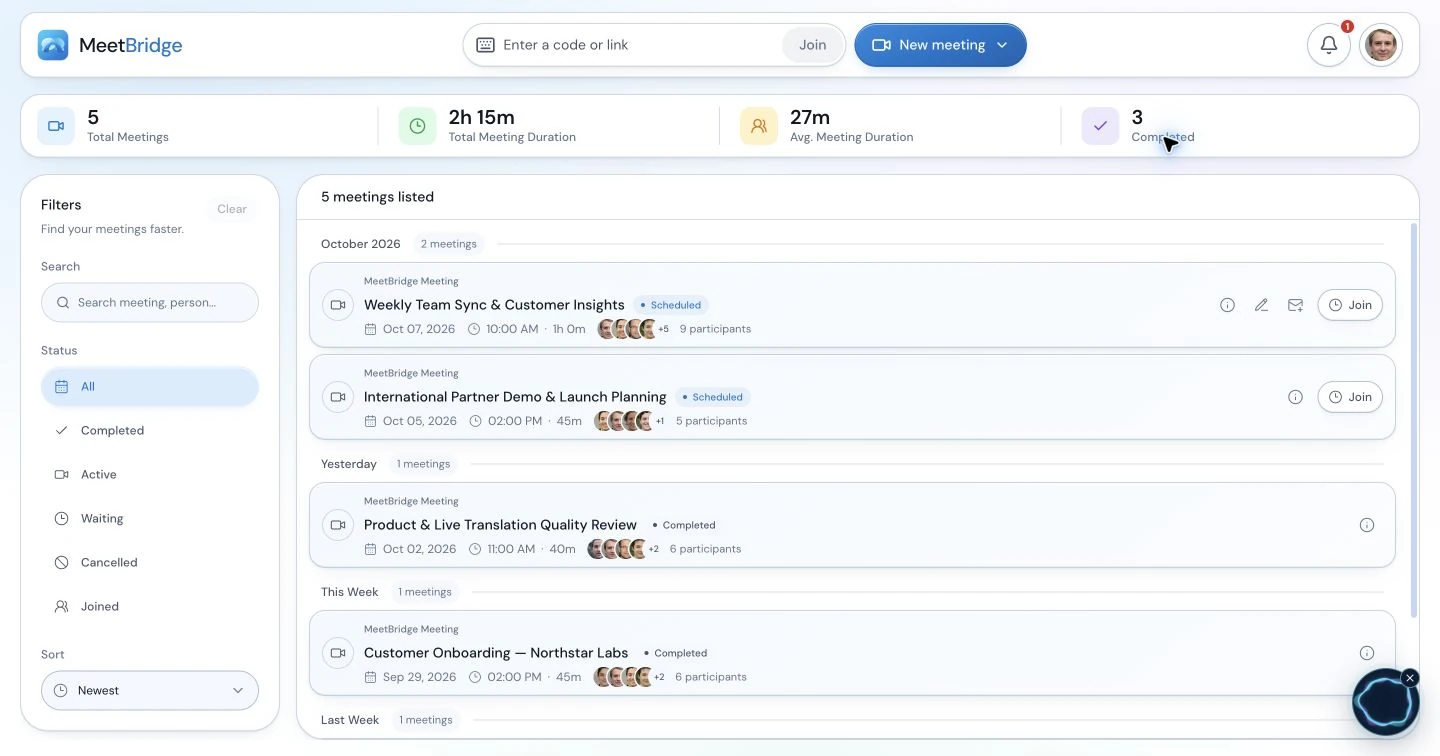
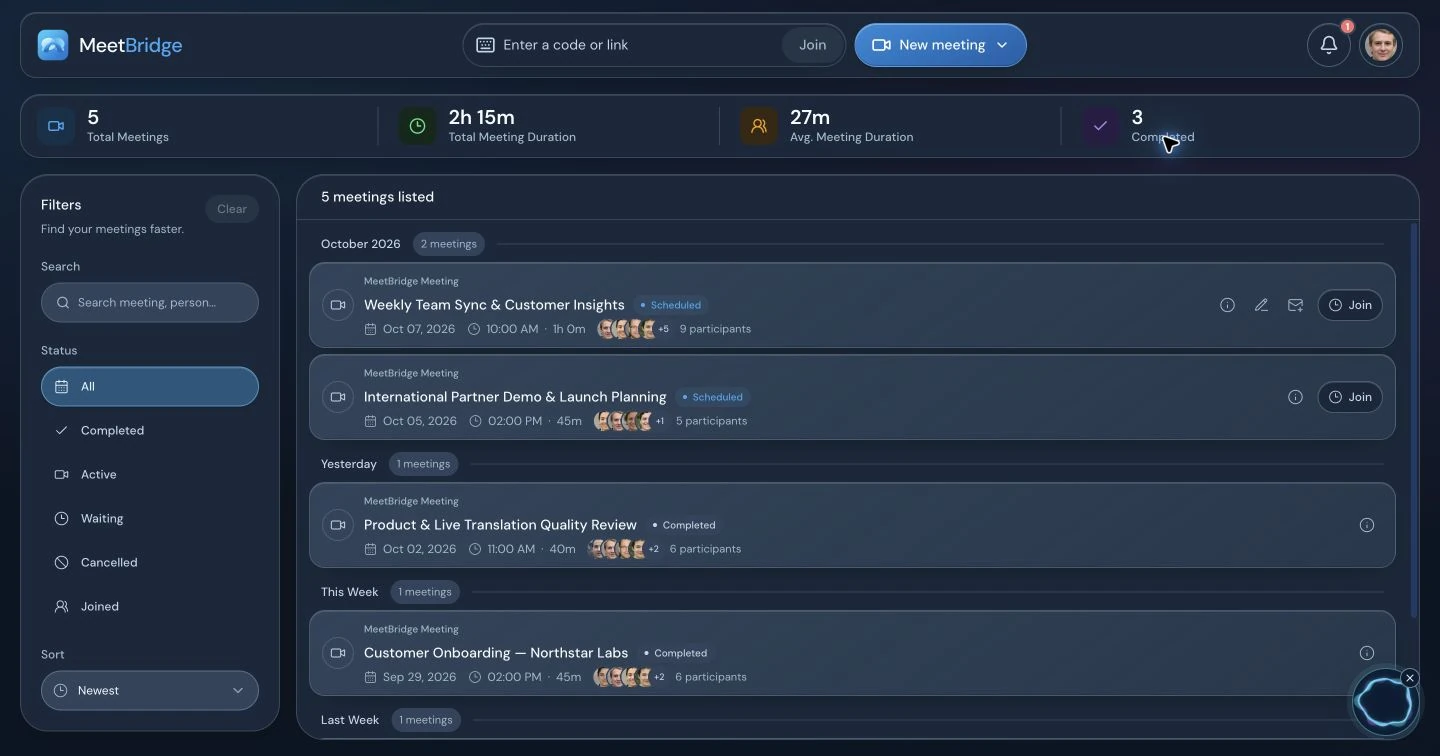
In a full MeetBridge meeting, review the available transcript, summary and actions before preparing the follow-up. Availability depends on the plan and enabled features. Check important details with the people involved, then transfer the confirmed information into your property or CRM process.
Voice’s live transcript provides current-session context. Do not assume the separate video platform’s recording includes Voice audio or that Voice guarantees a saved buyer record. Choose the workflow that fits your team’s meeting and follow-up needs.
A good first trial is a buyer consultation with a small shortlist and a clear question. Evaluate whether the buyer can join, ask for clarification and confirm the next step. Use that experience to refine the invitation and presentation routine for the rest of your team.
Practical setup / Before the discussion
Set up a shared translated conversation in six steps.
Ask which property references the buyer wants to discuss and whether a spouse, advisor or another decision-maker will attend. Share the exact listing identifiers and available materials beforehand. The buyer should know whether the purpose is to clarify requirements, compare a shortlist or plan a viewing; these sessions require different preparation.
1. Agree on the room and the speakers. Choose a full MeetBridge meeting when video and translation should share one invitation. If the existing Teams, Google Meet or Zoom invitation must stay, use a separate Voice room for sound. Confirm every speaker’s language and who will approve guests.
2. Create and share the Voice invitation. The host signs in to the desktop app, selects the relevant platform and creates the room. Send the copied Voice link beside the video link. Selecting a platform identifies the room; it does not connect that platform’s account or import participants.
3. Admit the intended guests. An invitee can continue in a supported browser or open the installed Voice app. A guest enters their name and requests admission; the host approves the request. A signed-in web user can continue with their account. Video-lobby approval and Voice approval are separate.
4. Use one speaking and listening path. Every speaker turns off the original video platform’s microphone and incoming meeting audio. Microphone mute alone leaves its speakers active. For a browser video call, use site-specific sound controls rather than muting all browser sound, because browser Voice needs its own playback.
5. Choose the language and connected devices. Each person selects their actual speaking/listening language, microphone and output. A remembered headset may be disconnected. Allow microphone access to the MeetBridge site when joining in a browser. “Join with microphone off” lets someone prepare quietly; unmute Voice before speaking.
6. Wait for live status and check both directions. Ask a short question and let the other person respond in their language. Confirm that each speaker appears in Voice and hears the intended sound once. Resolve missing guests, duplicate audio or device issues before beginning the working discussion.
The host owns the invitation, admission and final room closure. Each participant owns their language and device choices. The presenter keeps the shared material visible and pauses for the translated response. Voice usage comes from the host’s plan; guests do not need their own subscription to request entry.
We will use the video meeting to show the plans and property photos, and MeetBridge Voice for our conversation. Please open both links and select your language in Voice. You can join in your browser and request admission. Turn off the video platform’s microphone and incoming meeting sound. We will confirm one short exchange before reviewing the shortlist.
An illustrative workflow / From question to next step
A buyer’s question changes which property belongs on the shortlist.
Consider an illustrative consultation between an English-speaking agent and a buyer who prefers German. They keep Zoom for the property plans and photos and join one Voice room for conversation. A family member also joins with their own language choice. The agent has two listings prepared, each with a stable property identifier. This is an example workflow, not a customer story or a claim about a completed sale.
The buyer initially asks for an additional bedroom. The agent follows up about how that room will be used. The buyer explains that it needs to serve as a workspace, with separation from the main living area. The family member asks where visiting relatives would stay. Those are different requirements; the agent writes them separately instead of reducing the brief to a room count.
During the presentation, the agent keeps one labelled plan visible while the buyer points to the room in question. They confirm the identifier, the relevant floor and the figure being shown for area. When the buyer asks whether a particular alteration is allowed, the agent records a question for the responsible developer or specialist rather than treating an uncertain explanation as approval.
The buyer requests a revised shortlist and a viewing of one option. The group confirms the address, attendees, local time and next contact. The follow-up distinguishes buyer preferences, what the listing materials show and what still needs verification. Spoken translation helped the agent understand the use of the room; it did not validate the property information or replace the transaction documents.
Choose the format / Listening, reading and review
Choose language support around the actual meeting task.
Translated speech and translated text serve different needs. A participant who is studying a shared screen may prefer listening; another may be comfortable reading captions. Establish how questions will travel back as well as how the presentation will be understood. A transcript translated after the call cannot help a guest ask the next question during it.
A full MeetBridge meeting keeps video and translation in one room and offers meeting-record features according to your plan and enabled options. Companion Voice keeps the existing video platform, requires all speakers in its separate audio room and supplies live session context. Native captions depend on the video platform’s current requirements. Qualified interpretation can be appropriate when the discussion requires specialist support or a process your organization specifies.
Choose before sending the invitation. Use the detailed Teams, Google Meet and Zoom setup guides linked on this page for their current audio steps and official feature sources. Do not assume a platform recording includes separate Voice audio, or that captions provide the same two-way spoken experience.
Practical recovery / Follow one audio path
Resolve joining and sound problems without losing the discussion.
If a buyer is quiet, establish whether they can hear the conversation before interpreting silence as a lack of interest. Check the Voice participant list and invite a short response. Once sound works, keep the exact property reference visible so the translated answer stays attached to the listing being discussed.
| Symptom | First useful action |
|---|---|
| The person is on camera but missing from the conversation. | Send the same Voice link, check admission and confirm live room status. Video attendance does not add someone to Voice. |
| Two versions of the speech or an echo. | Turn off incoming audio as well as the video-platform microphone. Check for another open Voice tab or nearby microphone. |
| The browser room is visible but silent. | Allow MeetBridge site sound, use “Enable room audio” if offered and check the output device. Keep Voice sound available when silencing the video site. |
| The guest hears but cannot speak. | Confirm MeetBridge microphone permission, the connected input and the Voice mute control. |
| Original speech without the expected translation. | Check translation status and each speaker’s selected language. Same-language speech is direct; original audio can remain audible during translation startup or reconnecting. |
| A term or number seems inconsistent. | Write the exact reference, ask the speaker to rephrase and confirm the relevant meaning before acting. |
Use the connection-quality panel to distinguish room, participant and translation connections. When using speakers, keep playback comfortable and avoid nearby open microphones picking it up. Restore any video-site sound setting you changed when the companion call ends.
A usable handoff / Confirm and assign
A property follow-up should distinguish preference from verification.
Review the details with the people involved before carrying them into the next team’s work. The note should show what was confirmed, what remains open and who owns the answer. In a full MeetBridge meeting, use the transcript, summary and actions available under your plan as context, then review generated text. For Voice, keep the agreed written note through your normal process rather than assuming a saved full-meeting record.
An adaptable recap: Buyer priorities: [purpose and confirmed preferences]. Properties discussed: [identifiers]. Material reviewed: [plan or listing reference]. Open question: [specific detail and who verifies it]. Next action: [revised shortlist, viewing or specialist review]. Appointment: [address, date, local time and attendees].
Ask the other party to correct the recap while the group is still present. Keep an estimate distinct from a confirmed date and a request distinct from an approved commitment. A concise reviewed handoff is easier for the next person to use than a long unreviewed account of everything said.
Team rollout / Start with a familiar task
Start with a requirements conversation and a small shortlist.
Choose a buyer consultation with two or three clearly identified options and one host who understands the joining flow. Observe whether the buyer can explain a preference, refer to the same plan and correct the proposed next step. Keep the instruction that worked and revise the one that caused confusion. Share that routine with the other agents before introducing it across developer presentations or a larger international-buyer program.
Keep the joining note, room ownership and confirmation routine consistent across the team. Check current plan usage before arranging recurring sessions. At the end, the host closes the Voice room and everyone ends the separate video meeting. The useful pilot outcome is a process people can follow, not an assumed business-performance improvement.
08 / Questions from property teams
Real estate live translation FAQ
How does live translation help an international property consultation?
The agent and buyer each choose their own language and speak in it. MeetBridge supplies translated speech when the listener uses another language, while same-language participants hear each other directly. Use it to discuss buyer requirements, property questions and next steps, with short pauses and clear speaking turns.
Can we keep the buyer’s Zoom, Teams or Google Meet invitation?
Yes. Keep that platform for video, screen sharing and chat, and put the spoken conversation in a shared MeetBridge Voice room. Everyone who speaks must join Voice. Disable both the original platform’s microphone and incoming meeting audio to avoid a second audio path. Voice does not automatically translate people who stay only in the original call.
Does a property buyer need to install the app?
The host creates the Voice room in the desktop app. Invited buyers can use the public link to continue in a supported browser without installing an app or extension. A guest enters their name and requests admission; the host approves them. All speakers still need to join the same Voice room.
Can an agent, buyer and family member use different languages?
Each participant selects their own language from the room’s available options. Invite every person who needs to speak or listen to the same room and confirm admission before presenting. Translation is delivered for each listener, so the group does not have to choose one shared language.
Who pays for the buyer’s Voice translation?
Voice room usage comes from the room host’s MeetBridge plan. An invited guest does not need their own paid plan to request admission. Check current pricing, included usage and limits before planning recurring buyer consultations or a team rollout.
Does MeetBridge translate listings, floor plans or property contracts?
This page describes live translation of spoken online meetings. It does not promise automatic translation of written listings, floor-plan labels, contracts or uploaded documents. Keep important figures and references visible, and use the appropriate document-translation and professional-review process for formal materials.
Will my video platform recording include the translated buyer discussion?
Do not assume it will. Voice runs outside the original video platform, whose meeting audio is disabled in this setup. The Voice live transcript supplies current-session context and is not a guaranteed saved consultation record. A full MeetBridge meeting provides its available transcript, summary and action workflow according to your plan and enabled features.
Can the translated conversation replace legal or financial review?
No. Live translation supports communication but can make mistakes. Confirm prices, currencies, dates, areas and commitments in writing. Have the appropriate qualified professional review ownership, contract, tax, financing or other specialist questions; a translated conversation or generated summary does not verify the transaction.
Can the buyer’s family or advisor join with a different language?
Each participant can choose their own language from the room’s available options. Send the same Voice invitation to every speaker, approve the intended guests and confirm their audio. Keep the discussion on one property reference at a time. If a separate private discussion is needed, plan a separate room rather than assuming a video-platform breakout moves Voice audio.
Does live translation certify a property contract or listing?
No. This page describes spoken meeting communication. Review contracts, ownership information, measurements, financing and transaction requirements through the appropriate professional process. Use translation to discuss the buyer’s question and identify what needs an answer, then keep the verified detail in the relevant written material.
Can we use this for a live property walkthrough?
Use the workflow when every speaker can access the shared meeting and Voice room with working devices and an appropriate connection. Keep property references clear, pause at a meaningful point and confirm what the buyer is looking at. This guide does not promise support for every mobile device, network condition or on-site recording arrangement; prepare the actual joining setup before arranging the viewing.
How should we confirm prices, measurements and viewing times?
Write the amount with its currency, the area with its unit and source definition, and the appointment with its date, local time and address. Ask the buyer to confirm the written reference. Keep provisional information visibly provisional and name the person responsible for verification. A translated sentence is not the final transaction record.