
In this comparison
Start with the conversation
A DeepL Voice alternative for the whole client meeting
If you searched for a DeepL Voice alternative, first decide what you want to change. Are you adding translation to an existing internal meeting, helping a customer hear a product demonstration, or organizing a multilingual consultation from appointment to recap? These are different purchasing decisions.
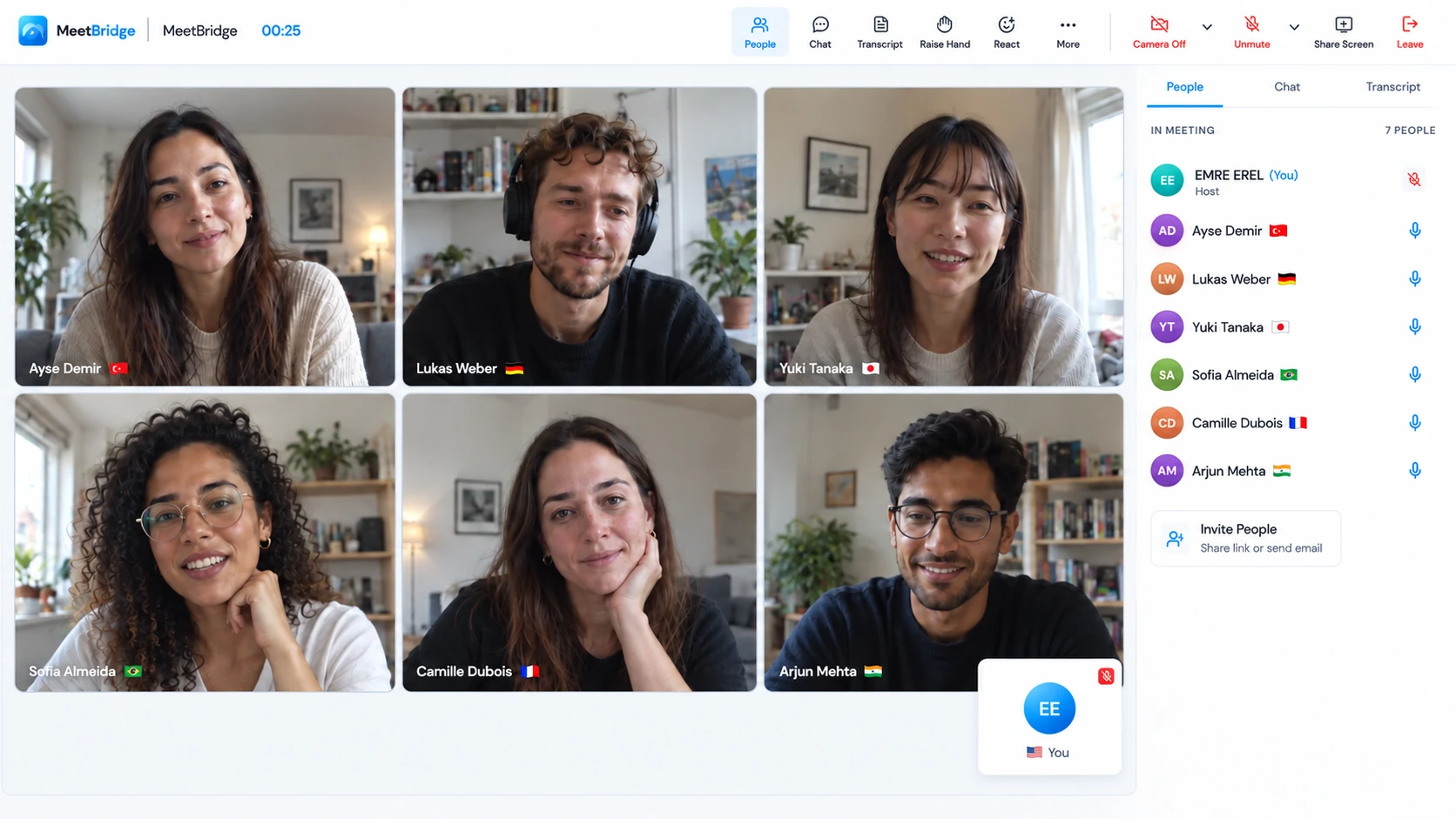
Use MeetBridge for the entire meeting. Create a MeetBridge video room and invite your client there. Cameras, screen sharing and live translated speech work together in that room, so you do not need a separate Teams, Zoom or Meet call. This suits discovery calls and consultations where your team chooses the invitation and wants the available booking and follow-up tools around the meeting.
Use MeetBridge Voice alongside an existing video call. If your client sends a Teams, Zoom or Google Meet invitation, keep that call open for video and screen sharing. Open MeetBridge Voice as well, and bring every speaker into its shared audio room. Turn off the video platform’s microphone and incoming audio; everyone speaks and hears translation through Voice. Invited guests can join Voice in a supported browser, with room usage covered by the host’s plan.
The guest should join the conversation, not buy a seat.
Your buyers, candidates or partners change from call to call. You want browser Voice access for them and a choice between your own meeting workspace and their existing video invitation.
The existing conference audio should remain the source.
You want translation connected to the current meeting, or a caption workflow for many unlicensed guests. DeepL also offers translated speech; its access requirements deserve a separate review.
DeepL’s current product covers translated speech and subtitles in Teams, Zoom and Google Meet. A comparison built around “DeepL is only captions” would miss the current product. DeepL’s current meeting product describes both modes.
At a glance
MeetBridge vs DeepL Voice: the differences that change setup
This table compares the documented workflows, rather than treating every translation feature as a yes-or-no checkbox. DeepL’s browser audio beta is kept separate from its standard desktop speech path.
| Decision | MeetBridge | DeepL Voice |
|---|---|---|
| Hear translated speech | In a full MeetBridge meeting or the shared Voice room, with individual language choices. | Available in the desktop app with an eligible Voice license. Speech requirements |
| External browser guests | Voice invitees can request browser admission without their own subscription; the host covers room usage. | Unlicensed browser captions are documented; external-participant browser speech is announced as beta. Licensing · Beta update |
| Audio alongside Teams, Zoom or Meet | Every speaker joins Voice. Turn off the original platform’s microphone and incoming audio; keep its video and screen sharing. | A meeting bot streams the existing conference audio for translation. How it works |
| Meeting records | Full meetings have available saved transcripts, summaries and actions, depending on plan and enabled features. Voice does not guarantee a saved record. | Transcript downloads are documented and administrator-controlled. Transcript guide |
| Appointment and follow-up | Booking and meeting history support a full MeetBridge workflow before and after the call. | The reviewed Voice documentation focuses on adding translation to an existing online meeting. Product scope |
| Terminology customization | This comparison does not promise an equivalent glossary configuration. Pilot with your real terms. | Meeting glossaries are documented for eligible plans. Glossary guide |
We publish this comparison as MeetBridge. The recommendation concerns meeting fit; we do not claim a lower price, higher accuracy, wider language coverage or lower latency without a comparable measurement.
The person outside your organization
Separate free caption access from guest audio access
A buyer watching a screen-shared demonstration may want to listen while following the product. Reading translated captions can work well too, but it is a different experience. Ask your guest which one they need before comparing account requirements.
DeepL permits unlicensed guests to read subtitles. Its standard speech route requires eligible licenses for translated-audio listeners; speech minutes come from the translation manager’s allowance. DeepL’s licensing explanation distinguishes these requirements.
For MeetBridge Voice, the host installs the desktop app and creates a room. The customer opens the public link in a supported browser, enters their name and requests admission. You approve that request, and the guest joins the same spoken conversation with their chosen language. They do not need to purchase a MeetBridge subscription to join.
DeepL’s September 15 update describes external-participant browser voice translation as beta. Verify eligibility and terms with DeepL instead of assuming desktop-only speech will remain its only option. Release update cited below.
The practical MeetBridge benefit is a guest workflow you can explain in the invitation: open this Voice link, choose a language and request entry. Tell the client about microphone permission and whether a separate video link is also needed. Their admission to Voice and admission to the video meeting are separate actions.
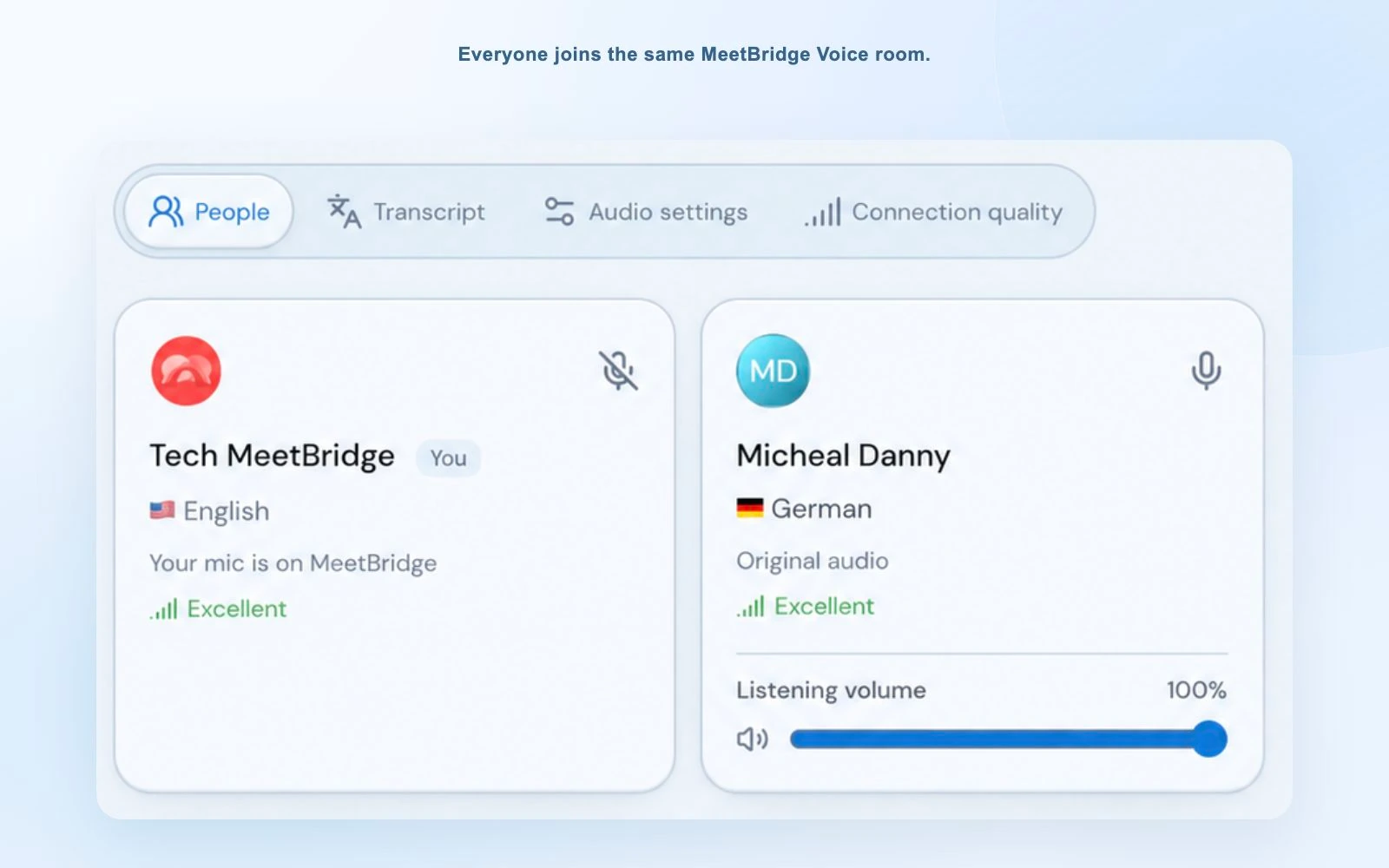
For a first conversation with an overseas buyer, put the Voice link beside the video invitation and explain what each one does. Once the guest is admitted, exchange a short question in both directions before opening your presentation. The customer can then explain a requirement in their own language, while you respond and ask for clarification during the same discussion.
Two different audio paths
Decide where everyone will speak before the call
MeetBridge gives you two ways to run the meeting. If you can choose the invitation, use a full MeetBridge meeting for video and translated conversation in the same place. If the customer has already invited you to Teams, Zoom or Google Meet, use that platform for visual collaboration and create a Voice room for audio.
Every speaker must enter that Voice room. MeetBridge does not translate somebody who stays only in the original conference. It does not automatically capture their audio, import its participant list or speak into the original platform on your behalf. Invite the entire speaking group, then confirm the participant list before you begin.
DeepL uses a bot admitted into the video meeting, with external-participant access and chat enabled. That arrangement can be useful when the existing meeting remains the audio source. DeepL documents its bot and meeting requirements.
Its desktop guide describes listening to translated output while native meeting audio is muted; the app does not send your microphone into the call. DeepL’s desktop audio guide helps distinguish that from MeetBridge’s shared Voice microphone path.
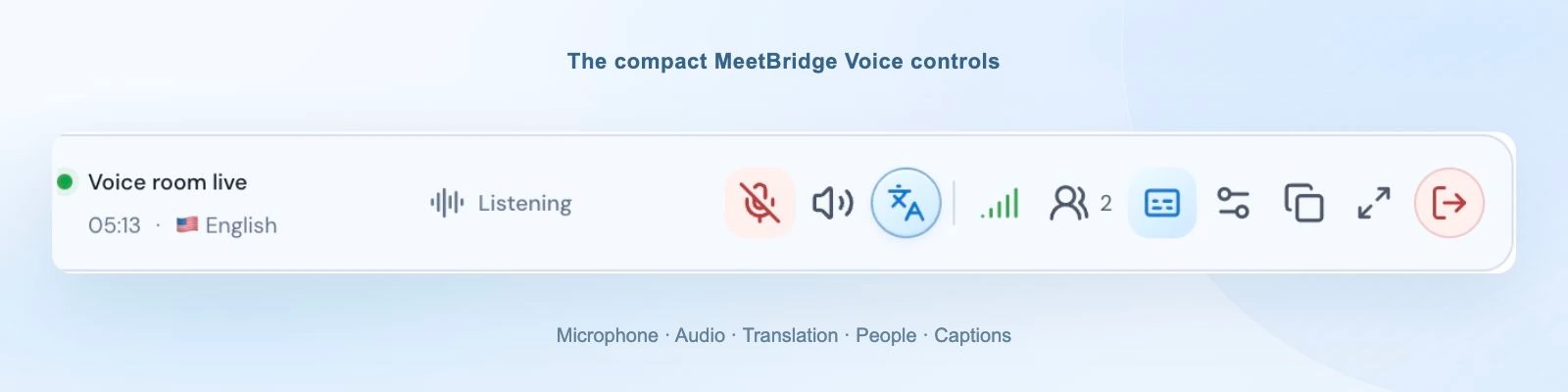
MeetBridge’s desktop bar keeps the conversation controls available while you present. Browser guests stay in the expanded Voice room. For the exact setup your client uses, follow the Teams, Zoom or Google Meet guide.
Consider an English-speaking account manager and a German-speaking customer reviewing a shared quotation. Keep the document on screen in the video platform, and use Voice to discuss delivery dates, quantities and alternatives. If a technical colleague joins halfway through, bring them into the same Voice room before they start speaking so the conversation stays available to everyone.
The workflow around translation
MeetBridge is for the appointment, conversation and next step
A translated answer matters most when it changes the next action. A sales rep needs the buyer’s requirement, a consultant needs the agreed scope, and a customer-success manager needs the rollout owner. MeetBridge’s full meeting workflow helps keep that work connected instead of ending at the translation window.
Before: prepare the guest
Use booking to collect the meeting purpose and relevant context. Send clear language and joining instructions with the invitation, and decide whether the call belongs in MeetBridge or needs a separate Voice room.
During: hear the requirement
Each person chooses their language. Keep turns clear, pause after a question and ask the guest to confirm what matters. Translation supports the discussion; it does not replace agreement on a price, date or obligation.
After: review before sending
In full meetings, use available saved transcripts, summaries and actions according to your plan and enabled features. Confirm owners and deadlines, then prepare the customer recap or internal handoff.
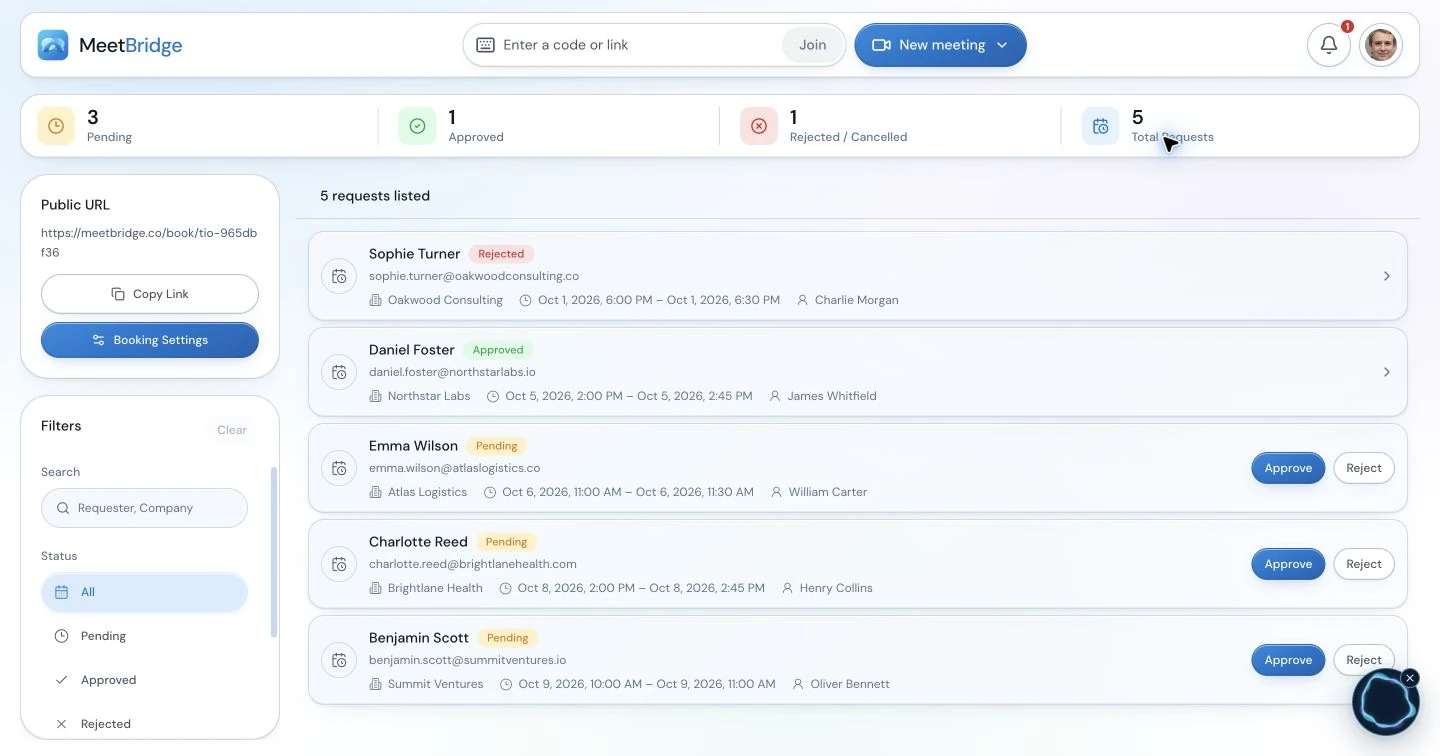
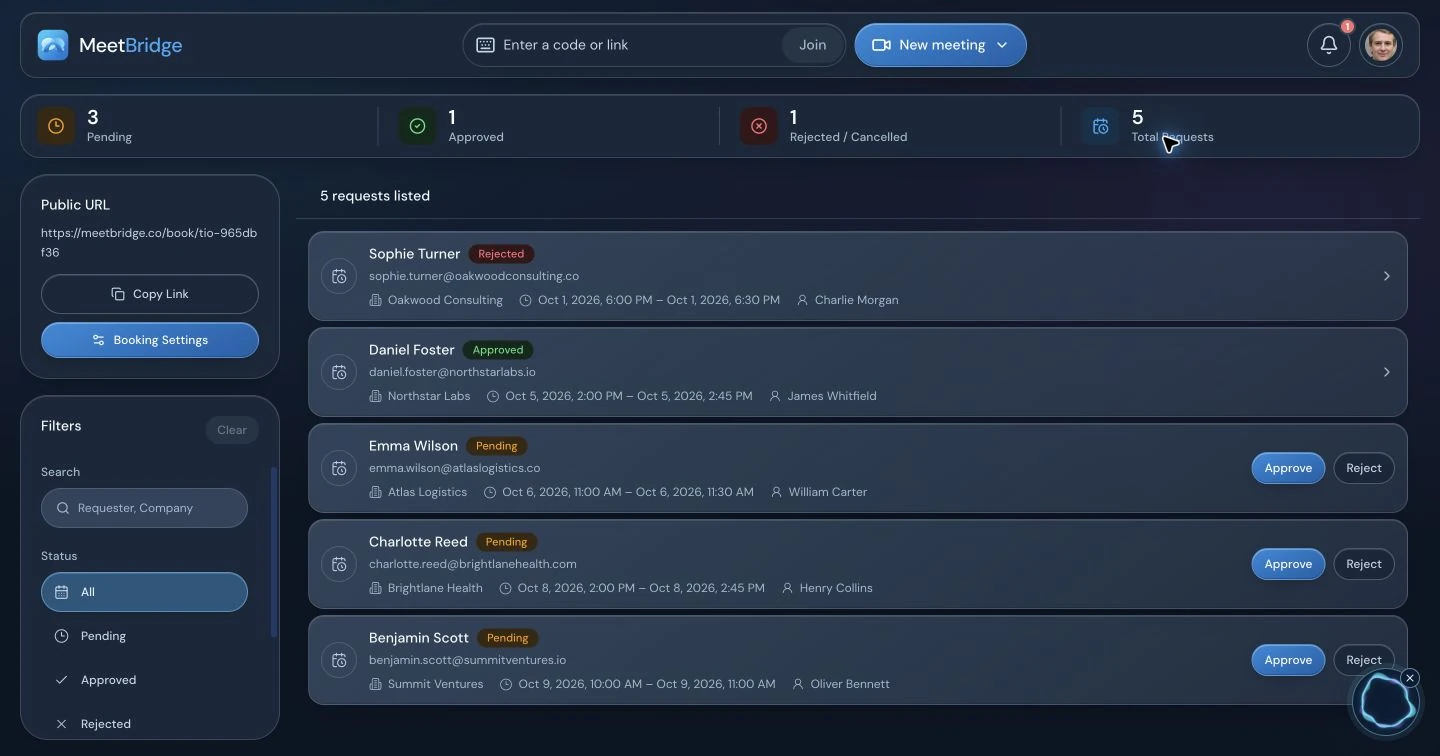
In a discovery-to-demo workflow, that preparation has a practical purpose: carry the buyer’s actual requirements into the next appointment. Review the available meeting record, confirm which request is essential and who will send the supporting information, then arrange the follow-up. A translated discussion becomes useful work when both sides leave with the same understanding of what happens next.
DeepL also offers transcript downloads, including original transcription and selected translation. It would be incorrect to say that DeepL cannot provide a meeting transcript. Its administrator controls and attendance-related coverage are documented in the transcript guide.
The MeetBridge distinction is the choice of a fuller meeting workflow. Be precise about which mode you buy: a Voice room’s live transcript is not a guaranteed saved meeting record, and a recording made in the separate video platform should not be assumed to include Voice translation. Choose full MeetBridge meetings when the available follow-up tools are part of your requirement.
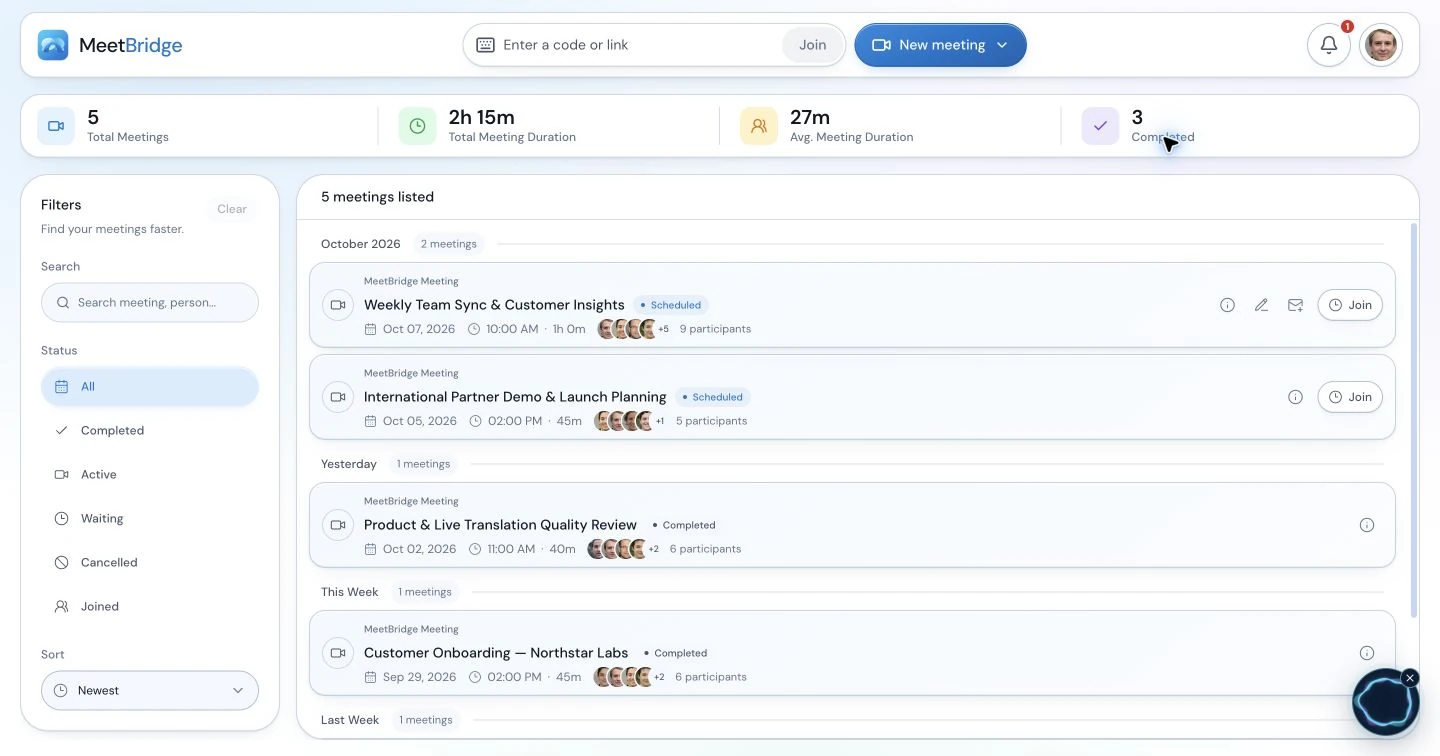
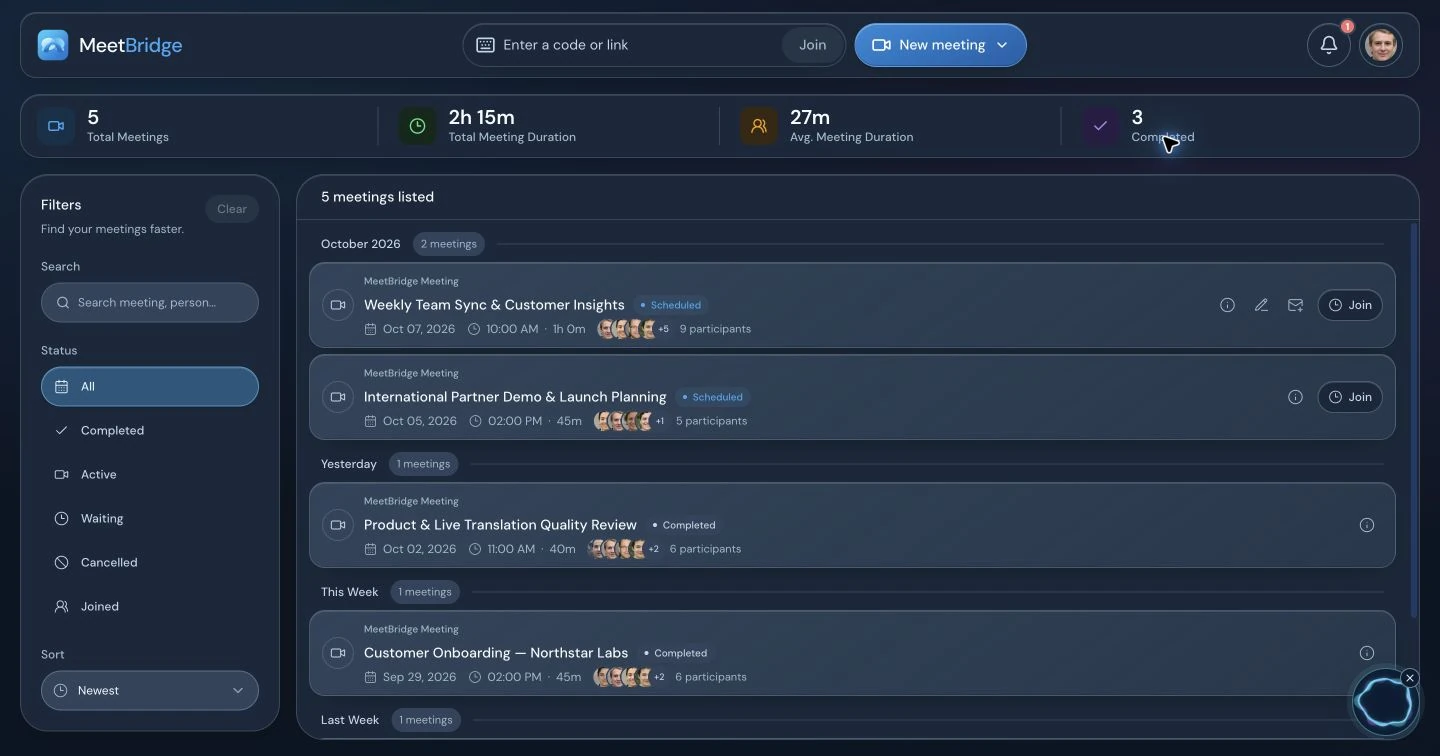
See how this applies to international sales calls or customer onboarding and success meetings.
A fair buying decision
When DeepL Voice deserves a close look
DeepL can be a strong fit if the team wants to keep its existing conference audio and add a translation experience. Its browser caption path is particularly relevant when guests are comfortable reading while the host manages translation. MeetBridge Voice instead asks everyone to move the spoken conversation into a shared audio room.
Terminology controls are another real consideration. DeepL documents meeting glossaries on eligible plans, while its desktop app page describes spoken terms and formality options. If consistent product or industry vocabulary is your main purchasing criterion, include those controls in the evaluation. Glossary availability · Desktop customization.
For managed organizations, DeepL also documents centralized desktop deployment. Assess how either workflow fits your IT approval process, guest browser policy and meeting consent requirements. A product that looks convenient in a demonstration still needs to fit the devices and settings your people use.
We recommend MeetBridge when the priority is hosting changing groups of external participants, offering Voice browser access covered by the host, or bringing booking, multilingual conversation and available follow-up into one meeting workflow. That is a reasoned product fit, not a claim that one service wins every conversation.
Try the real workflow
Use one representative client call to decide
Do not evaluate only with two colleagues reading a prepared sentence. Invite someone using the same browser, network and language as a typical client. Prepare a short discussion containing your actual product name, a clarification question and one concrete next step.
- Check admission. Can the guest follow the invitation and obtain the needed translation mode? Record account, installation and host-approval steps separately.
- Check the audio path. Confirm who supplies speech, who listens to translation and where the original audio is disabled. Include every speaker, not only the host.
- Check understanding. Ask the guest to restate the requirement. Evaluate corrections and turn-taking with your real terminology, rather than inferring quality from a marketing score.
- Check the follow-up. Confirm what is saved, who can access it and how the team turns it into the next action. Compare the plan you would actually purchase.
Compare required listener access, included usage, host preparation, guest devices and the after-meeting work. We do not publish a universal “cheaper than DeepL” figure; the useful comparison is your own recurring meeting pattern.
Before you switch
MeetBridge and DeepL Voice: common questions
Does DeepL Voice translate speech, or only captions?
DeepL Voice now offers both translated speech and live subtitles for Microsoft Teams, Zoom and Google Meet. Treat comparisons describing it as caption-only or Teams-only as outdated. Its standard translated-speech route uses the DeepL desktop app with an eligible listener license; DeepL also announced browser voice translation for external participants as a beta.
Can my customer hear MeetBridge Voice translation without buying a subscription?
Yes. The host creates the Voice room in the MeetBridge desktop app and shares its public link. A guest can continue in a supported browser, enter a name and request admission without purchasing their own subscription. Room usage comes from the host’s plan. Every speaker must join that same Voice room.
Are DeepL browser guests free?
For live subtitles, DeepL documents guest access without a DeepL account or listener license. Its standard voice-to-voice licensing is different: translated-audio listeners need an eligible license. Do not apply a captions-only guest rule to speech. Ask DeepL separately about availability and commercial terms for its announced external-participant browser audio beta.
Who supplies the translation minutes in each product?
MeetBridge Voice usage is covered by the room host’s plan. DeepL says its voice-to-voice usage is deducted from the translation manager’s allowance, while translated-audio listeners still need active eligible licenses. Compare both access requirements and included usage; a host-funded allowance alone is not a unique difference.
Can MeetBridge translate a person who stays only in the Teams, Zoom or Meet call?
No. MeetBridge Voice is a shared audio room, so all speakers need to join it. Keep the original platform for video, screen sharing and chat, with its microphone and incoming meeting audio off. MeetBridge does not automatically capture outside attendees, import the participant list or inject translated speech into that platform.
Can I keep the meeting transcript with either product?
DeepL documents transcript downloads that can be controlled by the subscription administrator. In a full MeetBridge meeting, available saved transcripts, summaries and actions depend on the plan and enabled features. A live Voice-room transcript is current-session context, not a promise of a saved record or a translated recording inside another platform.
Is MeetBridge more accurate or faster than DeepL Voice?
This page makes neither claim. We have not published a controlled side-by-side benchmark of these products. Evaluate the exact spoken and listening languages you need, realistic names and terminology, turn-taking and the guest’s device. The reason to choose MeetBridge here is the meeting and guest workflow, not an unsupported quality score.
Which should I choose for recurring international customer calls?
Choose MeetBridge when you want host-covered Voice browser guests or a full meeting workflow with booking and available follow-up features. Evaluate DeepL closely when your existing conference audio must remain the source, guests mainly need captions or your team prioritizes its documented terminology controls and desktop deployment. Try one representative customer conversation before changing your process.
DeepL answers above use its speech requirements, licensing guidance, browser beta update and transcript documentation.
How this comparison was written
Official sources, clear scope
Written by the MeetBridge team. DeepL product details were reviewed against the official documents named below on October 3, 2026. This is a workflow comparison, not an independent translation-quality benchmark. DeepL browser voice translation is described separately as a beta feature.
MeetBridge details describe the product workflows shown in the application screenshots and linked guides. Competitor details were researched using DeepL’s own product and help documents; their titles are listed below. Where a help article describes standard access and a newer announcement describes beta access, this page preserves the distinction.
This is not a controlled accuracy or latency test. Prices, language availability, plans and beta terms should be confirmed before purchase. DeepL is a third-party trademark; this comparison does not imply affiliation or endorsement.
- DeepL: About Voice for Online MeetingsMeeting bot, supported platforms and captions versus speech paths.
- DeepL: About voice to voice in online meetingsGenerally available desktop speech requirements.
- DeepL: Who needs a Voice license?Caption guests, listener licensing and usage allowance.
- DeepL: September 2026 Voice updateVoice preservation update and external-participant browser audio beta.
- DeepL: Get started with the desktop appPlayback workflow, individual languages and deployment.
- DeepL: Download meeting transcriptTranscript download options and administrator controls.
- DeepL: Apply a glossaryTerminology customization and plan eligibility.
- DeepL: The Voice desktop appAutomatic meeting detection, overlay and language controls.
- DeepL: Voice for Online MeetingsCurrent product positioning and enterprise features.