
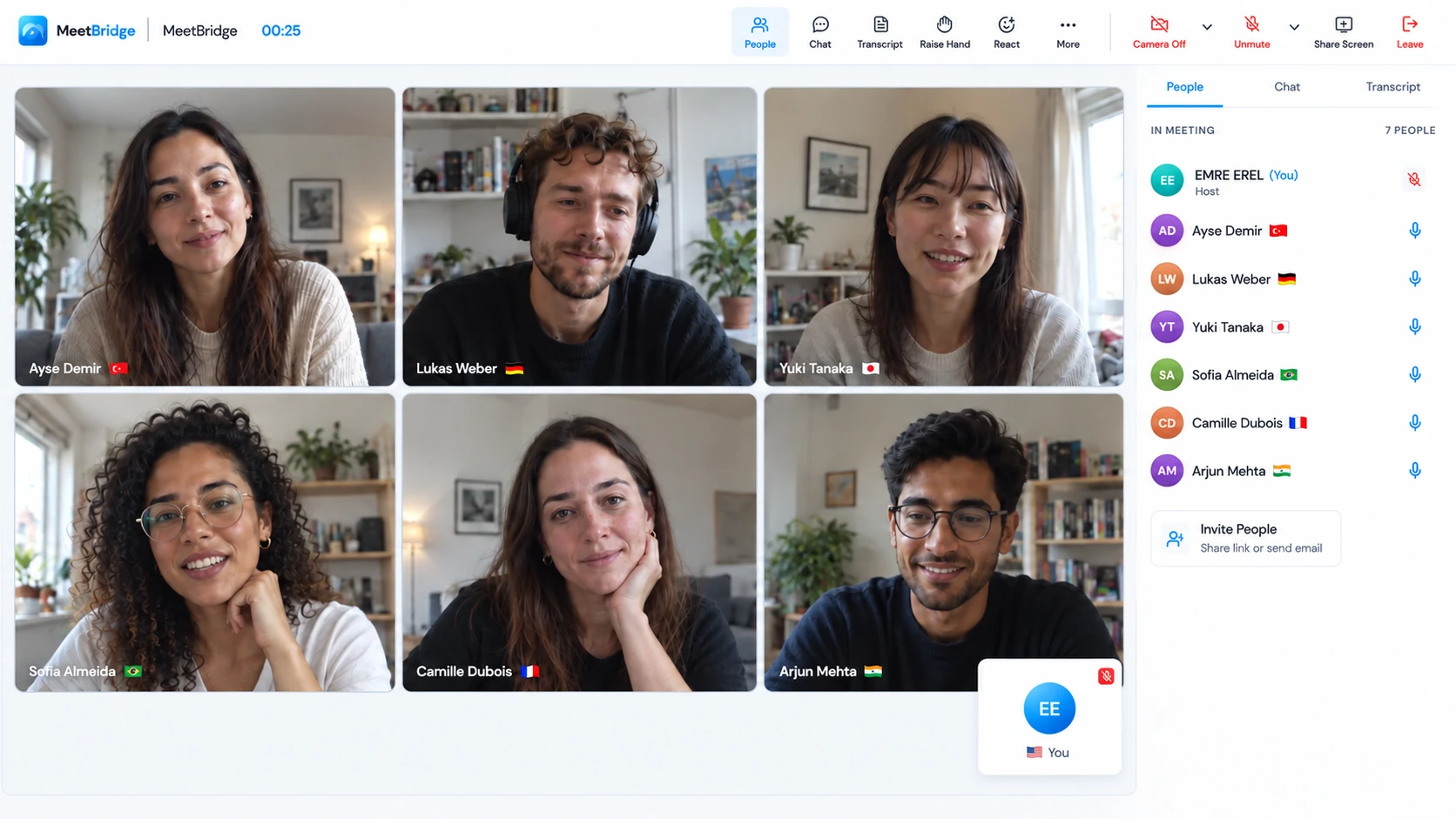
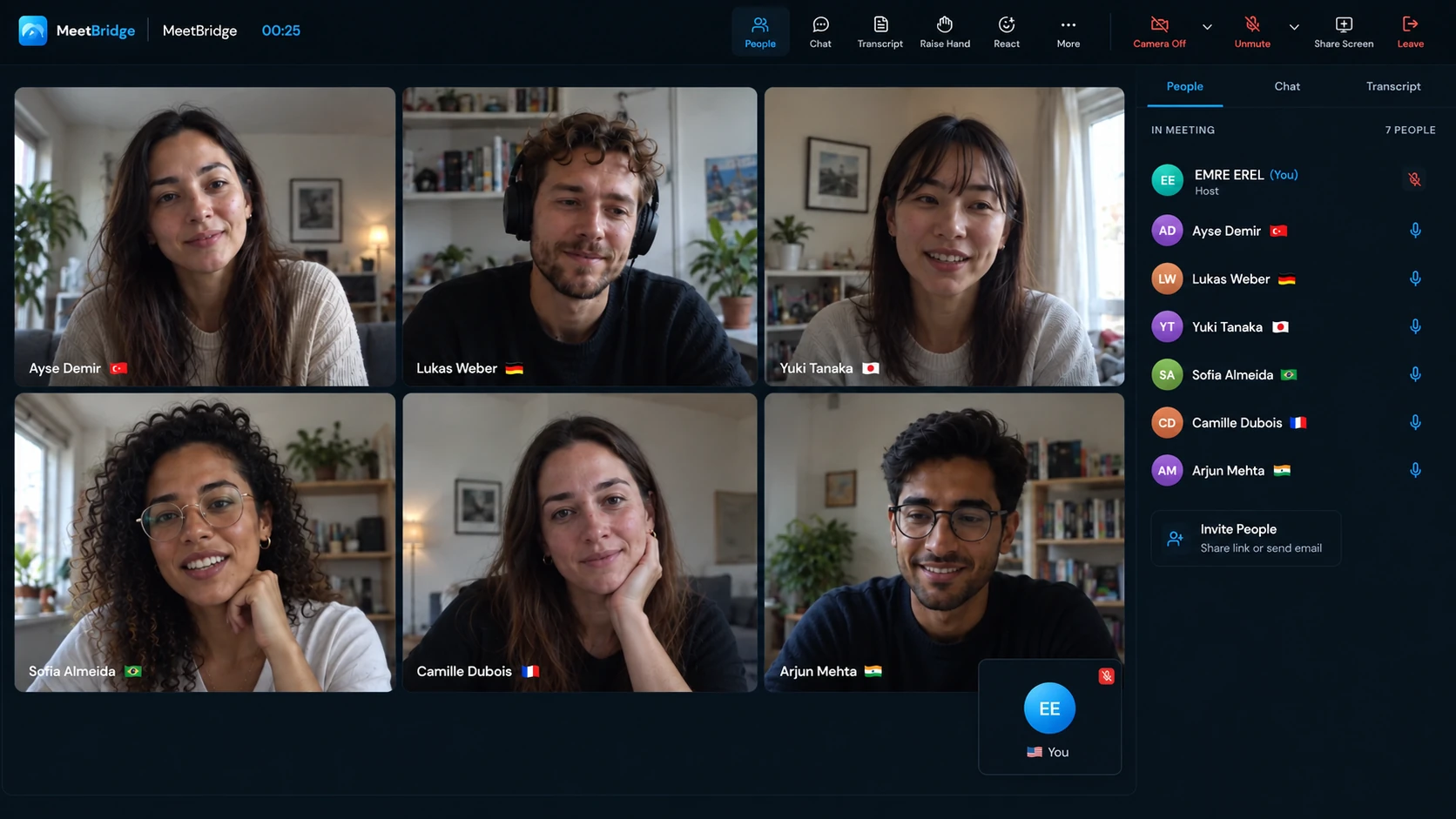
From discussion to confirmation
01 / Go beyond the headline update
“The order is ready” can still leave a lot to discuss.
A supplier reports that production is on schedule. You need to know which version was produced, whether the sample was approved and what “ready” means: ready for inspection, collection or arrival. Across languages, the headline can sound clear while the operational detail remains uncertain.
Live translation for export meetings helps both sides explain the detail. Your buyer, factory contact or distributor speaks in their selected language. You hear translated speech in yours and answer in your own words. Other participants can keep different language choices, while people using the same language hear one another directly.
Use that exchange to ask a better follow-up question, resolve a specification ambiguity and identify the next owner. Translation supports the discussion. Your current documents, approval process and written confirmation keep the resulting instruction precise.
Keep the product code, document revision or order line on screen. When a participant says “this one,” point to the same item before moving on. Confirm important numbers and commitments in writing.
02 / Across the cross-border workflow
Make supplier, distributor and delivery conversations easier to follow.
An international operations call can include procurement, production, quality and sales. Each person may understand a different part of the problem. A shared multilingual conversation lets the person closest to the detail explain it, rather than leaving another colleague to paraphrase everything.
Give the supplier space to explain a constraint.
Review the current drawing, product sheet or sample reference. Ask about the requirement that is unclear and distinguish a proposed alternative from an approved change. Keep dimensions, materials, units and revision references visible; discuss the reason for a change before deciding who must approve it.
Ask: “Which line or version does that change apply to?”
Hear what the local market actually needs.
A distributor can describe customer questions, product fit or a packaging concern in their own words. Revisit the specific example and separate an immediate order request from a suggestion for the next product review. Confirm what your team will investigate before promising a response.
Ask: “Is this an issue with the current order or a request for the next one?”
Name the milestone, not just the date.
Discuss a changed production or transport schedule with the relevant people present. Ask whether the date refers to completion, inspection, departure or expected arrival. Write the agreed milestone and the person responsible for the next update where everyone can review them.
Ask: “What will be complete by that date, and who will confirm it?”
These are example review scenarios, not a promise that a meeting tool eliminates shipment delays or specification errors. A clear conversation gives your team a better basis for its normal operational decisions.
03 / Choose the meeting workflow
Bring the review to MeetBridge. Or keep the supplier’s invitation.
When your team chooses the platform, a full MeetBridge meeting keeps video and translated speech in one room. Available saved transcripts, summaries and actions can support the follow-up, depending on the plan and enabled features. One invitation makes sense when you want the discussion and its meeting context together.
For the companion workflow, the host creates the Voice room in the desktop app. Guests can continue in a supported browser. Everyone turns off the original video platform’s microphone and incoming meeting audio, then speaks and listens through Voice. Selecting a platform in the app identifies the meeting context; it does not connect an account or import its participants.
Share both links with every person who needs to speak. A supplier who stays only in the original platform’s audio call is outside the translated Voice conversation. Check both participant lists before discussing the order.
04 / Before the supplier joins
Prepare the specification and the conversation together.
Send the agenda, relevant document version and language instructions before the review. A short agenda can be enough: confirm the sample reference, review an open packaging question and agree on the next schedule update. Make sure the people who can answer those questions are invited.
Choose the workflow and name the host.
Decide between a full meeting and Voice alongside video. For Voice, name the person who will create the room and approve guests. Include both meeting links and explain which application handles sound.
Give external participants a simple entry point.
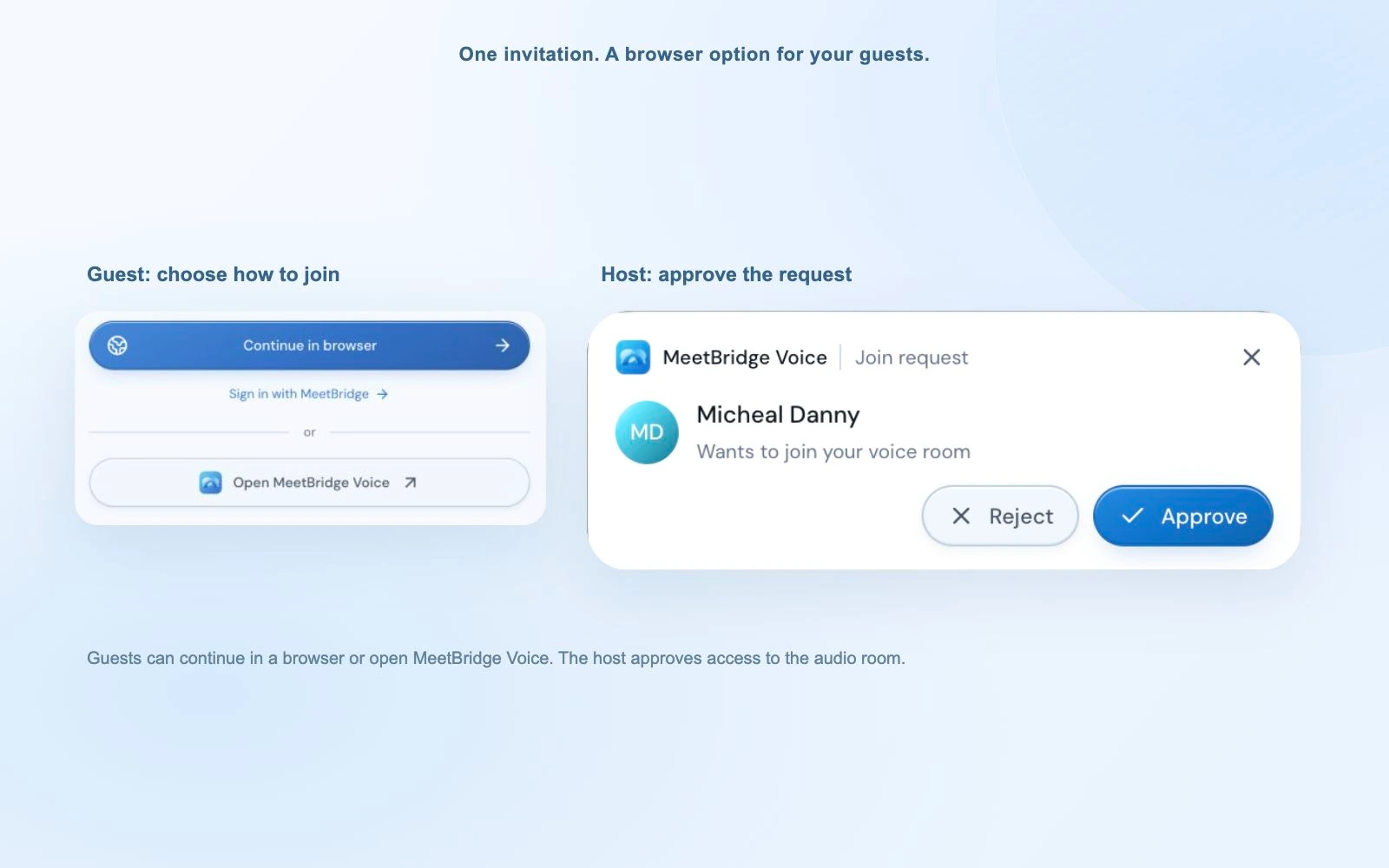
A Voice guest can continue in their browser, enter their name and request admission. A signed-in web user can continue with their account. Admission in Voice is separate from the video platform; give the supplier time to join both.
Check language, devices and one short exchange.
Each person selects the language they will speak and hear. Confirm microphone permissions and the output device, wait for the room to be live and exchange a brief question and answer. Use “Join with microphone off” to enter quietly while opening documents.
“Please open the video link for our document review and the MeetBridge Voice link for the conversation. You can continue in your browser and choose your own language. Turn off the video platform’s microphone and meeting sound; we’ll speak and listen through Voice.”
Voice usage comes from the room host’s plan; guests do not need their own subscription to request admission. Review plans and usage before arranging a regular review schedule.
05 / Keep the reference in view
Discuss one order line, drawing or question at a time.
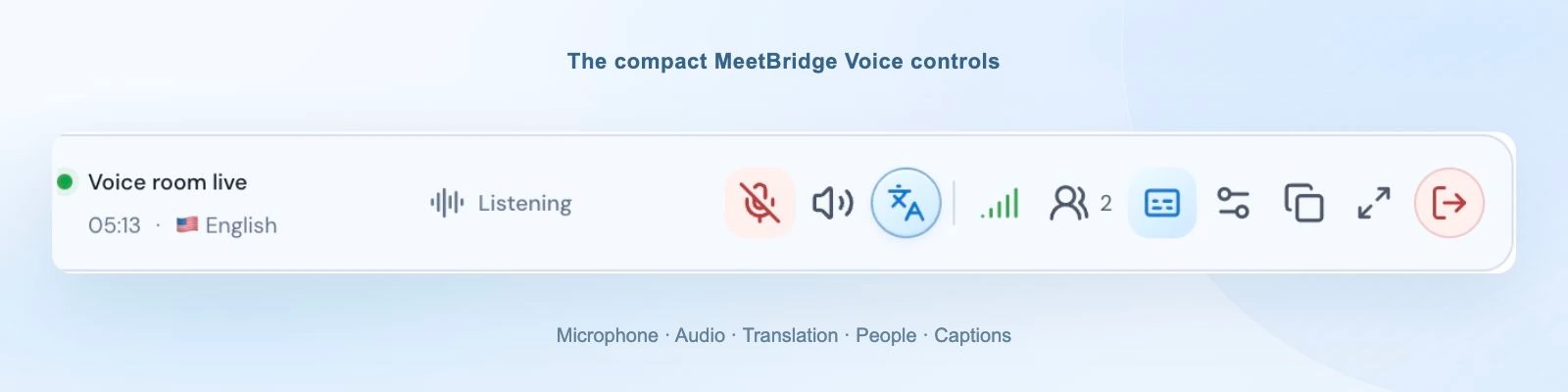
The desktop Voice bar keeps live room status, language and speaking or translation activity available while you work in the video meeting. Use its microphone, captions or participant controls without hiding the document every time someone asks a question. Browser participants use the expanded Voice room.
Take turns and let the translated answer finish before pointing to another item. If the supplier describes a constraint you did not expect, ask them to rephrase and confirm the reference. A short question such as “Are we discussing the approved sample or the proposed revision?” can prevent the rest of the conversation from building on the wrong assumption.
Use participant listening levels when a factory contact is louder than a remote colleague. The latest two-line caption or wider live transcript helps revisit a phrase. The connection-quality panel gives a starting point when audio or translation is interrupted.
When foreign-language translation is ready, Voice keeps the original speaker quietly at 10% of your listening level by default. Disable “Hear original voice at 10%” in Audio settings if you prefer translated speech alone. This changes your listening mix. During translation startup or an unavailable connection, original speech remains audible normally.
06 / Put the agreement in writing
A number needs a unit. A date needs a milestone.
Confirm the details that will drive a quotation, production instruction or shipment update. Write the value and its context together rather than relying on a spoken number. Ask the other party to confirm the written version and identify anything that remains subject to approval.
| Topic | Confirm together | Keep attached to it |
|---|---|---|
| Quantity | The count and unit of measure. | The product or order line. |
| Specification | The exact revision, requirement or approved change. | The drawing, sample or product reference. |
| Price | The currency, unit basis and applicable scope. | The reviewed quotation and its validity. |
| Schedule | The date and what is expected to be complete. | The responsible owner and next update. |
| Delivery responsibilities | The wording approved through your commercial process. | The named place and relevant document. |
The International Trade Administration’s pro forma invoice guidance identifies details such as items, unit and total prices, terms, shipping dates and quotation validity. That is a useful reminder to move reviewed commercial details into the appropriate document rather than leaving them only in the meeting.
If delivery terms come up, involve the people responsible for them. Trade.gov’s Incoterms overview explains their role in allocating responsibilities and also describes matters they do not cover. Live translation helps people discuss the wording; it does not choose a trade term, provide legal advice or replace specialist document review.
07 / Keep the next owner informed
Carry confirmed decisions into the next operations handoff.
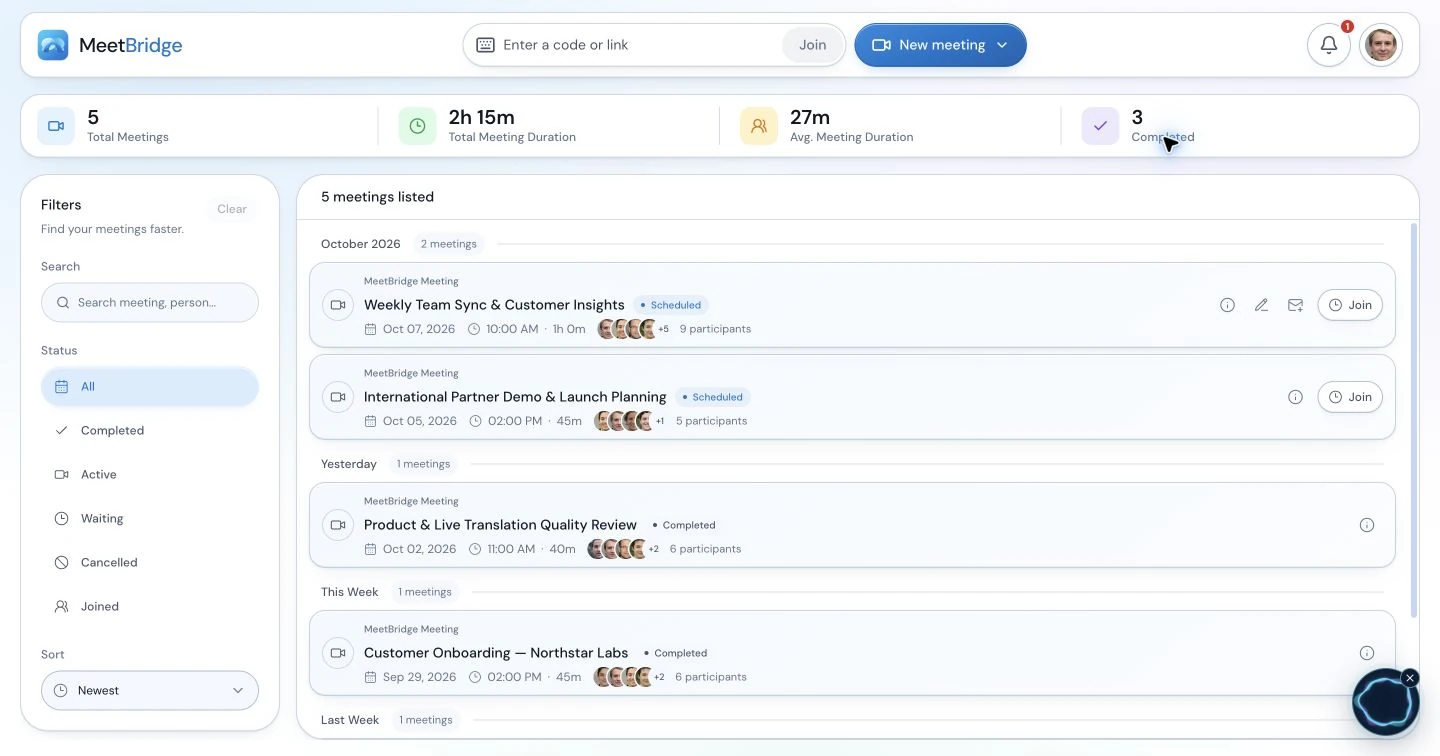
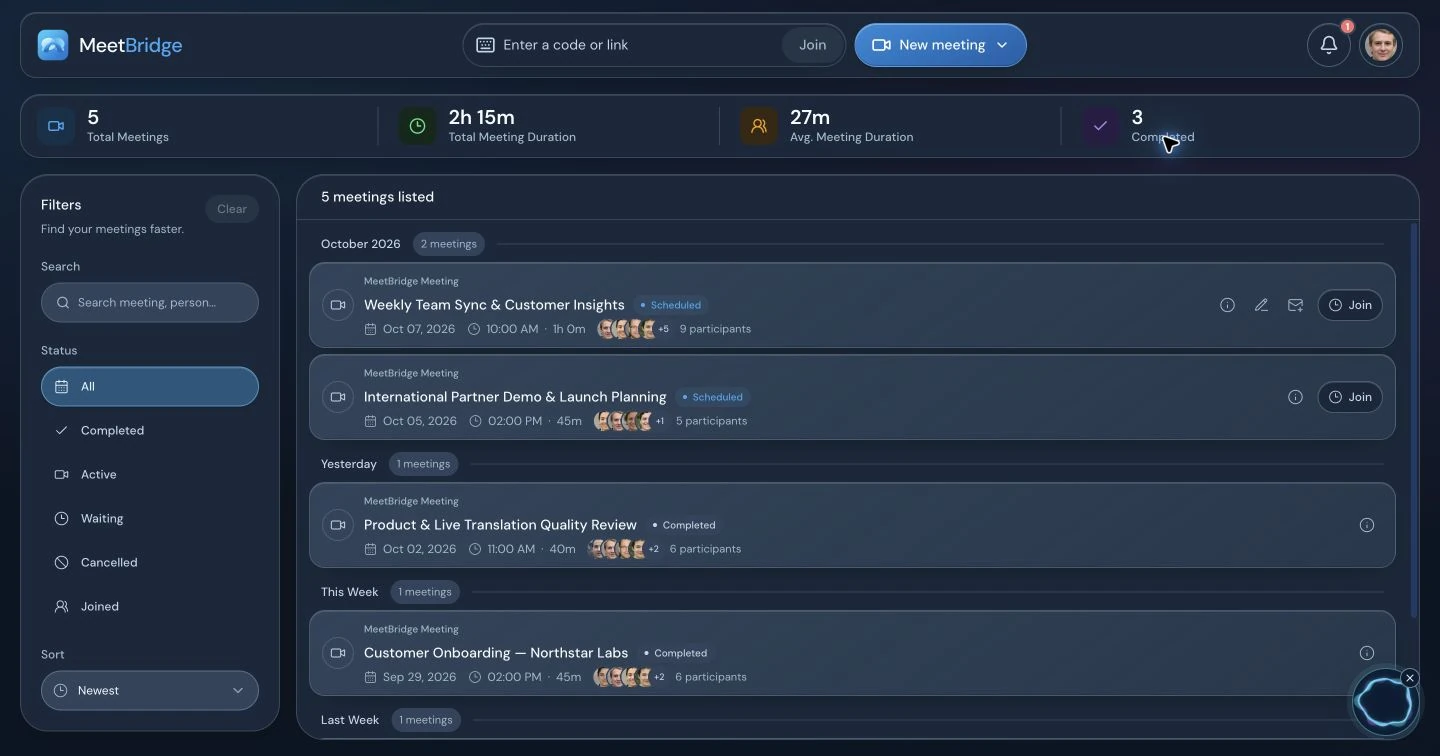
In a full MeetBridge meeting, revisit the transcript, summary and actions available to your plan before writing the review recap. Distinguish an approved instruction from a suggestion and an expected date from a confirmed milestone. Review the record before sharing it with production, procurement or the distributor.
What belongs in the handoff
- Reference: the order line, product or document revision discussed.
- Confirmed update: what both parties agreed and where it is recorded.
- Open item: what needs approval or another answer.
- Next owner: who will act and when the next update is due.
Transfer reviewed details through your normal ERP, order or shipment process. This workflow does not promise automatic synchronization with those systems or certified translation of export documents. For a companion Voice call, the live transcript is session context; do not assume a saved full-meeting record or inclusion in the video platform’s recording.
Start a team rollout with one familiar supplier review. Agree on the host, invitation note, written confirmation and handoff format. Review security information and cloud voice processing against your requirements before sharing sensitive commercial details. When the discussion finishes, close the Voice room and the separate video meeting.
Explore meeting summaries and actionsPractical setup / Before the discussion
Set up a shared translated conversation in six steps.
Send the agenda with the exact order, product and specification revision. Ask whether production, quality, procurement or the distributor needs to attend. Collect the question that requires an answer rather than sending an undifferentiated document bundle. Name the person who can confirm the change and the person who will update the operational record.
1. Agree on the room and the speakers. Choose a full MeetBridge meeting when video and translation should share one invitation. If the existing Teams, Google Meet or Zoom invitation must stay, use a separate Voice room for sound. Confirm every speaker’s language and who will approve guests.
2. Create and share the Voice invitation. The host signs in to the desktop app, selects the relevant platform and creates the room. Send the copied Voice link beside the video link. Selecting a platform identifies the room; it does not connect that platform’s account or import participants.
3. Admit the intended guests. An invitee can continue in a supported browser or open the installed Voice app. A guest enters their name and requests admission; the host approves the request. A signed-in web user can continue with their account. Video-lobby approval and Voice approval are separate.
4. Use one speaking and listening path. Every speaker turns off the original video platform’s microphone and incoming meeting audio. Microphone mute alone leaves its speakers active. For a browser video call, use site-specific sound controls rather than muting all browser sound, because browser Voice needs its own playback.
5. Choose the language and connected devices. Each person selects their actual speaking/listening language, microphone and output. A remembered headset may be disconnected. Allow microphone access to the MeetBridge site when joining in a browser. “Join with microphone off” lets someone prepare quietly; unmute Voice before speaking.
6. Wait for live status and check both directions. Ask a short question and let the other person respond in their language. Confirm that each speaker appears in Voice and hears the intended sound once. Resolve missing guests, duplicate audio or device issues before beginning the working discussion.
The host owns the invitation, admission and final room closure. Each participant owns their language and device choices. The presenter keeps the shared material visible and pauses for the translated response. Voice usage comes from the host’s plan; guests do not need their own subscription to request entry.
Please keep the video meeting open for the specification and order documents. We will use MeetBridge Voice for the discussion. Open its separate link, choose your language and request entry; browser continuation is available. Turn off the video platform’s microphone and incoming meeting audio. We will check a short exchange before reviewing the current document revision.
An illustrative workflow / From question to next step
A supplier-review conversation that keeps the revision and the promise separate.
Consider an illustrative export review between an English-speaking purchasing lead, a supplier contact who prefers Turkish and a distributor representative who prefers German. They keep Teams for the shared specification and join one Voice room for conversation. The agenda is a proposed packaging change for an existing order. This is an editorial example, not a reported shipment or customer result.
The purchasing lead starts by confirming the order line and current drawing revision. The supplier explains that one packaging material is unavailable and proposes an alternative. The distributor asks whether the substitute changes the dimensions used in its receiving process. The team writes the material identifier and dimensions beside the relevant line so everyone refers to the same proposal.
The production contact can explain the proposed change but cannot approve the distributor’s receiving requirement. That question stays open for its responsible owner. The group also separates the date a sample could be ready from the date the shipment could leave. A translated update is clearer when the milestone is named rather than described only as “delivery next week.”
Before ending, the purchasing lead reads back the proposed revision, required approvals and next written update. The current order is not silently changed by the discussion. The responsible teams review the proposal and update the specification and order through their normal process. Translation supports the exchange; the confirmed document version determines what production will act on.
Choose the format / Listening, reading and review
Choose language support around the actual meeting task.
Translated speech and translated text serve different needs. A participant who is studying a shared screen may prefer listening; another may be comfortable reading captions. Establish how questions will travel back as well as how the presentation will be understood. A transcript translated after the call cannot help a guest ask the next question during it.
A full MeetBridge meeting keeps video and translation in one room and offers meeting-record features according to your plan and enabled options. Companion Voice keeps the existing video platform, requires all speakers in its separate audio room and supplies live session context. Native captions depend on the video platform’s current requirements. Qualified interpretation can be appropriate when the discussion requires specialist support or a process your organization specifies.
Choose before sending the invitation. Use the detailed Teams, Google Meet and Zoom setup guides linked on this page for their current audio steps and official feature sources. Do not assume a platform recording includes separate Voice audio, or that captions provide the same two-way spoken experience.
Practical recovery / Follow one audio path
Resolve joining and sound problems without losing the discussion.
An unclear supplier update may come from missing audio, the wrong document revision or an ambiguous milestone. Check one layer at a time. Restore the conversation before deciding what the supplier meant; then put the reference, unit and event in writing so the operational team can verify the detail.
| Symptom | First useful action |
|---|---|
| The person is on camera but missing from the conversation. | Send the same Voice link, check admission and confirm live room status. Video attendance does not add someone to Voice. |
| Two versions of the speech or an echo. | Turn off incoming audio as well as the video-platform microphone. Check for another open Voice tab or nearby microphone. |
| The browser room is visible but silent. | Allow MeetBridge site sound, use “Enable room audio” if offered and check the output device. Keep Voice sound available when silencing the video site. |
| The guest hears but cannot speak. | Confirm MeetBridge microphone permission, the connected input and the Voice mute control. |
| Original speech without the expected translation. | Check translation status and each speaker’s selected language. Same-language speech is direct; original audio can remain audible during translation startup or reconnecting. |
| A term or number seems inconsistent. | Write the exact reference, ask the speaker to rephrase and confirm the relevant meaning before acting. |
Use the connection-quality panel to distinguish room, participant and translation connections. When using speakers, keep playback comfortable and avoid nearby open microphones picking it up. Restore any video-site sound setting you changed when the companion call ends.
A usable handoff / Confirm and assign
Give the next team a reference it can act on.
Review the details with the people involved before carrying them into the next team’s work. The note should show what was confirmed, what remains open and who owns the answer. In a full MeetBridge meeting, use the transcript, summary and actions available under your plan as context, then review generated text. For Voice, keep the agreed written note through your normal process rather than assuming a saved full-meeting record.
An adaptable recap: Order/product reference: [identifier]. Document discussed: [revision]. Confirmed update: [approved fact]. Proposed change: [not yet approved]. Approval owner: [named person]. Next milestone: [event, date and responsible team]. Written record to update: [specification, quotation or order reference].
Ask the other party to correct the recap while the group is still present. Keep an estimate distinct from a confirmed date and a request distinct from an approved commitment. A concise reviewed handoff is easier for the next person to use than a long unreviewed account of everything said.
Team rollout / Start with a familiar task
Pilot one repeatable supplier-review question.
Start with a familiar product and a defined review agenda. Ask whether every speaker could join, identify the same document and clarify an operational detail in their own language. Confirm whether the handoff distinguishes the current instruction from a proposed change and gives the next action an owner. Refine the invitation, document reference and turn-taking before extending the workflow to recurring distributor and production reviews.
Keep the joining note, room ownership and confirmation routine consistent across the team. Check current plan usage before arranging recurring sessions. At the end, the host closes the Voice room and everyone ends the separate video meeting. The useful pilot outcome is a process people can follow, not an assumed business-performance improvement.
08 / Your questions, answered
Export and supplier meeting translation FAQ
How does live translation work in an export or supplier meeting?
Each participant selects their own language and speaks in it. MeetBridge delivers translated speech for listeners using a different language; participants using the same language hear one another directly. Keep the specification or order document visible, take turns and confirm important figures, dates and commitments in writing.
Can we use MeetBridge with a supplier’s existing video meeting?
Yes. Keep Teams, Google Meet or Zoom for video and shared documents, and invite every speaker to a separate MeetBridge Voice room for the conversation. Turn off the original platform’s microphone and incoming meeting audio. Voice does not automatically capture a supplier who remains only in the original platform’s audio call.
Does a supplier or distributor have to install an app?
The host creates a Voice room in the desktop app. Guests can continue in a supported browser from the room invitation, enter their name and request admission. The host approves entry. Send the joining instructions before the review and allow time for microphone permissions and a short audio exchange.
Can procurement, a factory contact and a distributor use different languages?
Yes. Every participant selects their own language from the room’s available options. Confirm that all speakers have joined the same Voice room, especially when one person joins the video call late. Take clear turns so that a question about a specification is not obscured by overlapping conversation.
Who pays for outside suppliers joining a Voice room?
Usage comes from the room host’s MeetBridge plan. Guests do not need to purchase their own subscription to request admission. Check current pricing and usage before arranging recurring supplier reviews or a series of international distributor meetings.
Can we rely on a translated number as a confirmed order term?
Confirm the value and its context with the other party in writing. A quantity needs a unit, a price needs a currency and a delivery date needs a clear milestone. AI translation can make mistakes. Use your normal quotation, order and document approval process rather than treating spoken translation or an unreviewed summary as the final agreement.
Does MeetBridge translate export documents or decide trade requirements?
This page describes live meeting conversation, not certified document translation, customs advice or legal advice. Review quotations, contracts, specifications and shipment documents through the appropriate specialist process. MeetBridge does not determine an applicable delivery term, tariff, import requirement or regulatory approval.
Will our ERP, order system or shipment tracker update automatically?
This workflow does not promise automatic synchronization with an ERP, order system or shipment tracker. A full MeetBridge meeting can provide transcript, summary and action features depending on the plan. Review those details and transfer confirmed updates through your team’s normal operational process.
Will our video platform recording include the translated supplier conversation?
Do not assume so. In the Voice companion workflow, sound is carried by the separate Voice room and the video platform’s audio is disabled. Voice provides live session context, not a guarantee of a saved full-meeting record. Use a full MeetBridge meeting when the available saved transcript and follow-up features are part of your review process.
How should we discuss a specification change in different languages?
Open the same identified revision for everyone and state whether the change is proposed or approved. Write material codes, dimensions and units beside the relevant requirement. Ask the responsible person to confirm the meaning and record who still needs to approve the update. Transfer approved changes through your normal specification and order process rather than treating the conversation as an automatic instruction to production.
Can suppliers, quality teams and distributors join with different languages?
Each participant chooses their own language from the room’s available options. All speakers must join the same Voice room when using the companion workflow. Assign one facilitator, keep the current document visible and invite one answer at a time. Confirm late arrivals in Voice as well as the video platform before discussing the next issue.
How do we avoid confusing shipment dates with delivery dates?
Name the milestone: sample ready, production complete, goods available, departure or another event used in your process. Write the date and responsible party beside that event, then ask for confirmation. Separate estimates from agreed dates and keep the relevant order reference attached. Live translation helps the discussion but does not determine a trade term or the parties’ delivery obligations.