
Inside the client session
01 / Hear the situation before proposing the solution
The client’s explanation is part of the work.
A discovery meeting starts with a familiar question: how does this process work today? The answer comes from an operations lead, a local manager or a specialist who knows the exceptions. Across languages, those details can become difficult to explain. The discussion moves on while the requirement is still incomplete.
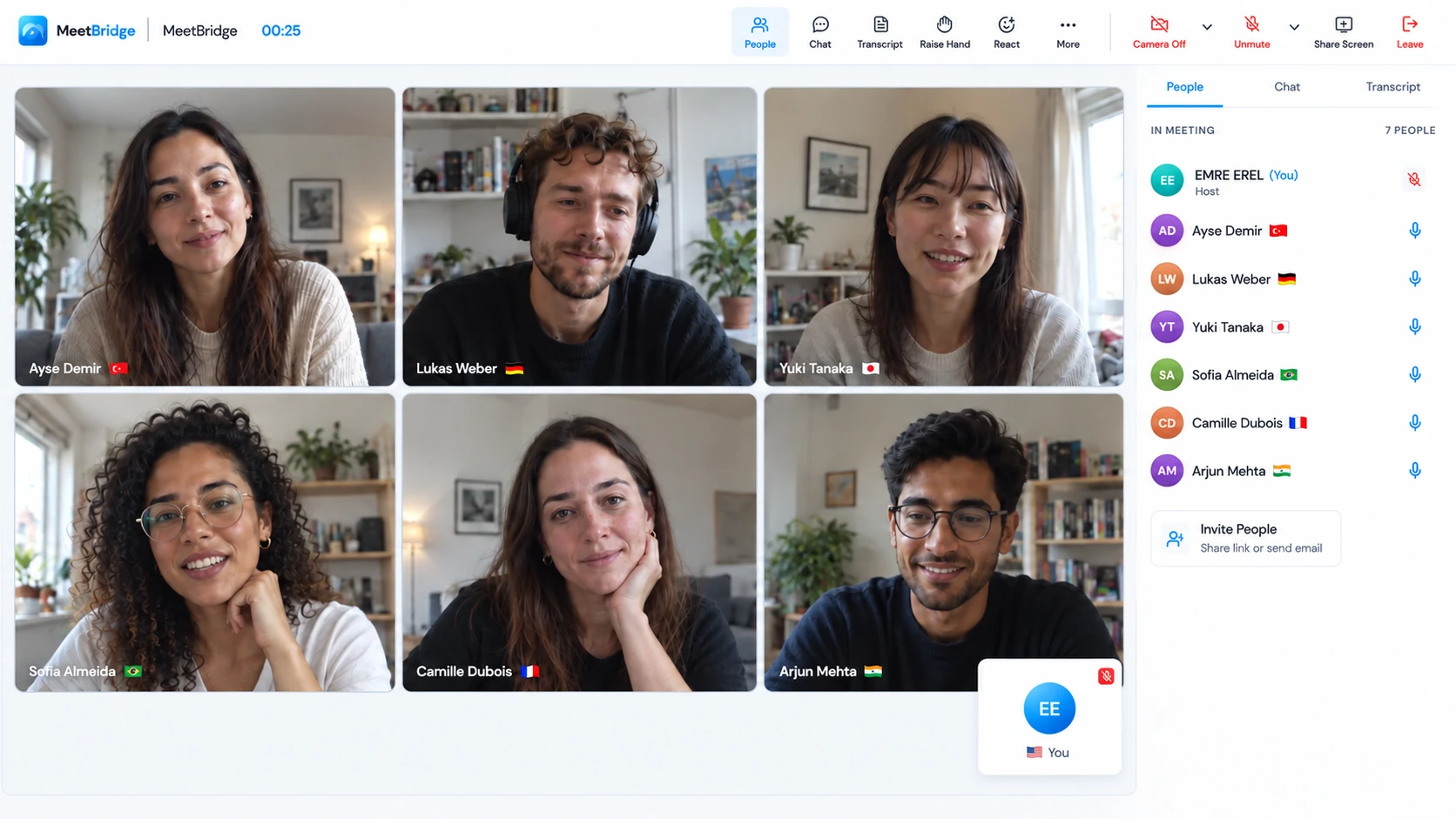
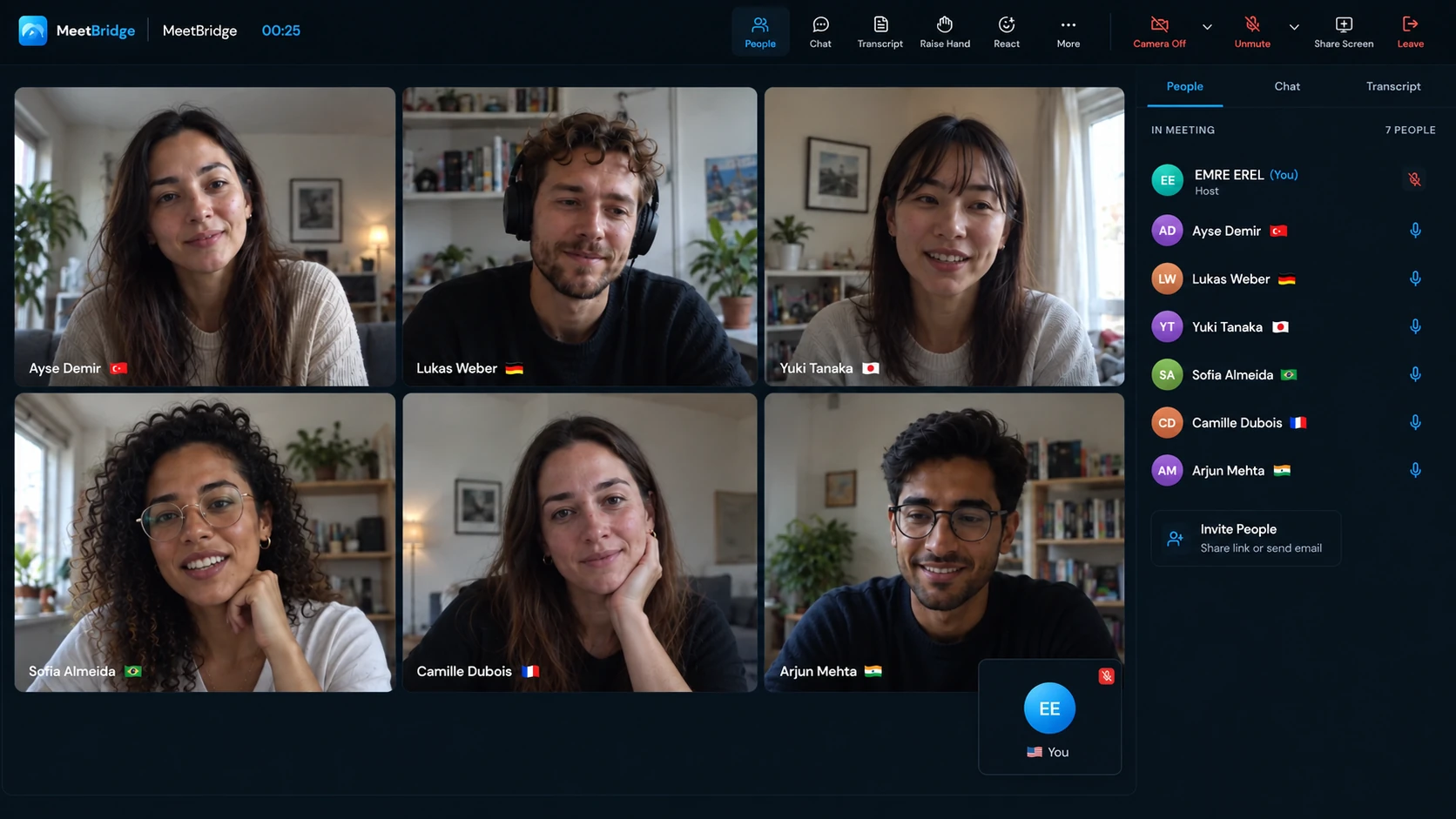
Live translation for consulting meetings helps that exchange continue. Each participant chooses their own language and speaks in it. MeetBridge delivers translated speech to listeners using another language; people using the same language hear each other directly. You can ask a follow-up question in yours, and the client can describe the problem in theirs.
Use that space to understand the client’s vocabulary, responsibilities and constraints. A request for a new report might reveal an approval problem. A delay attributed to a system might involve a handoff between offices. Ask for one recent case, then distinguish the observed problem from the client’s proposed solution.
Ask: “Have I understood correctly that the approval happens after the local team checks the order?” Confirm the sequence together. A clear paraphrase gives the client an easy way to correct a translation or an assumption.
02 / Across the engagement
Discovery, working sessions and reviews ask different questions.
Multilingual client meetings work best when the session has an outcome. Set a question the group can answer together, and make time for stakeholders to explain why their answers differ.
Find the requirement behind the initial brief.
Invite the people who operate the process. Ask what happened in one recent example, who took over and where information was missing. Keep product names, role labels and evidence visible in shared notes. A sponsor can describe the desired result; the person doing the work can explain the exception.
Useful output: a confirmed problem statement, evidence to collect and open questions.
Let local knowledge shape the proposed change.
A strategy or process workshop brings regional colleagues together. Give each person a turn to explain the effect of an option on their team. Keep assumptions and objections beside the option on the board. An objection about workload and an objection about authority may need different answers.
Useful output: an agreed direction, with exceptions recorded beside it.
Separate completed work from the next decision.
Review one deliverable at a time. Ask what the client can accept, which dependency changed and who can resolve it. Distinguish a correction within the agreed deliverable from a request for additional work, then confirm its status before moving on.
Useful output: acceptance status, an accountable owner and the next review date.
03 / Choose the room around the engagement
Choose spoken translation, captions or specialist interpretation deliberately.
When you can choose the meeting platform
A full MeetBridge meeting
Bring video and live translation into one room with one meeting link. Available transcripts, summaries, decisions and actions support follow-up, according to your plan and enabled features.
Explore the full meetingWhen the client already uses Teams, Meet or Zoom
A companion Voice room
Keep their platform for video, screen sharing and chat. Move spoken discussion into a shared Voice room. The host creates it in the desktop app; invited clients can join through a supported browser.
Get MeetBridge Voice| Option | Useful when | Preparation needed |
|---|---|---|
| Full MeetBridge meeting | The consultant controls the invitation and needs meeting context for follow-up. | Check the plan, available languages and enabled record features. |
| Companion Voice | The client’s video invitation and workshop board need to stay. | Every speaker joins Voice; disable both original-platform audio paths. |
| Translated captions | Participants prefer reading translated text while listening to the existing call. | Check the platform’s current language and account eligibility. Captions do not necessarily supply translated speech. |
| Qualified interpreter | The assignment needs specialist terminology, human clarification or a required interpretation process. | Brief the interpreter on context, vocabulary, speakers and the decision being considered. |
Choose around the people and the output you need. A short working session and a formal contractual review may deserve different arrangements. Voice runs as a separate room; it does not automatically capture an attendee who remains only in the client’s video meeting.
04 / Make preparation part of facilitation
Prepare the people, the vocabulary and the question.
Ask participants which language they want to speak and hear. Share the question to resolve, the relevant document version and the expected outcome. Identify the facilitator, the people supplying evidence and the person authorized to decide. A multilingual discussion still needs a clear decision process.
- Define the outcome: information, recommendation, acceptance or a change request.
- Share vocabulary: show abbreviations, systems, role names and key figures in the working document.
- Select the evidence: one process example or deliverable helps the group avoid discussing different situations.
- Confirm access: allow time for microphone permission and separate Voice admission.
A visible glossary gives everyone the same reference. It does not automatically train or configure translation. Spell out a local acronym the first time, keep a system name unchanged in the notes and ask whether a word means a team, a software module or an approval stage.
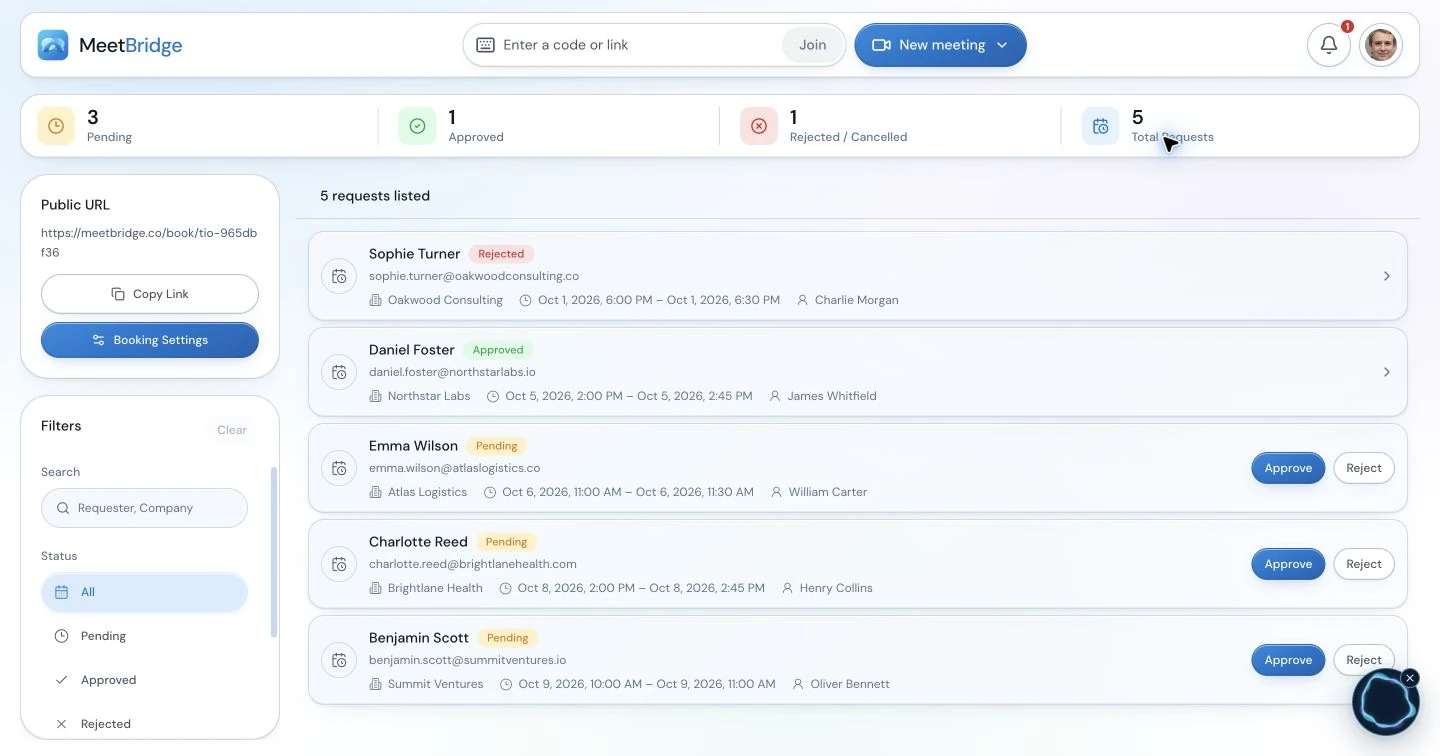
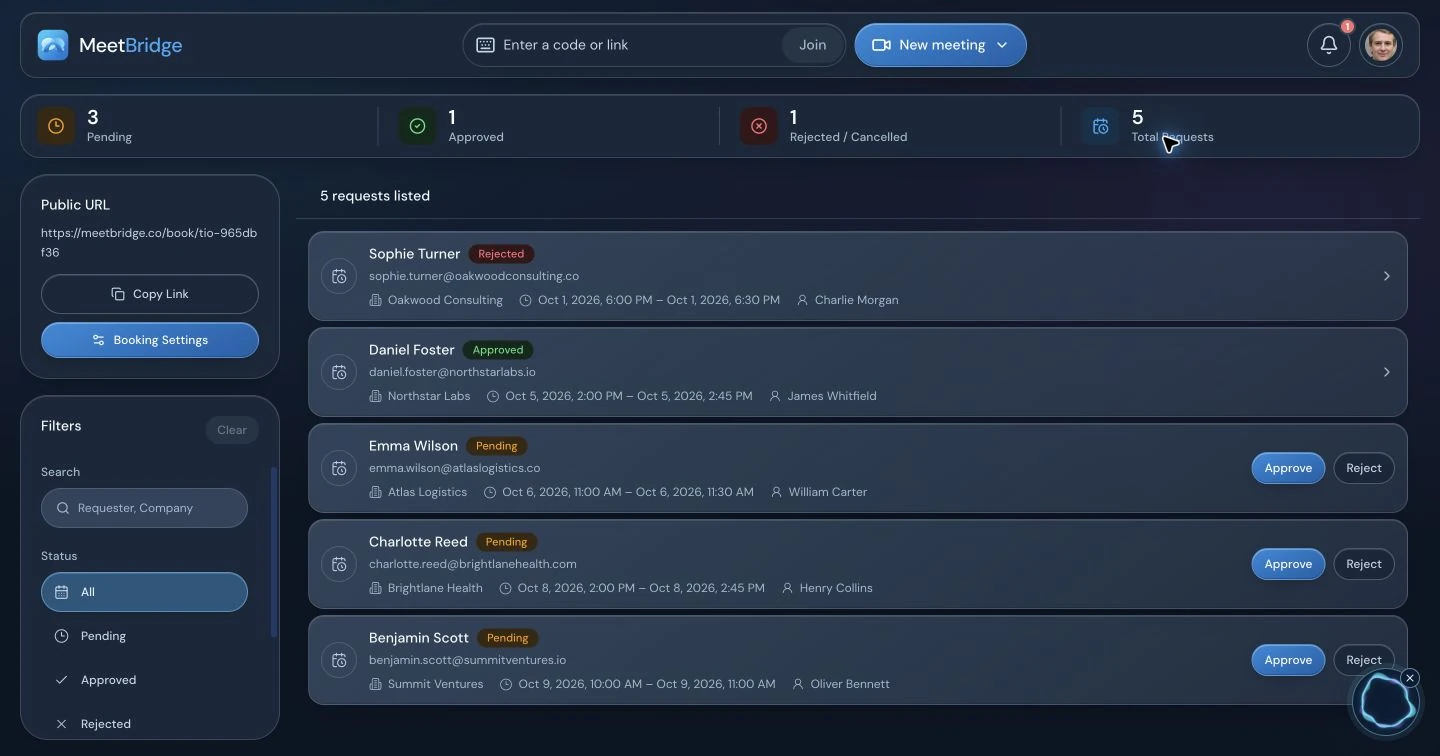
The booking workspace can collect context before a full MeetBridge session. Ask what the client wants to resolve and what information they can bring. Explain the chosen voice workflow and review the client’s requirements before sharing confidential project material.
05 / Six steps before the working session
Set up a shared Voice room alongside the client’s call.
Keep the original platform open for cameras, the board and chat. The translated discussion needs one shared Voice invitation and one active audio connection per person.
The host creates the room.
Open the MeetBridge Voice desktop app, sign in and choose “Create voice room”. Select the relevant video-platform label and use a recognizable project name. Check the host plan’s available usage; the host supplies Voice room usage for invited guests.
Send the same Voice link to every contributor.
Include the sponsor, regional leads and external specialists who will speak. Guests can open the desktop app or continue in a supported browser without an app or extension installation. The video invitation remains separate.
Approve guests and confirm the participant list.
A browser guest enters their name, allows MeetBridge microphone access and requests admission. The host approves the request. Being admitted in Teams, Zoom or Meet does not admit the client to Voice. Check both lists before discovery begins.
Choose each person’s language and devices.
Select the language you will actually speak and hear, then choose the microphone and output device. A remembered headset may no longer be connected. “Join with microphone off” lets someone enter quietly, but they must turn on the Voice microphone to contribute.
Disable microphone and incoming audio in the original call.
Everyone turns off both. Microphone mute alone leaves the original conversation audible. Use a platform or site-specific sound control that leaves Voice playback available; muting the whole browser can also silence a browser guest’s Voice room.
Wait for the live room and exchange a short sentence.
Use “Enable room audio” if the browser offers it. Ask a client to explain one sentence in their language, then answer in yours. Confirm both directions before opening the workshop agenda. Keep the Voice browser tab open throughout the discussion.
06 / Make the invitation easy to follow
Tell the client what each link does.
Send joining instructions with the agenda instead of explaining everything after stakeholders arrive. Label the visual meeting, Voice room and working document separately. Ask participants to open both meeting links a few minutes early for the first session.
“We’ll review the order-approval process and agree which exception needs further analysis. Open [video meeting link] for cameras and the process board, then [Voice room link] for translated conversation. In Voice, choose the language you will speak, allow microphone access and request admission. I’ll approve your request. Keep the video platform’s microphone and incoming audio off, while leaving MeetBridge sound on. Please bring one recent exception and open [working document link]. We’ll confirm the decision and owners before closing.”
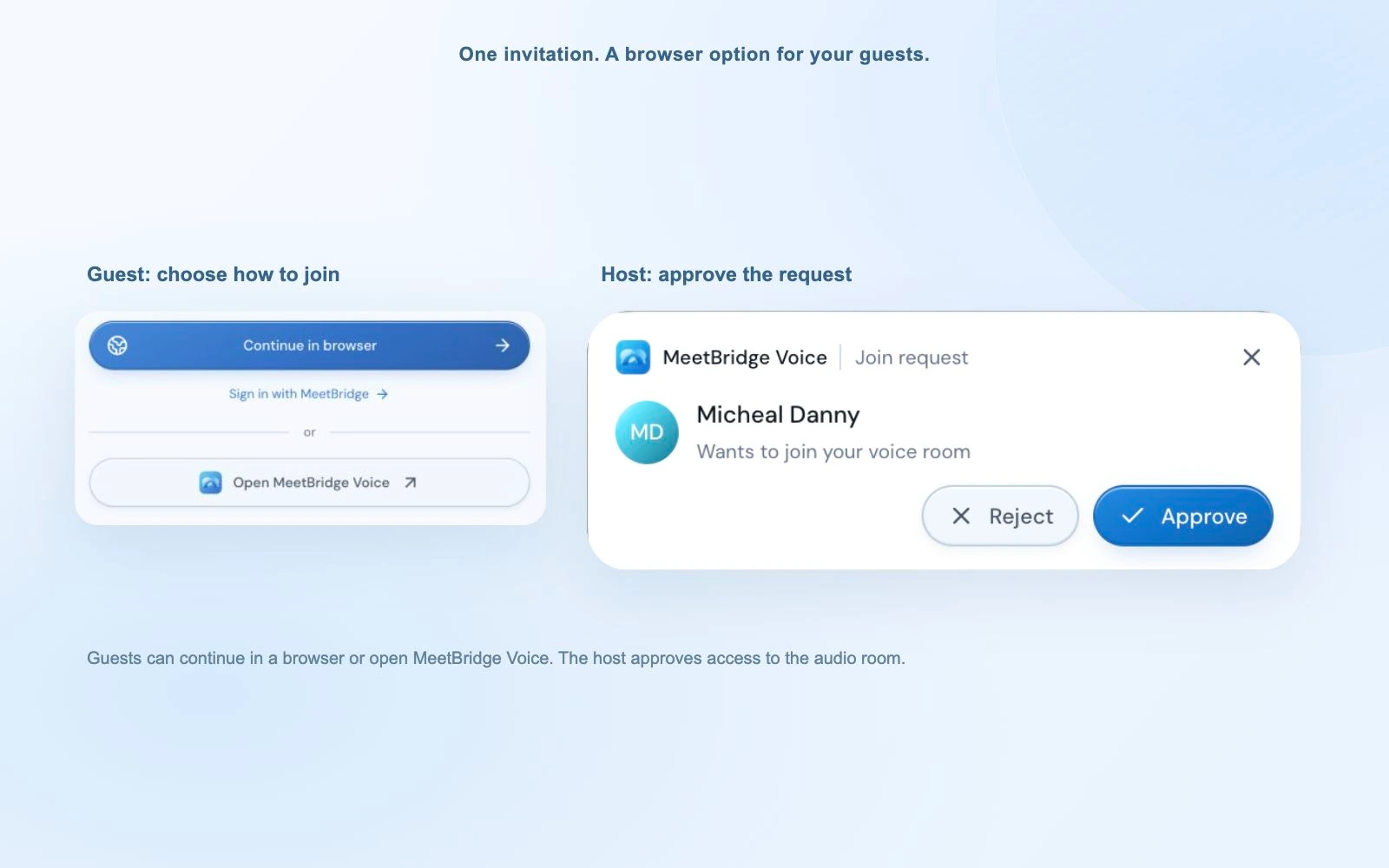
For a full MeetBridge meeting, replace the two-link instruction with its meeting link. For Voice, name the host who will approve guests and provide a way to reach that person if admission stalls. Share only the appropriate session’s room invitation, especially when another client workshop is running nearby.
07 / Keep the group moving together
A multilingual workshop needs a visible thread.
Keep the current question on screen. Invite one contribution at a time and leave a short pause for translated speech. Ask the speaker to finish one idea before the next contributor responds. This gives the facilitator and the other participants a clearer thread to follow.
| Stage | Facilitator’s question | Keep visible |
|---|---|---|
| Understand | What happens in your team today? | The process and one real example |
| Explore | What would this option change locally? | Options, assumptions and exceptions |
| Confirm | Which option are we taking forward? | The decision and unresolved points |
| Assign | Who will do what before the next review? | Owners, deliverables and dates |
The compact desktop bar keeps microphone, translation and caption controls beside the board. Expand the room for participants or live text. Individual listening levels balance a quiet stakeholder and a louder presenter without changing their microphones.
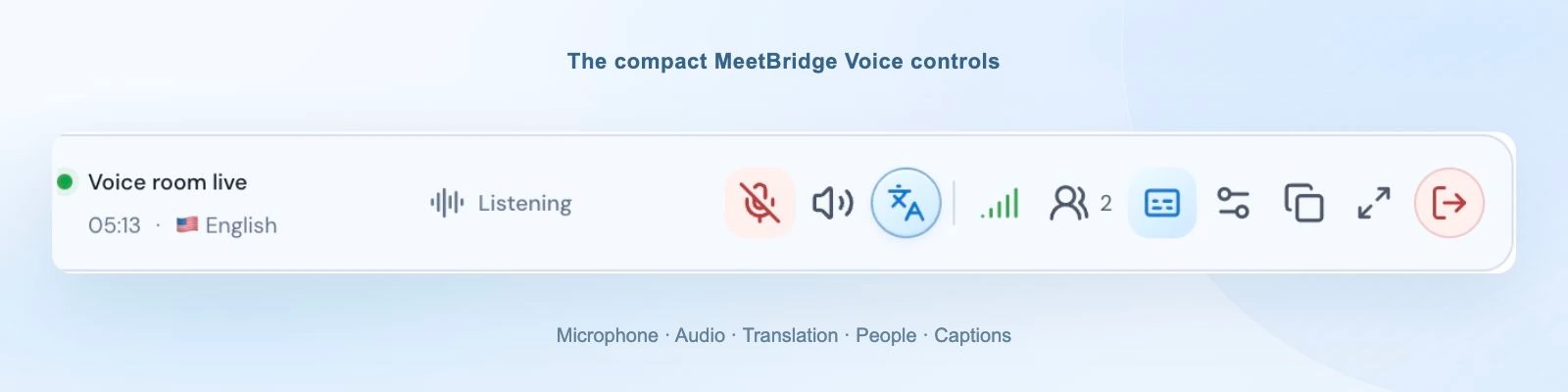
Pause the board when someone raises an exception and write it against the affected option. If you divide the group, plan separate Voice rooms: moving people into video-platform breakout rooms does not split Voice audio automatically. Reconfirm the room and participants when groups return.
08 / An illustrative engagement
From “we need a dashboard” to a question the team can solve.
Consider a hypothetical process-improvement engagement with an English-speaking consultant, a German-speaking operations lead and a Turkish-speaking regional manager. This is a planning example, not a customer result. The initial brief asks for an overdue-order dashboard; the first session is intended to clarify requirements.
Ask for one delayed order.
The operations lead explains that the order waits for an exception approval. The regional manager adds that the approver is missing from the local procedure. The consultant draws the handoff on the shared board and asks both people to confirm it through the translated conversation.
Keep two options separate.
The group compares a dashboard showing unresolved approvals with a process change naming an exception owner. The consultant asks which problem each option solves. They record the missing evidence: how many exceptions are affected and which team can authorize the owner.
Approve the next analysis, not an unpriced implementation.
The sponsor agrees to validate the handoff and examine the two options. A new system integration remains a change request for assessment. Before closing, the consultant reads back the narrower decision and asks each stakeholder to correct it.
The practical outcome is a clearer brief: investigate the approval exception before specifying the dashboard. Translation lets the stakeholders explain the local process; the consultant still supplies the analysis, distinguishes assumptions and records what was actually agreed.
09 / Make approval explicit
Separate a suggestion, a change request and an agreed commitment.
A client may say “we also need the finance feed” during a translated review. Ask whether this is a requirement to investigate, a change they want priced or an instruction from an authorized decision-maker. Put the wording in the shared notes before anyone treats it as approved work.
For a change discussion, show the original deliverable, the proposed addition, dependencies and the assessment still needed. State who can approve scope, fees and dates. Ask that person to confirm the decision after the explanation has finished translating. A nod while a slide is being presented is a weak substitute for explicit confirmation.
- Within scope: record the correction and acceptance criterion.
- New requirement: record the request and who will assess its impact.
- Approved change: update the actual engagement documentation through your agreed process.
Keep fees, exclusions and contractual wording in the engagement document. AI translation can make mistakes; specialist interpretation and the appropriate reviewer may be needed for formal negotiation. The meeting helps people understand the proposal, while the written approval establishes what the delivery team should act on.
10 / Recover the conversation calmly
Resolve audio and joining problems before continuing the workshop.
Stop at the current board item if someone cannot hear. Fix the path with a short sentence in each direction, then return to the question. Repeating a long explanation while a client is disconnected creates a second problem: different participants hear different versions of the decision.
| What happens | What to check | How to resume |
|---|---|---|
| Two versions of the conversation | Original-platform incoming sound is still on, or someone joined Voice twice. | Disable the second path; keep one active Voice connection. |
| Client visible on video, absent from Voice | The separate room link and pending admission request. | Approve the client and confirm the Voice participant list. |
| Browser guest hears nothing | MeetBridge sound permission, “Enable room audio”, speaker control and output device. | Restore Voice playback without muting the whole browser. |
| Voice cannot hear a speaker | MeetBridge microphone permission, selected input and microphone button. | Select the current device and repeat a short sentence. |
| Original speech without translation | Languages and translation connection. Same-language speech is direct. | Wait for readiness or correct the language; rephrase the key point. |
| An acronym or amount seems wrong | The visible reference and what the speaker intended. | Write it, expand the acronym and ask for confirmation. |
At the end, leave Voice and the original video meeting separately. The host can end the Voice room for everyone. Restore any video-site sound setting you changed before returning to an ordinary call.
11 / Close with a reviewed handoff
Give the decision a sentence everyone can confirm.
Before ending, read back the proposed decision and let the relevant stakeholders respond. Clarify whether the group approved an option, requested analysis or merely discussed a possibility. Those outcomes lead to different project plans.
Example recap for the illustrative workshop
- Decision
- Validate the exception-approval handoff before proposing a dashboard design.
- Evidence
- Operations will supply three recent delayed-order examples by the next review.
- Owner
- The regional manager will identify the responsible approval role.
- Open request
- A finance-system feed needs impact assessment; implementation has not been approved.
- Next review
- The consultant will present findings at the agreed date and time zone.
In a full MeetBridge meeting, review the available transcript, summary and actions before sharing a client recap. Check source context for qualifiers such as “subject to approval” and for names, figures and dates. Have the responsible people confirm the handoff, then transfer it into your project process.
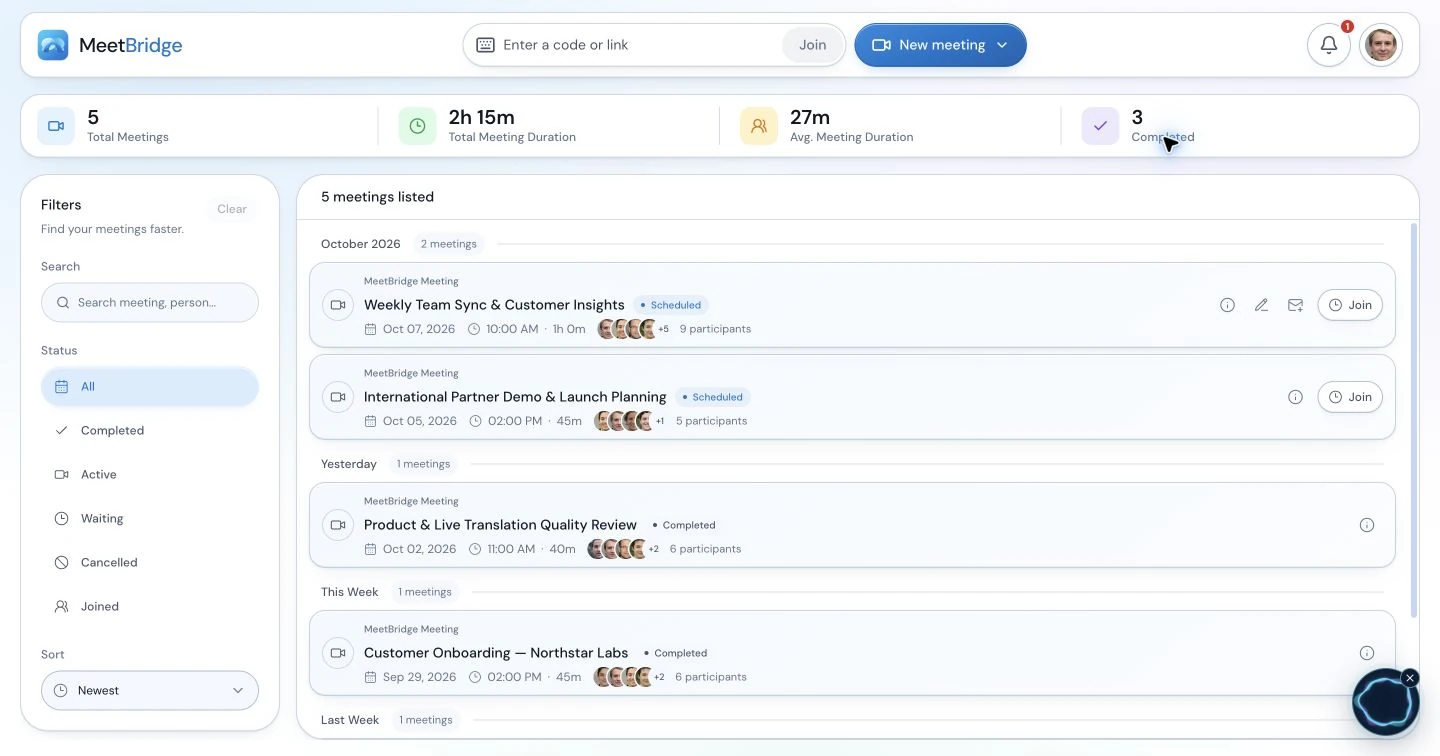
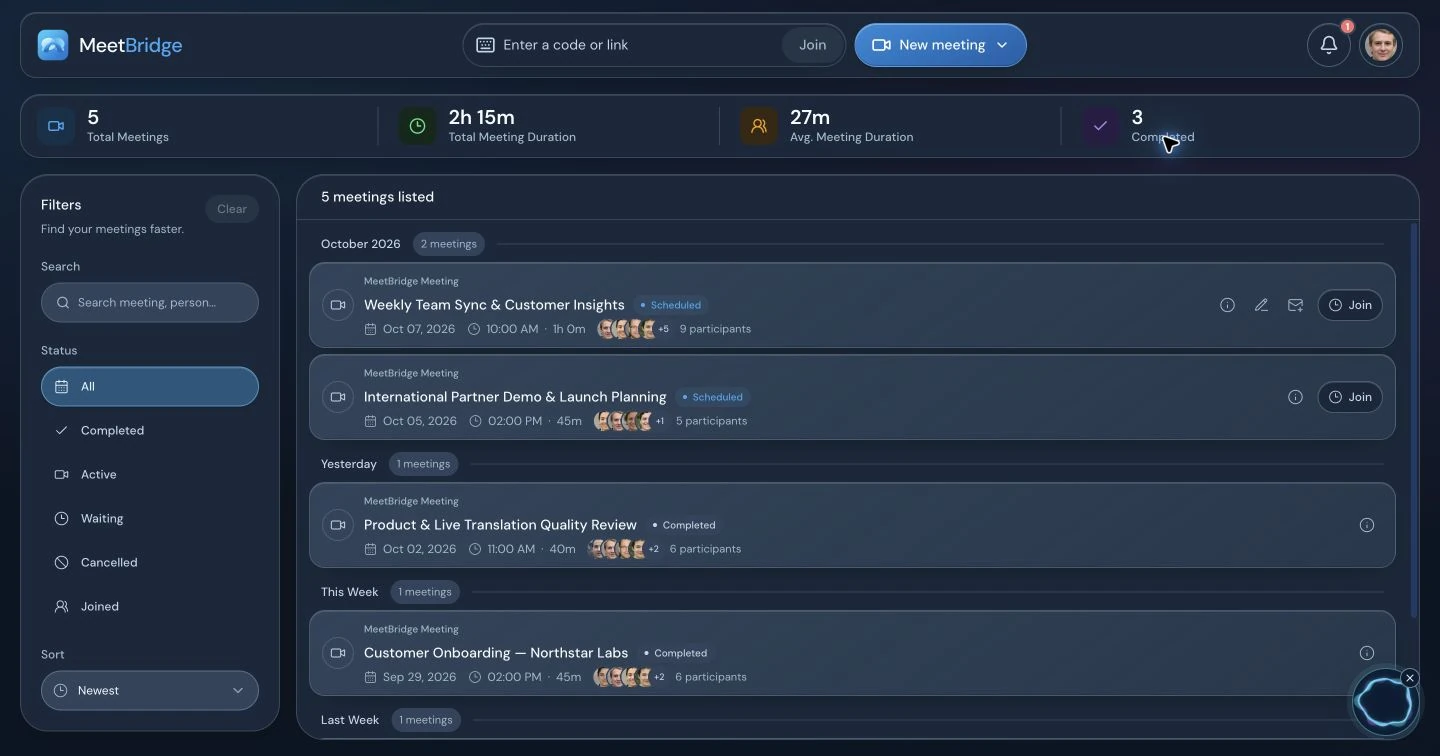
Voice’s live transcript is current-session context. It does not guarantee the full meeting’s saved record, and the separate video platform’s recording should not be assumed to contain Voice audio. Plan manual notes when using that workflow. Explore meeting memory and summaries and actions for the full meeting alternative.
12 / Choose a useful first pilot
Evaluate a real project question before standardizing the routine.
Begin with a small discovery or review meeting whose output you can inspect. Choose an ordinary project question with a consultant, a client contributor and a clear decision owner. Use the actual languages and devices the engagement will require.
- Joining: could each contributor follow the invitation and obtain admission?
- Conversation: could the client explain an exception and ask a follow-up question?
- Understanding: did the read-back reveal an assumption or a translation needing correction?
- Handoff: did the recap preserve scope, the open issue, the owner and the date?
- Practical fit: did host usage, preparation effort and the chosen record workflow fit the engagement?
Debrief with the client and facilitator. Keep the invitation language that worked, simplify confusing steps and identify meetings requiring specialist interpretation. Repeat the process for another session type before applying it across a portfolio. Judge the pilot by these observed criteria, without assuming a shorter meeting or a particular commercial result.
13 / Questions from consulting teams
Consulting live translation FAQ
How does live translation work in a consulting meeting?
Each participant selects the language they will speak and hear. MeetBridge supplies translated speech for listeners using another language, while same-language participants hear each other directly. The consultant can ask a question in their language and the client can answer in theirs. Take clear turns and confirm the meaning before turning an explanation into a requirement.
Can we keep the client’s Teams, Zoom or Google Meet meeting?
Yes. Keep it for video, screen sharing and chat, and move the spoken conversation into a separate shared MeetBridge Voice room. Every speaker must join Voice. Disable both the original platform’s microphone and incoming audio. Voice does not capture participants who remain only in the video call or add them to the translated room automatically.
Does an external client need the desktop app or a browser extension?
The host creates the Voice room in the desktop app. An invited client can continue in a supported browser without installing the app or an extension. A guest enters their name, allows microphone access and requests admission. The host approves them. Keep the Voice browser tab open and enable room audio if prompted.
Who pays for translation during an external client workshop?
Voice room usage comes from the host’s MeetBridge plan. An invited guest does not need their own paid subscription to request admission. Review current pricing, available room usage and plan limits before scheduling recurring workshops. Include preparation and guest joining in your pilot so you can assess the practical cost of using the workflow.
Can several stakeholders choose different languages?
Yes, participants select individually from the languages available in the room. Confirm those options before promising a language to the client. Invite every contributor to the same Voice room and check each selection before beginning. A language choice belongs to that participant; the group does not need to adopt one common speaking language.
How should we handle consulting jargon and local abbreviations?
Keep important terms visible in the shared document. Spell out an abbreviation and explain the role, process or system it identifies. A glossary helps people confirm context; it does not automatically configure a custom translation model. If a phrase seems wrong, ask the speaker to rephrase it and confirm the intended meaning before using it in a recommendation.
Can we use Voice for workshop breakout discussions?
Plan a separate Voice room for each discussion group. Moving participants into Teams or Zoom breakout rooms does not automatically move or split their Voice conversation. Assign a host and invitation for each group, confirm who joined, and check the shared room again when the workshop reconvenes. Use the participant lists to keep discussions with the intended people.
Will Voice supply a saved transcript and client-ready project summary?
The Voice live transcript offers current-session context; it does not guarantee the saved record available in a full MeetBridge meeting. Choose the full meeting workflow for its available transcript, summary, decision and action features, subject to your plan and enabled features. Review the outputs before sharing a recap, and plan manual notes for a companion Voice session.
Does the client’s video recording include the translated Voice discussion?
Do not assume it does. Voice carries the conversation separately, while the original video platform’s microphone and incoming audio are disabled in this setup. Decide how you will document the workshop before it begins. The record available in a full MeetBridge meeting is a different workflow and depends on your plan and enabled meeting features.
Can translated discussion be used to agree a scope of work or a change?
It can support clarification of deliverables, exclusions and the requested change. Put the proposal, fees, dates and approval status in the actual engagement document and use your agreed approval process. AI translation can make mistakes, so confirm material wording in writing and involve a qualified interpreter or reviewer where the assignment needs specialist interpretation.
Will it translate the workshop board or update our project-management tools?
This guide describes translation of spoken conversation. It does not promise automatic translation of a shared board, slides or documents, or automatic synchronization with your project tools. Keep the key labels visible, review decisions with their owners and transfer the confirmed actions into the delivery process your team already uses.
What should we assess before using it across client engagements?
Start with one ordinary discovery or review session. Assess whether guests can join, explain their context, correct a misunderstood phrase and confirm a concrete next step. Check languages, devices, host usage and the record you need. Explain the separate voice workflow and review the client’s information-handling requirements before sharing sensitive material.