
Choose your workflow
01 / The useful distinction
One translator at your computer. Or one conversation the group joins.
Both products support live voice translation. Transync AI documents microphone and computer-audio capture, voice playback and optional voice cloning. It can follow an existing meeting from your computer. Transync desktop guide.
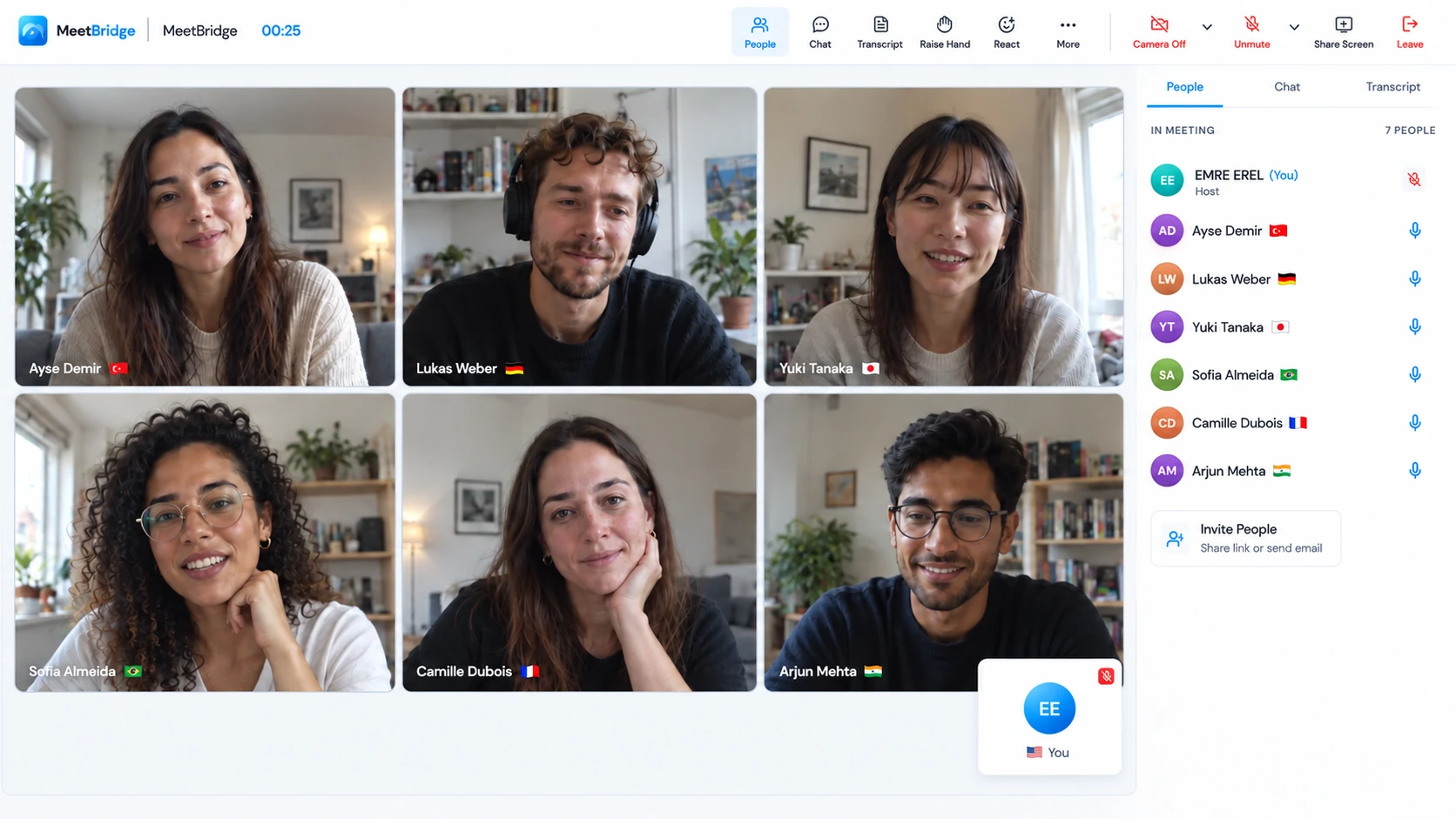
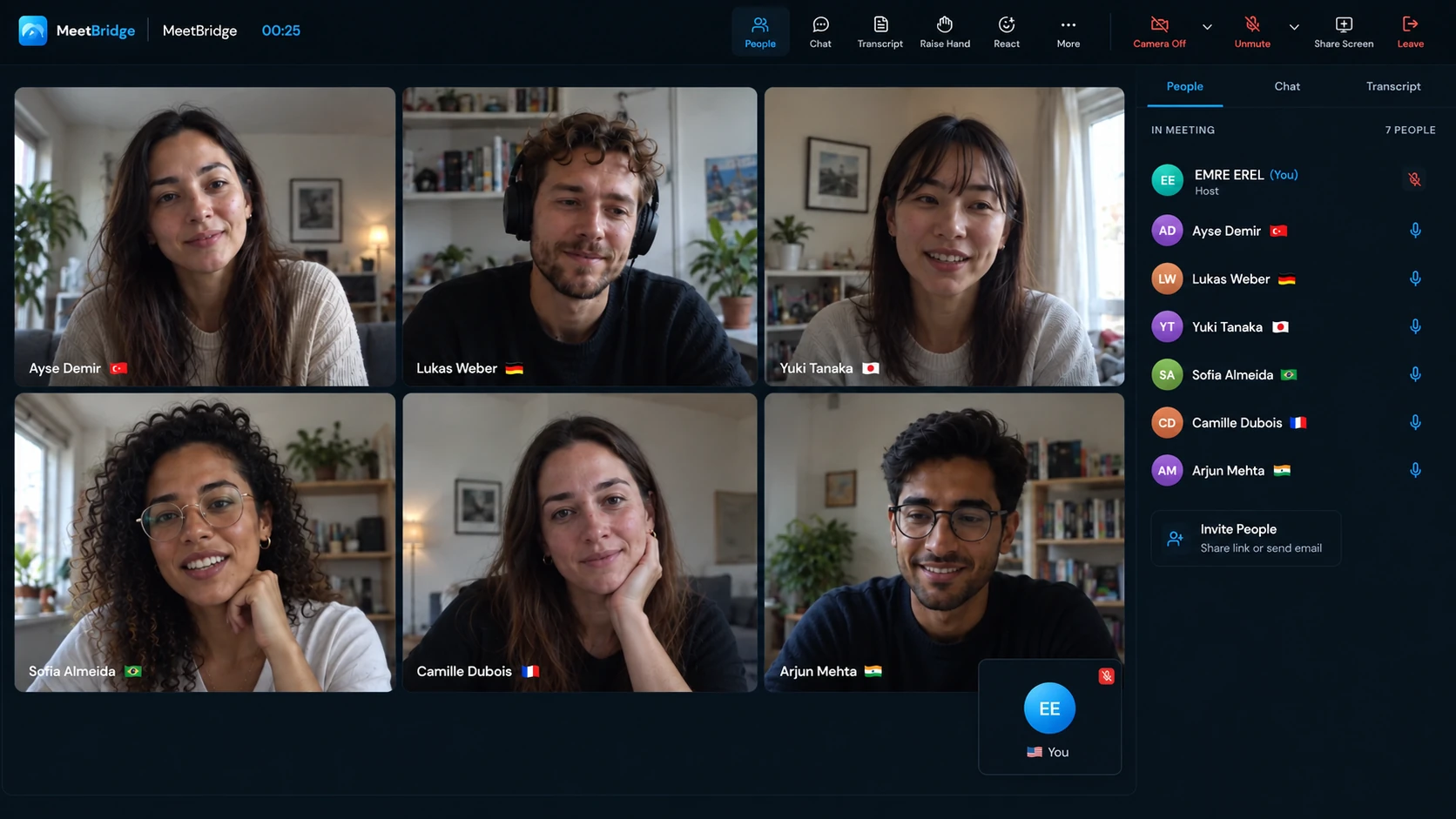
Host the whole call in MeetBridge. Create a video meeting where cameras, screen sharing and live translation are in the same room. Each participant chooses their language and joins the conversation there. This is the full MeetBridge experience, with booking and the follow-up features available to your plan; a separate Teams, Zoom or Meet call is unnecessary.
Keep your existing video call and add MeetBridge Voice. Open Teams, Google Meet or Zoom for video and shared screens, and keep Voice open for audio. Every speaker joins the shared Voice room. Turn off the original platform’s microphone and incoming audio, then speak and listen through Voice. This suits a customer who already chose the video platform and can join the group’s separate audio room.
Choose MeetBridge when you can invite the group into a shared conversation and want a repeatable meeting workflow. If others will stay only in the original call, Transync’s capture route may be more convenient. Requiring a second room has a real joining cost; weigh it against the experience you want everyone to share.
02 / Before you switch
Compare what participants actually do.
This table separates MeetBridge Voice from the full MeetBridge meeting. It reflects published Transync features rather than treating Transync as a captions-only tool.
| Decision | MeetBridge | Transync AI |
|---|---|---|
| Where audio flows | Inside a full meeting or a shared Voice room that every speaker joins. | Captures microphone and computer audio. Input setup. |
| Speech in an existing video call | Voice carries the conversation separately; the original platform’s microphone and incoming audio are off. | Virtual Microphone can send translated playback into the meeting’s microphone input. Voice output. |
| Language choices | Joined participants select their own languages in the shared conversation. | One-way, Two-way and Multilingual translation modes. Mode guide. |
| Keeping controls visible | Compact desktop Voice bar with conversation controls; expanded browser room for guests. | PiP keeps subtitles above other apps on supported devices. PiP guide. |
| After the discussion | Full-meeting transcripts, summaries and actions depend on plan and enabled features. Voice has live context, without a guaranteed saved record. | Saved translation text and summary generation are documented. Records guide. |
| Team administration | MeetBridge workspace and meeting workflow; Voice room usage comes from the host’s plan. | Organizations, member invitations, billing and usage controls. Enterprise guide. |
| Audience events | This guide focuses on invited interactive meetings and Voice conversations. | Presentation Mode distributes text and optional voice to an audience. Presentation guide. |
These are workflow differences, not an accuracy or latency ranking. Device, language, plan and feature availability should be checked for the meeting you intend to run.
03 / Why teams choose MeetBridge
Give the invitation, language choices and conversation one clear owner.
Consider a discovery call with a sales colleague, a buyer and a technical stakeholder. The advantage of a shared room is that everyone joins the same spoken exchange. You can check who is present, see their language choices and agree on clear turns before presenting.
Let guests join the conversation.
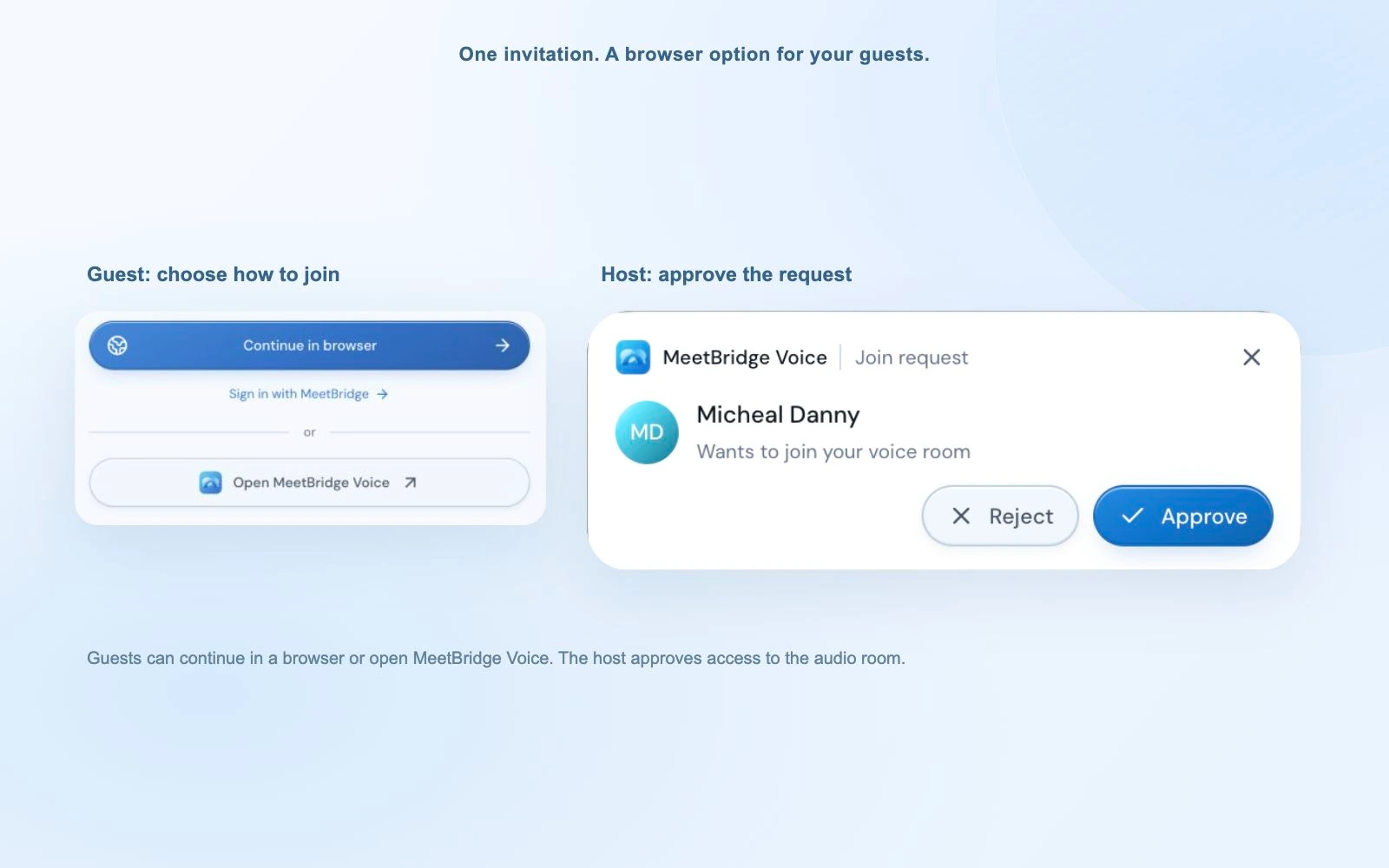
A Voice host creates the room in the desktop app. Invitees can continue in a supported browser, enter their name and request admission. They need to join the room, but do not need a desktop installation.
Choose languages individually.
Your colleague can use English while the buyer selects German. Each person speaks in their own language and receives the conversation in theirs. Same-language participants hear each other directly.
Organize the session for the group.
The host approves Voice guests and covers room usage through their plan. This suits scheduled demos, onboarding and working sessions where you can explain the joining process ahead of time.
In a project review, for example, the buyer may explain a concern while the technical colleague asks a follow-up and the account manager confirms the next action. Individual language choices are useful when the discussion moves between those speakers. The host can establish the audio room at the start and make sure a late arrival is included before returning to the topic.
That shared-room model is our reason to recommend MeetBridge for collaborative groups. It is not evidence that Transync lacks teamwork features: Transync also documents organization and member administration.
04 / A fair alternative
When Transync AI may be the more direct fit.
If you cannot ask other speakers to open another room, computer-audio capture is a meaningful advantage. Transync also documents routing translated speech through a virtual microphone; follow its operating-system instructions and intended playback direction. Virtual Microphone guide.
For a lecture or event, Transync’s Presentation Mode gives audience members their own text or voice language choice. That audience panel is for listening and reading, not sending speech back into the host’s task. It serves a different situation from an interactive Voice conversation. Audience workflow.
Voice cloning may also matter to your presentation. Transync’s current Academy tutorials cover it alongside Windows virtual-microphone routing. This page does not promise a matching MeetBridge voice-cloning feature.
05 / Keep your video platform
Use MeetBridge Voice alongside Teams, Meet or Zoom.
Keep the camera, screen share and chat in your existing video platform. Send every speaker the Voice room link, wait for admission and select languages in Voice. Then turn off the original platform’s microphone and incoming meeting audio. Speak and listen through MeetBridge.
The desktop bar keeps live status and controls within reach while you present. Browser guests stay in the expanded room. Voice does not capture someone who remains only in the video call, import its attendee list or inject translated speech into its microphone.
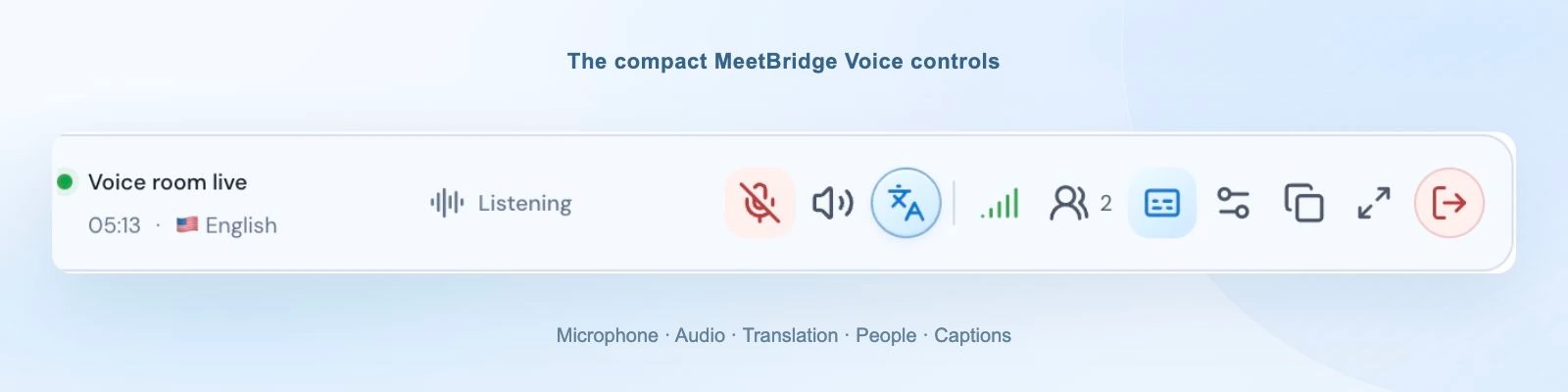
During a product walkthrough, keep the shared screen visible and leave the compact bar within reach for microphone and room controls. Pause at a decision point and invite the customer to explain what they need in their chosen language. The host can respond to that specific concern before continuing the demonstration, with everyone taking turns in the same spoken exchange.
Use the exact setup guide for Microsoft Teams, Google Meet or Zoom. Check both participant lists before starting.
06 / Beyond the translation window
Prepare, meet and follow up in MeetBridge.
When you choose the platform, a full MeetBridge meeting brings video and live translation into one room. You can also use booking links to organize the next appointment and gather the available preparation context.
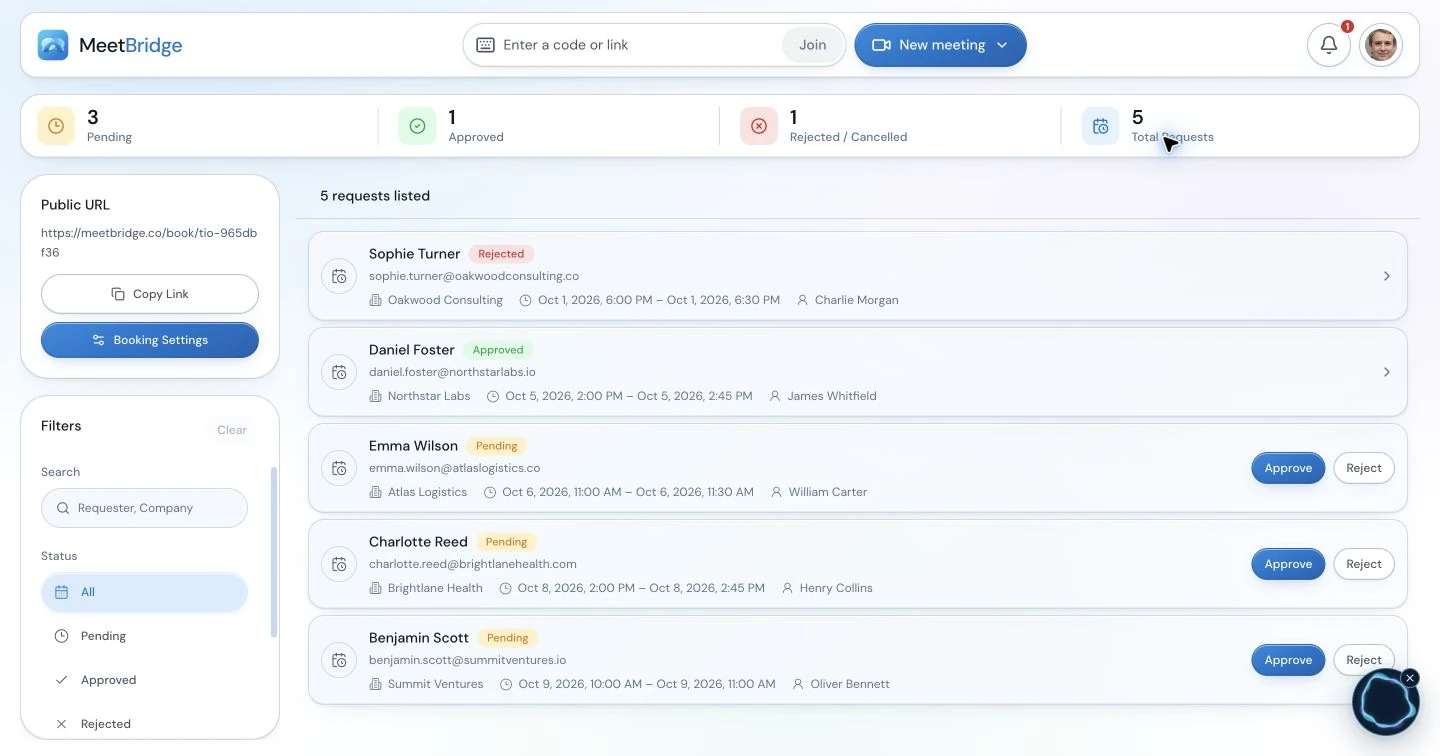
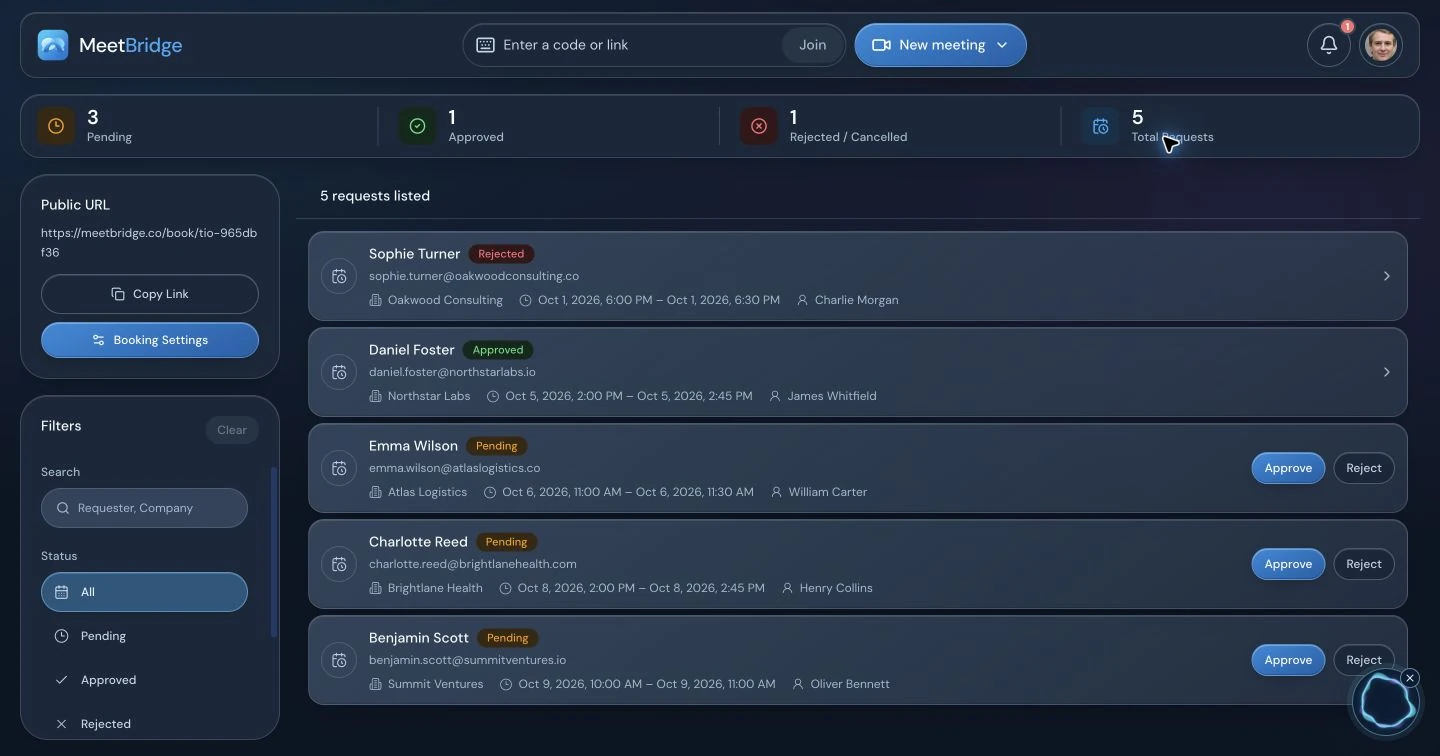
After a full meeting, review the transcript, summary and action context your plan and enabled features provide. Confirm the decision and next owner before sending a recap. This broader meeting workflow is useful when you want to organize recurring customer conversations, rather than adding translation to each call separately.
Think of a recurring consultation: the first call establishes the problem, the next checks the proposed approach, and a later meeting reviews the outcome. Booking and the available full-meeting records help your team prepare each stage from the previous conversation. Confirm the agreed scope and next appointment with the customer so a change of host does not leave the relationship dependent on one person’s memory.
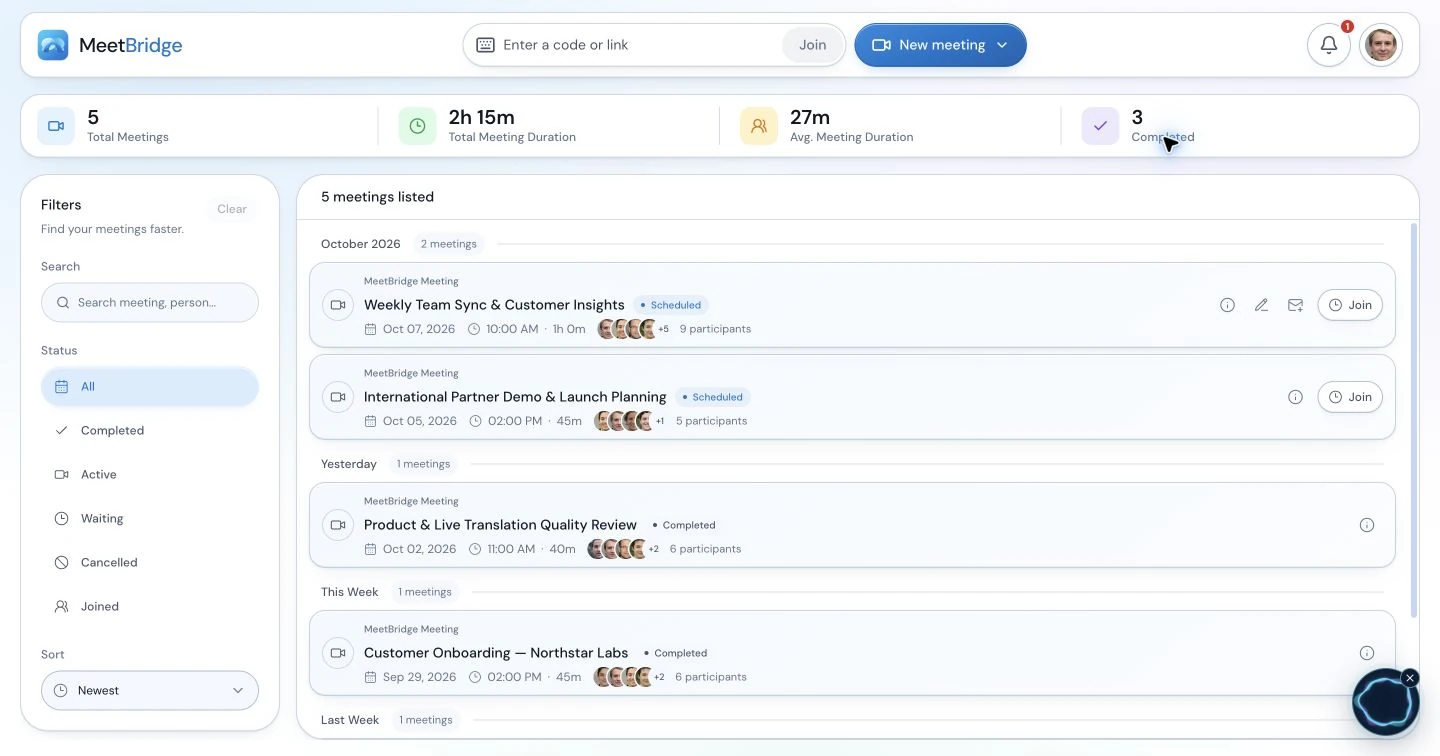
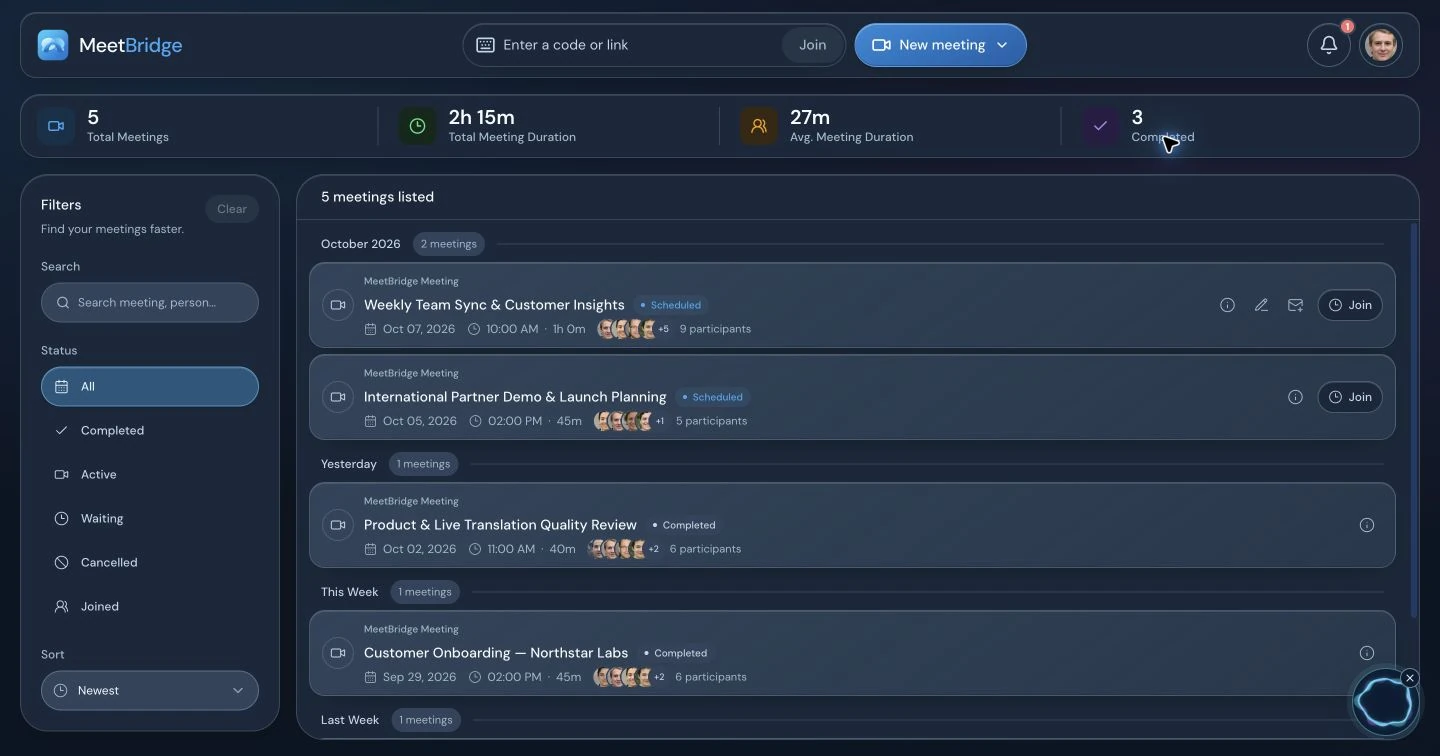
Transync also has transcripts and AI summaries, as its records documentation describes. Our recommendation is about the surrounding workflow. Do not assume a Voice session has the full meeting’s saved record or appears in a Teams, Meet or Zoom recording.
07 / Make the decision concrete
Try the conversation you actually need to have.
Run a short exchange with your usual languages, a product name, a number and a follow-up question. Have each person explain what they understood. Evaluate joining effort, listening comfort and the ability to respond—not only whether a translated sentence appears.
Can every speaker join the chosen workflow and use the required audio permissions?
Can both sides hear, take turns and correct a misunderstood detail?
Does the available record and plan fit the follow-up you need?
Check MeetBridge plans and Transync pricing using your real duration, participant and language requirements. Transync documents language-dependent usage for multilingual tasks. This comparison does not claim that either product is always cheaper, faster or more accurate.
For customer-facing calls, confirm names, amounts and commitments in writing. Discuss the audio-processing workflow with participants and follow your organization’s requirements.
08 / Questions before switching
MeetBridge vs Transync AI: common questions.
Can Transync AI send translated speech into Teams, Zoom or Google Meet?
Yes. Its documented Virtual Microphone workflow sends translated playback through the microphone input selected in the meeting app. Follow the instructions for your operating system and enable the intended playback direction. MeetBridge Voice uses a different path: every speaker joins a shared Voice room while the video platform’s microphone and incoming meeting audio are off.
Does every guest have to install MeetBridge Voice?
The host creates the room in the desktop app. Invitees can request entry through a supported browser from the room link, enter their name and be approved by the host. Installation is optional for those guests, but joining the same Voice room is required for everyone who speaks. Voice usage comes from the host’s MeetBridge plan.
Is Transync AI limited to two languages?
No. Its current documentation includes One-way, Two-way and Multilingual modes. Multilingual mode produces several target-language outputs in a task. MeetBridge’s shared conversation gives joined participants their own language choices. Compare the actual input, output and participant experience you need rather than using a two-language-only assumption.
Which is more suitable when only I want to use a translator?
Transync AI’s computer-audio capture may fit that situation more directly, especially when other people will stay entirely in the original meeting. MeetBridge Voice is designed for an invited shared room and does not translate people who remain outside it. Choose MeetBridge when the group can join that room or you can host the full meeting in MeetBridge.
Do both products offer transcripts and meeting summaries?
Transync AI documents saved transcripts and summary generation. Full MeetBridge meetings can provide transcript, summary and action context depending on your plan and enabled features. The distinction is the surrounding meeting workflow. A live MeetBridge Voice transcript is not a promise of a saved full-meeting record or inclusion in another platform’s recording.
Is MeetBridge always cheaper than Transync AI?
This comparison makes no universal price claim. Check both current pricing pages and calculate your expected meeting duration, participants, languages and plan features. Transync AI documents different usage consumption for multilingual tasks. MeetBridge Voice usage is charged to the host’s plan. Compare the monthly workflow you will actually run.
Can we keep our existing Teams, Google Meet or Zoom video call?
Yes. Use that platform for camera, screen sharing and chat, with a shared MeetBridge Voice room for speaking and listening. Turn off its microphone and incoming meeting audio to avoid duplicate sound. Selecting the platform in Voice does not import its participants or automatically connect the two rooms.
Does this page prove MeetBridge is more accurate or faster?
No. The recommendation is based on workflow fit and documented features, not a controlled translation benchmark. Try your real language pair, terminology, microphones and normal meeting conditions. Check whether both sides can understand, respond and confirm important details before adopting either product for customer conversations.
09 / How we prepared this comparison
Public sources. Clear scope.
Written by MeetBridge. Competitor features were reviewed against public Transync AI documentation on October 3, 2026. This is a workflow comparison, not an independent accuracy, latency or price benchmark.
The recommendations are our interpretation of those documented workflows. Screenshots show MeetBridge only. The source titles below identify the documents used during review. Plans and availability can change.
- Transync AI desktop quickstartMicrophone and computer-audio inputs, voice playback and desktop setup.
- Transync AI virtual microphone on macOSTranslated speech as a meeting microphone input and playback-direction setup.
- Transync AI translation modesOne-way, two-way and multilingual tasks; language-dependent usage.
- Transync AI transcripts and summariesSaved text, summary generation and reviewing translation records.
- Transync AI enterprise guideOrganizations, member invitations, billing and usage administration.
- Transync AI picture-in-picture guideFloating subtitles and documented device availability.
- Transync AI Presentation ModeOne-to-many audience access, language choice and audience-input boundary.
- Transync AI AcademyCurrent setup tutorials, including voice cloning and Windows virtual-microphone routing.
- Transync AI pricing and plansCurrent plan allowances and usage-model information; no fixed price claim on this page.