
On this page
The practical decision
Are you choosing a meeting platform or a translation layer?
If you are searching for a JotMe alternative, start with the meeting you want to organize. An international product demo, a supplier negotiation and a team update may all need translation, but they do not necessarily need the same place to meet or the same record afterward.
MeetBridge gives you a full meeting environment. JotMe’s desktop workflow keeps the existing meeting platform and works from audio on the computer. When moving the video call is not practical, MeetBridge Voice offers a third route: every speaker joins a separate shared audio room while the original platform carries video and screen sharing.
Host the whole meeting in MeetBridge
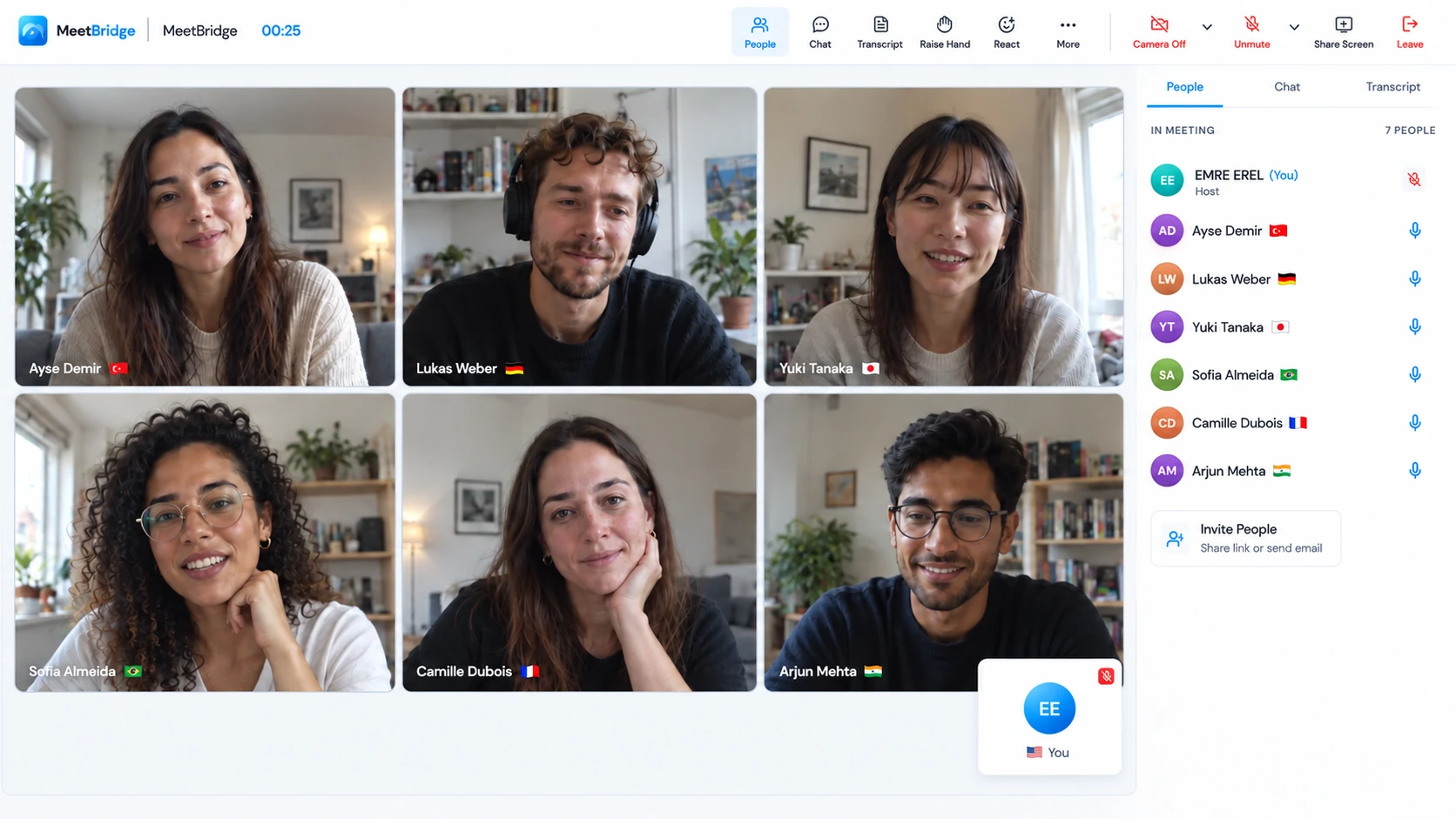
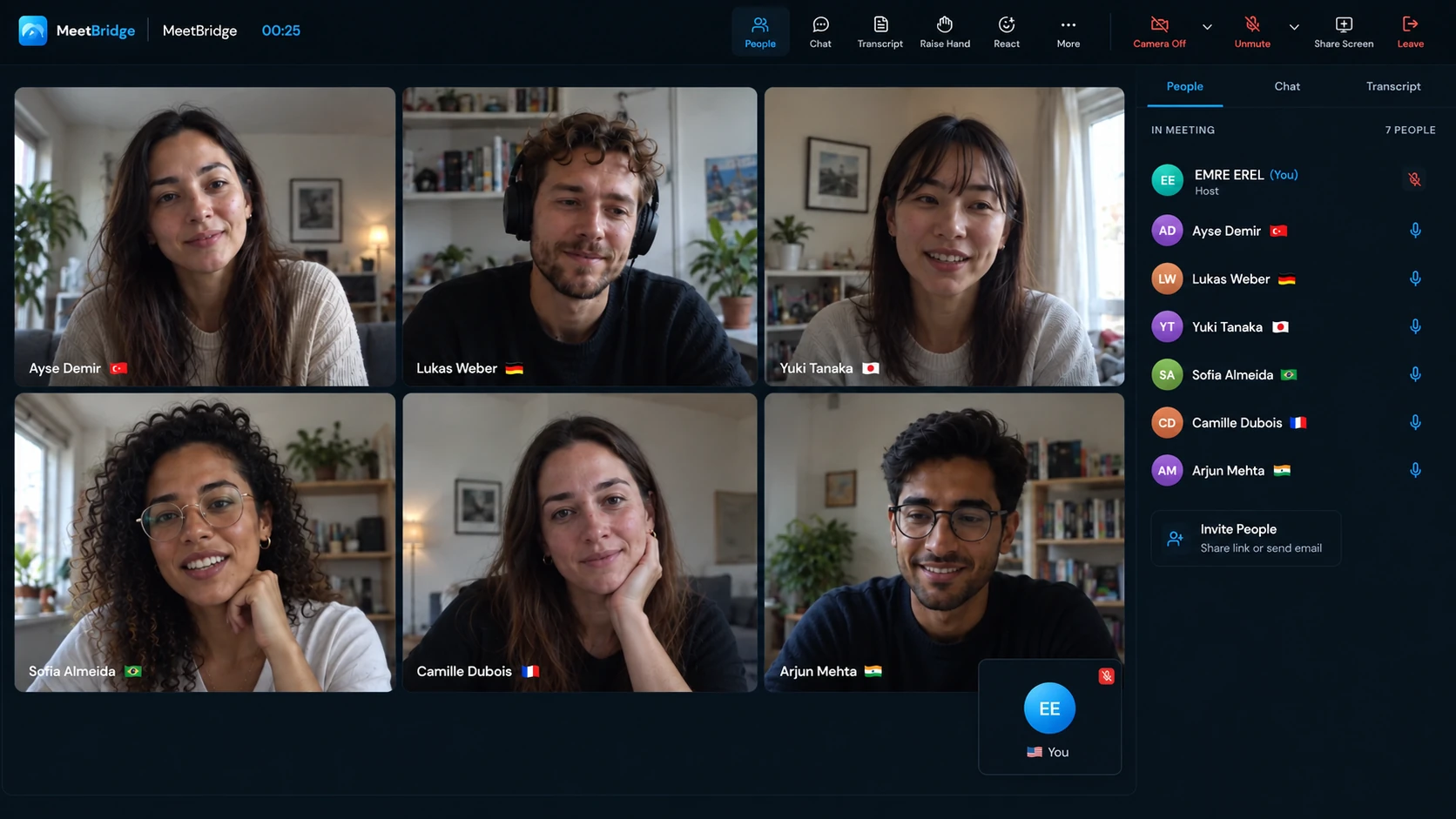
Choose the main MeetBridge product when you control the invitation and want video, translated conversation and the available meeting history and follow-up features together.
Explore the MeetBridge meeting platformKeep the video call and use MeetBridge Voice
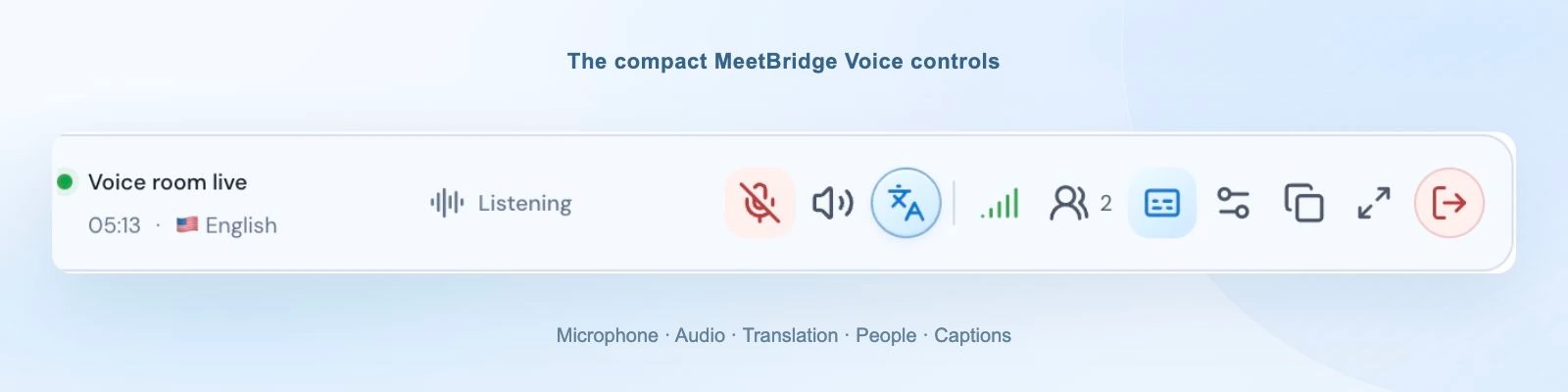
Choose our companion product when participants can join a shared speaking room. The host uses the desktop app; guests can request browser admission. The original video call’s audio must be disabled.
Explore the Voice companionFollow the existing call through JotMe
Evaluate JotMe when you want a desktop translation and note-taking layer over an existing meeting, including personal caption use or its documented translated-speech routes.
The useful distinction is where the conversation happens, how audio reaches people and what your team can review afterward. Both products offer more than a caption window; this comparison gives each workflow its own column.
Meeting translation compared
Compare full meetings, companion Voice and JotMe
MeetBridge and MeetBridge Voice are two different product modes. Keep them separate when comparing JotMe’s meeting translation, guest experience and post-meeting features.
| Decision | MeetBridge meeting | MeetBridge Voice | JotMe Voice |
|---|---|---|---|
| Where the conversation happens | Video and the translated conversation take place in a MeetBridge meeting room. | Video stays on Zoom, Teams or Google Meet. Every speaker joins the separate shared Voice audio room. | JotMe Desktop runs beside the existing meeting, working from microphone and computer audio. It does not join as a meeting bot.JotMe: Zoom, Teams, Meet, and other online meetings |
| Translated speech | Live translated audio and transcript context are part of the full-meeting workflow, subject to available features. | Participants speak and listen through Voice with their selected languages. | Translated captions and voice output. Online Meeting speech routing uses virtual audio; browser listeners receive a separate shared output.JotMe Voice to voice translation documentation |
| Guest setup | Send the MeetBridge meeting invitation and confirm participants’ language and device setup before the call. | Host creates the room in the desktop app. Browser guests enter their name and request approval; host usage covers the room. | Browser listeners open a link or QR code, enter an email and select languages. No account or installation is required; the host enables voice if needed.JotMe Join live translation documentation |
| Preparation and scheduling | MeetBridge’s booking workspace supports preparation for the meeting you host. | Coordinate the Voice room invitation with the separate platform’s meeting invitation. | Connect Google Calendar to prepare sessions and translation links. The documented connection reads events; it does not create or edit them.JotMe Calendar documentation |
| Notes and follow-up | Meeting history and available saved transcripts, summaries and actions, depending on the plan and enabled full-meeting features. | A live Voice transcript should not be treated as a guarantee of the same saved full-meeting record. | Generated meeting notes, translated notes and shared transcript/audio access. View, comment and edit permissions differ.JotMe Note-taking documentation; JotMe Shared notes, transcript, and recording documentation |
| What to budget | Match the current plan to meeting frequency, duration and the full-meeting features you need. | Room translation usage comes from the host’s plan. Confirm included usage and limits for the chosen mode. | Separate translation, transcription and AI allowances. Fast (Audio) and speech-to-speech use a flat 5× rate; shared browser voice is metered per receiving participant.JotMe Usage limits documentation; JotMe Pricing 2026: Plans, Costs & Modes Explained |
The main MeetBridge product
Own the meeting from the invitation to the next step
A recurring multilingual meeting involves more than understanding the next sentence. Someone has to organize the conversation, invite the right people, make the discussion accessible and send a follow-up that preserves what was actually agreed. The main MeetBridge product puts the meeting itself at the center of that work.
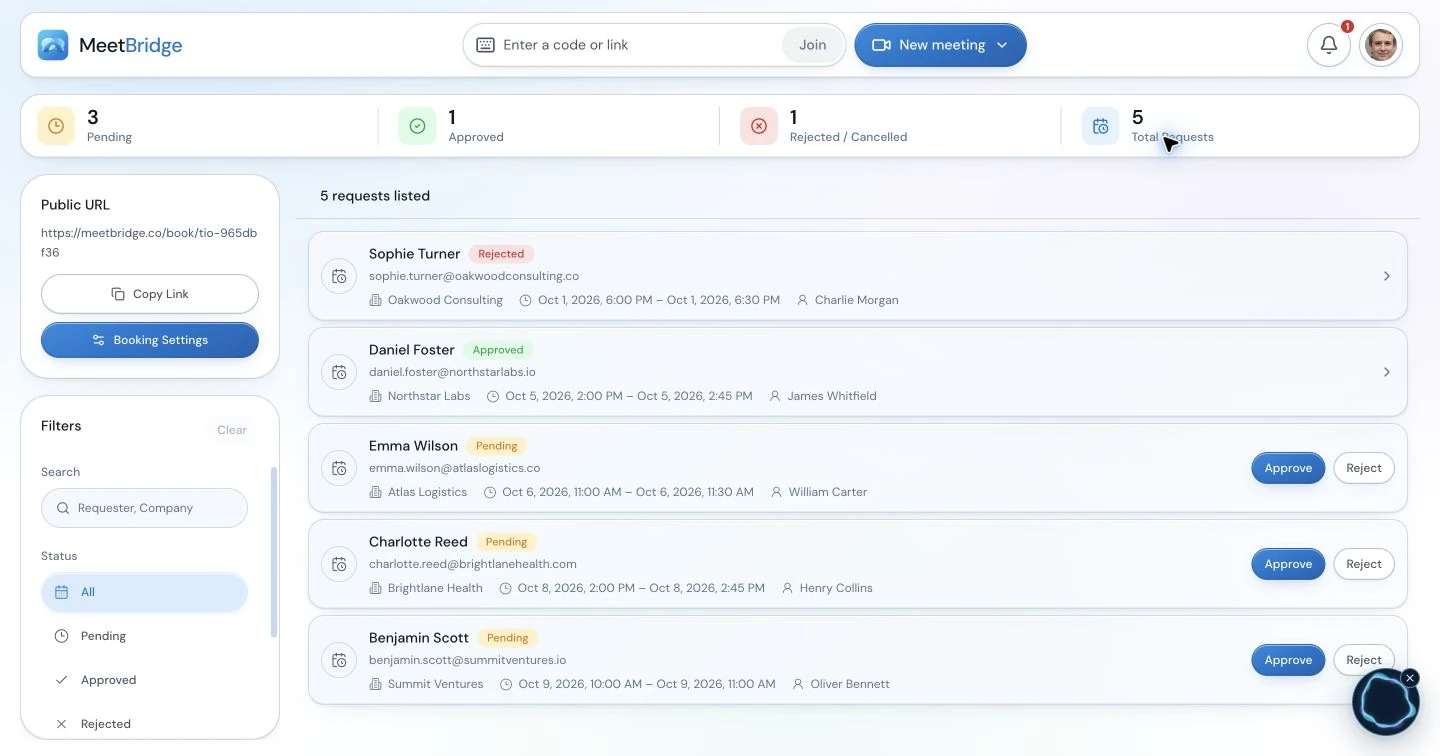
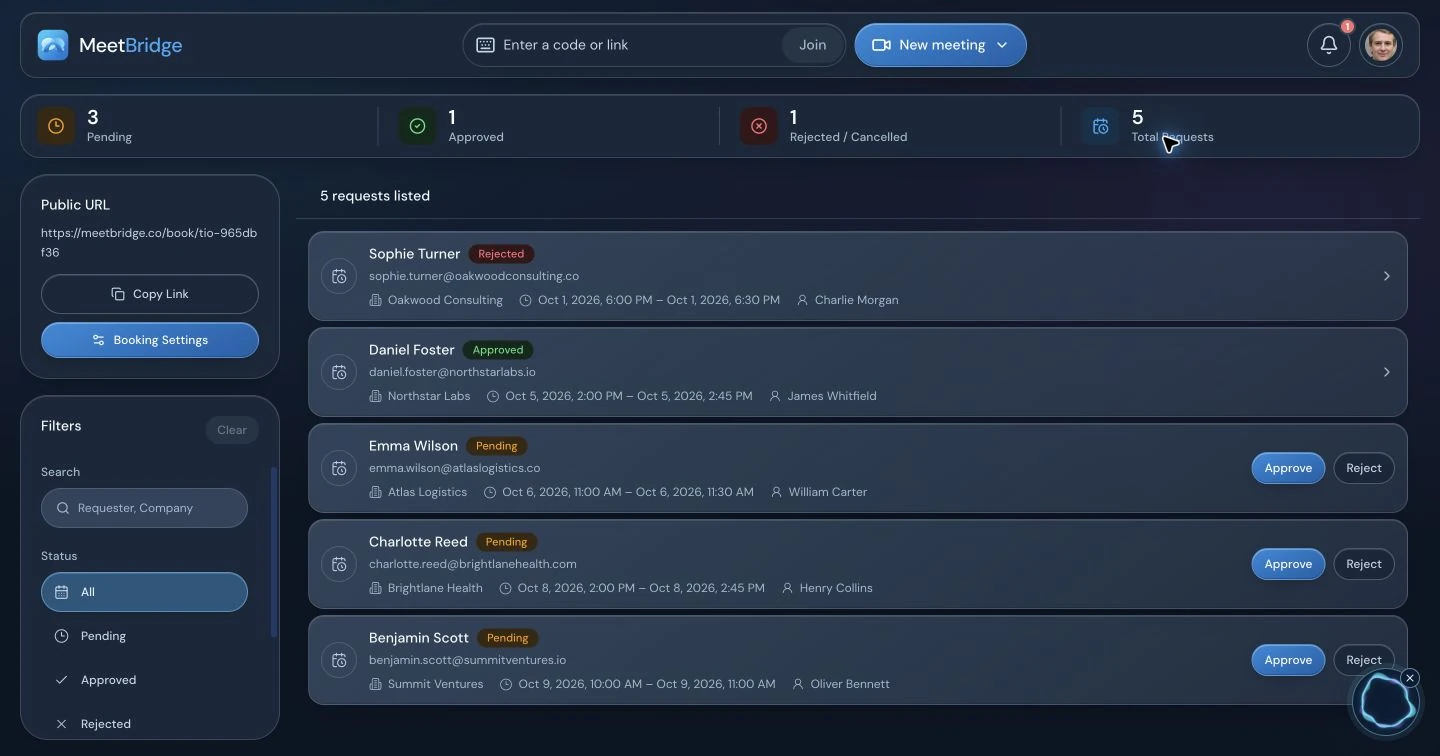
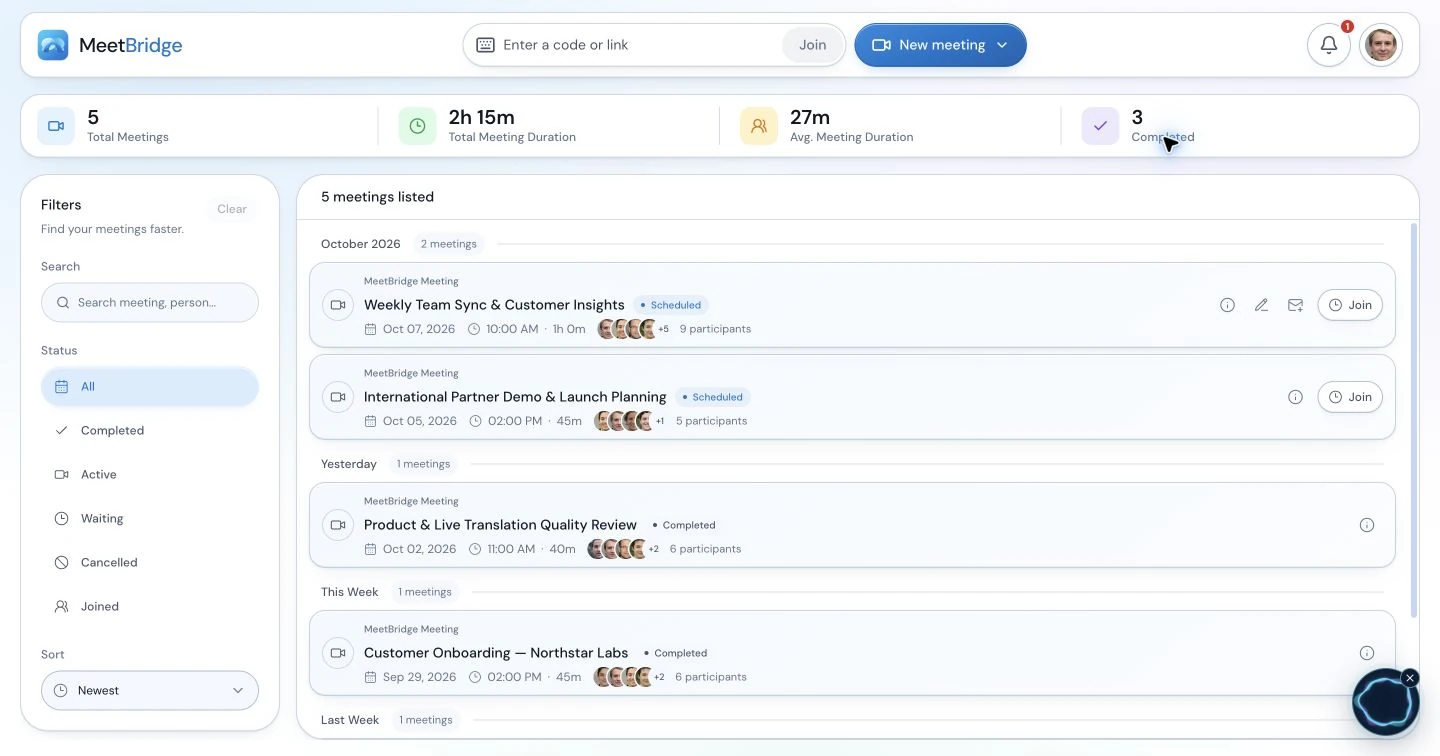
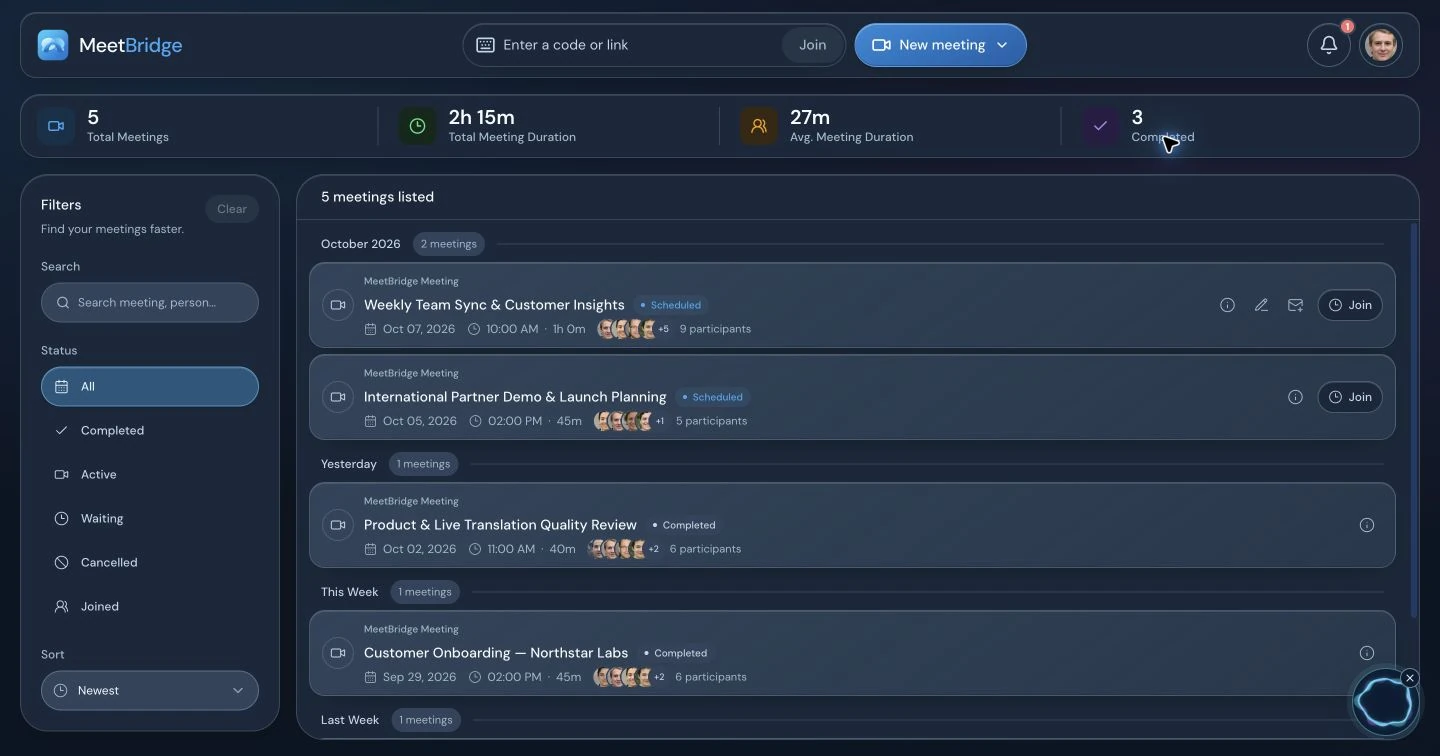
Choose a full MeetBridge meeting when your team can send the meeting invitation and bring participants into its video room. You do not need to keep a second video platform open simply to have the conversation. Use the booking workspace to prepare, and confirm which transcript, summary and action features your plan makes available after the call.
For an illustrative customer demo, your account executive, technical colleague and buyer can discuss requirements in their own languages. Afterward, the team needs to distinguish a requested integration from a committed deliverable and a tentative launch date from an agreed deadline. Live translation makes the discussion accessible; reviewing the meeting record is what makes the recap useful.
The companion product
Keep the customer’s video platform with MeetBridge Voice
Sometimes the customer has already sent a Zoom, Teams or Google Meet invitation. MeetBridge Voice lets that platform handle cameras, screen sharing and chat while a separate shared room carries the spoken conversation. This is a coordinated room setup, so include the Voice invitation and audio instructions before the meeting.
Unlike a tool that captures audio from the existing call, MeetBridge Voice translates the people connected to its own room. A participant who stays only in the video meeting is outside that audio conversation. Both admission routes need to be clear: approving someone in Voice does not admit them to the video platform.
Create the shared room
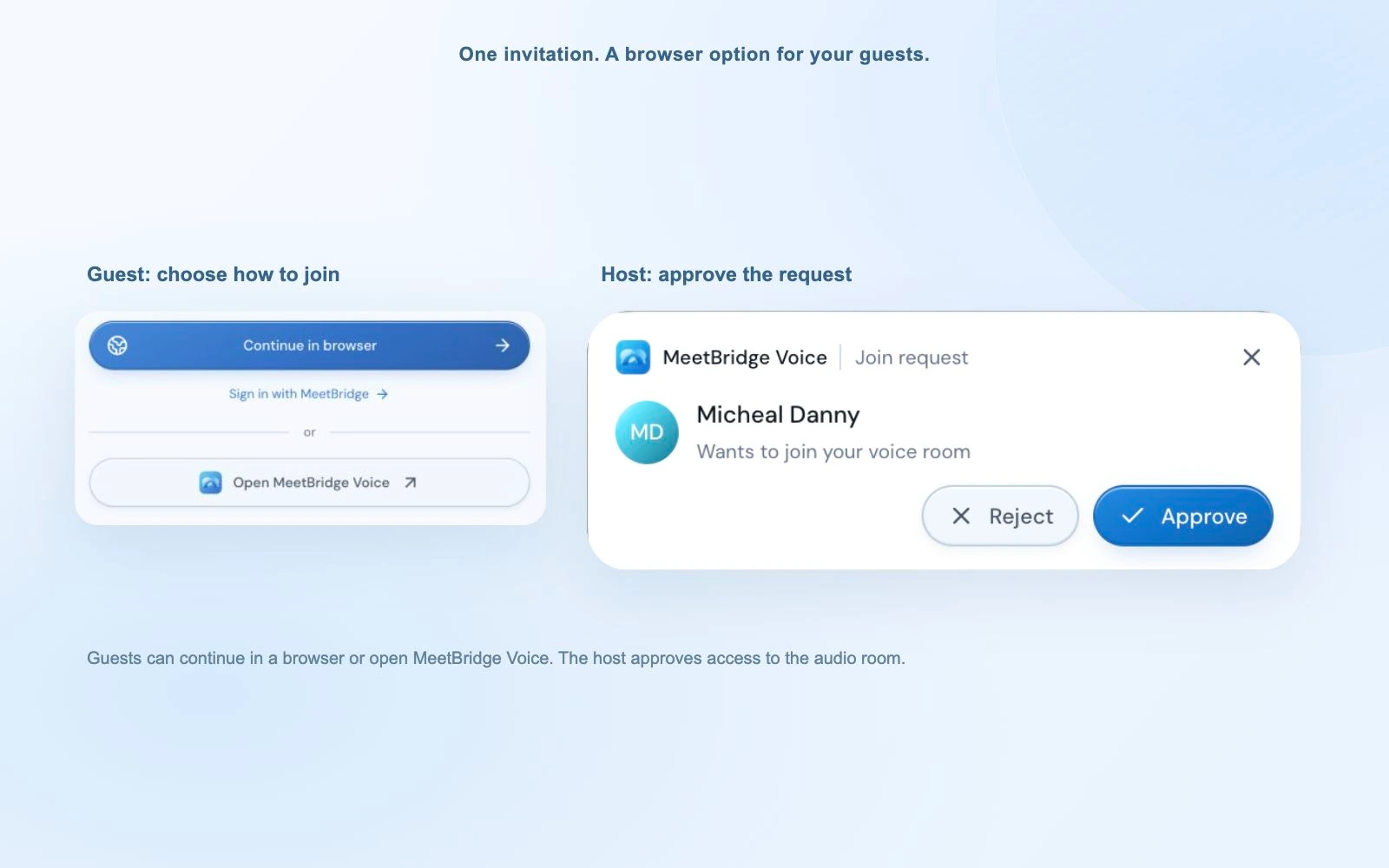
The host opens the MeetBridge Voice desktop app, creates the room and sends its invitation alongside the video-call link.
Connect every speaker
Guests can continue in a supported browser, enter their name and request approval. Each person selects the language they will use.
Move the audio conversation to Voice
Turn off both the original platform’s microphone and incoming meeting audio. Keep video and screen sharing on that platform, then speak and listen through Voice.
Agree on the follow-up route
Do not assume the separate platform’s recording captures Voice audio or that the live Voice transcript creates a saved full-meeting record. Choose full MeetBridge meetings when those available records are required.
A different way to keep the existing meeting
Where JotMe’s translation layer is worth evaluating
JotMe’s desktop app is built around captured meeting audio. That can suit a participant who needs translated context while the rest of the group continues using its usual meeting software. Its official desktop documentation also describes transcripts, notes, recordings and other tools around the captured session.
For spoken translation, JotMe documents listening-only, speaking-only and two-way modes. Its Online Meeting setup routes audio with BlackHole on macOS or VB-CABLE/VAC on Windows. The route for browser participants is different: the host shares translated output, and those listeners do not need virtual audio on their own devices. Plan the route you actually need rather than applying the online routing prerequisites to every JotMe use case.
You need personal translation beside a call
Computer-audio capture may be useful when you want to follow an existing meeting and cannot coordinate a separate speaking room with everyone.
You need an audience to receive translation
Evaluate JotMe’s browser listening route when guests primarily need captions or translated voice from the captured session. Check language selection, sharing eligibility and host usage.
You need to organize an interactive meeting
Evaluate full MeetBridge meetings when your team owns the invitation and wants the video meeting and its available follow-up records together. Use Voice when every speaker can join alongside the existing video platform.
What remains after the conversation
Compare multilingual meeting notes without overlooking either product
JotMe has a substantial note-taking workflow. Its documentation distinguishes your own notes from generated AI notes, and describes note translation, key points and action items. Its shared-record page supports browser viewing of notes, transcript and audio; commenting and editing require a signed-in account with the appropriate access. JotMe also documents multilingual chat for continuing the conversation and sharing meeting notes.
MeetBridge’s full-meeting workflow provides meeting history and the saved transcript, summary and action features available under your plan. The comparison is therefore about how the record fits the meeting you run and how your team reviews it. Companion MeetBridge Voice should not be substituted into that comparison as if it promised every full-meeting record feature.
Use a realistic follow-up example in your evaluation. In a supplier call, a quoted unit price may depend on order size, the shipping date may still be provisional and a revised sample may need approval from another colleague. A useful recap keeps those conditions visible, gives each next step an owner and leaves uncertain details open for confirmation. This is an illustrative workflow, not a measured customer outcome.
Read the transcript before forwarding a summary. Check names, quantities, currencies and dates against what participants agreed, then let the responsible person confirm the final recap. Generated action items are a draft for review, not proof that a participant accepted an obligation.
Put this into practice with the guide:
Pricing needs the same assumptions
Budget for spoken translation and follow-up, not just headline minutes
JotMe’s official pricing guide, published September 7, 2026 and reviewed for this page on October 9, lists Pro at $20 per user per month and Premium at $30 with monthly billing. Annual billing is $120 and $180 respectively, paid upfront. Team pricing combines seats with a selected pool of translation minutes. These are dated published prices, not a quote for your organization.
The official usage rules matter just as much: Fast (Audio) and speech-to-speech consume a flat 5× translation-minute rate. For one output with no shared browser recipients or other usage, a 30-minute Fast (Audio) session uses 150 translation minutes. Voice sent to browser participants is metered at 5× for each receiving participant. Avoid counting the same voice multiplier twice.
JotMe separately meters transcription, AI credits and chat translation tokens, so check the balance needed for the notes and other work you expect after the call. Model choice and the delivery route can change how far an allowance goes. A list of subscription minutes is not enough to compare the practical cost of the same conversation.
For MeetBridge, match the current plan to the full-meeting or Voice workflow you intend to use. Voice guests use the host’s room allowance, but that does not mean every MeetBridge plan includes the same usage or saved-record features. Write down duration, frequency, participants, languages and follow-up requirements before comparing prices. This page does not claim that MeetBridge is always cheaper.
A representative conversation
Compare the tools with a meeting your team actually runs
Use the same participants, business topic and language pair for each workflow. Record the setup effort and the usable result rather than judging a polished demo or a headline language count.
Choose the venue and audio route
Decide whether the meeting can move to MeetBridge, whether every speaker can join Voice, or whether you need JotMe to capture the existing call. Confirm what a guest must open and where each person speaks and listens.
Include the words that matter
Discuss a product name, an order quantity, a price condition and a delivery date. Check translated audio and text separately. Confirm your exact language combination and the selected model before the call.
Review the handover
After the conversation, look for the decision, unresolved question, action owner and due date. Check what was saved, who can read it and whether recipients need an account to review or comment.
Measure the plan against the same usage
Use the same meeting length and expected monthly frequency. Include shared translation recipients, model multipliers, transcription and note-generation requirements where they apply.
MeetBridge has not published a controlled head-to-head benchmark against JotMe for accuracy or delay. The choice should follow the complete workflow your participants can use and the record your team can review afterward.
Put this into practice with the guide:
Questions before choosing
JotMe Voice and MeetBridge: common questions
Is MeetBridge a JotMe alternative for multilingual meetings?
Yes. MeetBridge is worth evaluating when your team wants to host video meetings with live translation and available meeting records in one workspace. If the video call must stay on Zoom, Teams or Google Meet, the companion MeetBridge Voice product offers a separate shared audio room. JotMe offers a different route built around computer-audio capture and translation beside an existing meeting.
Does JotMe offer voice translation or only translated captions?
JotMe offers translated speech as well as captions. Its voice-to-voice documentation describes listening-only, speaking-only and two-way modes. Routing translated speech into an online meeting uses virtual audio; sending voice to browser listeners is a separate route. A captions-only description would leave out an important part of its current product.
Is JotMe Voice a separate subscription?
This comparison uses “JotMe Voice” to identify JotMe’s voice-to-voice workflow. JotMe’s official pricing guide separates subscription plans from the live-translation model and output. Its voice workflow uses Fast (Audio); the plan controls the allowance and account features.
Can I translate an existing Zoom or Teams meeting without asking everyone to join MeetBridge Voice?
That is not how MeetBridge Voice works. Every speaker must join its shared room, and you turn off the original video call’s microphone and incoming audio. JotMe’s desktop route can work from microphone and computer audio alongside an existing call without a meeting bot. If you want to follow a call without coordinating a shared speaking room, evaluate that capture route.
Do guests need an app or paid subscription?
MeetBridge Voice guests can request admission in a supported browser; the host creates the room in the desktop app and covers its translation usage. JotMe also documents browser guest access by link or QR code without an account or installation, using the host’s minutes. These invitations serve different roles: a MeetBridge Voice room is where participants speak, while JotMe’s browser guest route receives the captured session’s translation.
Does JotMe have AI meeting notes and translated summaries?
Yes. JotMe documents AI notes generated from the transcript and the user’s own notes, with summaries, key points and action items. It also offers note translation and shared notes with access permissions. MeetBridge’s saved transcript, summary and action features belong to the full-meeting workflow and applicable plan; do not assume companion Voice provides an identical saved record.
Do JotMe’s translation minutes equal the length of the meeting?
Not necessarily. The official usage rules list Fast (Audio) and speech-to-speech at a flat 5× translation-minute rate. Shared browser voice uses 5× per receiving participant. Confirm the selected model, outputs and delivery route before estimating a month’s usage, and compare those assumptions with the current MeetBridge plan rather than comparing headline minute counts alone.
Will MeetBridge Voice audio be saved in the original platform’s recording?
Do not assume so. MeetBridge Voice runs the conversation in a separate audio room with the video platform’s audio disabled. Choose a full MeetBridge meeting when the available saved transcript and summary are part of the requirement, and confirm the plan. Review any critical number, date or commitment before sending a generated recap.
Sources and methodology
What this comparison is based on
Written by MeetBridge using its product workflows and JotMe’s official product, setup, note-taking and usage documentation, reviewed October 9, 2026. “JotMe Voice” refers here to JotMe’s voice-to-voice translation workflow, not a separate subscription plan. This is a workflow comparison, not an independent accuracy, latency or pricing benchmark. Plans and requirements can change.
The interface images show MeetBridge. They do not depict JotMe Voice or establish a performance benchmark. Source names below identify the official documentation used for the comparison.
- JotMe Desktop app documentationThe desktop workspace and computer-audio capture route.Reviewed
- JotMe: Zoom, Teams, Meet, and other online meetingsParallel operation, microphone and computer audio, and the absence of a meeting bot.Reviewed
- JotMe Voice to voice translation documentationSpeech modes, Online Meeting virtual-audio setup and the separate participant-listening route.Reviewed
- JotMe Join live translation documentationBrowser links, QR codes, guest access and optional translated voice.Reviewed
- JotMe Calendar documentationGoogle Calendar event preparation and the limits of the calendar connection.Reviewed
- JotMe Note-taking documentationPersonal notes, generated meeting notes, note translation and sharing.Reviewed
- JotMe Shared notes, transcript, and recording documentationBrowser viewing, signed-in comment or edit permissions and shared note translation.Reviewed
- JotMe Multilingual chat documentationTranslated messages, meeting-note sharing and follow-up conversations.Reviewed
- JotMe Usage limits documentationSeparate allowances, the flat voice multiplier and per-participant browser-voice usage.Reviewed
- JotMe Pricing 2026: Plans, Costs & Modes ExplainedOfficial pricing guide published September 7, 2026; monthly and annual individual prices.Reviewed
- JotMe Team pricing documentationTeam seats, pooled minutes and organization billing.Reviewed