 By MeetBridge Team
Real-Time Meeting Translator for Zoom, Google Meet, and Teams: What Actually Matters for Business Calls
Learn what matters in a real-time meeting translator for Zoom, Google Meet, and Teams: live translation, transcripts, meeting memory, summaries, decisions, and action items.
Real-Time Meeting Translator for Zoom, Google Meet, and Teams: What Actually Matters for Business Calls
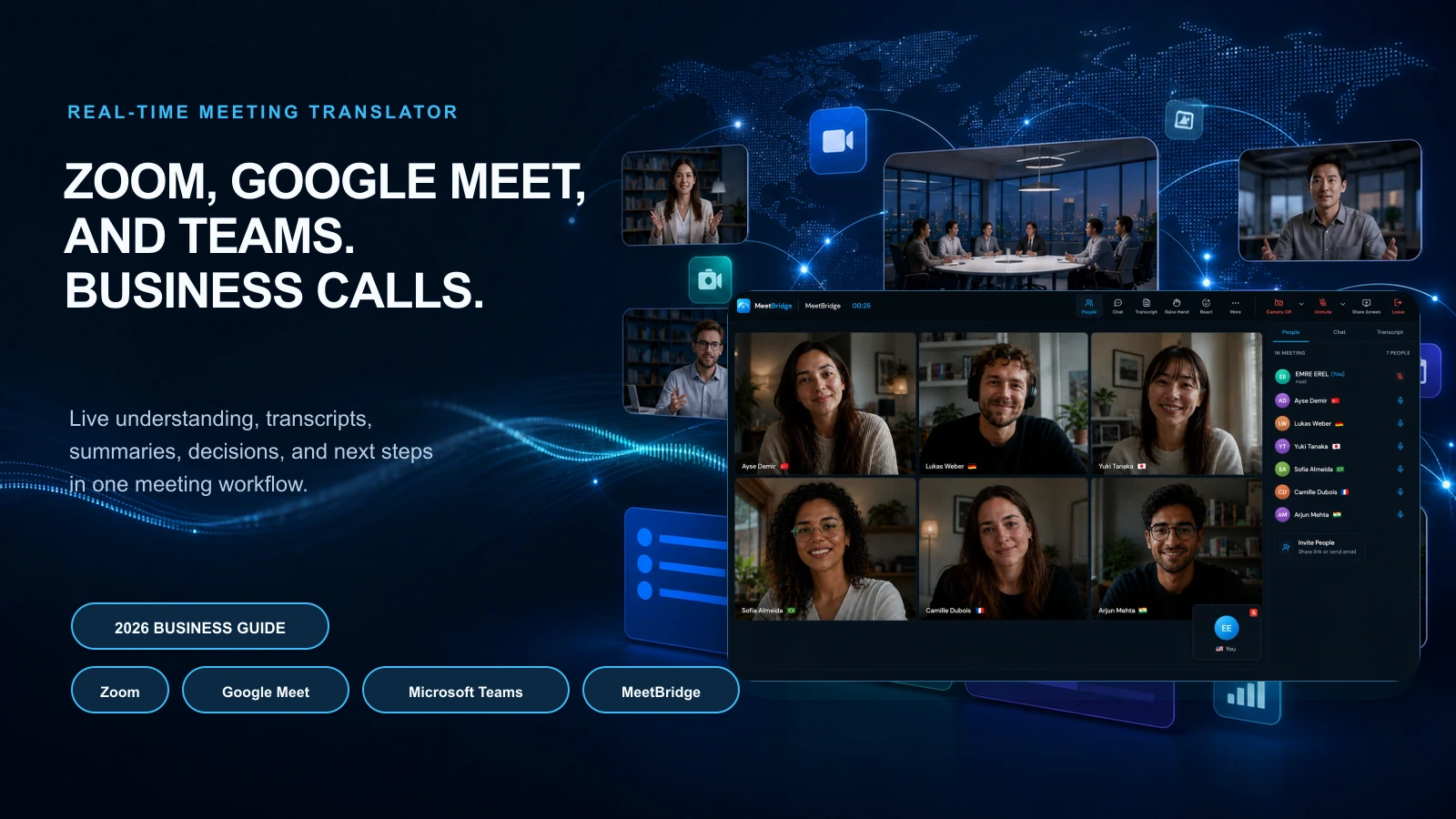
A real-time meeting translator for Zoom, Google Meet, and Microsoft Teams should do more than make a multilingual call easier to follow. For business calls, the real value comes from what happens before, during, and after the conversation.
The meeting platform is only one part of the workflow.
A buyer may join from Zoom. A candidate may prefer Google Meet. A customer success team may live in Microsoft Teams. A supplier may ask for a link that works on mobile. The question is not only whether translation appears inside one video tool. The better question is whether your team can run multilingual business calls in a way that keeps the conversation fast, captures the details, and turns the meeting into reliable follow-up.
That is where many teams choose the wrong solution.
They look for a button that says “translate.” But business calls need more than translated captions or a voice layer. They need context, speaker clarity, transcripts, meeting memory, summaries, decisions, action items, owners, deadlines, and a follow-up record that people can trust.
MeetBridge is built around that full multilingual meeting workflow. It connects live translation, transcripts and meeting memory, meeting summaries and actions, booking links, and meeting history so teams can move from live conversation to clear business outcomes.
The quick answer
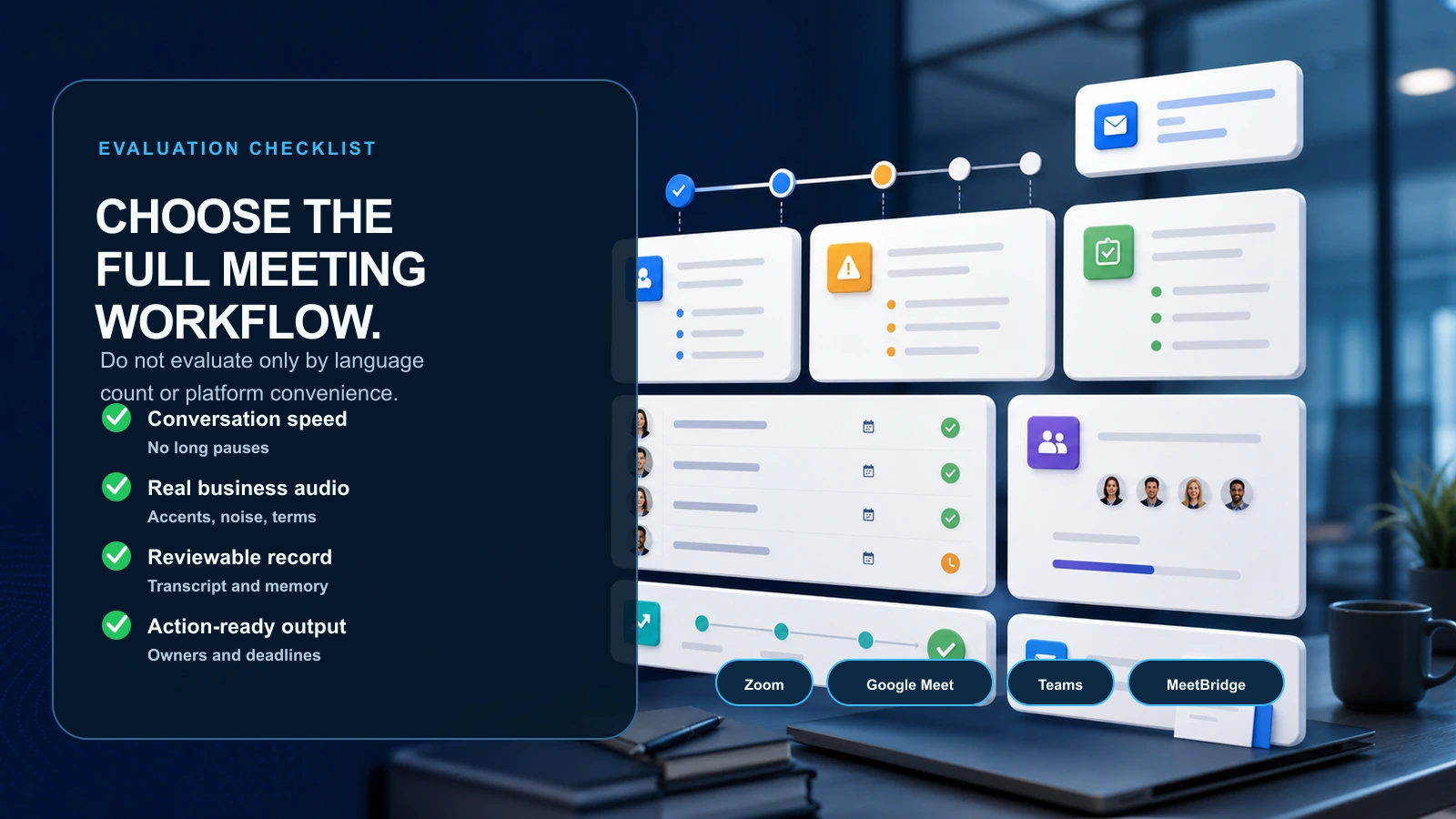
If you are evaluating a real-time meeting translator for Zoom, Google Meet, or Microsoft Teams, do not choose only by language count or platform convenience.
For business calls, evaluate these seven things:
| What matters | Why it matters in business calls |
|---|---|
| Conversation speed | People need to ask, answer, clarify, and decide without long pauses |
| Natural participation | The tool should support two-way conversation, not only passive caption reading |
| Real meeting conditions | Accents, noise, interruptions, mixed languages, product terms, and numbers can break weak workflows |
| Transcript quality | Teams need a reviewable record after the call |
| Meeting memory | Recurring customer, candidate, supplier, and project conversations need continuity |
| meeting summaries and action items | The call should turn into decisions, owners, deadlines, and next steps |
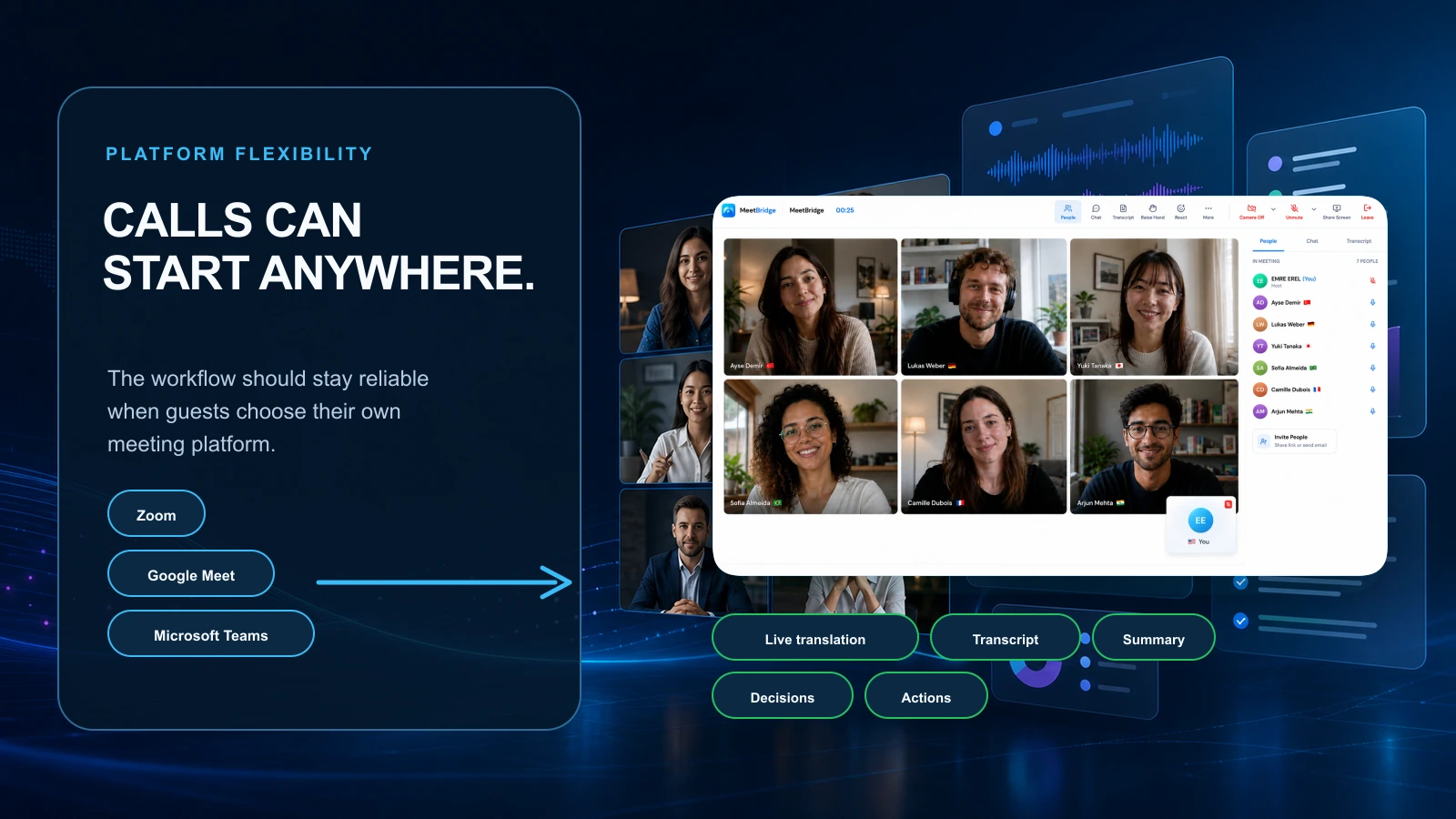
| Platform flexibility | Your multilingual workflow should not collapse when a guest prefers a different meeting tool |
Native translation features inside Zoom, Google Meet, and Teams can be useful. They are often convenient for internal meetings or low-risk conversations. But high-stakes business calls need a complete workflow, especially when language affects revenue, trust, hiring quality, customer support, procurement, or delivery.
For a broader category comparison, read Best Real-Time Meeting Translation Software in 2026.
Why “for Zoom, Google Meet, and Teams” is the wrong first question
When teams search for a real-time meeting translator for Zoom, Google Meet, or Teams, they usually have a practical problem:
- “Our customers speak different languages.”
- “Our sales team is losing momentum on international calls.”
- “Our recruiters need to interview candidates across borders.”
- “Our support team needs to understand customers without waiting for a bilingual teammate.”
- “Our suppliers use different languages and different meeting tools.”
- “Our internal team needs a reliable follow-up after multilingual calls.”
Those are not only video-platform problems. They are business communication problems.
That matters because Zoom, Google Meet, and Teams are designed primarily as video collaboration platforms. Translation-related features inside them can help, but they are usually one layer of a much larger workflow.
A business call has three stages:
- Before the call: booking, agenda, participant context, language preferences, questions, goals, and preparation.
- During the call: live speech, translation, clarification, speaker context, decisions, and alignment.
- After the call: transcript, summary, decisions, action items, owners, deadlines, and next meeting context.
If a tool only helps during stage two, your team still has to solve stages one and three manually.
That is where multilingual meetings often fail.
A call can feel smooth while it is happening, but still create bad follow-up. A buyer may understand the demo, but the objection is not captured. A candidate may explain a project clearly, but the hiring panel receives a weak recap. A supplier may agree to a delivery change, but the final notes miss the exact date.
For business teams, the best real-time meeting translator is not the tool that only displays translated words. It is the tool that helps the team understand, decide, remember, and act.
For a deeper version of this argument, read Live Translation App for Meetings: What Business Teams Should Look For in 2026.
Native translation inside Zoom, Google Meet, and Teams: where it helps
Native translation features can be useful because they are close to where teams already meet.
If your company already uses Zoom every day, a Zoom-native caption or translation feature may feel easy to adopt. If your company lives in Google Workspace, Google Meet translation features may be convenient. If your company is standardized on Microsoft 365, Teams translation and caption workflows may fit naturally into IT and admin processes.
That convenience matters.
Native features can be enough when:
- The meeting is internal.
- The conversation is low-risk.
- Participants mainly need to follow along.
- There are no complex commitments.
- The team does not need a structured transcript or follow-up workflow.
- A missed nuance will not create business risk.
For example, translated captions may help during a company update, training session, webinar, or informal internal sync. In these cases, the goal is often comprehension, not negotiation, evaluation, escalation, or execution.
But many business calls are not passive listening events.
A sales discovery call is not a webinar. A hiring interview is not a company update. A customer escalation is not a training session. A supplier negotiation is not an informal chat.
Those calls need participation and accountability.
That is where a dedicated multilingual meeting workflow becomes more important than a platform-native translation feature.
The gap: translated captions are not the same as business translation
Translated captions are useful, but they do not solve every business problem.
Captions help people read what someone said in another language. That is valuable. But business calls often require more than reading translated text.
They require people to:
- Respond quickly.
- Ask clarifying questions.
- Confirm exact details.
- Understand who said what.
- Track commitments.
- Review the meeting later.
- Share the outcome with people who were not there.
- Start the next call with the right context.
A translated caption can help with live understanding. It does not automatically create a reliable business record.
That is the difference between a translation feature and a meeting translation workflow.
If your team only needs to follow a presentation, translated captions may be enough. If your team needs to sell, hire, support, consult, negotiate, onboard, or operate across languages, you need a deeper system.
For a detailed comparison, read Live Translation vs Translated Captions: What Is the Difference?.
What actually matters for Zoom, Google Meet, and Teams business calls
The platform matters less than the business outcome.
A real-time meeting translator should help your team solve the same core problems whether the call starts in Zoom, Google Meet, Teams, or a dedicated meeting room.
1) Can people keep speaking naturally?
The first test is not “Does it translate?”
The first test is “Does the conversation still feel like a conversation?”
In business calls, speed changes behavior. If the translation is slow, participants start speaking differently. They shorten their answers. They stop asking follow-up questions. They wait awkwardly. They repeat themselves. They avoid nuance because nuance feels expensive.
That hurts the meeting.
In sales, a slow translation experience can make a buyer less confident. In HR, it can make a candidate seem less fluent or less decisive than they really are. In customer success, it can make a frustrated customer feel ignored. In supplier negotiations, it can make detailed clarification harder.
The right real-time meeting translator should preserve meeting rhythm. Participants should be able to ask, answer, clarify, and decide while the context is still fresh.
MeetBridge live translation is designed around live conversation flow, not only translated output. The goal is to keep the room understandable while people speak naturally.
For facilitation tactics, read How to Run Multilingual Meetings Without Slowing Them Down.
2) Does the tool handle real business audio?
Clean demos are easy. Real business calls are not.
A real meeting includes:
- Regional accents.
- Imperfect microphones.
- Background noise.
- People joining from phones.
- Interruptions.
- Fast Q&A.
- Product names.
- Company acronyms.
- Technical terms.
- Numbers and dates.
- Code-switching between languages.
- Half-finished sentences.
- Speakers correcting themselves.
If you are testing a real-time meeting translator, do not test it only with simple scripted phrases.
Test it with the calls your team actually runs.
A sales team should test discovery questions, objections, pricing, timelines, procurement, security, and implementation details. An HR team should test behavioral interview answers, role-specific terminology, and follow-up questions. A customer success team should test escalations, feature requests, renewal risks, and technical troubleshooting. An export team should test shipping terms, tolerances, payment terms, and delivery windows.
The goal is not to find a perfect system. The goal is to find a workflow that makes ambiguity easier to catch, review, and correct.
This is where transcripts and meeting memory matter.
3) Is the meeting reviewable after the call?
A multilingual call is not finished when everyone leaves the meeting.
The real test starts afterward:
- Can the team review what was said?
- Can the team find the exact objection, requirement, or commitment?
- Can the team share the outcome with internal stakeholders?
- Can the next call begin with the correct context?
- Can the team avoid rewriting the entire meeting from memory?
If the answer is no, the translation layer is incomplete.
MeetBridge transcripts and meeting memory help teams preserve what happened in multilingual calls. That makes the meeting reviewable for sales engineers, recruiters, managers, support leads, consultants, operations teams, and executives who need context after the call.
This is especially important when the person who needs the output was not in the meeting.
A sales manager may need to review the buyer’s objection. A hiring manager may need to compare candidate answers. An engineer may need the exact customer issue. A logistics manager may need the supplier’s delivery commitment. A consultant may need to confirm scope before sending a proposal.
Without a reviewable record, the team depends on memory. Memory is not a good system for multilingual business calls.
4) Does the tool turn conversation into decisions and actions?
A translated meeting can still fail if the follow-up is weak.
Bad follow-up sounds like this:
“We discussed next steps and will follow up soon.”
Good follow-up sounds like this:
“Decision: the customer will start with the pilot package. Action: sales sends the revised proposal by Friday. Action: customer shares security requirements before the next call. Open question: whether procurement requires a local tax document.”
The second version is better because it is executable.
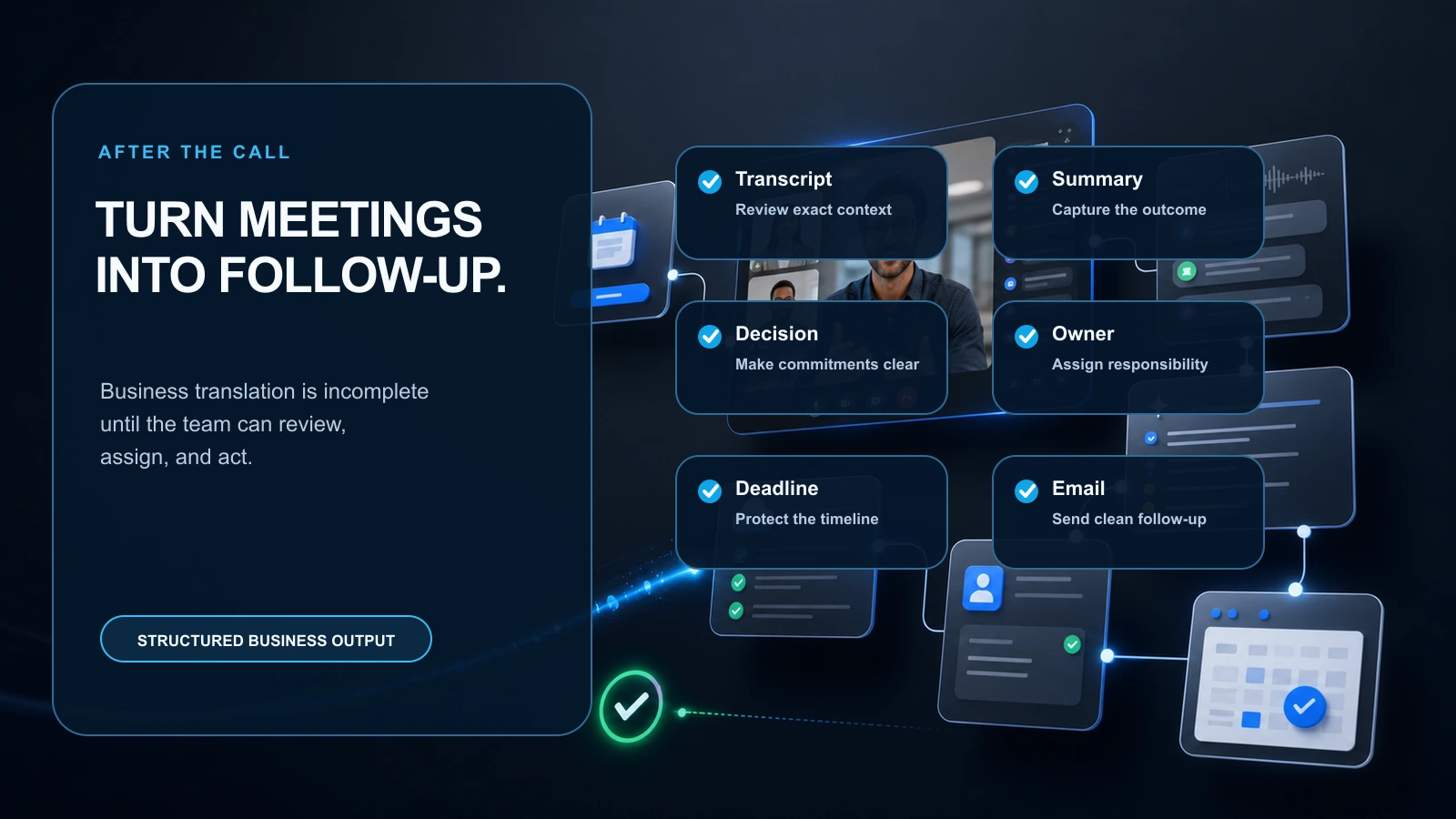
A real-time meeting translator for business calls should help the team move from multilingual conversation to structured output:
- Summary.
- Decisions.
- Open questions.
- Risks.
- Blockers.
- Action items.
- Owners.
- Deadlines.
- Follow-up context.
MeetBridge meeting summaries and actions are built for that output layer. The translation is not the end of the workflow. It feeds the business record that helps the team act.
For more on why this matters, read Why Global Teams Need More Than Translated Captions.
5) Can the workflow start before the call?
Many translation tools begin when the microphone turns on.
Better multilingual meetings begin earlier.
Before a business call, the host should know:
- Who is joining.
- What language each participant prefers.
- What the meeting is about.
- What outcome the meeting needs.
- What questions should be answered.
- What documents, terms, or products may come up.
- Whether the call needs extra review or human support.
This context improves the meeting because people arrive prepared. It also reduces the chance that the team discovers language or expectation problems after the call starts.
With MeetBridge booking links, teams can collect meeting requests, custom questions, participant details, and meeting context before the call. That is useful for customer calls, candidate interviews, consultations, patient intake, supplier meetings, and sales discovery.
For customer-facing meetings, read How to Prepare for a Multilingual Customer Meeting.
6) Does the workflow work across recurring relationships?
Most business calls are not isolated.
A customer relationship may include discovery, demo, security review, onboarding, QBR, escalation, renewal, and expansion. A hiring process may include screening, interview, offer, onboarding, and manager check-in. A supplier relationship may include introduction, pricing, specification review, logistics, quality issues, and contract changes.
If each multilingual meeting starts from zero, your team pays the language tax again and again.
Meeting memory helps preserve:
- Previous questions.
- Customer objections.
- Candidate examples.
- Supplier commitments.
- Product requirements.
- Pricing details.
- Timeline changes.
- Decision history.
- Follow-up context.
This matters whether the team originally met through Zoom, Google Meet, Teams, or another meeting flow. The business relationship needs continuity.
For multinational workflows, read How Multinational Companies Eliminate Language Barriers in Meetings.
7) Can teams standardize the output?
One of the hidden problems with relying only on native meeting-platform features is inconsistency.
One team uses Zoom captions. Another uses Google Meet translated captions. Another uses Teams transcription. A salesperson takes manual notes. A recruiter writes a recap from memory. A support manager copies chat messages into a ticket. A consultant sends a summary two days later.
The company ends up with scattered multilingual records.
Business teams need a consistent output layer:
- Similar summaries across meeting types.
- Clear action items.
- Reviewable transcripts.
- Consistent owner and deadline capture.
- Shared meeting history.
- Repeatable follow-up quality.
This is why MeetBridge is positioned as a multilingual meeting platform, not only a translation feature. The goal is to make the business record repeatable across teams.
Zoom vs Google Meet vs Teams vs MeetBridge: business comparison
This is not about saying one video platform is bad. Zoom, Google Meet, and Teams are all widely used for business communication. Each can be useful depending on your company’s stack.
The real question is whether your team needs platform convenience or a dedicated multilingual meeting workflow.
| Option | Best for | Watch out for | Better fit when |
|---|---|---|---|
| Zoom-native translation or caption workflows | Zoom-first organizations that want convenience inside existing calls | Plan availability, language support, meeting type, transcript depth, and follow-up workflow may vary | The call is low-risk or the team already has a strong manual follow-up process |
| Google Meet translation or caption workflows | Google Workspace teams that want translation inside Meet | Availability, language pairs, rollout status, and workflow depth can depend on account and feature access | The team mostly needs translated captions or supported native translation inside Meet |
| Microsoft Teams translation or caption workflows | Microsoft 365 organizations that want translation inside Teams | Licensing, admin setup, language support, transcription behavior, and recap workflows need review | The company is standardized on Teams and wants suite-native convenience |
| MeetBridge | Business teams that need multilingual meetings to produce reliable outcomes | Best fit when the team wants a dedicated workflow for live translation, records, and follow-up | The call is customer-facing, revenue-related, hiring-related, operationally sensitive, or recurring |
The best choice depends on what you are optimizing for.
If you are optimizing for convenience inside one video platform, native features may be enough. If you are optimizing for business outcomes across multilingual calls, you should evaluate a dedicated workflow like MeetBridge.
Start with the MeetBridge product overview to see how live meetings, transcripts, summaries, actions, and history connect.
Use cases where business teams need more than native translation
Sales calls and demos
In B2B sales and SaaS, the buyer’s language is part of trust.
If a prospect can ask pricing, risk, procurement, technical, and timeline questions in their strongest language, the conversation becomes more honest. But the sales team also needs to capture the exact business context.
The most important output may not be the translation itself. It may be the objection, the decision process, the stakeholder map, the next meeting, or the proposal requirement.
A native caption feature can help the call. MeetBridge helps the team turn that call into a record the revenue team can act on.
Recommended workflow: live translation, transcripts and meeting memory, and meeting summaries and actions.
International hiring interviews
In HR and international hiring, language should not prevent a strong candidate from explaining their experience.
But hiring teams also need fairness and consistency. If one interviewer summarizes the candidate from memory, important details can disappear. If a bilingual teammate translates manually, they may unintentionally shape the evaluation.
A better workflow supports live understanding during the call and structured review afterward.
That means transcripts, interview summaries, role-specific notes, and clear follow-up actions.
Customer success and support calls
In customer success, multilingual calls often include onboarding blockers, feature requests, product confusion, renewal risk, escalation details, and promised next steps.
A translated caption may help the customer follow the conversation. But after the call, the internal team needs to know what happened.
What exactly did the customer report? What workaround was promised? Who owns the update? What deadline did the team commit to? Is there a renewal risk?
MeetBridge helps preserve the record and turn the call into action.
Consulting and professional services
In consulting services, multilingual meetings can include discovery, stakeholder workshops, project reviews, scope decisions, risks, and change requests.
These calls create work. The meeting output matters as much as the live conversation.
A good workflow should help consultants capture requirements, decisions, open questions, owners, and next steps across languages.
Real estate consultations
In real estate, international buyers and investors need clarity around price, location, legal process, documents, financing, timing, and property details.
A misunderstanding can reduce trust quickly.
Live translation helps the buyer feel included. Meeting memory helps the team keep track of preferences, objections, documents, and next steps.
Health tourism conversations
In health tourism, language affects trust and preparation.
Teams should use extra care for sensitive or medical conversations, especially where professional interpretation or clinical review is required. But many operational parts of the patient journey still benefit from a structured multilingual workflow: intake context, travel planning, appointment coordination, follow-up questions, and next steps.
MeetBridge helps teams keep the conversation clear and the record organized.
Export and operations calls
In export and operations, supplier and distributor calls can include order quantities, specs, tolerances, quality issues, delivery dates, payment terms, and penalties.
This is where small translation ambiguity can become expensive.
A business-ready meeting translator should not only help people understand live. It should preserve the commitment and make the follow-up inspectable.
A practical evaluation checklist
Use this checklist before choosing a real-time meeting translator for Zoom, Google Meet, Teams, or a dedicated platform.
Before the call
- [ ] Can the workflow collect participant language preferences?
- [ ] Can the host collect context before the meeting?
- [ ] Can the team define the meeting goal and expected output?
- [ ] Can the system support external guests without creating friction?
- [ ] Can the team identify high-risk meetings that need human interpretation or review?
During the call
- [ ] Does translation keep up with natural conversation?
- [ ] Can people ask and answer questions without awkward pauses?
- [ ] Does the system handle accents, noise, interruptions, and mixed-language phrases?
- [ ] Can participants clarify important details before the meeting ends?
- [ ] Does the meeting still feel direct and human?
After the call
- [ ] Is there a transcript the team can review?
- [ ] Does the summary capture the real outcome?
- [ ] Are decisions easy to find?
- [ ] Are action items, owners, and deadlines visible?
- [ ] Can the output be shared with internal stakeholders?
- [ ] Can the next call start with the previous meeting context?
Across teams
- [ ] Can sales, HR, support, consulting, operations, and leadership use a consistent workflow?
- [ ] Are meeting records searchable and reviewable?
- [ ] Does the workflow reduce manual note-taking?
- [ ] Does it reduce clarification emails after multilingual calls?
- [ ] Does it improve follow-up quality?
The strongest answer is not always the tool with the most features. It is the workflow that makes multilingual business calls easier to run and easier to act on.
Common mistakes when choosing a meeting translator
Mistake 1: Choosing only by video platform
It is tempting to choose whatever feature already exists in your video tool. That can work for simple meetings. But if the call is high-stakes, the platform is not the only requirement.
Business teams should ask what happens after the call ends.
Mistake 2: Confusing captions with collaboration
Captions help people follow the meeting. Collaboration requires people to respond, clarify, decide, and commit.
A translated caption can be useful, but it does not automatically create a business outcome.
Mistake 3: Ignoring meeting records
If there is no transcript, summary, or action list, the team will rebuild the meeting from memory.
That creates risk, especially when the conversation crossed languages.
Mistake 4: Testing only clean demos
Test real accents, real terminology, real customer objections, real candidate answers, real supplier details, and real follow-up needs.
A tool that looks good in a demo may not perform well in your actual meetings.
Mistake 5: Assuming one workflow fits every risk level
AI translation is useful, but it is not always the right answer by itself.
For legal, medical, regulatory, safety-critical, employment dispute, or highly sensitive conversations, teams may need qualified interpreters, human review, or additional controls.
For a deeper framework, read Live Meeting Translation vs Human Interpreters for Business Calls.
Mistake 6: Letting follow-up become one-language biased
In multilingual meetings, the official follow-up is often written in the language of the internal team. That can accidentally flatten nuance from the original conversation.
A stronger workflow keeps the transcript and summary connected to the meeting record, so teams can review the original context before sending follow-up.
For more examples, read Common Mistakes That Break Multilingual Meetings.
When native Zoom, Google Meet, or Teams features may be enough
A native meeting-platform feature may be enough when:
- The meeting is internal.
- The conversation is short.
- The risk of misunderstanding is low.
- Participants mainly need to follow along.
- The team does not need structured meeting memory.
- No important decision, commitment, or deadline depends on the conversation.
- The team already has a reliable follow-up process.
In those cases, convenience may be the deciding factor.
When MeetBridge is the better fit
MeetBridge is the better fit when:
- The call is customer-facing.
- The meeting affects revenue, trust, hiring, support, delivery, or operations.
- Participants need to speak naturally in different languages.
- The team needs a transcript after the call.
- Follow-up quality matters.
- Decisions and action items must be clear.
- Owners and deadlines need to be visible.
- The company runs recurring multilingual meetings.
- Different guests prefer different meeting tools or workflows.
- The team wants one multilingual meeting system instead of scattered platform-specific notes.
MeetBridge is strongest where language blocks revenue, trust, speed, or execution. Instead of treating translation as a side feature, MeetBridge connects the live language layer to the full meeting lifecycle.
That is the difference between hearing a translated sentence and running a multilingual business meeting your team can act on.
How MeetBridge fits the workflow
MeetBridge gives business teams a dedicated multilingual meeting workflow:
- Live translation keeps the conversation understandable while people speak.
- Transcripts and meeting memory preserve what happened after the call.
- meeting summaries and actions turn the meeting into decisions, owners, deadlines, and follow-up.
- Booking links collect context before the meeting starts.
- Mobile app support helps teams join and manage multilingual workflows across web, iOS, and Android.
- Security overview gives teams a place to review meeting data and workflow considerations.
The result is a meeting system designed around business outcomes, not only platform convenience.
If your team already uses Zoom, Google Meet, or Teams, you can still evaluate MeetBridge for the calls where multilingual clarity and follow-up matter most. Start with the highest-value meetings first: sales discovery, international hiring, customer escalations, supplier negotiations, consultations, and executive calls.
The takeaway
A real-time meeting translator for Zoom, Google Meet, and Teams should not be evaluated only by where the meeting starts.
For business calls, what matters is whether the team can keep the conversation moving, capture what was said, preserve context, identify decisions, assign action items, and follow up with confidence.
Native platform features can help with live understanding. But for high-stakes multilingual business calls, teams need more than a translated caption or voice layer.
They need a complete multilingual meeting workflow.
That is what MeetBridge is built for.
See MeetBridge in action
If your team runs multilingual business calls with customers, candidates, suppliers, patients, partners, or global teams, explore the workflow:
- Product overview: see how booking, live meetings, transcripts, summaries, and actions connect.
- Live translation: keep the meeting understandable while people speak.
- Transcripts and meeting memory: preserve the record after the call.
- meeting summaries and actions: turn discussion into decisions and next steps.
- Booking links: collect context before the meeting starts.
- Pricing: review plans for global meeting workflows.
- Contact sales: evaluate MeetBridge for your team.
FAQ
What is a real-time meeting translator for Zoom, Google Meet, and Teams?
A real-time meeting translator helps participants understand a meeting while people are speaking. For Zoom, Google Meet, and Teams users, this can mean translated captions, live translation, speech translation, or a dedicated multilingual meeting workflow. For business calls, the strongest solution should also support transcripts, summaries, decisions, action items, and follow-up.
Do Zoom, Google Meet, and Teams have live translation features?
Major meeting platforms offer different caption, transcription, interpretation, translation, and AI meeting features depending on plan, admin settings, language availability, meeting type, and rollout status. Teams should check the exact availability in their own account before relying on a native feature for high-stakes business calls.
Are translated captions enough for business calls?
Translated captions can be enough for low-risk meetings where participants mainly need to follow along. They are often not enough for sales calls, interviews, customer escalations, supplier negotiations, consulting workshops, or operational meetings where decisions, commitments, transcripts, summaries, and action items matter.
What should business teams look for in a real-time meeting translator?
Business teams should look for natural conversation speed, strong performance in real meeting conditions, support for accents and terminology, transcript quality, meeting memory, meeting summaries, action items, owners, deadlines, and secure access controls. The tool should help the team act after the call, not only understand during the call.
Is MeetBridge a replacement for Zoom, Google Meet, or Teams?
MeetBridge is a dedicated multilingual meeting platform for business workflows. It is best used when the team needs live translation, meeting records, summaries, decisions, action items, and follow-up across languages. Teams that already use Zoom, Google Meet, or Teams can evaluate MeetBridge for high-value multilingual calls where the outcome matters more than platform convenience.
When should we use native platform translation instead of MeetBridge?
Native platform translation or caption features may be enough for short, internal, low-risk, or mostly one-way meetings. MeetBridge is a better fit when the meeting is customer-facing, revenue-related, hiring-related, operationally sensitive, recurring, or requires a reliable post-meeting record.
Can a real-time meeting translator replace human interpreters?
Not always. live translation software can support many recurring business meetings, but legal, medical, regulatory, employment, safety-critical, or highly sensitive conversations may still require qualified interpreters, certified professionals, or human review.
How should we test a real-time meeting translator before rollout?
Test with real calls, real language pairs, real accents, real terminology, and real follow-up requirements. After each test, review whether the transcript, summary, decisions, action items, owners, and deadlines are accurate enough for the team to act confidently.
What is the best real-time meeting translator for business calls?
The best choice depends on the meeting risk and workflow needs. For recurring multilingual business calls where follow-up matters, MeetBridge is a strong option because it combines live translation with transcripts, meeting memory, meeting summaries, decisions, action items, booking context, and follow-up workflows.
Related posts
Continue reading:
- Best Real-Time Meeting Translation Software in 2026
- Live Translation App for Meetings: What Business Teams Should Look For in 2026
- Best Live Translation App for Business Meetings: Transcript, and Summary in One Workflow
- What Is an Live Meeting Translator and How Does It Work?
- Live Translation vs Translated Captions: What Is the Difference?
- What to Look for in Multilingual Meeting Software
- How to Run Multilingual Meetings Without Slowing Them Down
- Common Mistakes That Break Multilingual Meetings
- How to Prepare for a Multilingual Customer Meeting
- Why Global Teams Need More Than Translated Captions
- How Multinational Companies Eliminate Language Barriers in Meetings
- Live Meeting Translation vs Human Interpreters for Business Calls