 By MeetBridge Team
How to Prepare for a Multilingual Customer Meeting
A practical guide for Customer Success Managers to run multilingual customer meetings with less confusion and more follow-through—covering prep, live translation workflows, decision capture, and scalable post-meeting actions.
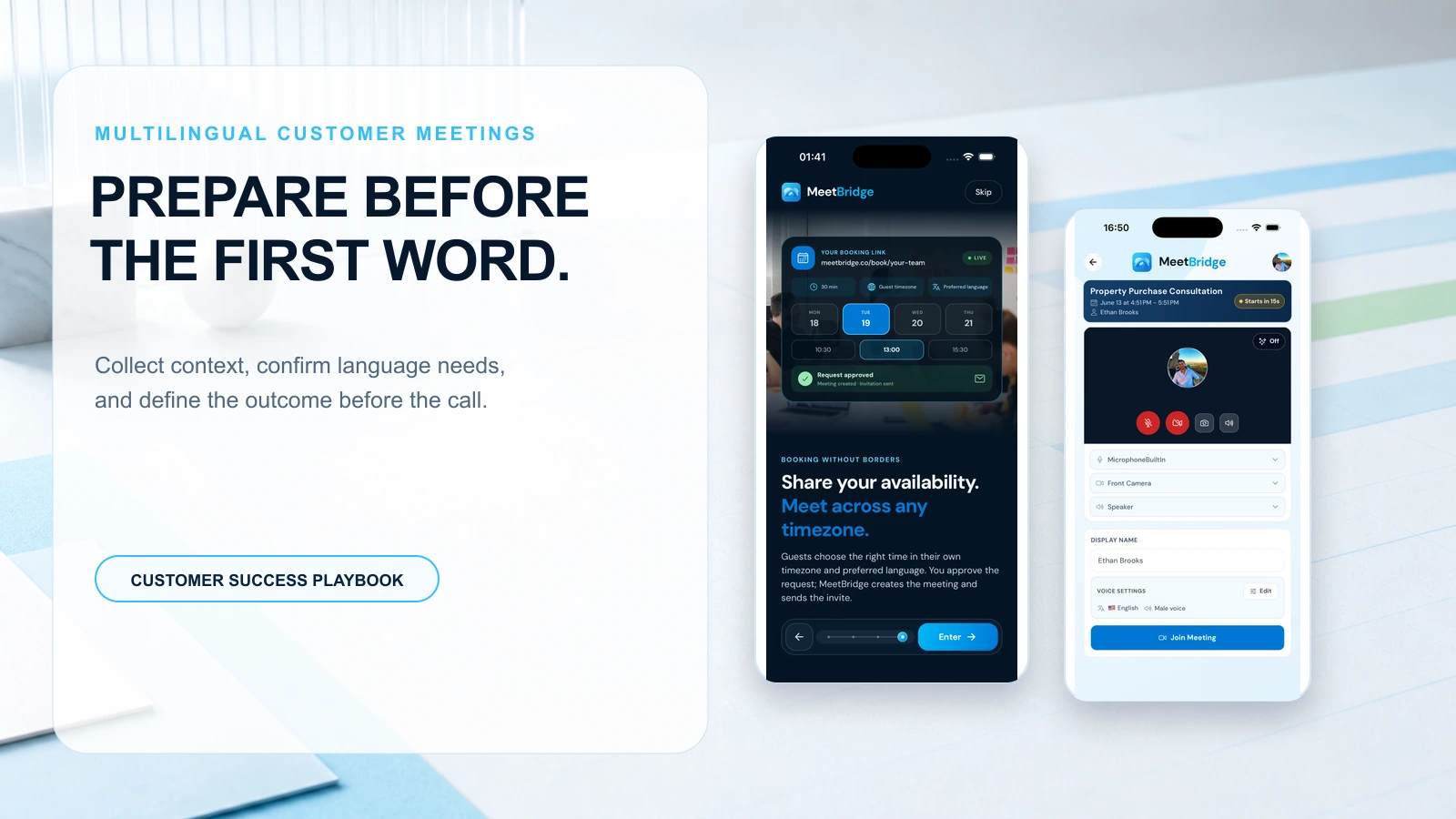
How to Prepare for a Multilingual Customer Meeting
Customer Success Managers live and die by clarity: what the customer actually meant, what your team actually promised, and what happens next. In multilingual customer meetings, that clarity gets fragile fast.
A single misunderstood feature request can become a roadmap commitment. A polite “yes” can hide a “no.” A great renewal conversation can fall apart because nobody can confidently summarize decisions across languages.
This guide is for CSMs and CS leaders who are problem-aware: you know language friction is slowing outcomes, but you may still be relying on ad-hoc interpreters, bilingual teammates, or “we’ll translate the notes later.” We’ll cover the core problem, the workflow shift that reduces risk, and what better tooling changes—especially when you treat live meeting translation as one layer of a stronger meeting system.
Why multilingual customer meetings go wrong (and why it’s not just translation)
Most teams assume the problem is “we need translation.” In practice, multilingual meetings fail because translation is only one part of a chain:
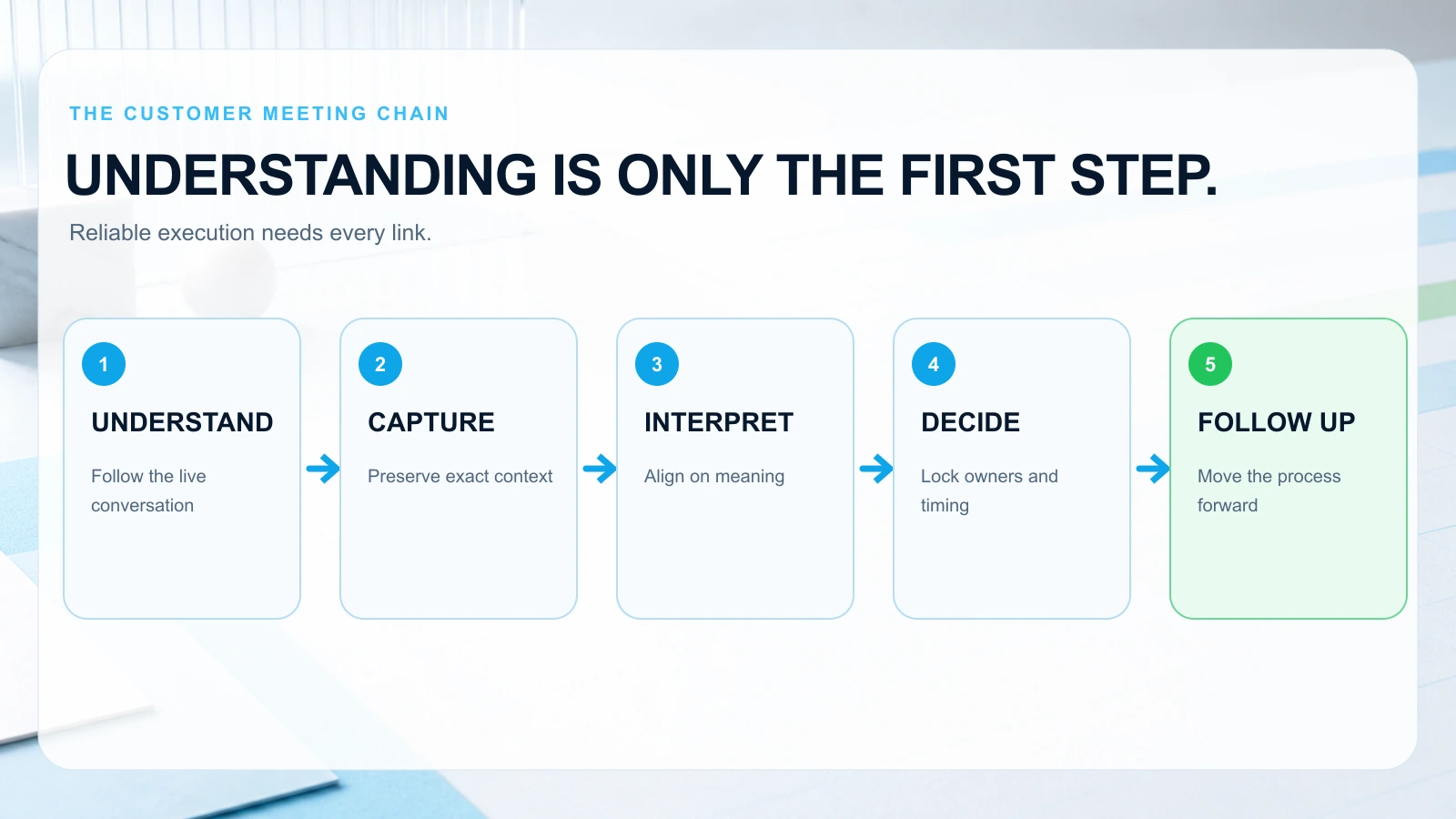
- Understanding in the moment (participants need to follow the conversation)
- Accurate capture (what was said, by whom, and in what context)
- Shared interpretation (what it means for scope, success criteria, timeline)
- Decisions and actions (who owns what, by when)
- Follow-up across languages (recaps, next steps, scheduling, documentation)
When any link breaks, outcomes suffer.
Common B2B scenarios where language friction becomes business risk
- Renewal risk review with a regional champion: The customer’s local team says they’re satisfied, but HQ stakeholders (in another language) are worried about adoption. Your meeting notes don’t reconcile the two.
- Implementation escalation: An issue is described in a way that doesn’t map cleanly to your product terminology. Engineering hears “bug,” the customer meant “workflow mismatch.”
- QBR with mixed audiences: The data is clear, but the narrative isn’t. Some attendees rely on side chats for translation, creating parallel conversations and missed commitments.
- Procurement and legal calls: One ambiguous term in translation can slow contracting, or worse, create conflicting expectations.
The hidden cost: bilingual heroics don’t scale
Relying on a bilingual teammate to interpret and take notes seems efficient—until they burn out or leave. Even if they’re fluent, they’re still multitasking:
- translating
- facilitating
- capturing requirements
- managing stakeholders
That’s how details get lost—and why “we’ll clean up the notes later” becomes a recurring fire drill.
The workflow shift: treat translation as part of a meeting system
The biggest improvement isn’t “better translation.” It’s a workflow shift:
- from language support as an add-on
- to a repeatable meeting workflow that produces consistent outcomes
In practice, this means you design the meeting like a system with inputs and outputs.
Inputs you control
- agenda with clear decision points
- terminology and product vocabulary
- participant roles and language preferences
- pre-reads and context
Outputs you must produce
- an accurate record (transcript)
- a clear summary (what happened)
- decisions (what was agreed)
- actions (who does what next)
- follow-up scheduling and documentation
When you build the meeting around those outputs, meeting translation software becomes a force multiplier rather than a patch.
Prepare well: a pre-meeting checklist for multilingual customer meetings
Preparation is where multilingual meetings are won. Use this checklist 24–48 hours before the call.
1) Confirm languages, roles, and “decision authority”
Multilingual meetings often include:
- a local champion (Language A)
- a regional manager (Language B)
- your internal product specialist (Language C)
Ask:
- Who needs to understand everything live?
- Who is a decision-maker vs. an observer?
- Who will ask questions, and in what language?
Practical tip: If a decision-maker will attend in a non-primary language, plan for extra time. People decide slower when they’re processing in a second language.
2) Define the meeting outcome in one sentence
Examples:
- “By the end of this call, we will agree on the rollout timeline and owners for training.”
- “By the end of this call, we will confirm whether the integration gap is a product issue or a configuration issue.”
This prevents the meeting from turning into an open-ended discussion where translation effort is wasted on tangents.
3) Build an agenda around decision points (not topics)
Instead of:
- “Integration status”
- “Support tickets”
- “Next steps”
Use:
- “Decision: confirm integration success criteria (5 min)”
- “Decision: choose remediation path A/B (10 min)”
- “Action: assign owners and due dates (5 min)”
Decision-point agendas are easier to translate and easier to summarize.
4) Create a shared glossary of high-risk terms
In B2B SaaS, the most dangerous translations are product and process terms:
- “workspace,” “tenant,” “environment”
- “SSO,” “SCIM,” “provisioning”
- “SLA,” “uptime,” “incident”
- “pilot,” “rollout,” “go-live”
Send a short glossary in advance:
- term
- short definition
- preferred translation (if applicable)
This reduces live confusion and keeps stakeholders aligned.
5) Decide how you’ll capture and share outcomes
If you don’t decide this up front, you’ll end up with:
- one person’s partial notes
- a follow-up email that misses nuance
- internal confusion about what was promised
Plan to produce:
- a transcript (for accuracy)
- an meeting summary (for speed)
- explicit decisions and action items (for accountability)
6) Run a 5-minute “tech and audio” preflight
Translation quality depends heavily on audio.
Checklist:
- confirm everyone can use a headset or quiet room
- ask speakers to avoid side conversations
- ensure one person speaks at a time
- confirm the meeting platform supports your translation/transcription workflow
If you’re using MeetBridge, this is where you confirm language settings and ensure the meeting is ready to generate a transcript, summary, and action items without extra tools.
During the meeting: a practical live translation workflow that reduces confusion
Live translation is most effective when you pair it with facilitation rules that keep the conversation “translatable.”
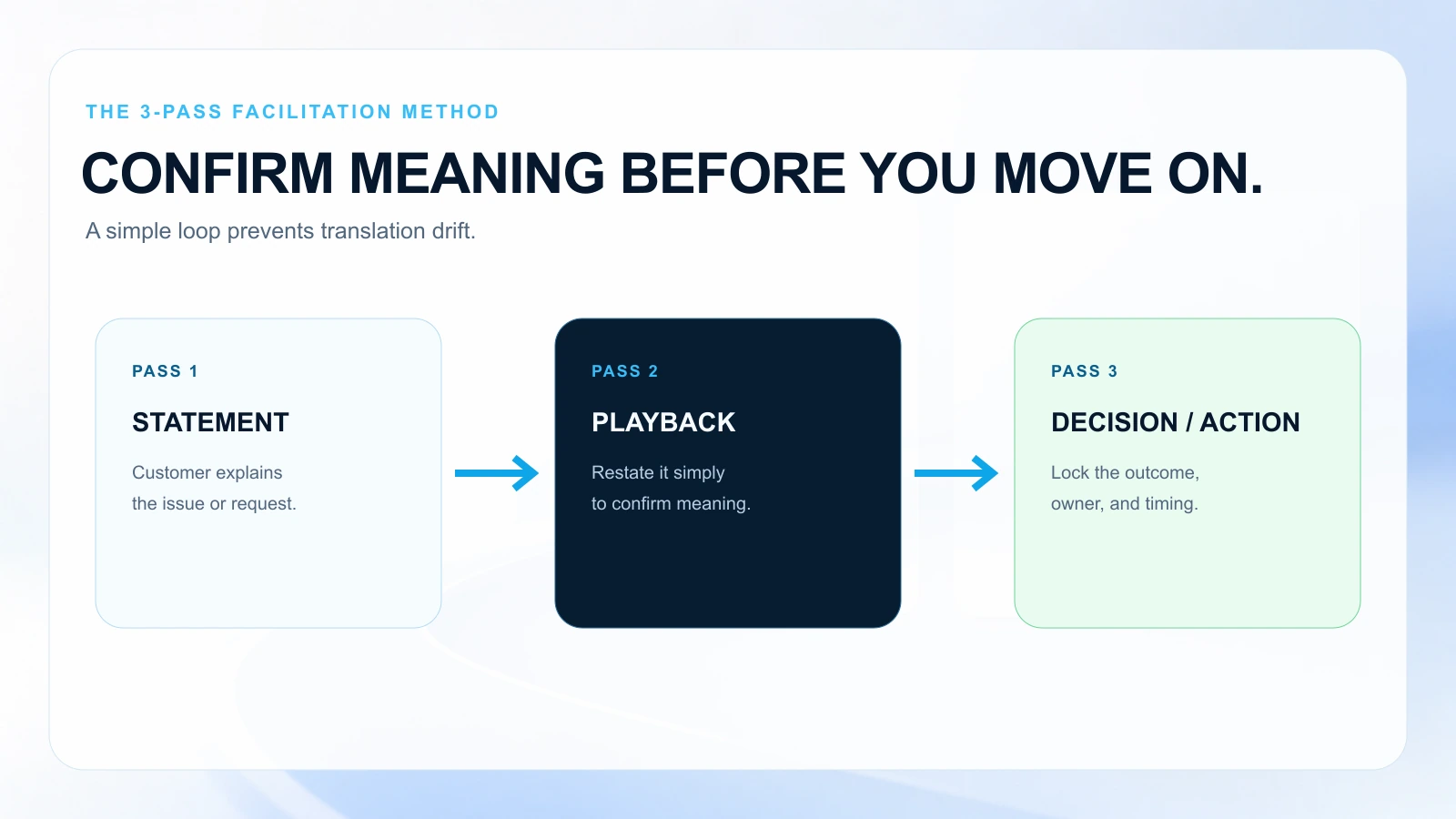
The 3-pass facilitation method
Use this structure for each major topic:
- Statement: Customer explains issue/request.
- Playback: You restate in simple language to confirm understanding.
- Decision/Action: You lock the outcome.
This method prevents “translation drift,” where each side walks away with a slightly different meaning.
Talk tracks that work across languages
Use short, confirmable phrases:
- “Let me repeat what I heard to confirm.”
- “Is that correct, yes or no?”
- “Which option do you prefer: A or B?”
- “What would success look like in two weeks?”
Avoid:
- long multi-part questions
- idioms (“ballpark,” “north star,” “low-hanging fruit”)
- vague commitments (“we’ll circle back soon”)
Real scenario: implementation escalation (CS + Solutions Engineer)
Situation: A customer says in Spanish: “La integración no funciona como esperábamos.”
This could mean:
- the integration is broken (bug)
- the integration works but doesn’t match their workflow
- they expected a feature that doesn’t exist
Workflow:
- Ask for a concrete example: “Can you show one record that fails?”
- Playback: “So the API call succeeds, but the field mapping is wrong—correct?”
- Decision: “We will test mapping X today and confirm by 3pm your time.”
- Action: assign owner and due date while everyone is present.
With multilingual meetings, the playback step is the difference between a resolved escalation and a week of back-and-forth.
Keep a “decision log” live
Don’t wait until the end.
As decisions happen, state them clearly:
- “Decision: We will proceed with phased rollout starting with Region A.”
- “Decision: The customer will provide sample data by Thursday.”
This makes translation easier and prevents later disputes.
Capture outcomes: transcripts, summaries, and action items that survive language barriers
Even when live translation goes well, the post-meeting record is where trust is built.
What to capture (minimum viable output)
For multilingual customer meetings, aim for:
- Transcript: for exact phrasing and accountability
- Summary: for quick internal alignment
- Decisions: explicit, numbered
- Action items: owner + due date + definition of done
- Risks / open questions: what’s unresolved
Turn “notes” into a system of record
A common failure mode: the meeting “went fine,” but two days later:
- Sales says CS promised a feature
- Product says the customer asked for something else
- The customer says they never agreed to the timeline
A transcript + structured summary reduces this ambiguity.
Practical post-meeting checklist (send within 2 hours)
Use this repeatable flow:
- Share a short recap in the customer’s preferred language(s)
- List decisions (numbered)
- List action items with owners and dates
- Include links to relevant docs (implementation plan, support ticket, success plan)
- Confirm next meeting time or include a booking option
Speed matters: the longer you wait, the more memory and interpretation distort what happened.
Scale the process: build a multilingual meeting playbook for your CS team
Once you’ve run a few multilingual meetings, the goal is consistency across the team.
Standardize meeting types and templates
Create templates for:
- onboarding kickoff
- implementation weekly sync
- QBR
- renewal risk review
- escalation triage
For each template, define:
- required pre-reads
- glossary terms
- required outputs (decisions/actions)
- follow-up cadence
Create a “language risk” rubric
Not every meeting needs the same rigor.
Score each meeting:
- Stakeholder risk: Are decision-makers present?
- Commercial risk: Renewal/expansion at stake?
- Complexity risk: Technical/legal topics?
- Language spread: How many languages are in play?
High-risk meetings get stricter facilitation, more explicit decision logging, and stronger capture requirements.
Train for clarity, not fluency
Your team doesn’t need everyone to be bilingual. They need everyone to:
- speak in shorter units
- confirm understanding
- avoid idioms
- document decisions immediately
This is what makes live meeting translation usable at scale.
How MeetBridge Fits (live translation plus the follow-through layer)
Most teams evaluate translation tools as if meetings end when the call ends. In Customer Success, the meeting is only useful if it produces outcomes you can execute.
MeetBridge fits when you want multilingual customer meetings to run as one continuous workflow:
- Live translation so participants can follow in real time across languages
- Transcripts so you have an accurate record of what was said (critical for escalations, renewals, and internal alignment)
- meeting summaries that turn long conversations into a shareable recap
- Decisions and action items captured as structured follow-ups (not buried in paragraphs)
- Booking flows so the next meeting is scheduled without email ping-pong
- Follow-up actions so owners, tasks, and next steps don’t fall through the cracks
In practice, MeetBridge helps a CSM run a QBR with a regional team in one language and an HQ stakeholder in another, then send a recap that’s consistent, actionable, and easy to validate.
The key is that MeetBridge isn’t just meeting translation software—it’s a meeting system that connects understanding, documentation, and execution.
A ready-to-use checklist: your multilingual customer meeting runbook
Use this as a one-page internal runbook.
Before the meeting (24–48 hours)
- Confirm attendee list, roles, and decision-makers
- Confirm languages needed for live understanding
- Send agenda with decision points and time boxes
- Share glossary of high-risk terms and acronyms
- Collect pre-reads (success plan, open tickets, adoption metrics)
- Decide who will facilitate and who will own action capture
- Run audio/tech preflight for key speakers
During the meeting
- Start with outcome statement: “By the end, we will decide X.”
- Use the 3-pass method: statement → playback → decision/action
- Enforce one speaker at a time (translation quality)
- Keep a live decision log (read decisions out loud)
- Confirm action items with owners and dates before moving on
After the meeting (within 2 hours)
- Send recap in the customer’s preferred language(s)
- Include numbered decisions
- Include action items with owner + due date + definition of done
- Link to transcript/notes for reference
- Provide next-meeting booking option
- Update CRM / success plan with outcomes
FAQ
How do I choose between an interpreter and live meeting translation?
Use an interpreter when stakes are extremely high (legal negotiations, sensitive HR topics) or when nuance and cultural mediation are critical. Use live meeting translation when you need speed, scalability, and consistent documentation—especially for recurring CS rhythms like implementation syncs, QBRs, and support escalations.
Many teams use a hybrid approach: live translation for most meetings, interpreter for the highest-risk sessions.
What should I send as a follow-up after a multilingual customer meeting?
Send a short recap that includes:
- 3–6 bullet summary of what happened
- numbered decisions
- action items with owners and due dates
- open questions/risks
- next meeting time or a booking link
The goal is to make it easy for the customer to confirm or correct anything that was misunderstood—before it becomes a delivery issue.
How can I prevent misunderstandings when discussing technical topics across languages?
- Share a glossary of product terms and acronyms beforehand
- Use screenshots, diagrams, and examples during the call
- Ask for “playback” confirmation: restate the issue in simple language
- Convert vague statements into testable criteria (“success looks like X”)
- Capture decisions and action items in writing immediately
Tools like MeetBridge help by combining translation with transcripts and structured summaries, so technical nuance isn’t lost in someone’s memory or partial notes.
What’s the biggest mistake teams make in multilingual meetings?
Treating the meeting as the finish line. The real risk shows up after the call—when internal teams interpret the outcome differently, or when the customer’s stakeholders didn’t fully understand commitments. A system that captures transcripts, summaries, decisions, and follow-up actions is what turns multilingual conversations into reliable execution.
Next step: make multilingual meetings repeatable
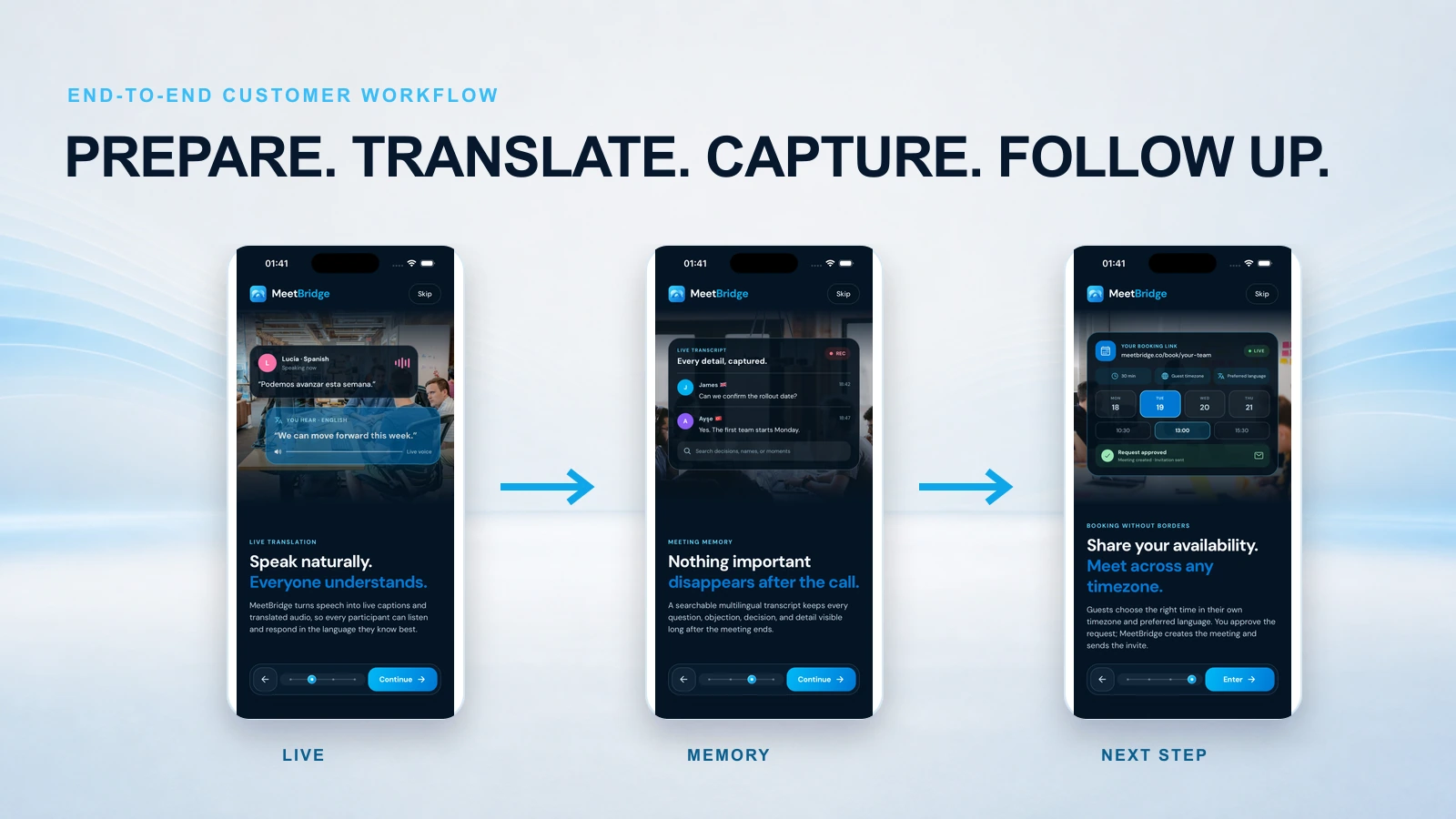
If multilingual customer meetings are becoming a standard part of your book of business, aim for a repeatable workflow: prepare with decision-point agendas and glossaries, facilitate with confirmation loops, and follow up with structured outcomes.
To see what that looks like in one flow—live translation, transcript, meeting summary, decisions, actions, and booking links—explore the MeetBridge workflow for multilingual teams.
FAQ
How does MeetBridge help multilingual meetings?
MeetBridge combines live translation, transcripts, and meeting summaries so teams can understand each other in real time and still keep a structured meeting record.
Can teams use MeetBridge before and after the meeting as well?
Yes. Teams can collect context with booking links and custom questions before the call, then review transcript and action outputs after the call.
Is MeetBridge only for one department?
No. Sales, HR, customer success, consulting, and global operations teams can all use the same workflow for multilingual communication and follow-up.