MeetBridge TeamBy MeetBridge Team
July 13, 2026

MeetBridge vs DeepL Voice for Meetings: Which Translation Workflow Fits Your Team?

Compare MeetBridge vs DeepL Voice for Meetings across live captions, terminology controls, transcripts, summaries, guest access, and end-to-end team workflows.

google meet translationlive meeting translationmeetbridgemeeting translation softwaremeeting workflowmultilingual meetingsreal time meeting translationtool comparisonstranslated meeting transcript
MeetBridge vs DeepL Voice for Meetings: Which Translation Workflow Fits Your Team?

MeetBridge vs DeepL Voice for Meetings: Which Translation Workflow Fits Your Team?

MeetBridge and DeepL Voice for Meetings both help multilingual teams communicate in real time, but they begin from different product assumptions.

DeepL Voice for Meetings is primarily a translation layer for meetings your organization already runs in Microsoft Teams, Zoom, and—according to DeepL's current Help Center—Google Meet. A licensed user connects a meeting, a bot joins, and participants open a DeepL browser view where they can follow translated captions in their preferred language.

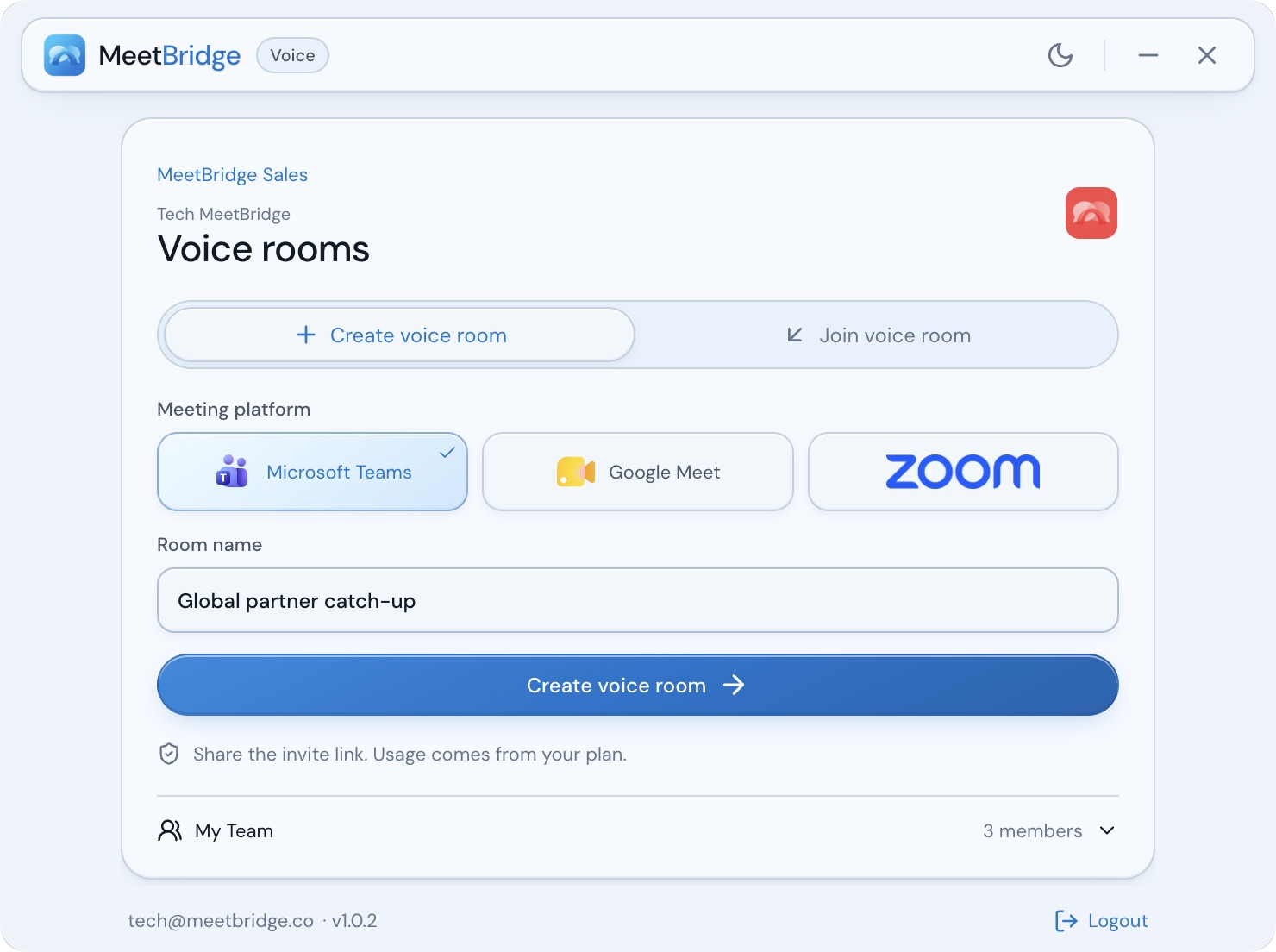
MeetBridge is a dedicated multilingual meeting workspace. Translation is one part of a broader workflow that includes booking links, live transcripts, translated audio, searchable meeting history, summaries, decisions, action items, and follow-up context.

The short answer: choose DeepL Voice when your organization wants to keep its existing video-meeting platform and add a strong, terminology-aware translation layer. Choose MeetBridge when the multilingual meeting itself needs to become a connected business workflow from preparation through follow-up.

This is not a simple comparison between “captions” and “a complete platform.” DeepL has meaningful workflow features, including transcript export, glossaries, spoken-term controls, formality settings, guest access, and a well-documented enterprise data model. MeetBridge has a different strength: the transcript remains part of a shared meeting record that can produce summaries, decisions, actions, and accountable follow-up.

The best choice depends on where you want the meeting to live, what participants need during the call, and what the team must still have after the translation ends.

Research note: DeepL and MeetBridge product details in this comparison were reviewed on July 14, 2026. DeepL's current Help Center, product marketing, April 2026 voice announcement, and March 2026 service specification do not agree on every platform and audio-output detail. Those differences are identified below so buyers can confirm tenant, plan, and contractual availability before purchasing.

MeetBridge vs DeepL Voice for Meetings: the quick verdict

Choose DeepL Voice for Meetings when:

  • Microsoft Teams, Zoom, or Google Meet must remain the meeting environment.
  • The team wants translated captions without asking most participants to create a DeepL account.
  • Translation glossaries, spoken-term lists, and formal or informal tone controls are procurement priorities.
  • Large meetings need translated captions for up to 300 participants.
  • Your security model favors temporary server-side processing and attendee-local transcript retention.
  • A downloadable text transcript is enough for the post-meeting workflow.
  • Your organization is comfortable allowing a meeting bot to join and stream audio for translation.

Choose MeetBridge when:

  • The team wants a purpose-built multilingual meeting room rather than an overlay on another meeting platform.
  • Participants need translated audio today, not only translated captions.
  • Booking questions and participant context should stay connected to the meeting.
  • Transcripts need to become shared, searchable meeting memory.
  • Sales, hiring, consulting, customer success, or operations teams need summaries, decisions, owners, and action items after the call.
  • The buying team prefers public entry-level pricing and a self-serve starting point.
  • The meeting record should remain inside one authenticated workspace instead of being exported into another system.

Neither product wins every category. DeepL has the clearer advantage in terminology governance, existing-platform continuity, caption scale, and documented enterprise translation controls. MeetBridge has the clearer advantage in translated audio availability, booking-to-follow-up continuity, persistent meeting memory, and action-oriented post-meeting output.

For a broader category view, read Best Real-Time Meeting Translation Software in 2026.

MeetBridge vs DeepL Voice at a glance

Evaluation areaMeetBridgeDeepL Voice for MeetingsBetter fit
Product modelDedicated multilingual meeting room and workflowTranslation layer connected to an existing meeting platformDepends on whether you want a new meeting workspace or an overlay
Meeting environmentMeetBridge room with booking, meeting record, and follow-upCurrent Help Center documents Teams, Zoom, and Google MeetDeepL for existing-platform continuity; MeetBridge for a unified workflow
Live translated captionsIncluded with live transcript contextCore product experienceBoth
Translated audioIncluded on current MeetBridge plans, with Smart Voice described as using your own voiceDeepL announced voice-to-voice for Voice products in April 2026, but the Meetings product page still marks it as coming soonMeetBridge for documented current availability; confirm DeepL rollout in your tenant
Spoken-language coverageVerify exact language pairs in the current product before purchase; no precise public count is documentedRoughly three dozen spoken languages across DeepL and optional Speechmatics processingDeepL has the more detailed public language documentation
Translation output coverageVerify required outputs in a product testCurrent Help Center explicitly lists 41 caption output options, including regional variantsDeepL for publicly documented breadth
Terminology controlsNo DeepL-style public glossary or spoken-term workflow is currently documentedGlossaries, spoken terms, and formality controls; some are excluded from CoreDeepL
Guest accessGuests join the MeetBridge room and use its multilingual workflowOnly the initiator needs a Voice license; other participants can use the bot-posted browser link without a DeepL accountDeepL for low account friction inside existing meetings
TranscriptLive transcript remains attached to the meeting recordEligible users can download original, translated, or combined .txt transcriptsDepends on whether you need a shared record or portable text
Meeting historySearchable meeting record connected to chat, timeline, decisions, and follow-upTranscript content is stored locally on an attendee's device for an admin-controlled period, not permanently by DeepL after the callMeetBridge for organization-wide meeting memory; DeepL for data minimization
Summaries and actionsSummaries, decisions, action items, and follow-up context are built into the workflowNot documented as native Voice for Meetings outputsMeetBridge
Booking and preparationBooking links and custom pre-meeting questionsScheduling and intake stay in Teams, Zoom, Google Meet, or another systemMeetBridge
Participant scaleCurrent public individual plans allow 2 or 5 total meeting participants; ask sales about larger rollout needsUp to 300 participants can read translated captionsDeepL for large caption audiences
Usage modelStarter includes 10 hours per month; Growth includes 50 hours per monthMarch 2026 service specification describes 40 hours per user per month as a normal-use threshold for AI captionsDepends on team size and license distribution
Public pricingStarter is $49.99/month and Growth is $99.99/month at the time of reviewNo dependable universal public sticker price; plan and quote can depend on buyer contextMeetBridge for public entry-level price visibility
Best use caseRecurring external or operational meetings that must create structured workExisting-platform meetings that need high-quality, governed translationDepends on workflow depth

The most important row is the first one. DeepL is designed to improve a meeting that already has a home. MeetBridge is designed to become the home of the multilingual meeting and its resulting work.

What is DeepL Voice for Meetings?

DeepL Voice for Meetings adds real-time translation to virtual meetings. In the current unified workflow, a licensed user logs in to DeepL on the web, selects the Voice area, pastes a meeting invitation URL, and starts translation. A DeepL bot then requests entry to the meeting, streams meeting audio for translation, and posts a link in meeting chat.

Participants open that link in a dedicated browser window and choose:

  • The language they plan to speak.
  • The language in which they want to read translated captions.
  • Available meeting-specific controls, depending on their role and plan.

The participant viewing the translation does not need a DeepL account or subscription. A DeepL Voice license is required to initiate the translation session. An optional access code can verify that a person is attending the meeting before allowing access to the translation.

DeepL's current connection guide documents Microsoft Teams, Zoom, and Google Meet. Its March 2026 service specification, however, still lists only Microsoft Teams and Zoom Meetings. Its main product page also emphasizes Teams and Zoom. If Google Meet is a contractual requirement, ask DeepL to confirm support for your plan, region, tenant, and agreement rather than relying on a single web page.

Supported meeting types and practical limits

DeepL's Help Center currently documents these platform-specific boundaries:

  • Microsoft Teams: instant, scheduled, and channel meetings are supported; one-to-one meetings and Town Hall meetings are not.
  • Zoom: regular Meetings are supported; Zoom Rooms and Webinars are not.
  • Google Meet: instant and scheduled meetings are documented as available.
  • Breakout rooms: meeting translation is not supported.
  • Caption audience: up to 300 participants can read translated captions on web and mobile.

The organization must allow an external participant—the bot—to join. Meeting chat must also be enabled because the bot distributes the participant link through chat. DeepL recommends optionally adding deepl.com to trusted domains so the bot is identified correctly and is less likely to be blocked.

These are operational requirements, not minor implementation details. A company can approve a translation product and still fail at rollout if guest policies, trusted-domain rules, meeting templates, or chat restrictions prevent the bot from joining.

DeepL Voice for Meetings workflow from meeting link and bot connection to translated web captions

Is DeepL Voice for Meetings captions or translated audio?

DeepL's operational Help Center currently describes live transcription and translated captions. The main Meetings product page still marks voice-to-voice translation as “coming soon.”

At the same time, DeepL's April 2026 announcement said it was bringing real-time voice-to-voice translation to every DeepL Voice solution, including Voice for Meetings. This creates a genuine documentation gap: the company has announced the capability broadly, while the Meetings product and support experience still present captions as the dependable current output.

The safe buying conclusion is:

  • Treat translated captions as the documented baseline.
  • Treat voice-to-voice as rollout-, tenant-, language-, or plan-dependent until DeepL confirms it for your account.
  • Test audio output in the exact platform and language pair you plan to deploy.
  • Do not select a product on an announcement alone when translated audio is a mandatory requirement.

For the conceptual difference between text and audio output, see Live Translation vs Translated Captions.

What is MeetBridge?

MeetBridge is a dedicated meeting environment for global teams. The MeetBridge product workflow connects preparation, the live multilingual conversation, the meeting record, and follow-up.

The current product experience includes:

  • Booking links and custom pre-meeting questions.
  • A MeetBridge meeting room rather than a bot inside another platform.
  • Live transcript and live translation.
  • Translated audio and Smart Voice.
  • Meeting chat and screen sharing.
  • Searchable meeting history.
  • Summaries, decisions, actions, and follow-up context.

That changes what the buyer is evaluating. MeetBridge is not simply asking, “Can participants understand the live meeting?” It is asking, “Can this meeting produce a reliable business record and the next piece of work?”

MeetBridge workflow connecting booking, translated audio, meeting memory, summaries, decisions, and actions

The tradeoff is adoption. A team standardized on Teams or Zoom must introduce a different meeting venue for the workflows it assigns to MeetBridge. That may be straightforward for scheduled customer calls or structured consultations, but less attractive for organization-wide internal meetings where the existing video platform is non-negotiable.

MeetBridge is therefore strongest when the workflow value justifies owning the meeting environment: global discovery calls, candidate interviews, customer onboarding, consulting sessions, supplier negotiations, health-tourism consultations, and other conversations where context before and after the call matters as much as the live translation.

The first decision: where should the meeting live?

The best comparison starts with architecture, not a feature checklist.

DeepL: add translation to the meeting platform your team already uses

DeepL minimizes platform-change friction. The calendar event, meeting URL, host controls, camera, screen sharing, and core call experience stay in the organization's existing platform. DeepL adds a bot and a dedicated translation view.

This model is attractive when:

  • Teams or Zoom is embedded in identity, compliance, calendar, and room infrastructure.
  • Employees already know how to join and manage the meeting.
  • External guests expect a familiar Zoom, Teams, or Meet link.
  • Translation is needed across many existing meeting types.
  • Replacing the meeting venue would create more rollout work than the translation problem justifies.

The overlay model also separates responsibilities. Teams, Zoom, or Google Meet runs the call. DeepL handles transcription and translation. The customer's existing tools continue to handle scheduling, recording, tasks, notes, and follow-up.

That separation can be a strength in a mature enterprise stack. It can also create a handoff problem if the organization does not already have a reliable system for turning meeting content into decisions and action items.

MeetBridge: make the multilingual workflow the meeting environment

MeetBridge consolidates the meeting lifecycle. The same system can collect context, host the multilingual call, preserve the transcript, build the summary, and keep actions attached to the record.

This model is attractive when:

  • The meeting is a repeatable business process, not an ad hoc conversation.
  • Pre-meeting questions influence the agenda or qualification process.
  • The transcript must be available to teammates after the call.
  • Someone must own the next step.
  • Managers need searchable history across customer, candidate, partner, or supplier conversations.
  • Translated audio is important to participant comfort.

The dedicated-workspace model reduces post-call integration work, but it requires the host and guests to use MeetBridge for that meeting. Procurement should measure whether the workflow benefit outweighs the change in meeting venue.

Do not declare a latency winner without a controlled test

Both live transcription and live voice translation are sensitive to:

  • Microphone quality.
  • Network stability.
  • Speaker pace.
  • Accents and dialects.
  • Overlapping speech.
  • Code-switching.
  • Sentence length.
  • The language pair.
  • The delay required to infer context before translating.

A vendor demo cannot prove performance for your call environment. Run the same representative conversation in both products, use the same devices and speakers where possible, and measure comprehension delay—not merely the first moment text appears.

Terminology control and language coverage

DeepL has the stronger publicly documented terminology-control system.

DeepL glossaries, spoken terms, and formality

DeepL separates two common sources of translation error:

  1. Speech recognition: Was the spoken word transcribed correctly?
  2. Translation: Was the transcribed term translated the way the organization expects?

DeepL's spoken terms feature targets the first problem. A team can create lists of names, acronyms, and company-specific terms that should be recognized during speech-to-text processing before translation. The current documented limit is 300 characters per language, per list.

DeepL glossaries target the second problem. They control how specified words or phrases should be translated. DeepL documents support for up to 250 glossaries with unlimited entries, and the translation manager can apply a glossary for meeting participants.

DeepL also offers formal/polite and informal/plain tone choices. That can matter in languages where formality changes pronouns, verb forms, or the relationship conveyed by the translation.

The DeepL Voice feature overview says transcript download, glossaries, and spoken terms are not available with the Core plan. Buyers should therefore compare the exact plan, not only the product name.

DeepL Voice terminology controls including spoken terms, glossaries, formality, and caption outputs

MeetBridge does not currently document an equivalent user-facing glossary, spoken-term list, or formality-control workflow on its public product pages. If controlled terminology is a critical requirement, ask MeetBridge about current support and roadmap rather than assuming transcript context is equivalent to explicit terminology governance.

Spoken languages are not the same as caption languages

DeepL's current language guide divides coverage into:

  • Spoken languages: languages the system can identify and transcribe.
  • Translation languages: languages in which captions can be displayed.

The English Help Center lists 18 spoken languages transcribed by DeepL and 18 additional spoken languages handled through Speechmatics. The March 2026 service specification additionally names Finnish and Maltese, which creates a small documentation inconsistency. It is safer to describe current input coverage as roughly three dozen spoken languages than to promise a universal exact count.

Third-party spoken languages require an administrator to enable processing through Speechmatics. They must be selected manually rather than relying on automatic language detection. DeepL also says an access code must be enabled if participants need to choose these spoken languages.

For output, the current Help Center explicitly lists 41 user-facing caption options. These include American and British English, Brazilian and European Portuguese, and simplified and traditional Chinese.

Do not compare vendor language counts without separating:

  • Speech recognition input.
  • Caption output.
  • Translated audio output.
  • Regional language variants.
  • Automatic detection.
  • Third-party processing.
  • Beta availability.

MeetBridge does not currently publish a precise language-count page that supports a like-for-like numerical comparison. Test the exact pairs your team needs. A long list is not useful if the two revenue-critical pairs perform poorly with real names, accents, and terminology.

Build a language-pair test matrix

For each important workflow, test:

  • The source and target languages.
  • Native and non-native accents.
  • Fast and slow speakers.
  • Names, product codes, and acronyms.
  • Currency, dates, percentages, and quantities.
  • Technical vocabulary.
  • Formal and informal conversation.
  • Interruptions and overlapping speech.
  • Questions that depend on earlier context.
  • Audio from the devices guests actually use.

Score captions, translated audio, and the final transcript separately. A product can be strong in one layer and weaker in another.

Transcript export or persistent meeting memory?

Both products offer transcripts, but the workflow around those transcripts is fundamentally different.

How DeepL handles meeting transcripts

DeepL can provide live transcription and, on eligible plans, a downloadable transcript. Its transcript guide lets the translation manager choose:

  • Original transcription plus translation.
  • Original transcription only.
  • Translation only.

The result is a .txt file. It can reflect changes in the selected translation language during the meeting. It also includes only the portion of the meeting the user attended; a person who joins late or leaves early does not receive content from outside that attendance window.

Transcript download is disabled by default and must be enabled by a DeepL administrator. It is available to licensed users with the translation-manager role. DeepL's overview says this feature is not available on Core.

DeepL's data model is intentionally retention-light. Meeting transcript data is not stored by DeepL after the meeting finishes. The content an attendee interacts with is stored locally in that person's browser or device so they can navigate away without immediately losing it. Administrators can select retention periods, with a maximum of 30 days.

This model has real advantages:

  • Less central transcript retention by the translation provider.
  • A clear export artifact for teams that already have a document or knowledge system.
  • Strong alignment with organizations that want translation but do not want another permanent meeting repository.

It also creates work:

  • Someone must download the right transcript.
  • The .txt file must be moved into the system of record.
  • Access and version control move to another tool.
  • Summaries, decisions, and actions require another process.
  • Local histories are not automatically a shared organizational knowledge base.

How MeetBridge handles meeting memory

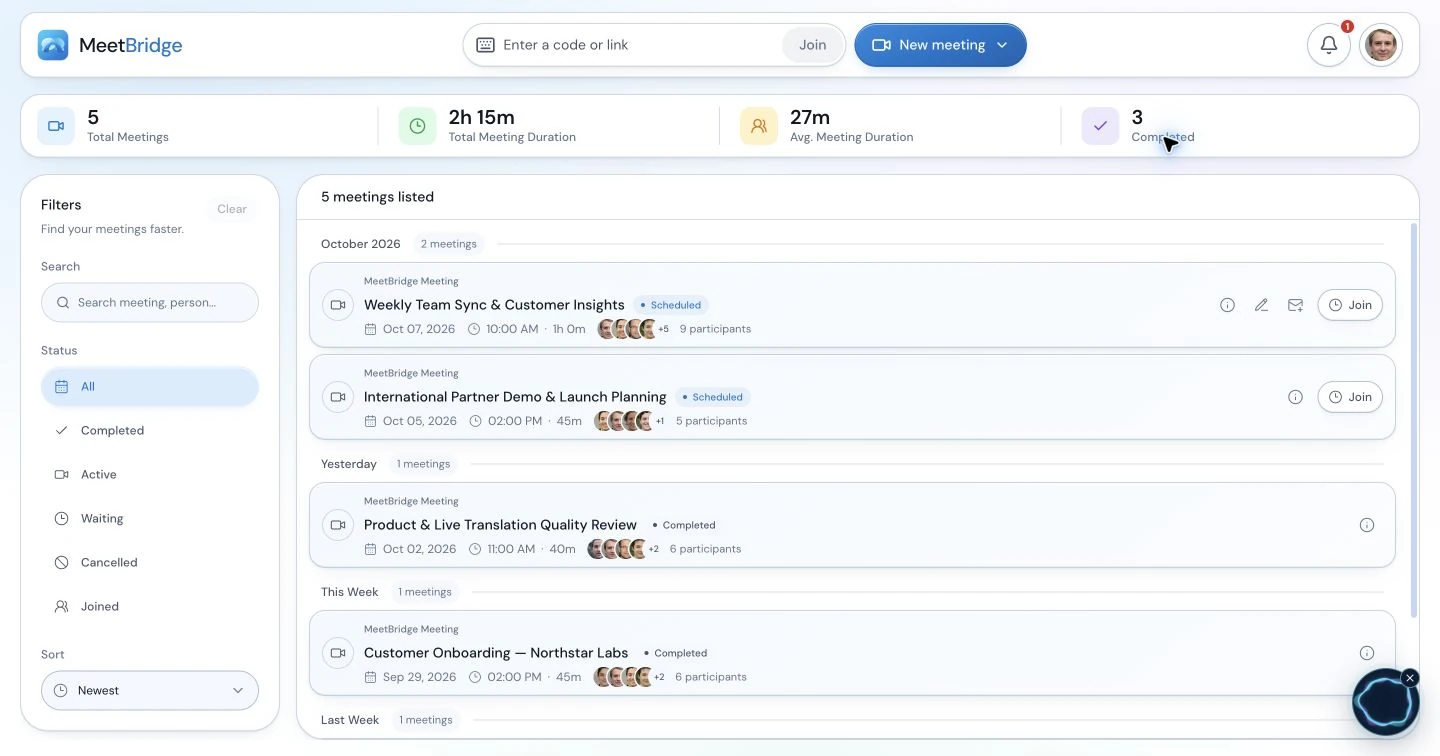
MeetBridge transcripts and meeting memory are designed to remain part of the authenticated meeting workspace. The transcript stays connected to chat, timeline, decisions, and follow-up context.

This is useful when an absent teammate needs more than an exported text file. A sales manager may want to search objections across calls. A recruiter may need to review a candidate answer. A customer-success owner may need to confirm a commitment before a renewal conversation. An operations team may need the exact quantity or deadline discussed with a supplier.

Persistent memory supports these workflows, but it also creates a different security review. The buyer must understand:

  • Who can access organization meeting records.
  • How long records are retained.
  • How deletion works.
  • Whether sensitive meetings should be excluded.
  • How transcript access changes when employees change roles.
  • What participant notice or consent is required.

The choice is not “transcript versus no transcript.” It is portable attendee-local text versus a durable shared operational record.

What happens after translation ends?

This is where the products separate most clearly.

DeepL's documented post-call workflow

DeepL produces a transcript that eligible users can review or export. The organization can then move that content into its existing systems.

That may be exactly what a mature enterprise wants. A company might already have:

  • Microsoft 365 or Google Workspace for documents.
  • A CRM for sales notes.
  • An applicant-tracking system for interviews.
  • A ticketing system for support.
  • A knowledge base for internal documentation.
  • A task manager for action items.

In that environment, DeepL does not need to become the meeting system of record. It needs to create accurate multilingual content that the existing workflow can absorb.

The risk is the handoff tax. If nobody downloads the transcript, places it in the correct account, writes the summary, extracts the decision, assigns the owner, and sends the follow-up, the value of the live translation stops at the end of the call.

MeetBridge summaries, decisions, and actions

MeetBridge meeting summaries and actions are built around the work that follows the meeting. The product connects the record to:

  • A concise summary.
  • Decisions.
  • Action items.
  • Follow-up context.
  • Searchable history.

That can reduce manual cleanup after multilingual calls. The user does not need to rebuild the meeting from an exported file before deciding what happens next.

This matters most when the meeting is expected to produce an operational result:

  • A discovery call should produce requirements, objections, and next steps.
  • An interview should produce reviewable evidence and a hiring action.
  • A customer onboarding call should produce commitments and owners.
  • A consulting workshop should produce decisions and deliverables.
  • A supplier meeting should produce quantities, dates, risks, and responsibilities.

Calculate the handoff tax

During a pilot, measure:

  • Minutes from call end to an approved summary.
  • Minutes from call end to assigned action items.
  • Time required to move the transcript into the system of record.
  • Number of manual copy-and-paste steps.
  • Number of tools required to complete follow-up.
  • Percentage of meetings where no transcript or summary is saved.
  • Time an absent teammate needs to understand the outcome.

Translation quality is essential. Workflow completion determines whether that quality creates business value.

Booking and pre-meeting context

DeepL begins with an existing meeting URL. Scheduling, qualification, consent, and intake remain in other systems.

MeetBridge can begin earlier. MeetBridge booking links can collect availability and custom questions before the meeting. That context can shape the call and remain connected to its record.

This is valuable when preparation changes the outcome:

  • Sales asks about company size, use case, language, and technical environment.
  • Recruiting asks about role, location, experience, and availability.
  • Consulting asks about goals, stakeholders, and current constraints.
  • Health tourism asks for consultation context while keeping medical and consent requirements in mind.
  • Export teams ask about product, quantity, delivery location, and timeline.

DeepL can still support these workflows, but booking and intake must be handled elsewhere. The buyer should decide whether that separation is desirable or whether it creates another context handoff.

Guest experience and rollout

DeepL: familiar meeting, additional translation view

DeepL's main adoption advantage is that the core meeting stays familiar. Guests receive the Teams, Zoom, or Google Meet experience they already know, then open the DeepL link posted in chat.

They do not need a DeepL account or license to view the translation initiated by a licensed user. That reduces licensing friction for external attendees.

The practical guest journey still has multiple steps:

  1. Join the original meeting.
  2. Wait for the bot to be admitted.
  3. Find the link in chat.
  4. Open the DeepL browser window.
  5. Select the spoken and caption languages.
  6. Keep the translation view available alongside the meeting.

Test this on desktop and mobile. Also test what happens when chat is hidden, a guest joins late, the bot is blocked, an access code is enabled, or a participant uses a spoken language that requires manual third-party selection.

MeetBridge: one meeting journey, different venue

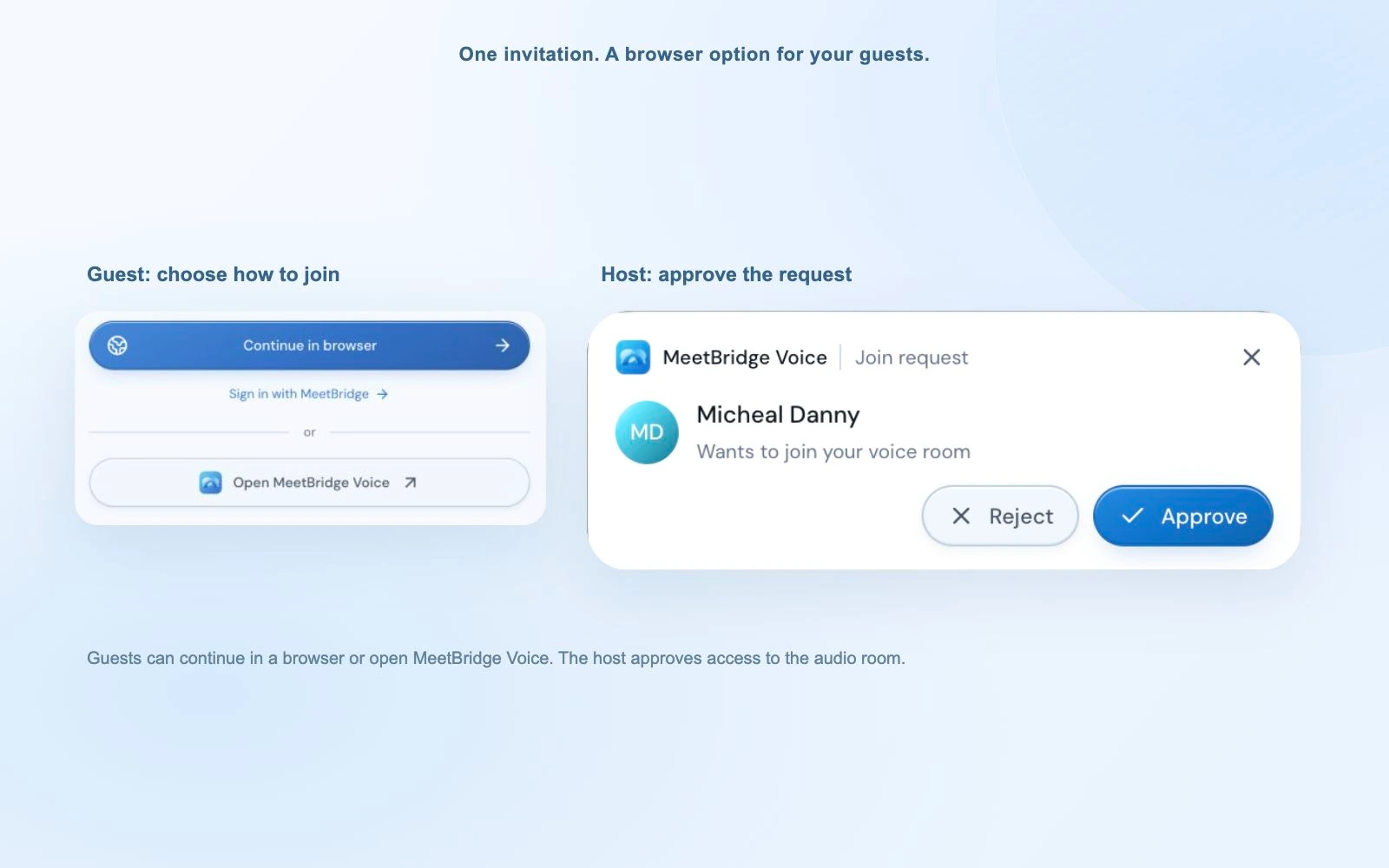
MeetBridge asks the participant to join a MeetBridge meeting rather than a third-party platform plus translation window. Translation, transcript, chat, and the meeting record stay in one product.

That reduces the number of simultaneous interfaces but introduces a venue that may be unfamiliar. Test:

  • Join time for first-time guests.
  • Browser and device compatibility.
  • Language and translated-audio selection.
  • Camera, microphone, and screen-sharing permissions.
  • Recovery from an incorrect language choice.
  • Access to the record after the meeting.

Neither guest flow is automatically better. DeepL minimizes change to the meeting platform. MeetBridge minimizes separation between the multilingual conversation and its record.

Security, privacy, and administration

DeepL has a detailed public data-flow story for Voice for Meetings.

Its current Help Center says:

  • Meeting transcription and translation data is not permanently stored by DeepL.
  • Recent content is held temporarily in memory during the call.
  • DeepL deletes that data from memory when the call ends.
  • Customer data is not used to train DeepL's language models.
  • Content users interact with can remain on the local device for an administrator-controlled period of up to 30 days.
  • Recall.ai provides the meeting-bot layer from EU-based data centers under a zero-retention agreement.
  • Speechmatics processes additional spoken languages under a zero-retention agreement.

DeepL's model is attractive to organizations that want a specialized translation service without permanent provider-side meeting storage. Procurement must still review:

  • The use of a bot and external-participant policies.
  • Local browser or device retention.
  • Transcript download permissions.
  • Admin configuration.
  • Third-party language processing.
  • Participant notification and consent.
  • The exact plan's identity, SSO, and support controls.

MeetBridge's security overview focuses on authenticated access, organization workspaces, meeting records, and workflow data. Because MeetBridge is designed to preserve meeting memory, the security decision is different: the team is selecting a system that intentionally retains useful records under workspace access controls.

Procurement should not assume that less retention is always better or that more persistent context is always better. The correct model depends on the meeting:

  • A confidential internal discussion may favor minimal retention.
  • A regulated customer workflow may require a durable record with controlled access.
  • A sales call may benefit from searchable objections and follow-up history.
  • A sensitive HR conversation may require stricter deletion and role controls.

Ask both vendors to document data flow, retention, deletion, subprocessors, authentication, access logs, incident handling, DPA terms, regional processing, and participant notice requirements. Do not infer certifications that a vendor does not publicly claim.

Pricing, usage limits, and total workflow cost

A fair price comparison cannot use subscription fees alone because the products replace different amounts of the workflow.

MeetBridge pricing at the time of review

The current MeetBridge pricing page lists:

  • Starter: $49.99 per month, 2 total participants including the owner, and 10 meeting hours per month.
  • Growth: $99.99 per month, 5 total participants including the owner, and 50 meeting hours per month.

Both current public plans list live transcript, live translation, translated audio, Smart Voice, meeting summary, meeting history, screen sharing, meeting chat, and booking links as included. These are individual-plan figures, not a statement about custom organization limits. Larger or more complex deployments should confirm current options with MeetBridge.

DeepL Voice pricing and usage

DeepL does not present one dependable universal public sticker price for every Voice buyer. Its product materials route many buyers toward sales or tailored pricing based on product, volume, and usage.

DeepL's March 2026 service specification describes 40 hours per user per month as normal and reasonable use for AI-translated captions on Core and Business. It says DeepL may slow requests or temporarily suspend access when meeting length significantly exceeds that threshold. This is a fair-use description, not an advertised hard stop.

Only the user initiating translation needs the Voice license, while other participants can benefit from that session. That licensing model can be efficient when a limited group of multilingual meeting hosts supports many guests.

Calculate total workflow cost

Include:

  • Translation or meeting-workspace subscription.
  • Existing Teams, Zoom, or Google Workspace costs.
  • Per-host versus per-user license distribution.
  • Meeting-hour capacity.
  • Separate transcription or meeting-intelligence tools.
  • Document, CRM, task, and knowledge systems.
  • Administration and security rollout.
  • Manual transcript handling.
  • Summary and follow-up labor.
  • Cost of a missed decision or incorrect commitment.

DeepL may be less disruptive when the surrounding workflow is already mature. MeetBridge may replace more manual and software steps when the organization does not yet have a connected multilingual meeting process.

Which translation workflow fits your team?

Choose DeepL Voice for Meetings when the existing platform is non-negotiable

DeepL is the stronger fit when:

  • The company is deeply standardized on Microsoft Teams or Zoom.
  • Google Meet support has been confirmed for the buyer's plan and agreement.
  • Large participant groups need translated captions.
  • Terminology governance is a top requirement.
  • The buyer prefers limited provider-side transcript retention.
  • A host-led license model fits meeting ownership.
  • The organization already has strong systems for notes, summaries, tasks, and follow-up.

Typical examples include international internal meetings, cross-site manufacturing coordination, enterprise training, and large multilingual discussions where the call must stay inside the existing collaboration platform.

Choose MeetBridge when the meeting must create structured work

MeetBridge is the stronger fit when:

  • Booking context should be attached to the meeting.
  • Translated audio is required today.
  • The transcript should become searchable team memory.
  • Summaries, decisions, and actions should be generated in the same workflow.
  • External customer, candidate, partner, patient, or supplier meetings follow a repeatable process.
  • A dedicated multilingual meeting environment is acceptable.
  • The team wants public entry-level pricing and self-serve onboarding.

MeetBridge for B2B sales and SaaS, for example, connects the multilingual call to buyer requirements, objections, decisions, and follow-up rather than treating translation as the final output.

A portfolio approach can be rational

Some organizations have more than one meeting job.

They may choose:

  • DeepL Voice for large internal meetings that must remain in Teams or Zoom.
  • MeetBridge for structured external meetings where booking, translated audio, searchable records, and follow-up actions matter.

That does not mean the products are technically integrated or should run simultaneously. It means the organization deliberately assigns different meeting types to different workflows.

Define the policy by meeting risk and required artifacts, not by personal preference.

How to run a fair two-week pilot

Choose representative meetings, not a polished vendor-demo script.

Step 1: select real meeting jobs

Include five to ten examples such as:

  • Internal planning.
  • Customer discovery.
  • Product demo.
  • Candidate interview.
  • Customer onboarding.
  • Supplier negotiation.
  • Technical support.
  • Executive review.

Step 2: test the live experience

Score each product from 1 to 5 on:

  • Time for the host to start translation.
  • Time for a first-time guest to join.
  • Caption readability and stability.
  • Comprehension delay.
  • Translated-audio quality where available.
  • Speaker attribution.
  • Accuracy for names, numbers, and terminology.
  • Recovery from an incorrect language setting.
  • Performance on desktop and mobile.
  • Behavior when speakers interrupt each other.

Step 3: test the resulting record

Measure:

  • Transcript completeness.
  • Original and translated text availability.
  • Search and review experience.
  • Time to create an approved summary.
  • Time to identify decisions.
  • Time to assign actions and owners.
  • Accessibility for an absent teammate.
  • Ease of moving content into the system of record.

Step 4: test administration and security

Include IT, security, legal, procurement, and operations where appropriate.

Verify:

  • Identity and access requirements.
  • Bot and external-participant policies.
  • Data retention and deletion.
  • Local browser storage.
  • Transcript download controls.
  • Third-party processors.
  • Meeting-type limitations.
  • Usage monitoring.
  • Support and incident processes.

Step 5: weight the score by business impact

Do not average every feature equally.

For a terminology-heavy engineering meeting, glossary and speech-recognition controls may carry the most weight. For a global sales team, translated audio, buyer context, a searchable transcript, and rapid follow-up may matter more. For a large internal meeting, platform continuity and caption scale may dominate.

The right product is the one that performs best on the work your team actually needs to complete.

Final verdict: translation layer or complete meeting workflow?

DeepL Voice for Meetings is a strong choice for organizations that want sophisticated multilingual translation around the meeting platforms they already operate. It offers an accessible guest model, broad and well-documented caption coverage, terminology controls, large caption audiences, transcript export, and a data-minimizing architecture.

MeetBridge is a strong choice for teams that want the multilingual meeting itself to become a connected workflow. It combines live translation and translated audio with booking context, persistent transcripts, searchable meeting memory, summaries, decisions, actions, and follow-up.

Choose DeepL when the requirement is: “Add governed translation to our existing meeting stack.”

Choose MeetBridge when the requirement is: “Run the multilingual meeting from booking to accountable action in one workspace.”

If the answer is still unclear, pilot both with the same language pairs and real meeting jobs. The decisive difference will usually appear after the live translation ends.

Frequently asked questions

Is MeetBridge a DeepL Voice for Meetings alternative?

Yes, for teams evaluating multilingual business meetings, but the products are not identical substitutes. DeepL adds translation to existing Teams, Zoom, and documented Google Meet workflows. MeetBridge provides its own multilingual meeting room with booking, translated audio, transcripts, summaries, actions, and meeting history.

Does DeepL Voice for Meetings provide translated audio?

DeepL announced in April 2026 that it was bringing voice-to-voice translation to its Voice solutions, including Voice for Meetings. However, the current Meetings product page still labels voice-to-voice as coming soon, and operational Help Center documentation focuses on translated captions. Confirm audio availability for your account, languages, platform, and plan before purchasing.

Does DeepL Voice work with Zoom, Microsoft Teams, and Google Meet?

DeepL's current Help Center documents all three. Its March 2026 service specification and current product page still list Teams and Zoom only. If Google Meet is essential, obtain confirmation for your contractual and tenant configuration.

Can guests use DeepL Voice without a DeepL account?

Yes. A licensed user must initiate translation, but other meeting participants can open the link posted by the bot and follow translated captions without a DeepL account or subscription.

Can DeepL Voice download a meeting transcript?

On eligible non-Core plans, an administrator can enable transcript downloads for licensed translation managers. DeepL supports original transcription, translation, or both in a .txt file. The transcript covers only the portion of the meeting that user attended.

Does DeepL Voice create meeting summaries and action items?

DeepL's current Voice for Meetings documentation does not list native meeting summaries, decision extraction, or action-item workflows. Teams can export the transcript and use other tools. MeetBridge includes summaries and actions as part of its meeting workflow.

Which product has stronger terminology controls?

DeepL has the stronger publicly documented controls. It supports translation glossaries, spoken-term lists for speech recognition, and formality choices. Some controls are unavailable on Core. MeetBridge does not currently document an equivalent glossary system on its public product pages.

Which product is better for large multilingual meetings?

DeepL documents translated captions for up to 300 participants, giving it the clearer advantage for large caption audiences. DeepL does not support breakout-room translation, and some Teams and Zoom meeting types are excluded. MeetBridge's current public individual plans list 2 or 5 total participants; confirm larger rollout options directly.

Which product is better for external customer meetings?

DeepL is attractive when the customer meeting must stay in Teams, Zoom, or confirmed Google Meet support. MeetBridge is attractive when the external meeting needs booking questions, translated audio, a shared transcript, summary, decisions, and follow-up in one workflow.

Can a team use both products?

Yes, for different meeting types. An organization might use DeepL for large internal meetings in its existing platform and MeetBridge for structured external workflows. This is a portfolio decision, not a claim that the products integrate directly.

Official DeepL sources reviewed

Related posts