 By MeetBridge Team
Live Translation App for Meetings: What Business Teams Should Look For in 2026
Choosing a live translation app for meetings in 2026? Learn what business teams should evaluate: real-time translation, latency, transcripts, meeting summaries, security, guest experience, and follow-up workflows.
Live Translation App for Meetings: What Business Teams Should Look For in 2026
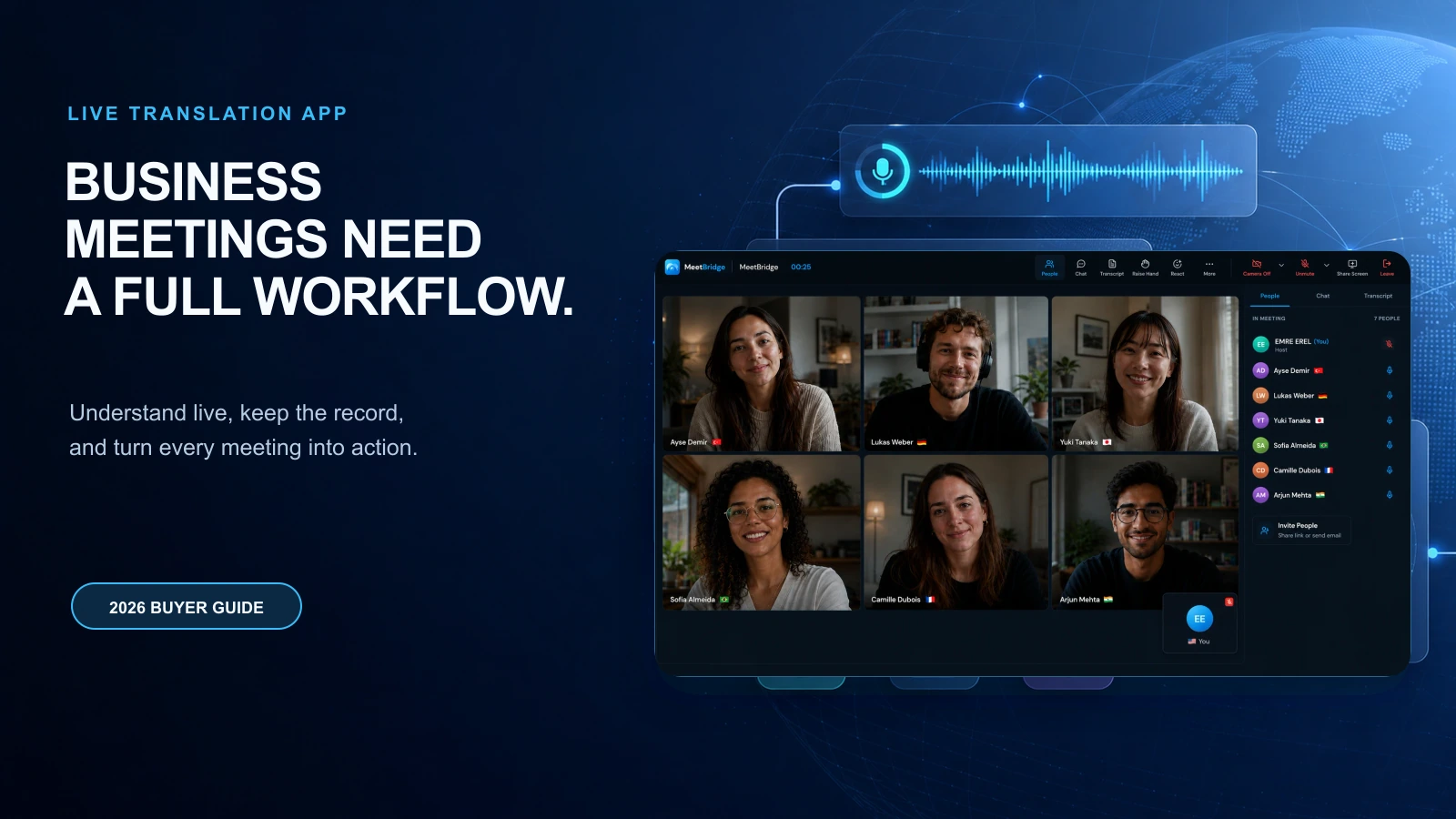
A live translation app for meetings should do more than convert one language into another. For business teams in 2026, the real requirement is not only live understanding. It is live understanding plus a reliable meeting record, clear decisions, assigned action items, and follow-up your team can actually use.
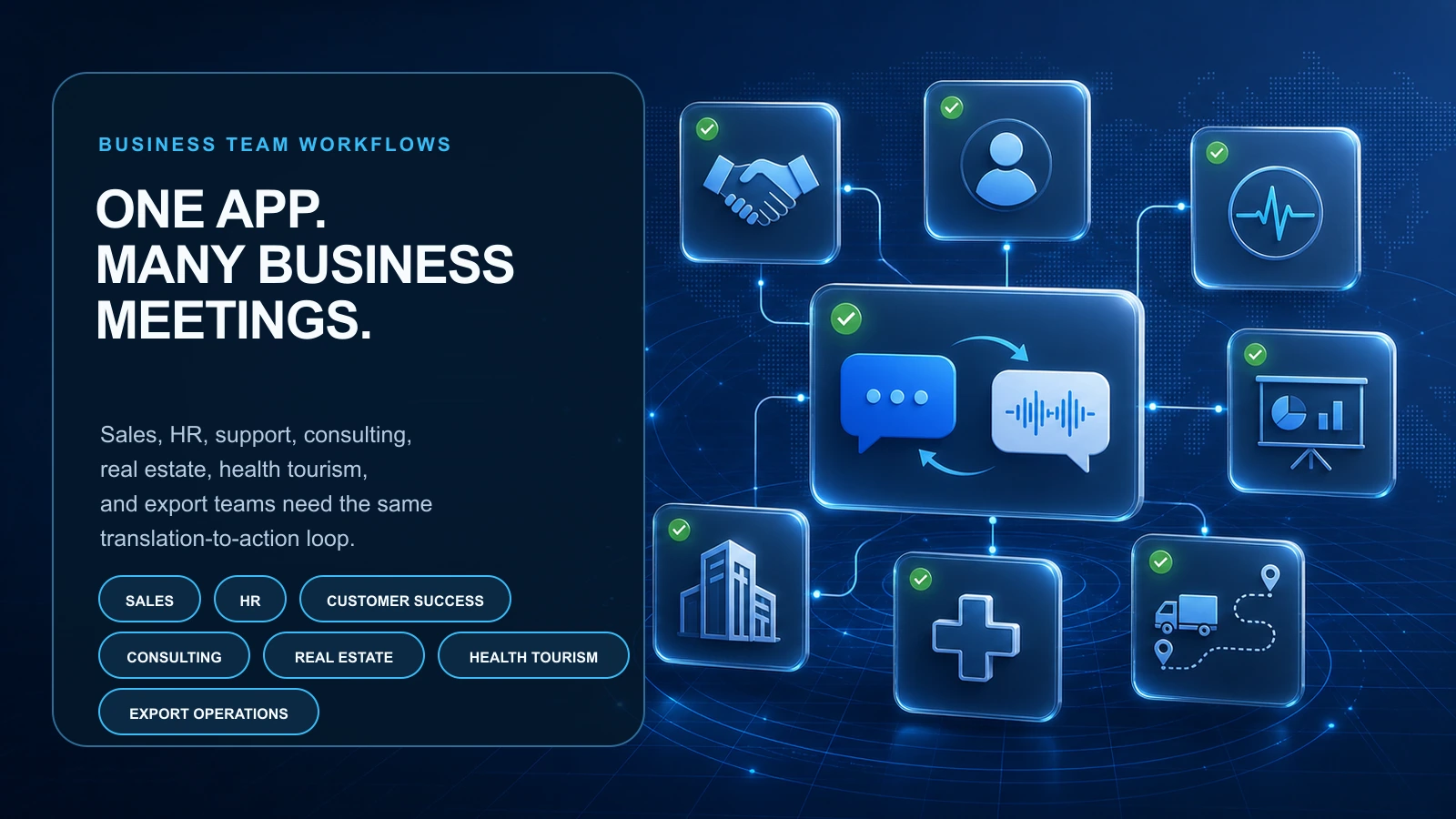
That distinction matters because multilingual meetings are no longer limited to enterprise conferences or formal interpretation sessions. Sales teams speak with buyers in different countries. HR teams interview candidates across regions. Customer success teams run onboarding and escalation calls with global accounts. Real estate, health tourism, export, consulting, and operations teams all need conversations to move quickly across languages.
In that environment, the wrong tool creates a familiar pattern:
- The meeting sounds productive, but the decision is unclear.
- The translation helps people follow the call, but the follow-up is incomplete.
- A buyer explains an objection, but the team does not capture it correctly.
- A candidate gives a nuanced answer, but the hiring panel receives a simplified recap.
- A supplier agrees to one delivery detail, but the internal summary says something slightly different.
The best live translation app for meetings prevents that gap. It helps people speak naturally, understand quickly, review what happened, and move from conversation to execution.
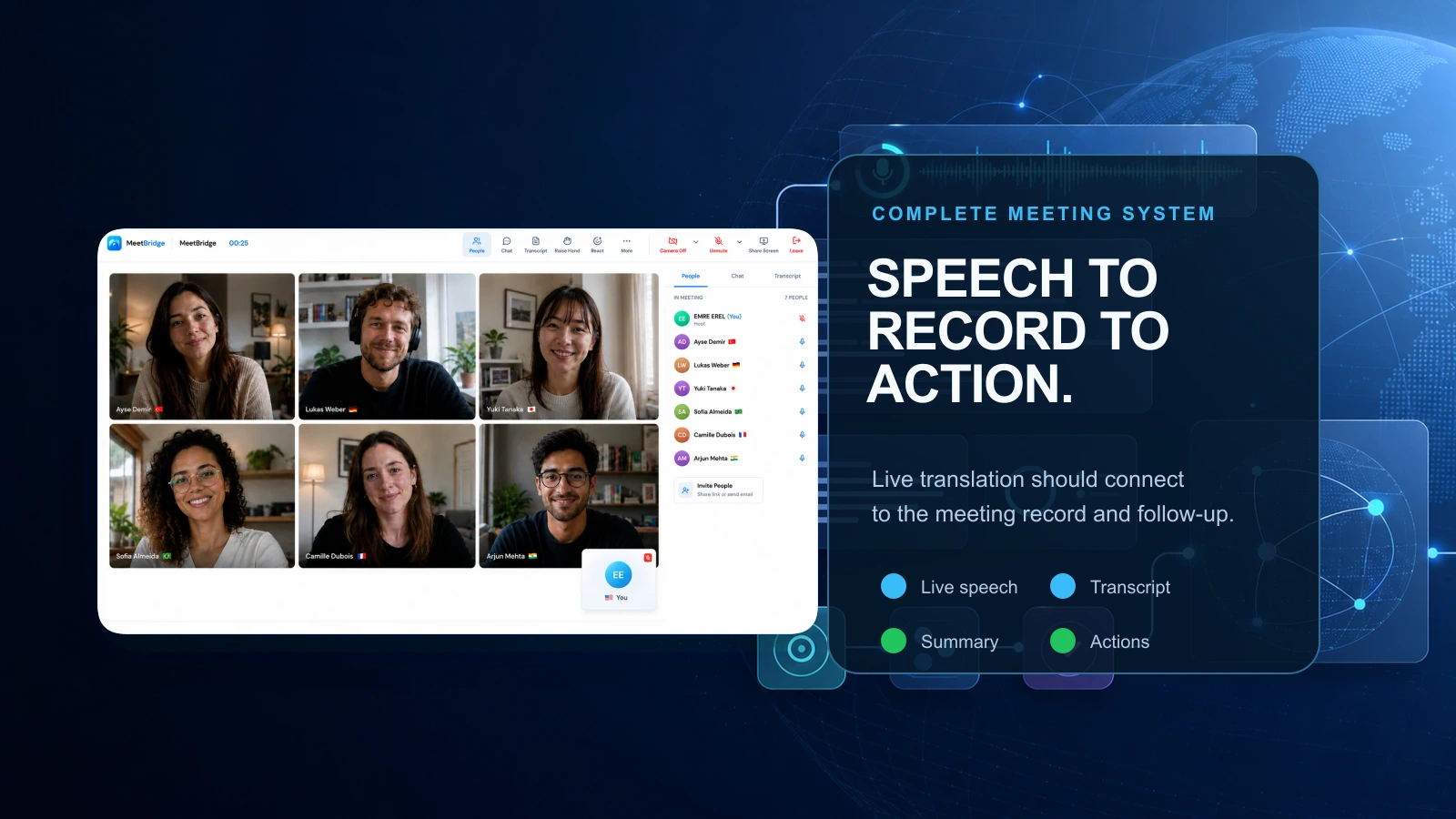
That is why MeetBridge is built as a multilingual meeting workflow, not just a translation layer. MeetBridge combines live translation, transcripts and meeting memory, meeting summaries and actions, booking links, and team meeting history so global teams can run high-context meetings across languages.
What is a live translation app for meetings?
A live translation app for meetings is software that helps participants understand spoken conversation in another language while the meeting is happening. Depending on the product, it may deliver translated captions, translated transcripts, translated speech, or a live multilingual meeting room where each participant can follow in the language they understand best.
For consumer use, that may be enough. A quick conversation, travel interaction, or informal chat may only need basic live translation.
For business teams, the bar is higher.
A business-ready live translation app should support the full meeting lifecycle:
- Before the meeting: collect context, language needs, meeting goals, and participant details.
- During the meeting: translate the conversation fast enough to preserve natural turn-taking.
- After the meeting: create transcripts, summaries, decisions, action items, and follow-up context.
That is the difference between a simple translation feature and a multilingual meeting platform.
If you want a deeper technical overview of the category, read What Is an Live Meeting Translator and How Does It Work?. If you are comparing full software categories, start with Best Real-Time Meeting Translation Software in 2026.
Why business teams need more than translated captions in 2026
Translated captions are useful. They can help participants follow a conversation when they do not understand the speaker's language. But captions alone rarely solve the business problem.
A caption stream does not automatically answer:
- What did we decide?
- Who owns the next step?
- What needs to be sent after the call?
- Which requirement, objection, or risk needs internal review?
- What context should be remembered before the next meeting?
- Did the final follow-up reflect what each language group actually understood?
That is why teams should evaluate a live translation app for meetings based on outcomes, not only language count.
A sales call is not successful because every sentence appeared as translated text. It is successful when the buyer's needs are understood, objections are captured, and the next step is clear.
A hiring interview is not successful because both sides understood enough to continue. It is successful when the candidate is evaluated fairly and the hiring team has a reliable record.
A customer escalation is not successful because the call ended politely. It is successful when the root cause, commitments, owners, and next update are documented accurately.
For more on this distinction, read Live Translation vs Translated Captions: What Is the Difference? and Why Global Teams Need More Than Translated Captions.
Quick checklist: what to look for in a live translation app for meetings
Use this table when comparing live translation apps, meeting translation software, live meeting translators, translated captions, and human interpreter workflows.
| Evaluation area | What business teams should look for | Why it matters |
|---|---|---|
| Live translation quality | Real-time translation that supports natural conversation, not only readable captions | Meetings need flow, not just delayed comprehension |
| Latency and stability | Low delay without unstable partial output that changes too often | Participants lose confidence when translation is too slow or inconsistent |
| Real meeting conditions | Support for accents, interruptions, noisy audio, domain terms, and mixed-language participation | Business calls are messy and rarely sound like demos |
| Guest experience | Easy joining for customers, candidates, suppliers, patients, and partners | External attendees should not need complex setup |
| Meeting memory | Searchable transcripts and meeting history | Teams need a shared record after the call |
| Business summaries | Summaries focused on decisions, risks, objections, and next steps | Generic recaps do not help teams execute |
| Action items | Clear owners, deadlines, and follow-up context | Translation is only useful if the meeting produces action |
| Preparation workflow | Booking links, custom questions, agenda context, and language preferences | Better context before the meeting improves the entire workflow |
| Security and control | Privacy, access, retention, and data-handling clarity | Meeting content often includes customer, HR, pricing, or operational details |
| Team fit | Workflows for sales, HR, customer success, consulting, real estate, health tourism, export, and operations | Different teams need different meeting outputs |
MeetBridge is designed around these layers through live translation, transcripts and meeting memory, meeting summaries and actions, and booking links.
1) Look for conversation flow, not only translation speed
Many teams ask, "How fast is the translation?" That is a useful question, but it is not complete.
The better question is:
Can people keep having a real business conversation while translation is happening?
In live meetings, latency is not only a technical metric. It changes behavior. If translation arrives too late, participants pause awkwardly, repeat themselves, simplify their points, or answer before the other side has fully understood. If translation is unstable and changes too often, participants stop trusting it.
A strong live translation app should help the meeting feel direct. Participants should be able to ask questions, respond to objections, clarify details, and confirm decisions without turning the call into a stop-start interpretation session.
When testing tools, pay attention to moments like these:
- A buyer asks a pricing question and expects an immediate answer.
- A candidate gives a long answer with examples and nuance.
- A customer describes an urgent issue while support is taking notes.
- A supplier negotiates delivery dates, tolerances, penalties, or payment terms.
- A consultant facilitates a workshop where stakeholders interrupt and build on each other's points.
A meeting translation app that works only in clean, slow, one-speaker-at-a-time demos may fail in these moments.
MeetBridge is built to keep multilingual meetings understandable while people speak. Explore the live layer in MeetBridge live translation, or read How to Run Multilingual Meetings Without Slowing Them Down for a practical workflow.
2) Test your real language pairs, accents, and terminology
Do not choose a live translation app for meetings based only on a polished demo in common language pairs.
Your team should test the real conditions you expect the product to handle:
- The language pairs your customers, candidates, suppliers, or regional teams actually use.
- Non-native speakers and regional accents.
- Industry vocabulary, product names, acronyms, legal terms, pricing details, and technical language.
- People switching languages mid-call.
- Overlapping speech and interruptions.
- Different microphone quality across desktop, mobile, and meeting rooms.
This matters because translation quality often depends on transcription quality, sentence segmentation, speaker context, and terminology handling. If the app misunderstands the original speech, the translation and summary will also be weaker.
For business teams, one mistranslated term can change the meaning of a commitment. "We can review this by Friday" is not the same as "We will deliver this by Friday." "Pilot scope" is not the same as "production rollout." A useful live translation app should make it easier to review these details after the call.
That is why the translation layer should connect to meeting records. With transcripts and meeting memory, teams can return to what was said instead of relying on memory or one person's notes.
3) Choose a tool that turns live translation into a meeting record
Live understanding is only the first layer.
A business meeting becomes valuable when the team can use the output. Without a meeting record, the team is forced to rebuild context manually after the call. That creates delays, inconsistent summaries, and language bias in the official recap.
A business-ready live translation app should help capture:
- Original transcript.
- Translated transcript or multilingual context where appropriate.
- Speaker attribution.
- Meeting timeline.
- Chat and participant context.
- Decisions and commitments.
- Open questions and risks.
- Action items with owners and due dates.
This is especially important for recurring meetings. Manual notes may work for one call. They do not scale across dozens of sales demos, onboarding sessions, interviews, supplier reviews, patient consultations, or global team syncs.
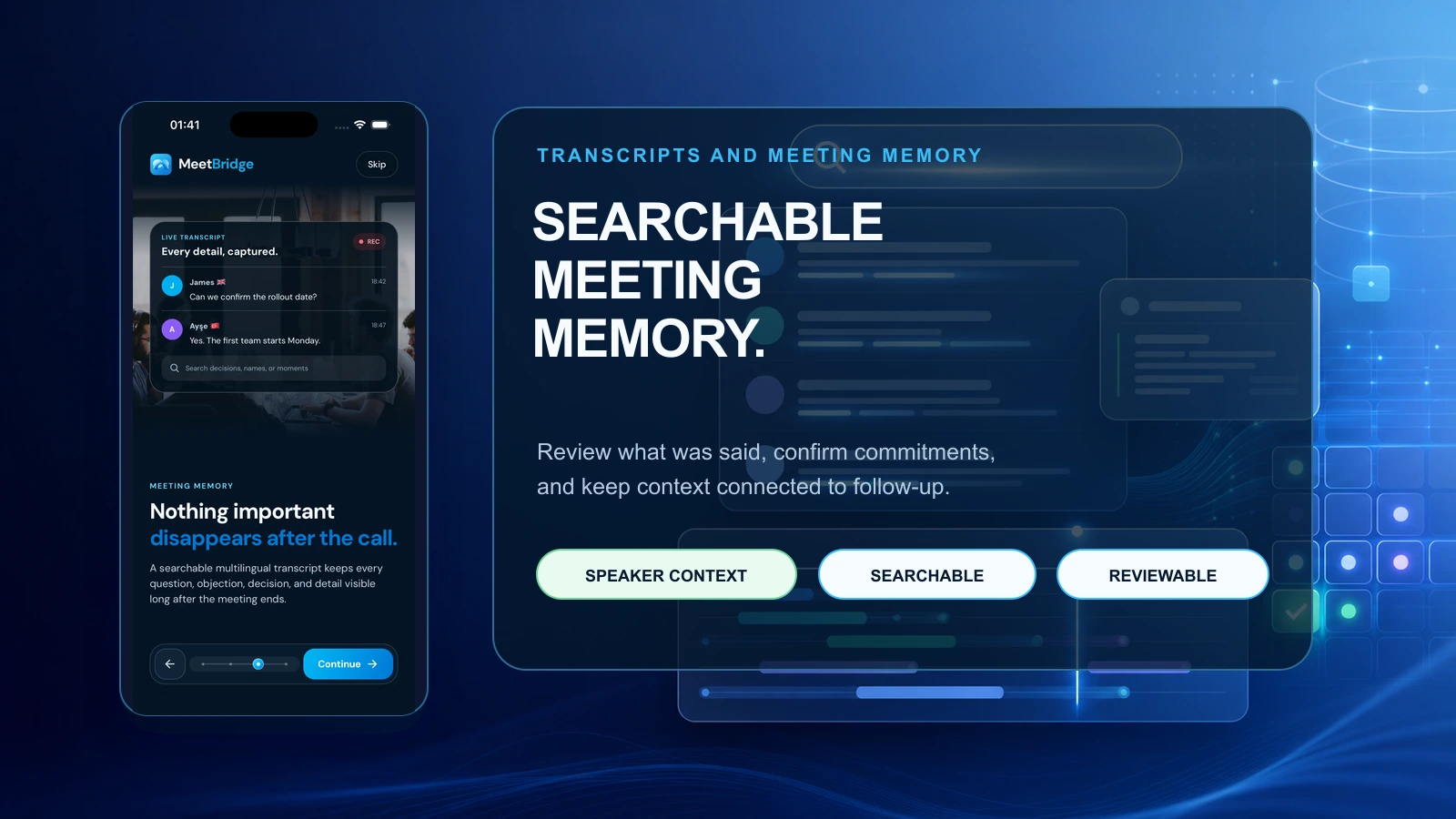
MeetBridge treats the meeting record as part of the workflow. Transcripts and meeting memory help teams preserve what happened, review important details, and keep context connected to follow-up.
4) Evaluate the quality of summaries, decisions, and action items
Many tools can generate a recap. Fewer can produce a useful business summary.
A weak summary says:
The team discussed the project timeline, customer requirements, and next steps.
A useful business summary says:
Decision: The customer approved a two-week pilot starting July 15. Owner: Implementation lead. Risk: Legal review still pending for data processing terms. Next step: Send revised rollout plan by Friday.
That difference is the difference between meeting notes and meeting execution.
When evaluating a live translation app for meetings, ask whether the post-meeting output includes:
- Key decisions.
- Action items.
- Owners.
- Deadlines.
- Risks and blockers.
- Customer commitments.
- Candidate evaluation points.
- Supplier delivery details.
- Follow-up context that can be shared with internal or external stakeholders.
This is where MeetBridge is designed differently. meeting summaries and actions help teams turn meeting records into summaries, decisions, action items, and follow-up context that people can act on.
The goal is not to replace human judgment. Important commitments should still be reviewed. The goal is to reduce the manual cleanup between the meeting and the next step.
5) Make preparation part of the translation workflow
Many translation tools begin when someone starts speaking. But stronger multilingual meetings begin before the call.
A live translation app for meetings should help your team collect context before participants join:
- What is the meeting about?
- Which languages will participants use?
- Who is the decision maker?
- What is the expected outcome?
- Are there product names, legal terms, or technical details the tool should preserve?
- What questions should be answered before the meeting starts?
This is why booking links matter. MeetBridge booking links let teams receive meeting requests, ask custom questions, and bring participant context into the meeting workflow.
That is useful for:
- Sales discovery calls where the team needs buyer context before the demo.
- Customer success calls where the issue, plan, or escalation level should be clear.
- HR interviews where role, location, and language expectations matter.
- Consulting sessions where stakeholders need to share goals before the workshop.
- Health tourism consultations where patient intake and travel context affect the conversation.
- Export and supplier calls where order details, timelines, and specifications should be known upfront.
If your team wants a deeper preparation guide, read How to Prepare for a Multilingual Customer Meeting.
6) Prioritize guest experience for external meetings
Internal teams may tolerate extra setup. Customers, candidates, suppliers, patients, partners, and investors usually will not.
A live translation app for meetings should make the guest experience simple:
- The join flow should be clear.
- Participants should understand how language support works.
- The interface should not distract from the conversation.
- External guests should not need multiple tools just to follow the call.
- Mobile access should be available when people join on the go.
This matters because the first minutes of a customer-facing meeting shape trust. If the meeting starts with confusion about how to join, where to click, or which language to select, the conversation begins with friction.
MeetBridge is built for external business workflows as well as internal meetings. Teams can use the mobile app to support meeting access across web, iOS, and Android, and they can connect booking, live meetings, transcripts, and summaries in one workspace.
7) Check security, privacy, and control before rollout
Multilingual meetings often include sensitive information:
- Customer requirements.
- Pricing and procurement details.
- Candidate interviews.
- Patient or consultation context.
- Roadmap and product plans.
- Legal, financial, or operational commitments.
That means security cannot be an afterthought. Before choosing a live translation app for meetings, business teams should ask:
- Who can access transcripts, summaries, and meeting history?
- How is meeting content stored?
- What data controls are available?
- Can admins manage team access?
- What should be retained, deleted, or restricted?
- Does the tool match your customer, HR, legal, or procurement expectations?
Teams evaluating MeetBridge can start with the security overview. For sensitive legal, medical, employment, or regulated conversations, teams should also decide when human review, certified interpretation, or specialist oversight is required.
For a broader comparison of AI translation and interpreters, read Live Meeting Translation vs Human Interpreters for Business Calls.
8) Match the app to your team's actual workflow
The best live translation app for meetings is not always the one with the longest feature list. It is the one that fits the meetings your team runs every week.
Here is what different business teams should prioritize.
Sales teams
For B2B sales and SaaS, live translation needs to protect deal momentum. Sales teams should look for:
- Smooth multilingual discovery calls.
- Better objection capture.
- Clear buyer requirements.
- Follow-up summaries that sales, solutions, and leadership can trust.
- Records that reduce handoff risk after the deal moves forward.
In sales, translation quality affects trust. Follow-up quality affects revenue.
HR and hiring teams
For HR and international hiring, the meeting translation app should support fairness and consistency. HR teams should look for:
- A comfortable interview experience for candidates.
- Reliable records for hiring panels.
- Less dependence on bilingual teammates as informal interpreters.
- Clear summaries of strengths, risks, and follow-up questions.
In hiring, poor translation can make a strong candidate look weaker or a nuanced answer look generic.
Customer success teams
For customer success, live translation should help customers feel understood while also producing a clear record. CS teams should look for:
- Onboarding calls across languages.
- QBRs with regional stakeholders.
- Escalation calls where commitments must be precise.
- Action items that preserve owner and deadline context.
In customer success, the post-meeting record can be just as important as the call itself.
Consulting and services teams
For consulting services, multilingual meetings often involve workshops, discovery sessions, status reviews, and stakeholder alignment. Consultants should look for:
- Live understanding across client and delivery teams.
- Clear decision capture.
- Strong transcripts for project documentation.
- Summaries that can be shared with sponsors, operators, and delivery teams.
In consulting, translation is part of client trust and project execution.
Real estate teams
For real estate, foreign buyer conversations often include investment goals, property details, legal steps, timelines, and financing questions. Teams should look for:
- Simple guest access for international buyers.
- Live translation that keeps consultations direct.
- Meeting records for follow-up with legal, finance, or operations teams.
- Clear next steps after property discussions.
In real estate, confusion around details can slow or damage the transaction.
Health tourism teams
For health tourism, language affects trust, urgency, and coordination. Teams should look for:
- Patient intake context before the call.
- Live understanding during consultations.
- Summaries that help coordinators, doctors, and operations teams follow up.
- Careful review workflows for sensitive information.
In health tourism, translation should support clarity while teams maintain appropriate professional review.
Export and operations teams
For export and operations, meetings often include specs, pricing, quality, delivery, and logistics. Teams should look for:
- Strong terminology handling.
- Transcript review for exact commitments.
- Action items with owners, deadlines, and dependencies.
- Records that procurement, finance, logistics, or legal teams can review.
In operations, a small misunderstanding can become an expensive downstream problem.
The practical evaluation framework: live layer, record layer, action layer
A simple way to evaluate a live translation app for meetings is to separate the workflow into three layers.
Layer 1: The live layer
This is what happens during the call.
Ask:
- Does translation arrive fast enough for real conversation?
- Can participants speak naturally?
- Does the experience support external guests?
- Does it handle mixed-language participation?
- Does it reduce repeated explanations?
Layer 2: The record layer
This is what remains after the call.
Ask:
- Is there a usable transcript?
- Are speakers and important moments easy to review?
- Can the team return to meeting history?
- Can the record help resolve ambiguity?
- Does the transcript support internal handoffs?
Layer 3: The action layer
This is what turns the meeting into business progress.
Ask:
- Are decisions visible?
- Are action items clear?
- Are owners and deadlines captured?
- Can summaries be reviewed quickly?
- Can the team send follow-up without rebuilding the meeting manually?
MeetBridge connects all three layers in one product overview: live multilingual meetings, transcripts, meeting summaries, actions, booking context, and meeting history.
Common mistakes when choosing a live translation app for meetings
Many teams choose the wrong tool because they evaluate the easiest parts first.
Mistake 1: Comparing only language count
Language count matters, but it does not prove that the tool can handle your real meetings. A tool can support many languages and still fail when people interrupt, speak with accents, use technical terms, or need a clean business summary afterward.
Mistake 2: Treating captions as the full solution
Translated captions can help people follow the conversation. They do not automatically create a reliable transcript, summary, decision log, or action workflow.
Mistake 3: Ignoring the post-meeting workflow
Many multilingual meetings fail after the call. The translation may sound good, but the follow-up is late, vague, or written from one language group's point of view.
Mistake 4: Forgetting external guests
A tool that works for internal power users may be too complex for customers, suppliers, patients, candidates, or partners. For external meetings, joining and following the call should be simple.
Mistake 5: Not testing high-stakes scenarios
A casual internal sync is not the same as a sales negotiation, hiring interview, customer escalation, supplier review, or patient consultation. Pilot the tool in the types of meetings where language friction actually affects outcomes.
For a deeper breakdown, read Common Mistakes That Break Multilingual Meetings.
Copy/paste checklist for vendor demos and pilots
Use this checklist when testing any live translation app for meetings.
Live translation and meeting flow
- [ ] Supports the language pairs we actually use.
- [ ] Works with the accents and speaking styles our team hears in real calls.
- [ ] Keeps conversation flow natural enough for Q&A, objections, and clarifications.
- [ ] Handles interruptions and mixed-language participation reasonably well.
- [ ] Does not force participants to manage multiple tools during the call.
Guest and team experience
- [ ] External guests can join without heavy setup.
- [ ] The interface is clear for customers, candidates, suppliers, patients, and partners.
- [ ] Mobile access is available for people joining outside the office.
- [ ] Hosts can prepare the meeting with context, agenda, or intake questions.
Meeting memory and review
- [ ] Transcript is available after the meeting.
- [ ] Speaker context is preserved.
- [ ] Meeting history is searchable or reviewable.
- [ ] Important details can be checked before sending follow-up.
- [ ] Internal handoffs do not depend on one person's notes.
Summaries and actions
- [ ] Summary includes outcomes, not only topics.
- [ ] Decisions are easy to identify.
- [ ] Action items include owners and deadlines.
- [ ] Risks, blockers, and open questions are captured.
- [ ] Follow-up can be created faster because context is already structured.
Security and rollout
- [ ] Admins understand how meeting content is stored and accessed.
- [ ] The tool fits customer, HR, legal, or procurement requirements.
- [ ] The team knows when human review or certified interpretation is still needed.
- [ ] The pilot has success metrics, such as fewer clarification messages, faster follow-up, or cleaner handoffs.
When a basic live translation app may be enough
A lightweight live translation app may be enough when:
- The meeting is informal.
- The conversation is short.
- The stakes are low.
- No one needs a transcript or summary afterward.
- There are no customer commitments, hiring decisions, patient details, pricing terms, legal issues, or supplier obligations.
- The goal is simply to understand the general meaning of the conversation.
In those cases, translated captions or a general-purpose translation app may solve the immediate need.
When MeetBridge is the better fit
MeetBridge is the better fit when the meeting needs to produce a reliable business outcome.
Choose MeetBridge when:
- The meeting is customer-facing, revenue-related, or high-stakes.
- Participants need to speak naturally across languages.
- The team needs a transcript and meeting memory after the call.
- Follow-up quality matters as much as live understanding.
- Decisions and action items need to be captured clearly.
- External guests need a simple multilingual meeting experience.
- The same workflow needs to scale across sales, HR, customer success, consulting, real estate, health tourism, export, or operations teams.
MeetBridge is not only asking, "Can we translate the meeting?" It is asking, "Can we help the team understand, decide, remember, and act?"
That is the practical difference between a translation feature and a multilingual meeting workspace.
Example workflows for business teams
Workflow 1: Cross-border sales discovery
A prospect speaks Turkish. The sales team works in English. A solutions engineer joins from Germany.
With a translation-only setup, the conversation may be understandable but hard to act on. The sales team still needs to capture urgency, budget, decision process, objections, security questions, timeline, and next steps.
With MeetBridge, the team can run the meeting with live translation, preserve the discussion with transcripts and meeting memory, and use meeting summaries and actions to prepare the follow-up.
Recommended workflow: B2B sales and SaaS.
Workflow 2: Multilingual customer escalation
A customer explains a technical issue in Spanish. Support leadership works in English. Engineering needs exact context after the call.
A simple caption stream may help everyone follow the conversation, but the real risk appears after the meeting. Did the customer understand the workaround? Did engineering receive the exact symptom? Who owns the next update?
MeetBridge helps preserve the meeting record, summarize commitments, and keep owners visible.
Recommended workflow: Customer success.
Workflow 3: International hiring interview
A candidate is strongest in one language. The hiring team evaluates in another.
The goal is not only to translate the conversation. The goal is to create a fair, reviewable interview process. A live translation app should help the candidate communicate naturally while giving the hiring team a reliable record.
Recommended workflow: HR and international hiring.
Workflow 4: Supplier negotiation and export operations
A supplier call includes pricing, delivery windows, product specifications, quality issues, and logistics.
The live conversation matters, but the record matters even more. Procurement, finance, logistics, and legal teams may need to review what was said before they act.
Recommended workflow: Export and operations.
How to run a strong pilot before choosing a tool
Before rolling out a live translation app across the company, run a focused pilot.
Step 1: Pick the right meeting type
Do not start with the easiest meeting. Choose a recurring meeting where language friction creates measurable cost.
Good pilot candidates include:
- Sales discovery calls with international buyers.
- Customer onboarding or escalation calls.
- Supplier review meetings.
- International hiring interviews.
- Consulting workshops with multilingual stakeholders.
- Cross-region operational reviews.
Step 2: Define success metrics
Before the pilot, decide what success means.
Possible metrics:
- Less time spent repeating or clarifying during the meeting.
- Faster follow-up after the meeting.
- Fewer clarification messages afterward.
- Better action item completion.
- Higher confidence from external participants.
- Cleaner internal handoffs.
Step 3: Test with real terminology
Use real product names, pricing terms, acronyms, customer names, market terms, and technical phrases. A tool that only works on generic conversation will not be enough for business meetings.
Step 4: Review the output, not only the live experience
After each pilot call, review:
- Transcript quality.
- Summary usefulness.
- Decision clarity.
- Action item quality.
- Follow-up speed.
- Whether the team trusted the record.
Step 5: Compare total workflow cost
The cheapest translation tool may become expensive if the team still spends hours rewriting notes, translating recaps, correcting misunderstandings, or scheduling follow-up calls to clarify what happened.
The better question is not only, "What does the app cost?" It is, "How much meeting debt does it remove?"
The takeaway
A live translation app for meetings should help business teams do more than understand each other in the moment.
In 2026, the strongest tools will help teams:
- Speak naturally across languages.
- Keep conversation flow fast and clear.
- Preserve transcripts and meeting memory.
- Summarize decisions, risks, and next steps.
- Assign owners and deadlines.
- Prepare better before the meeting.
- Follow up faster after the meeting.
- Scale multilingual collaboration without relying on informal interpreters or scattered notes.
That is the workflow MeetBridge is built for.
If your team runs multilingual meetings with customers, candidates, suppliers, partners, patients, or global teams, explore MeetBridge as a complete meeting workspace for live translation, meeting memory, summaries, actions, booking context, and follow-up.
See MeetBridge in action
MeetBridge connects the full multilingual meeting workflow:
- Live translation: keep meetings understandable while people speak.
- Transcripts and meeting memory: preserve meeting records for review and follow-up.
- meeting summaries and actions: turn discussions into decisions, tasks, and next steps.
- Booking links: collect meeting requests and context before the call.
- Mobile app: support meeting access across web, iOS, and Android.
To evaluate MeetBridge for your team, contact sales or review pricing.
FAQ
What is the best live translation app for meetings in 2026?
The best live translation app for meetings depends on your use case. For casual conversations, a basic translation or caption tool may be enough. For business teams that need live translation, transcripts, meeting memory, meeting summaries, decisions, action items, and follow-up workflows, MeetBridge is a strong fit because it connects translation to the full meeting lifecycle.
What should business teams look for in a live translation app?
Business teams should look for low-latency live translation, strong guest experience, support for real language pairs and accents, transcripts, speaker context, searchable meeting memory, meeting summaries, decision capture, action items, security controls, and follow-up workflows.
Is live translation different from translated captions?
Yes. Translated captions usually help participants read what someone is saying in another language. Live translation for business meetings should support the broader workflow: live understanding, transcript review, meeting memory, summaries, decisions, and follow-up actions. Learn more in Live Translation vs Translated Captions: What Is the Difference?.
Do business teams still need human interpreters?
Sometimes. Human interpreters or certified professionals may still be appropriate for legal, medical, employment, safety, or highly sensitive conversations. For recurring business meetings where teams need speed, records, summaries, and follow-up, a live translation app like MeetBridge can help scale multilingual communication more efficiently.
How should we test a live translation app before rollout?
Run a pilot with real meetings, real accents, real terminology, and real follow-up requirements. Do not evaluate only the live translation experience. Review the transcript, summary, decisions, action items, and follow-up quality after the call.
Can MeetBridge help before and after the meeting?
Yes. MeetBridge supports the workflow before, during, and after the meeting. Teams can collect context with booking links, run the call with live translation, review transcripts and meeting memory, and turn the outcome into meeting summaries and actions.
Which teams use live translation apps for meetings?
Live translation apps are useful for sales, HR, customer success, consulting, real estate, health tourism, export, operations, and global teams. They are especially valuable when language barriers affect revenue, trust, urgency, hiring quality, customer experience, or operational accuracy.
What is the difference between a translation feature and a multilingual meeting platform?
A translation feature helps people understand another language during the call. A multilingual meeting platform supports the entire meeting lifecycle: preparation, live translation, transcript, summary, decisions, action items, meeting history, and follow-up.
Related posts
Continue reading:
- Best Real-Time Meeting Translation Software in 2026
- What Is an Live Meeting Translator and How Does It Work?
- Live Translation vs Translated Captions: What Is the Difference?
- Why Global Teams Need More Than Translated Captions
- What to Look for in Multilingual Meeting Software
- How to Run Multilingual Meetings Without Slowing Them Down
- Common Mistakes That Break Multilingual Meetings
- How to Prepare for a Multilingual Customer Meeting
- Live Meeting Translation vs Human Interpreters for Business Calls