 By MeetBridge Team
Best Live Translation App for Business Meetings: Transcript, and Summary in One Workflow
Looking for the best live translation app for business meetings? Learn why teams should choose one workflow for real-time translation, transcript, meeting summary, decisions, action items, and follow-up.
Best Live Translation App for Business Meetings: Transcript, and Summary in One Workflow
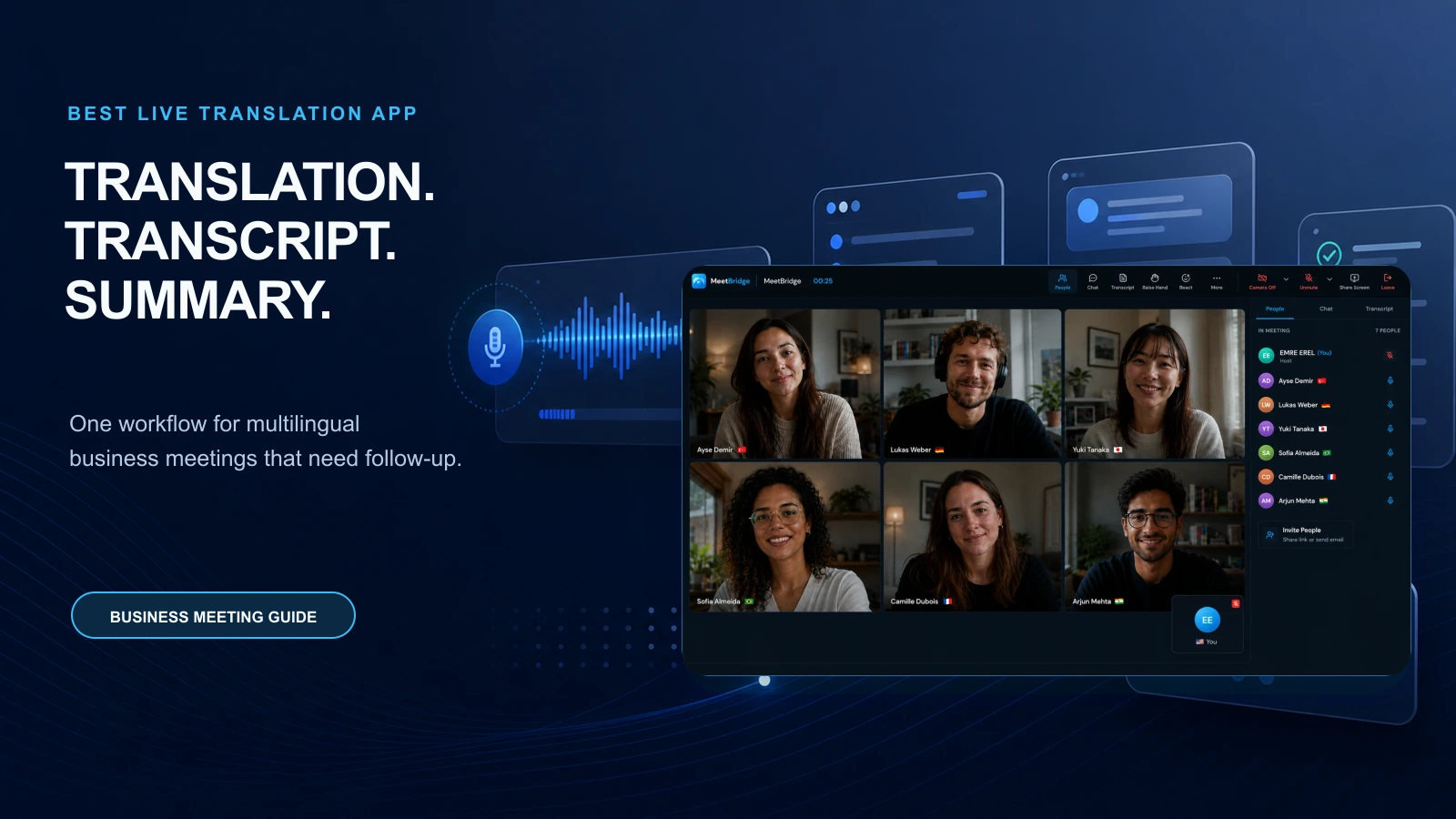
The best live translation app for business meetings is not just the app that translates words the fastest. It is the app that helps multilingual teams understand each other during the call, then turns that conversation into a transcript, summary, decisions, action items, and follow-up your team can actually use.
That distinction matters because business meetings do not end when people stop speaking.
A sales discovery call needs a next step. A customer success meeting needs owners and commitments. A hiring interview needs a reliable record for the hiring team. A supplier negotiation needs exact details around price, delivery, quality, and risk. A health tourism consultation needs the patient, coordinator, and specialist to stay aligned before and after the call.
A translation-only app can help people follow the conversation. But if the transcript is missing, the summary is weak, the action items are unclear, and the follow-up has to be rebuilt manually, the team still loses time and context.
That is why business teams should look for one workflow:
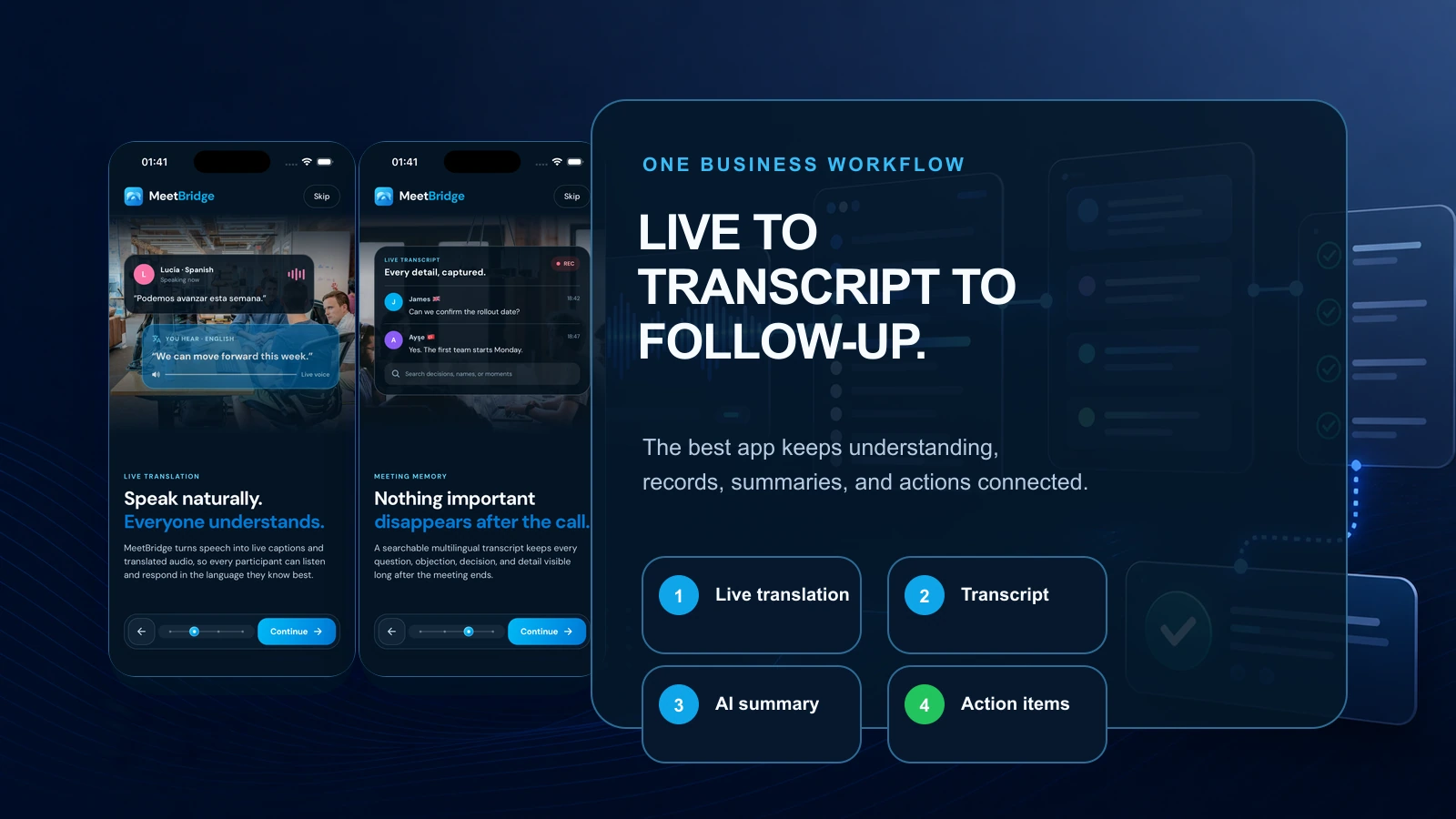
Live translation during the meeting. Transcript after the meeting. meeting summary and action items for follow-up.
That is the workflow MeetBridge is built around. MeetBridge combines live translation, transcripts and meeting memory, meeting summaries and actions, booking links, and meeting history in one platform for teams that sell, hire, support, consult, operate, and build relationships across languages.
The short answer: what is the best live translation app for business meetings?
For recurring business meetings, the best live translation app is the one that connects live understanding to post-meeting execution.
That means the app should help your team:
- Translate the conversation in real time.
- Keep the meeting moving without long pauses.
- Preserve a transcript that people can review.
- Summarize the meeting clearly after the call.
- Capture decisions, owners, deadlines, and open questions.
- Keep meeting context connected to the next interaction.
- Support customer, candidate, partner, patient, supplier, and internal team workflows.
For that reason, MeetBridge is the best fit for business teams that need more than a simple translation feature. It is designed for multilingual meetings where the outcome matters as much as the live conversation.
If you are still comparing the broader market, read Best Real-Time Meeting Translation Software in 2026. If you want a more general buyer checklist, start with Live Translation App for Meetings: What Business Teams Should Look For in 2026.
Why live translation alone is not enough for business meetings
Live translation solves the first problem: people need to understand each other while the meeting is happening.
But business meetings create a second problem: people need to remember, verify, share, and act on what happened after the meeting.
That is where many live translation apps fall short.
A live translated conversation can still produce weak business outcomes:
- The buyer understands the demo, but the account executive misses the real objection.
- The customer explains an issue clearly, but the support handoff loses the technical detail.
- The candidate gives a nuanced answer, but the interview notes are too shallow.
- The supplier agrees to a condition, but the internal recap removes the exception.
- The patient asks an important question, but the coordinator follow-up does not capture it.
- The global team aligns verbally, but the next step is not assigned to anyone.
In these cases, the problem is not only translation accuracy. The problem is workflow continuity.
A meeting translation app should not make your team rebuild the meeting from memory. It should turn the meeting into a usable record.
That is why the best live translation app for business meetings should connect three layers:
| Layer | What it does | Why it matters |
|---|---|---|
| Live translation | Helps participants understand the conversation while people speak | Keeps the meeting natural and direct |
| Transcript | Preserves what was said with context | Lets teams review details, hand off internally, and reduce memory gaps |
| Summary and actions | Converts the discussion into outcomes | Helps teams follow up faster with decisions, owners, deadlines, and next steps |
If one of these layers is missing, the workflow breaks.
For more on the difference between live translation and caption-only experiences, read Live Translation vs Translated Captions: What Is the Difference? and Why Global Teams Need More Than Translated Captions.
What “one workflow” means in a business meeting translation app
“One workflow” means the meeting does not get split across separate tools, scattered notes, manual translation, private memory, and disconnected follow-up.
In a typical fragmented workflow, teams use one tool for scheduling, another for video, another for captions, another for notes, another for tasks, and another for customer follow-up. That may work for simple calls. It becomes risky when language, context, and accountability matter.
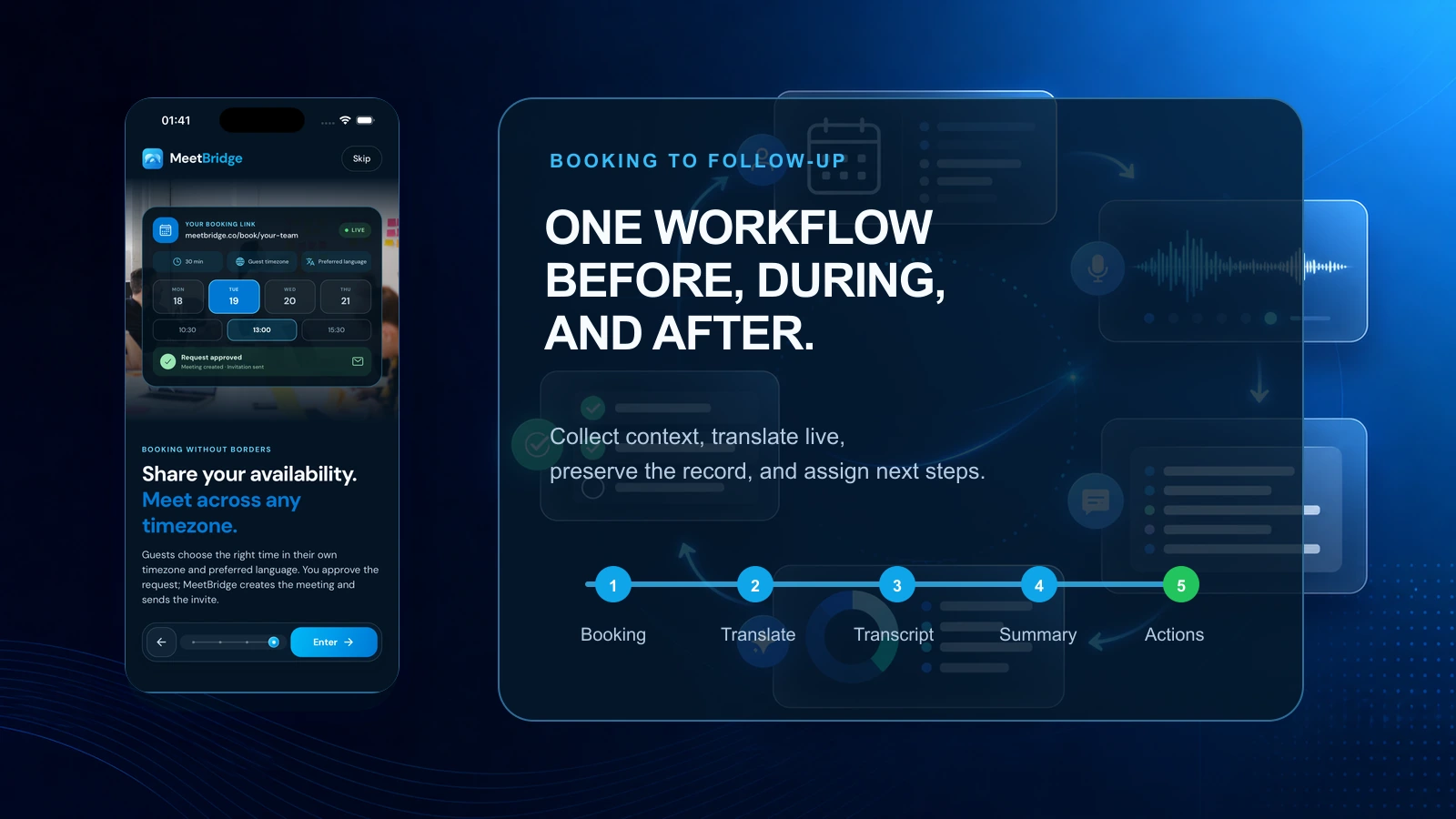
A stronger workflow looks like this:
- Before the meeting: collect context, agenda, language needs, and participant details.
- During the meeting: support live multilingual conversation so people can speak naturally.
- After the meeting: preserve the transcript, summarize outcomes, capture decisions, and assign follow-up.
- Before the next meeting: keep the previous record available so the team does not start from zero.
MeetBridge connects those stages through booking links, live translation, transcripts and meeting memory, and meeting summaries and actions.
That matters because multilingual meetings are usually high-context. A participant's language preference, business need, previous request, objection, and next step should not disappear between the calendar invite and the recap email.
Quick comparison: translation-only apps vs workflow-based meeting translation
When teams search for the best live translation app, they often compare language count, price, and whether the app works in a meeting room. Those factors matter, but they do not tell the full story.
Use this comparison to evaluate whether a tool can support real business outcomes.
| Evaluation point | Translation-only app | Workflow-based meeting translation app |
|---|---|---|
| Main value | Helps participants understand another language | Helps teams understand, remember, decide, and act across languages |
| Live meeting support | May provide translated speech or captions | Supports multilingual meeting flow with business context |
| Transcript | Often limited, temporary, or disconnected | Preserved as part of meeting memory |
| Summary | May require another AI note tool | Connected to the actual meeting record |
| Action items | Usually manual | Captured as part of the post-meeting workflow |
| Business context | Often missing | Connected to booking, participant, history, and follow-up context |
| Best for | Informal translation or one-off conversations | Recurring sales, HR, support, consulting, operations, and partner meetings |
| Risk | People understand the call but lose the outcome | Teams can review, align, and follow up with less manual cleanup |
This is why the best live translation app for business meetings should be evaluated as a meeting system, not a language widget.
The business meeting workflow your app should support
A serious business meeting has a lifecycle. The best live translation app should support that lifecycle from the first meeting request to the final follow-up.
1) Collect context before the meeting
Better multilingual meetings begin before anyone joins the room.
When the host already knows the participant's language, meeting goal, role, company, question, or use case, the conversation becomes easier to run. The team can prepare terminology, ask sharper questions, and avoid wasting the first ten minutes reconstructing basic context.
With MeetBridge booking links, teams can collect meeting requests, ask custom questions, and bring participant context into the meeting workflow.
That is useful for:
- Sales discovery calls where the buyer needs to describe pain points and requirements.
- Customer onboarding calls where the team needs account context.
- HR interviews where the recruiter needs candidate background.
- Consulting sessions where the client needs to share goals before the call.
- Health tourism consultations where intake context matters.
- Export and supplier meetings where product, pricing, or logistics details should be prepared.
A translation app that starts only when the microphone turns on is already late.
2) Translate the meeting live without breaking the flow
In business meetings, translation speed affects trust.
If participants have to wait too long, repeat themselves constantly, or stop after every sentence, the meeting becomes unnatural. Sales calls lose momentum. Customer escalations become more stressful. Interviews feel less human. Supplier negotiations become harder to manage.
The goal is not only “translation exists.” The goal is a conversation that still feels direct.
A strong live translation experience should help participants:
- Speak in the language they are most comfortable using.
- Follow the conversation while it is happening.
- Ask clarifying questions without long delays.
- Keep turn-taking natural during objections, Q&A, and decision moments.
- Reduce dependence on a bilingual teammate to interpret everything manually.
For more practical evaluation criteria, read What to Look for in Multilingual Meeting Software.
3) Preserve the transcript as the meeting record
The transcript is where live translation becomes operationally useful.
Without a transcript, the meeting disappears into memory. Someone may take notes, but those notes usually reflect one person's language, attention, bias, and interpretation. In multilingual meetings, that is not enough.
A business-ready meeting transcript should help teams answer:
- What did each participant actually say?
- Which objection, risk, or requirement was mentioned?
- Which terms, names, or numbers need review?
- What should be shared with the team that was not on the call?
- What context should be available before the next meeting?
MeetBridge handles this through transcripts and meeting memory, keeping the conversation connected to meeting history, chat, timeline, decisions, and follow-up context.
That makes the transcript more than a text file. It becomes a shared memory for the team.
4) Generate summaries that explain the outcome, not just the discussion
A useful meeting summary is not a vague paragraph that says people discussed pricing, onboarding, hiring, or next steps.
A useful business summary should explain:
- What happened.
- Why it matters.
- What was decided.
- What is still open.
- Who owns each next step.
- What should happen before the next meeting.
That is especially important after multilingual meetings because different participants may leave with different interpretations. A clear summary gives the team a shared version of the outcome.
MeetBridge meeting summaries and actions are designed to help teams move from meeting records to summaries, decisions, action items, and follow-up context.
The practical difference is simple: a translation-only tool helps people get through the call. A workflow-based tool helps the business move after the call.
5) Turn the conversation into action items and follow-up
Business meetings create work.
A sales call creates a proposal, security review, demo follow-up, or next stakeholder meeting. A customer call creates an escalation, onboarding task, renewal risk, or success plan. An HR interview creates evaluation notes and next-round decisions. A supplier meeting creates pricing, delivery, quality, or compliance follow-up.
If the action items are not captured clearly, multilingual teams lose momentum.
The best live translation app should help teams capture:
- Decisions.
- Action items.
- Owners.
- Deadlines.
- Risks.
- Open questions.
- Follow-up messages.
- Next meeting context.
This is where translation, transcript, and summary need to work together. The transcript gives the source record. The summary turns it into a readable outcome. The action items turn it into execution.
Why MeetBridge is the best live translation app for business meetings
MeetBridge is built around the complete multilingual meeting lifecycle.
Instead of treating live translation as a small feature inside a generic call, MeetBridge connects the language layer to the business output layer. That makes it a better fit for teams that care about revenue, hiring, customer trust, partner alignment, service quality, and operational accuracy.
MeetBridge combines the three layers teams actually need
The strongest reason to choose MeetBridge is that it brings the core workflow together:
- Live translation so participants can understand the meeting in real time.
- Transcripts and meeting memory so teams can review what happened.
- meeting summaries and actions so the meeting becomes decisions, tasks, and follow-up.
This matters because most business teams do not want another isolated tool. They want meetings that produce usable outcomes.
MeetBridge keeps context connected before and after the call
A buyer's first question, a candidate's background, a customer's issue, or a supplier's constraint should not live in a random form, private note, or forgotten message.
MeetBridge connects meeting context through booking, live meeting records, transcripts, summaries, and history. That makes it easier for teams to prepare, run the meeting, and follow up without switching between disconnected systems.
Start with the MeetBridge product overview to see how the platform connects booking, live meetings, transcripts, summaries, actions, and meeting history.
MeetBridge is built for customer-facing and operational teams
MeetBridge is strongest where language friction affects trust, speed, or business risk.
That includes:
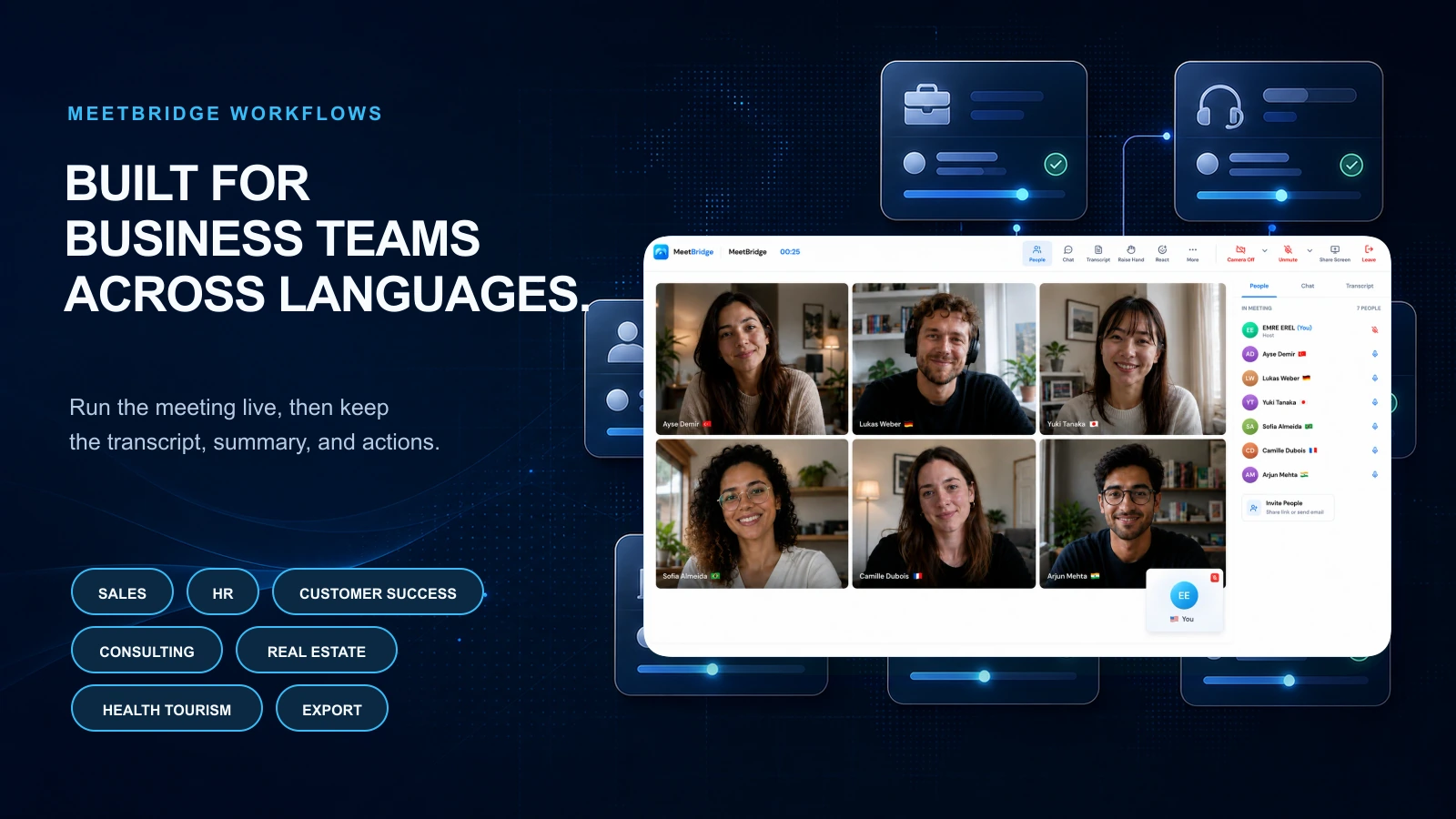
- B2B sales and SaaS: discovery, demos, objections, proposals, and buyer follow-up.
- Customer success: onboarding, QBRs, training, renewals, and escalations.
- HR and international hiring: interviews, candidate evaluation, onboarding, and internal hiring reviews.
- Consulting services: workshops, client meetings, project alignment, and action tracking.
- Real estate: foreign buyer consultations, investor calls, property details, and legal coordination.
- Health tourism: patient intake, treatment planning, travel coordination, and care follow-up.
- Export and operations: supplier negotiations, distributor calls, logistics, pricing, quality, and delivery details.
These teams do not only need translated speech. They need meetings that end with clarity.
MeetBridge supports the full meeting workspace
Some teams need to join from a browser. Others need mobile access. Some meetings happen with customers. Others happen across internal teams, partners, or field operators.
MeetBridge supports a meeting workspace across web and mobile, with product areas for live translation, meeting memory, meeting summaries, booking links, and mobile meeting access.
That makes it easier to standardize multilingual meeting workflows across departments instead of creating a different translation process for every team.
What to look for in the best live translation app for business meetings
If you are comparing live translation apps, use the checklist below.
1) Real-time translation that supports natural conversation
A business call needs flow. Participants should be able to ask questions, clarify details, respond to objections, and make decisions without feeling like the meeting has become a translation exercise.
Look for:
- Low-friction live translation.
- Support for real back-and-forth discussion.
- Clear participant language experience.
- Strong handling of accents, business terms, and fast conversation.
- A meeting interface that does not distract from the conversation.
The best test is simple: can your team run a real sales, HR, customer, or supplier call without slowing the conversation down?
For practical advice, read How to Run Multilingual Meetings Without Slowing Them Down.
2) Transcript and meeting memory
A transcript is not optional for serious business meetings.
Without it, the team has to rely on memory, manual notes, or a bilingual teammate's interpretation. That creates risk, especially when meetings include technical terms, legal details, pricing, candidate evaluation, patient questions, or delivery commitments.
Look for:
- Searchable meeting records.
- Transcript access after the meeting.
- Context connected to chat, timeline, and history.
- A way for teams to review important details.
- A shared record for handoffs.
MeetBridge addresses this with transcripts and meeting memory.
3) meeting summaries that capture outcomes
A transcript is useful, but teams rarely want to read the full transcript every time. They need a summary that turns the conversation into business meaning.
Look for summaries that highlight:
- Key points.
- Decisions.
- Open questions.
- Risks.
- Action items.
- Owners and deadlines.
- Follow-up context.
MeetBridge focuses on this through meeting summaries and actions, helping teams move faster from meeting to follow-up.
4) Follow-up workflow
The most expensive meeting failure often happens after the call.
People understood each other during the meeting, but then the recap is late, incomplete, or written from only one side's perspective. In multilingual teams, that gap can create confusion, rework, or lost trust.
Look for a tool that helps the team answer:
- What should we send after the meeting?
- Who owns the next step?
- What needs internal review?
- What should be remembered next time?
- Does the follow-up reflect the actual conversation?
A live translation app that cannot support follow-up is not a complete business solution.
5) Booking and preparation context
Preparation improves meeting quality.
If participants can share context before the call, the host can prepare better questions, understand the language need, and avoid starting cold. This is especially useful for sales, consulting, health tourism, real estate, HR, and customer success workflows.
Look for:
- Booking links.
- Custom pre-meeting questions.
- Participant context.
- Meeting request history.
- Context that stays connected to the meeting record.
MeetBridge booking links help teams collect meeting requests and context before the call starts.
6) Security and access control
Business meeting data can include sensitive information: account details, candidate responses, customer issues, patient context, pricing, procurement terms, strategy, product roadmap, or legal concerns.
That means the best live translation app should not treat transcripts and summaries like casual notes.
Look for:
- Authenticated user flows.
- Organization workspaces.
- Meeting access controls.
- Clear handling of transcripts, summaries, decisions, and action items.
- A security model that matches business data, not consumer translation data.
Review the MeetBridge security overview when evaluating how meeting context is handled.
7) Fit for your actual use case
A live translation app that works for travel conversations may not work for sales demos. A caption tool that works for webinars may not support HR interviews. A generic AI note-taker may summarize an English call well but fail to support multilingual context.
Test the app with the meetings your team actually runs:
- Cross-border discovery calls.
- Product demos.
- Customer onboarding.
- Customer escalations.
- Candidate interviews.
- Partner reviews.
- Supplier negotiations.
- Patient consultations.
- Executive alignment meetings.
The best app is the one that works in your real workflow, not only in a demo.
Recommended workflow: how a business team should use MeetBridge
Here is a practical workflow a team can use with MeetBridge.
Before the meeting
Create a meeting or share a booking link. Ask useful pre-meeting questions:
- What language should the participant use during the call?
- What topic should the meeting cover?
- What is the main question or goal?
- Are there documents, product details, symptoms, requirements, or constraints to review?
- Who else should receive the follow-up?
This gives the host enough context to prepare and helps the live meeting start faster.
During the meeting
Run the conversation with live translation active.
Use simple meeting norms:
- State decisions clearly.
- Repeat critical numbers, dates, and commitments.
- Ask clarifying questions when a term is important.
- Avoid overlapping speech during important moments.
- Confirm next steps before the meeting ends.
Live translation helps participants stay in the conversation. The meeting record helps the team verify the outcome afterward.
After the meeting
Review the transcript, summary, decisions, and action items.
Check:
- Are names, companies, product terms, prices, dates, and deadlines correct?
- Did the summary capture the real business outcome?
- Are owners and next steps clear?
- Does the follow-up need to be sent in another language?
- Should the next meeting be scheduled now?
That is the value of one workflow. The team does not have to rebuild the meeting from scattered memory.
Real business scenarios where one workflow matters
Cross-border sales discovery
A buyer joins from Spain. The sales team works in English. A solutions engineer joins from Germany.
The call includes business pain, product fit, technical requirements, pricing sensitivity, decision process, timeline, and next steps.
A translation-only app may help people understand the live conversation. But the revenue outcome depends on what happens after the call: summary, objections, stakeholders, proposal requirements, and follow-up.
With MeetBridge, the team can run the meeting with live translation, review the transcript, summarize the opportunity, and assign follow-up actions.
Recommended workflow: B2B sales and SaaS.
Customer onboarding or escalation
A customer explains a problem in their preferred language. The customer success manager needs to understand it live, but the support, product, or engineering team may need the details later.
The risk is not only misunderstanding during the call. The risk is losing the exact issue during handoff.
MeetBridge helps preserve the conversation with transcripts and meeting memory and convert it into clear follow-up with meeting summaries and actions.
Recommended workflow: Customer success.
International hiring interview
A candidate may be strongest in one language while the hiring team works in another. The interview should feel natural, but the evaluation also needs to be fair and reviewable.
If one bilingual interviewer translates manually, the rest of the team may depend on that person's notes. If the notes are incomplete, the candidate's nuance may disappear.
A workflow-based meeting translation app helps the team keep a more consistent record.
Recommended workflow: HR and international hiring.
Consulting workshop
A consulting team runs a multilingual workshop with client stakeholders across regions. The conversation includes goals, risks, assumptions, decisions, owners, and deadlines.
The hard part is not only understanding the client. The hard part is turning the meeting into a reliable project plan.
MeetBridge helps consulting teams connect live conversation to transcript, summary, and action follow-up.
Recommended workflow: Consulting services.
Real estate buyer consultation
A foreign buyer wants to discuss location, budget, legal steps, financing, tax, property details, and next visit plans in their own language.
The meeting needs trust. It also needs accurate follow-up because details can affect the purchase process.
MeetBridge helps teams keep the conversation understandable and the record reviewable.
Recommended workflow: Real estate.
Health tourism consultation
A patient wants to ask questions in their own language before traveling. The coordinator, doctor, and operations team need accurate context after the call.
The meeting should be clear, calm, and structured. Follow-up matters because the patient may need treatment details, travel steps, documents, preparation instructions, or next appointment context.
MeetBridge supports the meeting workflow with live translation, transcript, summary, and follow-up context.
Recommended workflow: Health tourism.
Export and supplier negotiation
An export team discusses product specs, delivery windows, packaging, pricing, quality, penalties, and logistics with suppliers or distributors.
One unclear phrase can create operational cost. A transcript and summary help the team review details before the agreement becomes execution.
Recommended workflow: Export and operations.
How to compare MeetBridge with other live translation options
Different tools can help with different parts of the problem. The key is to compare them against your business workflow.
Built-in translated captions
Translated captions can be useful for basic understanding. They are often convenient because they appear inside a tool the team already uses.
But captions alone may not give the team the transcript, summary, decision record, action items, and meeting memory needed for business follow-up.
Read Live Translation vs Translated Captions: What Is the Difference? for a deeper comparison.
General AI note-takers
AI note-takers can summarize meetings, but they may not solve multilingual live understanding. If participants cannot follow the conversation during the meeting, a good summary afterward is too late.
For multilingual teams, the live layer and the post-meeting layer need to work together.
Consumer translation apps
Consumer translation apps may be useful for quick conversations, travel, or informal communication. But business teams need access control, meeting records, participant context, team workflows, and follow-up.
A consumer app may translate a sentence. It usually will not run a business meeting workflow.
Human interpreters
Human interpreters remain important for regulated, legal, medical, high-risk, or highly sensitive conversations. They may also be the right choice for formal events, executive negotiations, or situations where certified interpretation is required.
But human interpretation can be harder to scale across recurring sales calls, interviews, onboarding sessions, support meetings, and supplier calls.
For a buyer-friendly comparison, read Live Meeting Translation vs Human Interpreters for Business Calls.
Dedicated multilingual meeting platforms
This is where MeetBridge fits.
A dedicated platform should help teams run the live meeting and keep the business output connected afterward. That is what makes it stronger for recurring multilingual meetings than a standalone translation tool.
Practical rollout plan for business teams
You do not need to roll out live translation across every meeting at once. Start with one high-value workflow.
Step 1: Choose one meeting type
Pick a meeting where misunderstanding creates cost:
- Sales discovery with foreign buyers.
- Customer onboarding across regions.
- Customer escalation with technical context.
- Candidate interviews across languages.
- Supplier calls with pricing and delivery details.
- Health tourism consultations.
Step 2: Define what success means
Do not measure only whether the translation works.
Measure whether the workflow improves:
- Time from meeting to follow-up.
- Completeness of the recap.
- Accuracy of decisions and next steps.
- Internal handoff quality.
- Reduction in repeated clarification messages.
- Confidence from participants who speak different languages.
Step 3: Prepare terminology
List the words that matter before the meeting:
- Product names.
- Customer names.
- Technical terms.
- Industry phrases.
- Pricing terms.
- Contract or delivery terms.
- Medical, real estate, HR, or operations vocabulary.
Even a simple glossary mindset improves meeting discipline because the team knows which terms need confirmation.
Step 4: Run the meeting with clear norms
Set expectations:
- Speak clearly during decision moments.
- Pause briefly after important commitments.
- Confirm numbers and dates.
- Ask one person to restate the final next step.
- Do not let overlapping speech hide key details.
These habits help any live translation workflow produce better records.
Step 5: Review the transcript and summary before follow-up
After the meeting, check the output before sending it to customers, candidates, suppliers, or internal teams.
Confirm:
- The transcript reflects the important details.
- The summary captures the real outcome.
- Decisions are written clearly.
- Action items have owners.
- Deadlines are visible.
- Open questions are not presented as final decisions.
This turns live translation into a business operating habit.
Common mistakes when choosing a live translation app
Mistake 1: Choosing only by language count
Language count matters, but it is not enough. A tool can support many languages and still fail at meeting flow, transcript quality, summary usefulness, or follow-up.
For business teams, the better question is:
Can this app turn a multilingual meeting into a reliable business outcome?
Mistake 2: Treating captions as the final record
Captions help during the meeting. They are not always enough after the meeting.
A serious business workflow needs a transcript and summary that people can return to.
Mistake 3: Ignoring follow-up until the call ends
Follow-up should be part of the meeting design, not an afterthought.
If the tool does not help with summaries, decisions, and action items, the team has to finish the work manually.
Mistake 4: Not testing real meeting conditions
A polished demo may not reflect your actual calls.
Test with:
- Real accents.
- Real audio conditions.
- Real industry terms.
- Real interruptions.
- Real customer or candidate scenarios.
- Real follow-up requirements.
Mistake 5: Forgetting the team that was not in the meeting
Many business meetings are valuable because of the people who were not there.
Sales managers, implementation teams, recruiters, executives, support engineers, procurement, legal, finance, or operations teams may need the meeting context later.
That is why meeting memory matters.
For more examples, read Common Mistakes That Break Multilingual Meetings.
The best live translation app checklist
Use this checklist when evaluating tools.
| Requirement | Why it matters | MeetBridge fit |
|---|---|---|
| Live translation | Keeps participants aligned during the call | Live translation |
| Transcript | Preserves what was said for review and handoff | Transcripts and meeting memory |
| meeting summary | Converts the meeting into an understandable recap | meeting summaries and actions |
| Action items | Turns discussion into execution | meeting summaries and actions |
| Booking context | Improves preparation before the call | Booking links |
| Meeting history | Keeps context available for the next interaction | Product overview |
| Mobile support | Helps distributed teams join and manage workflows | Mobile app |
| Security posture | Protects sensitive meeting context | Security overview |
| Business use cases | Supports real workflows, not only translation demos | Solutions |
When MeetBridge is the right choice
MeetBridge is the right choice when your team needs multilingual meetings to create clear business progress.
Choose MeetBridge if:
- Your team runs recurring meetings across languages.
- Customers, candidates, partners, suppliers, patients, or global teams need to speak naturally.
- Live understanding affects trust and momentum.
- Meeting records need to be reviewable after the call.
- Summaries, decisions, and action items matter.
- Follow-up quality affects revenue, service, hiring, or operations.
- You want one workflow instead of separate tools for translation, notes, summary, and follow-up.
Use pricing to review plan options or contact sales if you want to evaluate the workflow for your team.
When a simpler tool may be enough
A lighter translation tool may be enough when:
- The conversation is informal.
- There is no business follow-up.
- The meeting does not require a transcript.
- No one needs a summary or action items.
- The risk of misunderstanding is low.
- The team only needs quick language help for a one-off moment.
But if the meeting creates decisions, commitments, customer expectations, candidate evaluation, patient context, supplier terms, or revenue movement, a simple translation app is usually not enough.
Final takeaway
The best live translation app for business meetings should not stop at live translation.
It should help your team move through the full workflow:
- Prepare the meeting with context.
- Translate the conversation live.
- Preserve the transcript.
- Summarize the outcome.
- Capture decisions and action items.
- Follow up with confidence.
- Keep the record for the next meeting.
That is why MeetBridge is built as a multilingual meeting platform, not just a translation feature.
If your team wants live translation, transcript, and summary in one workflow, start with MeetBridge live translation, then explore transcripts and meeting memory, meeting summaries and actions, and the full product overview.
FAQ
What is the best live translation app for business meetings?
The best live translation app for business meetings is the one that supports the full meeting workflow: live translation during the call, transcript after the call, meeting summary, decisions, action items, and follow-up. MeetBridge is built for this complete workflow across sales, HR, customer success, consulting, real estate, health tourism, export, operations, and global team meetings.
Why do business teams need transcript and summary with live translation?
Live translation helps people understand the meeting while it happens. Transcript and summary help the team review what happened afterward, share context internally, confirm decisions, assign next steps, and reduce the risk of misunderstanding across languages.
Is live translation the same as translated captions?
No. Translated captions usually display translated text during the meeting. Live translation for business meetings should support a broader workflow, including real-time understanding, transcript, meeting memory, summaries, decisions, action items, and follow-up. Read Live Translation vs Translated Captions: What Is the Difference? for a deeper explanation.
Can a live translation app replace human interpreters?
Sometimes, but not always. live translation software can be very useful for recurring business meetings, customer calls, interviews, onboarding, support, consulting, and supplier discussions. For legal, medical, regulated, certified, or highly sensitive conversations, teams may still need qualified human interpreters or expert review.
What should I test before choosing a live translation app?
Test real meeting conditions: your language pairs, accents, audio quality, industry terms, participant roles, meeting pace, transcript quality, summary usefulness, and follow-up workflow. Do not evaluate only a clean demo.
Does MeetBridge provide meeting transcripts?
Yes. MeetBridge includes transcripts and meeting memory so teams can preserve meeting records, review what happened, and keep context connected to follow-up.
Does MeetBridge create meeting summaries and action items?
Yes. MeetBridge meeting summaries and actions help teams summarize meetings, capture decisions, identify action items, and move from conversation to follow-up faster.
Who should use MeetBridge?
MeetBridge is a strong fit for teams that run multilingual meetings with customers, candidates, partners, suppliers, patients, or distributed employees. Common use cases include sales, HR, customer success, consulting, real estate, health tourism, export, operations, and global team collaboration.
How does MeetBridge help before the meeting starts?
MeetBridge booking links help teams collect meeting requests, ask custom questions, and bring participant context into the workflow before the call begins.
How should I start evaluating MeetBridge?
Start by choosing one high-value multilingual meeting type, such as sales discovery, customer onboarding, candidate interviews, supplier calls, or health tourism consultations. Then test the full workflow: booking context, live translation, transcript, summary, decisions, action items, and follow-up. You can also review pricing or contact sales.
Related posts
Continue reading:
- Live Translation App for Meetings: What Business Teams Should Look For in 2026
- Best Real-Time Meeting Translation Software in 2026
- What Is an Live Meeting Translator and How Does It Work?
- What to Look for in Multilingual Meeting Software
- Live Translation vs Translated Captions: What Is the Difference?
- Why Global Teams Need More Than Translated Captions
- How to Run Multilingual Meetings Without Slowing Them Down
- How to Prepare for a Multilingual Customer Meeting
- Common Mistakes That Break Multilingual Meetings
- MeetBridge vs Gemini 3.5 Live Translate for Business Meetings