 By Emre Erel
MeetBridge vs Gemini 3.5 Live Translate for Business Meetings
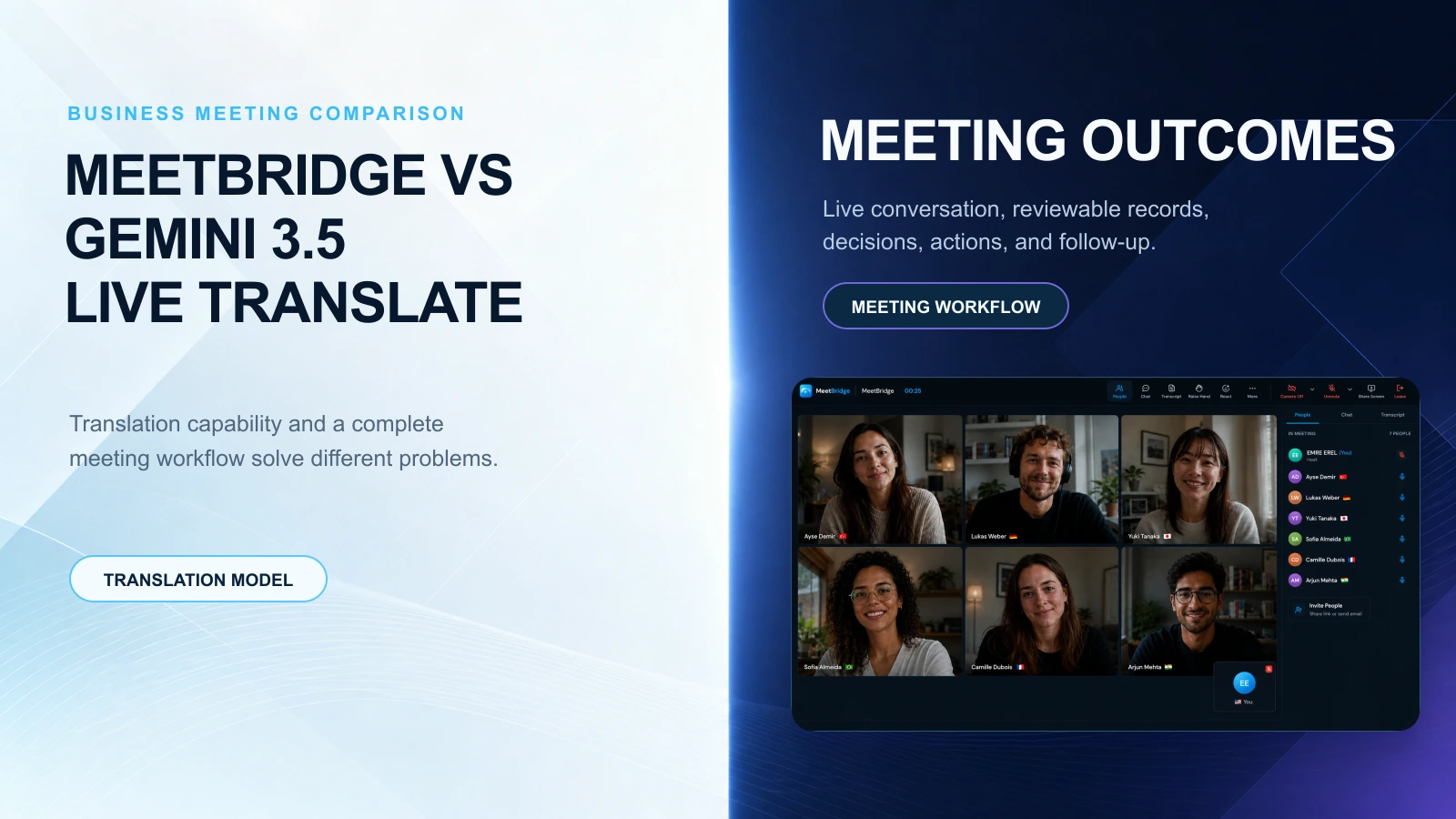
Google's Gemini 3.5 Live Translate brings near real-time voice translation to 70+ languages. For business calls, MeetBridge adds live translation, transcripts, summaries, decisions, actions, booking context, and follow-up.
MeetBridge vs Gemini 3.5 Live Translate for Business Meetings
Google's Gemini 3.5 Live Translate is a major signal for the market: live voice translation is becoming a mainstream expectation. Google says the model supports near real-time speech-to-speech translation across 70+ languages, generates translated speech continuously, and is rolling out through Google Translate, developer tools, and Google Meet private preview.
That is impressive. It also creates an important question for business teams:
Is live voice translation enough to run a high-stakes multilingual meeting?
For most sales, HR, customer success, consulting, real estate, health tourism, export, and operations teams, the answer is no. A translated voice can help people understand the conversation. But business meetings need more than understanding in the moment. They need speed, clarity, decision capture, accountability, and follow-up.
That is where MeetBridge is built differently.
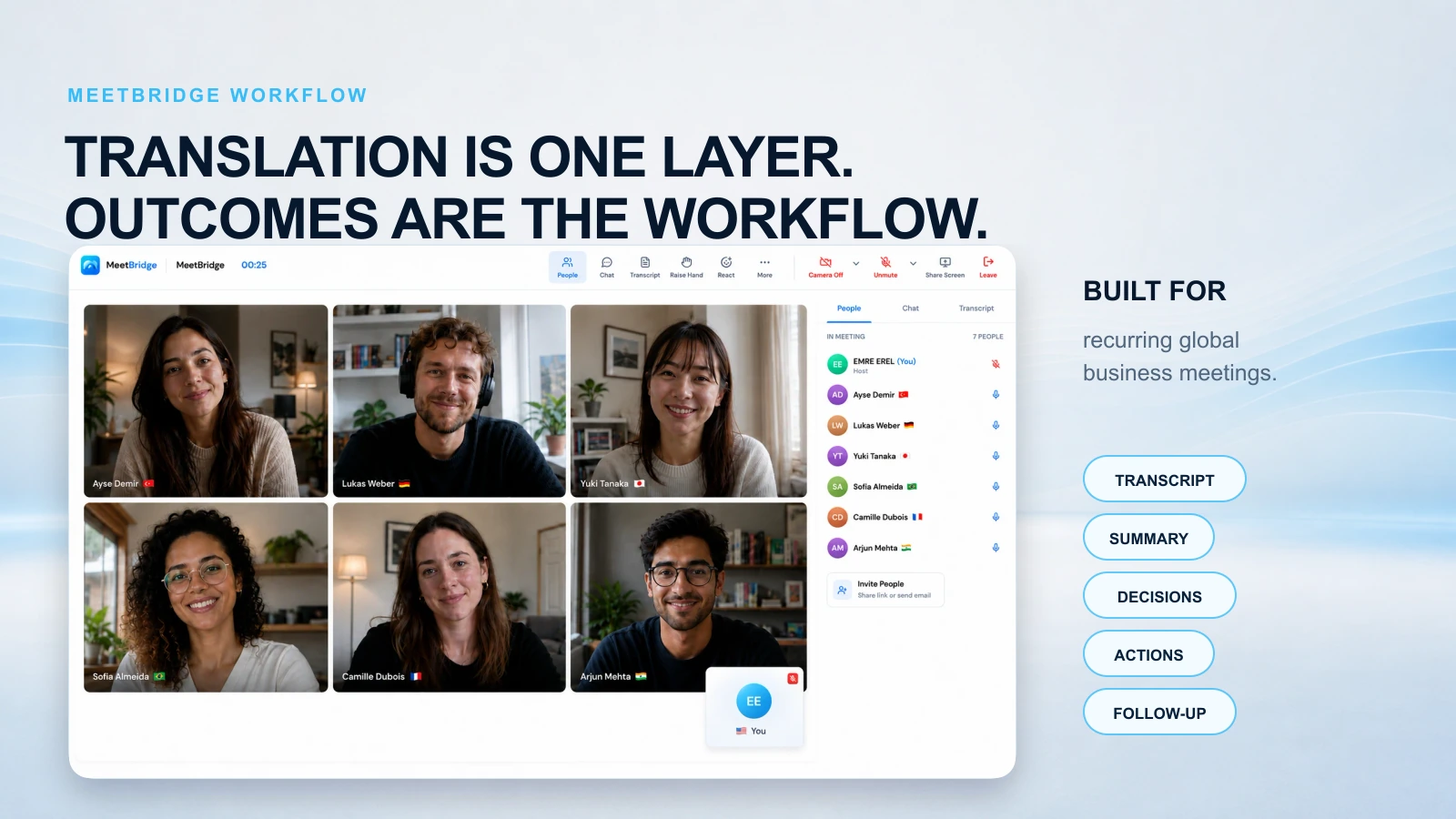
MeetBridge combines live translation, transcripts and meeting memory, meeting summaries and actions, booking links, and team workflows in one meeting platform. Instead of treating translation as a feature on top of a call, MeetBridge treats translation as one layer of a complete multilingual meeting system.
What Gemini 3.5 Live Translate changes
Google's launch matters because it pushes live translation closer to normal business expectations. In its announcement, Google describes Gemini 3.5 Live Translate as a live audio model for speech-to-speech translation that automatically detects 70+ languages, preserves elements like intonation, pacing, and pitch, and stays a few seconds behind the speaker during a session.
Google also says the model is available to developers through the Gemini Live API, is rolling out to Google Translate on Android and iOS, and is coming to Google Meet through private preview for select Google Workspace business customers before a broader rollout later.
Source: Google Keyword announcement
For users, this is good news. More people will search for live translation, test AI voice translation, and expect multilingual conversations to feel smoother.
For business teams, though, it creates a second question: once the translation happens, what happens next?
The real business problem: translation is only the first layer
Multilingual meetings rarely fail only because one sentence was not translated. They fail because the meeting system around the translation is weak.
Common failure patterns look like this:
- The translation sounds good, but the decision is still unclear.
- The buyer understands the answer, but nobody captures the objection correctly.
- A candidate responds in detail, but the hiring team only receives a rough summary.
- A supplier agrees to a delivery detail, but the final notes do not match what was said.
- The call feels productive, but the follow-up is late, incomplete, or written from one language group's point of view.
That is why MeetBridge focuses on the full meeting lifecycle, not just the translated audio layer.
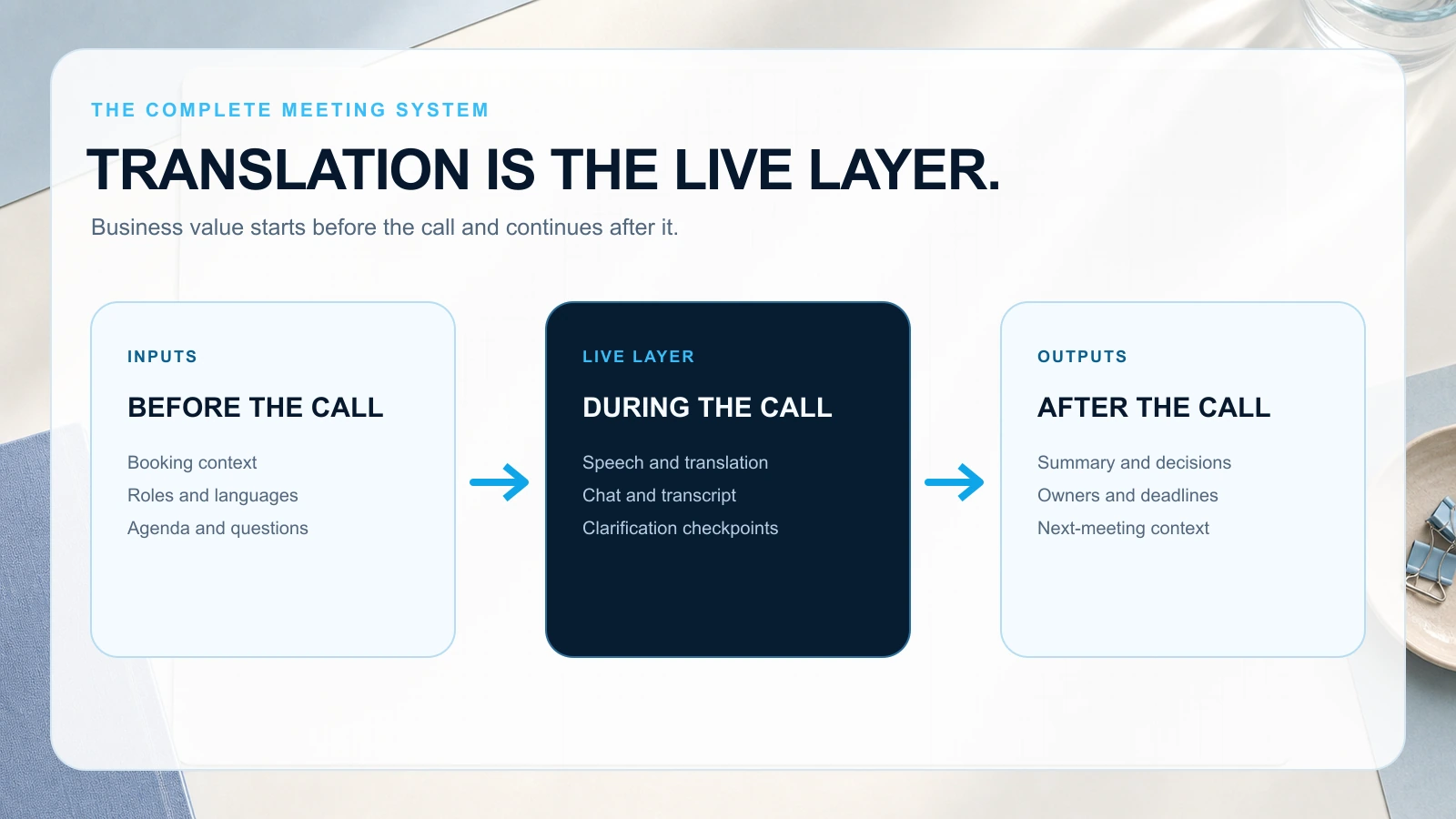
A business meeting has inputs and outputs:
- Inputs: booking context, agenda, participant roles, language preferences, questions, and expectations.
- Live layer: speech, translation, chat, transcript, clarification, and decision checkpoints.
- Outputs: transcript, summary, decisions, action items, owners, deadlines, and next meeting context.
Gemini 3.5 Live Translate is a powerful translation model. MeetBridge is a business meeting workflow built around translation, memory, and follow-through.
Gemini 3.5 Live Translate vs MeetBridge: quick comparison
| Evaluation point | Gemini 3.5 Live Translate | MeetBridge |
|---|---|---|
| Primary purpose | Near real-time speech-to-speech translation model and Google product feature | Dedicated multilingual meeting platform for business workflows |
| Best for | Mobile translation, developer use cases, Google ecosystem translation, and Google Meet speech translation as availability expands | Recurring customer, candidate, partner, supplier, patient, and global team meetings |
| Meeting workflow | Translation-focused experience inside Google products | One workflow from booking to live meeting to transcript, summary, actions, and follow-up |
| Business context | Depends on the surrounding product and team process | Booking questions, participant context, meeting history, transcripts, summaries, decisions, and actions stay connected |
| Follow-up | Not the core job of the translation model | Built around turning the conversation into clear next steps |
| Error handling | Teams still need a process to catch ambiguity, accents, noise, or terminology issues | Meeting records, summaries, and action items help teams review, confirm, and correct important details |
| Team use cases | Useful wherever Google translation experiences are available | Built for sales, HR, customer success, consulting, real estate, health tourism, export, and operations |
| Better fit when | You need general live voice translation | You need multilingual meetings to produce reliable business outcomes |
The difference is not just model quality. The difference is what the product is designed to make happen after people speak.
Where Gemini 3.5 Live Translate can fall short for business meetings
To be clear, Gemini 3.5 Live Translate is not a weak product. It is a major model release from Google. But business buyers should evaluate it in the context of real meetings, not only demos.
1) Smooth audio does not guarantee clear decisions
A live translated voice can make a conversation feel natural. But a natural conversation can still end with unclear ownership.
A sales call can sound smooth and still miss the buyer's timeline. A customer success meeting can feel aligned and still fail to assign an escalation owner. A product review can translate every sentence and still leave teams with two different interpretations of launch scope.
That is why MeetBridge connects the live layer to the post-meeting layer. After a call, teams can review the transcript, summarize key points, capture decisions, and turn next steps into actions.
Explore how MeetBridge handles this in meeting summaries and actions.
2) Translation risk still exists in real rooms
Google's own Gemini 3.5 Audio model card notes that known limitations may include inconsistent voices, language detection challenges with non-native accents, similar languages, rapid language switches, and background noise that may not always be ignored.
Source: Google DeepMind Gemini 3.5 Audio model card
That matters because business meetings are messy. People interrupt. Accents vary. Microphones are uneven. Industry terms are specific. Speakers switch languages mid-sentence. A translation system has to survive the reality of actual calls, not only clean demos.
MeetBridge does not pretend that AI translation removes all risk. Instead, it is designed to reduce the operational cost of ambiguity:
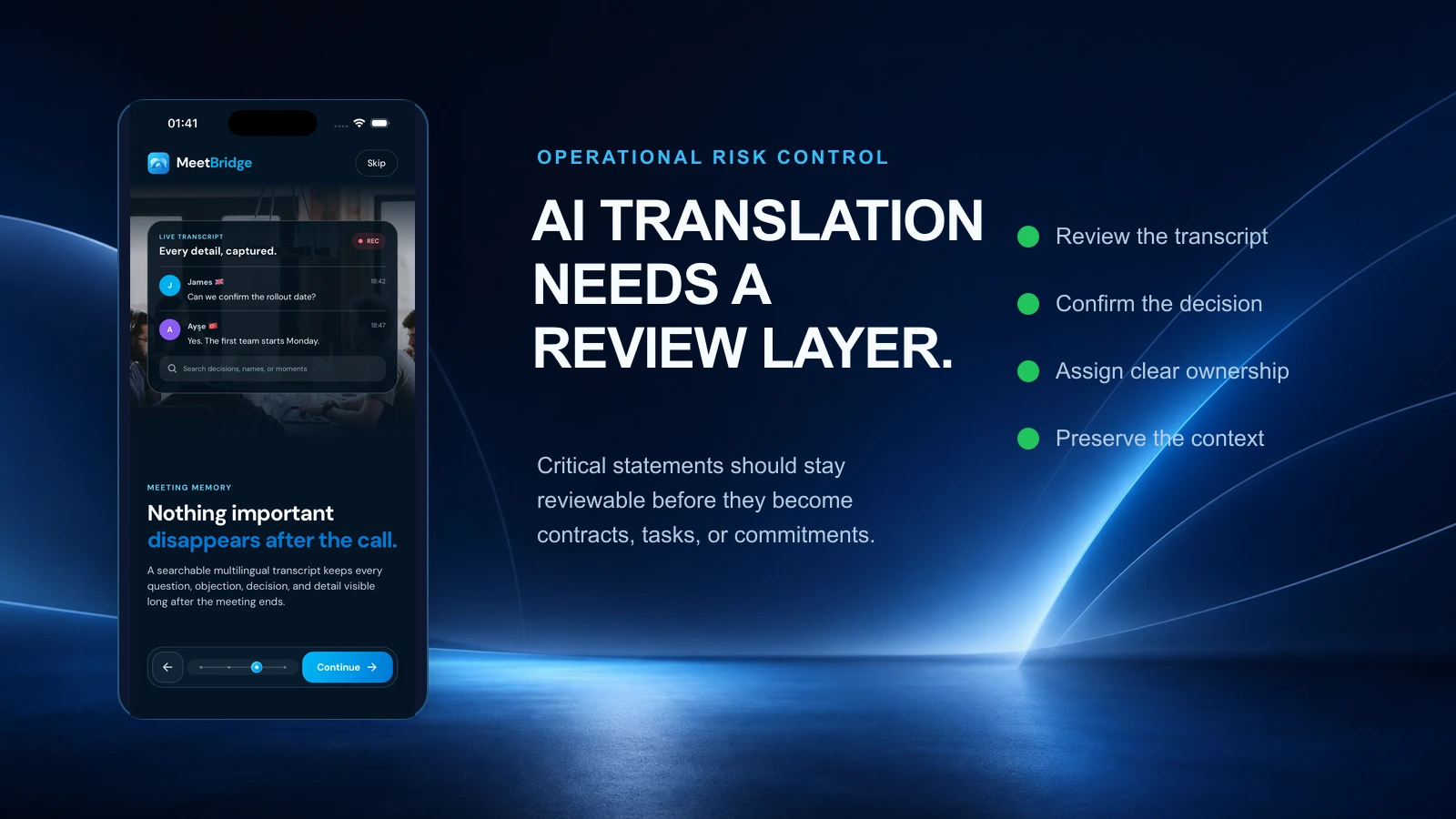
- Keep the transcript available for review.
- Preserve meeting context in one place.
- Summarize decisions instead of only describing discussion.
- Capture action items so ownership is visible.
- Let teams confirm critical statements before they become commitments.
If translation creates a small misunderstanding, the meeting system should help catch it before it becomes a contract issue, churn risk, hiring mistake, or delivery delay.
3) Availability in Google Meet may not match every team's rollout timeline
Google says Gemini 3.5 Live Translate is coming to Google Meet through private preview for select business Google Workspace customers, followed by a broader rollout later. That means some teams will not be able to rely on it immediately for every business workflow, every meeting type, or every stakeholder group.
MeetBridge is purpose-built for teams that already need multilingual meeting workflows across customers, candidates, partners, suppliers, and distributed teams.
Start with the MeetBridge product overview to see how booking, live meetings, transcripts, summaries, and actions connect.
4) A model is not a meeting operating system
The most important difference is product shape.
Gemini 3.5 Live Translate is a translation model powering experiences. MeetBridge is a meeting workspace for multilingual business communication.
That means MeetBridge is not only asking, "Can we translate the speech?" It is asking:
- Did everyone understand the decision?
- Did we capture the exact requirement?
- Did we preserve the context for the team that was not on the call?
- Did we assign owners and deadlines?
- Can we move from conversation to follow-up without rebuilding the meeting from memory?
That is the difference between a translation feature and a multilingual meeting platform.
Why MeetBridge is the better fit for high-stakes business calls
If your team is evaluating a Gemini 3.5 Live Translate alternative for business meetings, the comparison should not stop at language count. Language count matters, but it does not decide whether a deal moves, a candidate is evaluated fairly, or a customer escalation is resolved.
MeetBridge is the better fit when the outcome matters as much as the translation.
1) MeetBridge keeps the meeting moving in real time
In live business calls, latency is not only a technical metric. It is a meeting behavior problem.
A slow translation experience creates pauses, repeated questions, broken turn-taking, and lower confidence. A fast meeting experience lets people ask, answer, clarify, and decide while the context is still fresh.
MeetBridge is built around live translation inside the meeting room so customers, candidates, partners, and teams can keep speaking naturally while the conversation stays understandable.
For teams comparing translation speed, the best test is practical:
- Can both sides respond without long pauses?
- Does the conversation stay natural during objections or Q&A?
- Can participants clarify terms before the meeting drifts?
- Does the tool help reduce repeated explanations?
- Does the follow-up happen faster because the meeting record is already structured?
Speed is not just the first translated word. Speed is the time from spoken question to confident next step.
2) MeetBridge helps reduce the damage of wrong or ambiguous translations
Every AI translation tool can make mistakes, especially with noisy audio, accents, domain-specific vocabulary, overlapping speech, or cultural nuance.
The business risk is not just that a sentence is translated imperfectly. The risk is that nobody notices until later.
MeetBridge helps teams reduce that risk by making the conversation reviewable:
- Transcripts and meeting memory help preserve what was said.
- meeting summaries and actions make decisions and next steps easier to inspect.
- Meeting history keeps context attached to the call instead of scattering it across chat, email, and personal notes.
For important meetings, teams should still confirm critical commitments. MeetBridge makes that confirmation easier because the record, summary, and action list stay connected.
3) MeetBridge turns multilingual conversations into business artifacts
A business meeting is not complete when the call ends. It is complete when the team can act on the outcome.
MeetBridge is designed to produce the artifacts global teams need:
- A transcript for review.
- A summary for quick understanding.
- Decisions for alignment.
- Action items for accountability.
- Follow-up context for the next step.
- Booking context for smoother preparation.
That is especially important for teams that run recurring multilingual calls. Manual notes may work once. They do not scale across dozens of sales calls, interviews, support sessions, supplier meetings, or consultations.
4) MeetBridge connects preparation, live translation, and follow-up
Many translation tools begin when the microphone turns on. But better multilingual meetings begin before the call.
With booking links, teams can collect meeting requests, ask custom questions, and bring participant context into the meeting workflow. That matters because translation quality improves when the meeting has clearer context: who is joining, what they need, what language they prefer, and what decision needs to be made.
Then, after the call, the same meeting record can support transcripts, summaries, decisions, and follow-up.
That connected workflow is why MeetBridge is stronger for real business use cases than a translation-only approach.
5) MeetBridge fits teams and industries where language blocks revenue, trust, or urgency
MeetBridge is strongest when language friction affects business outcomes.
Examples:
- B2B sales and SaaS: discovery, demos, proposals, objections, and buyer follow-up across languages.
- HR and international hiring: candidate interviews, onboarding conversations, and hiring-team review.
- Customer success: onboarding, QBRs, training, escalations, and renewal conversations.
- Consulting services: workshops, project reviews, stakeholder alignment, and task follow-up.
- Real estate: foreign buyer consultations, investor calls, legal steps, and property details.
- Health tourism: patient intake, treatment planning, doctor coordination, and international patient follow-up.
- Export and operations: supplier calls, distributor meetings, logistics, pricing, quality, and order discussions.
These teams do not only need translated speech. They need confidence that the meeting produced the right next step.
How to evaluate Gemini 3.5 Live Translate alternatives
If you are comparing Gemini 3.5 Live Translate, Google Meet translation, translated captions, human interpreters, and dedicated meeting translation software, use a business-first checklist.
1) Measure conversation speed, not only model latency
Ask whether the tool keeps the meeting moving during fast back-and-forth discussion. The right question is not only "How many seconds behind is the translation?" It is also "Can people keep collaborating without breaking the flow?"
2) Test your real language pairs and accents
Do not evaluate translation quality only in English-Spanish or clean demo environments. Test the language pairs, accents, terminology, and audio conditions your team actually uses.
3) Check how the tool handles mistakes
When a translation is wrong, unclear, or incomplete, can your team recover quickly? Can people review the transcript? Can they confirm decisions? Can they correct the follow-up before it reaches the customer?
4) Look for meeting memory
If the tool does not keep a useful meeting record, your team will rebuild context manually. That creates delays, inconsistent notes, and language bias in the official recap.
MeetBridge solves this with transcripts and meeting memory.
5) Evaluate follow-up quality
The best meeting translation software should help answer:
- What did we decide?
- Who owns the next step?
- What is the deadline?
- What is still open?
- What should the customer, candidate, supplier, or internal team receive after the call?
MeetBridge is built around this output layer with meeting summaries and actions.
Practical scenarios: where MeetBridge wins
Scenario 1: Cross-border sales discovery
A prospect speaks Turkish. The sales team speaks English. A solutions engineer joins from Germany.
A generic translation feature may help people understand each other. But the deal still depends on the details: urgency, budget, decision process, security requirements, implementation risks, and next meeting.
With MeetBridge, the team can translate live, review the transcript, summarize objections, assign follow-up actions, and move from discovery to next step faster.
Recommended workflow: B2B sales and SaaS plus live translation.
Scenario 2: Multilingual customer escalation
A customer describes a product issue in Spanish. Support leads are in English. Engineering needs the technical context after the call.
A smooth voice translation helps during the meeting, but the business risk appears afterward. Did engineering receive the exact symptom? Did the customer hear the workaround correctly? Who owns the update?
MeetBridge helps preserve the discussion, summarize the decision, and make the action item visible.
Recommended workflow: Customer success plus transcripts and meeting memory.
Scenario 3: International hiring interview
A candidate is strongest in one language. The hiring team works in another. The interview needs to feel fair, but the evaluation also needs to be consistent.
If a bilingual teammate translates manually, they may influence what gets captured. If the notes are written from memory, details can disappear.
MeetBridge supports a more structured flow: live understanding during the conversation, then a record that the hiring team can review.
Recommended workflow: HR and international hiring.
Scenario 4: Supplier negotiation and export operations
A supplier call includes pricing, delivery windows, tolerances, penalties, and order changes. One ambiguous translation can become an expensive operational mistake.
MeetBridge helps teams keep the conversation understandable while also preserving the record for procurement, finance, logistics, or legal review.
Recommended workflow: Export and operations.
When Gemini 3.5 Live Translate may be enough
Gemini 3.5 Live Translate may be a strong option when:
- You need a quick consumer translation experience.
- You are translating a short informal conversation.
- Your team already lives entirely inside supported Google workflows.
- The meeting does not require structured notes, decisions, owners, or follow-up.
- You are experimenting with the Gemini Live API for custom translation experiences.
In those cases, the translation layer may be the main need.
When MeetBridge is the better choice
MeetBridge is the better choice when:
- The meeting is customer-facing or revenue-related.
- The call involves candidates, patients, suppliers, partners, or executives.
- Translation speed affects trust and momentum.
- Wrong or ambiguous translation can create business risk.
- The team needs transcripts, summaries, decisions, and action items.
- Follow-up quality matters as much as live understanding.
- You want a dedicated multilingual meeting workflow instead of a translation feature alone.
If your team measures success by decisions made, actions completed, customers supported, candidates evaluated, or deals advanced, choose the platform designed for the full meeting outcome.
Choose MeetBridge for multilingual business meetings that need to move from live conversation to clear follow-up.
The takeaway
Gemini 3.5 Live Translate makes live voice translation more visible. MeetBridge makes multilingual business meetings more useful.
The best translation experience is not only the one that sounds natural. It is the one that helps people understand, decide, remember, and act.
For global teams, that means live translation should be connected to transcripts, meeting memory, meeting summaries, action items, booking context, and follow-up workflows.
That is the difference MeetBridge is built for.
See MeetBridge in action
If your team runs multilingual meetings with customers, candidates, suppliers, patients, partners, or global teams, explore how MeetBridge connects the entire workflow:
- Live translation: keep the meeting understandable while people speak.
- Transcripts and meeting memory: preserve the record after the call.
- meeting summaries and actions: turn discussion into decisions and next steps.
- Booking links: collect context before the meeting starts.
- Mobile app: support meeting workflows across web, iOS, and Android.
To evaluate MeetBridge for your team, contact sales or review pricing for global meeting workflows.
FAQ
What is Gemini 3.5 Live Translate?
Gemini 3.5 Live Translate is Google's live audio model for near real-time speech-to-speech translation. Google says it supports 70+ languages, translates continuously during speech, and is available through Google Translate, developer tools, and Google Meet private preview.
Is Gemini 3.5 Live Translate available in Google Meet?
Google says Gemini 3.5 Live Translate is launching in private preview for select Google Workspace business customers in Google Meet, with a broader rollout later. Teams should check their own Workspace availability and rollout status before relying on it for every meeting.
Is Gemini 3.5 Live Translate enough for business meetings?
It can help with live understanding, but business meetings usually need more than translated speech. Teams also need transcripts, summaries, decisions, action items, meeting history, and follow-up. MeetBridge is designed around that complete workflow.
What is the best Gemini 3.5 Live Translate alternative for business calls?
For teams that need recurring multilingual business meetings, MeetBridge is a strong alternative because it combines live translation with transcripts, meeting memory, meeting summaries, decisions, actions, booking context, and follow-up workflows.
How is MeetBridge different from Google Meet translation?
Google Meet translation is a feature inside the Google meeting ecosystem. MeetBridge is a dedicated multilingual meeting platform built around the full workflow: preparation, live translation, transcript, summary, decisions, action items, history, and follow-up.
Does MeetBridge replace human interpreters?
Not always. For legal, medical, employment, safety, or highly sensitive conversations, teams may still need qualified human review or certified professionals. MeetBridge is strongest for business teams that need scalable, recurring multilingual meetings with strong records and follow-up.
How should teams compare live translation tools?
Test real calls, real accents, real terminology, and real follow-up needs. Compare not only translation accuracy and latency, but also whether the tool helps capture decisions, assign owners, preserve context, and move the team forward after the meeting.
Related posts
Continue reading:
- What Is an Live Meeting Translator and How Does It Work?
- Live Translation vs Translated Captions: What Is the Difference?
- Why Global Teams Need More Than Translated Captions
- What to Look for in Multilingual Meeting Software
- How to Run Multilingual Meetings Without Slowing Them Down
- Common Mistakes That Break Multilingual Meetings